
Container wrapper for running AI coding agents in isolated, secure containers

Project description
Paude
Run AI coding agents in secure containers. They make commits, you pull them back.
Supported Agents
| Agent | Flag | Status |
|---|---|---|
| Claude Code | --agent claude (default) |
Supported |
| Cursor CLI | --agent cursor |
Supported |
| Gemini CLI | --agent gemini |
Supported |
| OpenClaw | --agent openclaw |
Supported |
Agents are installed automatically inside the container — no local agent installation needed. You just need authentication credentials for your chosen provider.
Why Paude?
- Isolated execution: Your agent runs in a container, not on your host machine
- Safe autonomous mode: Enable
--yolowithout fear — the agent can't send your code anywhere - Git-based workflow: The agent commits inside the container, you
git pullthe changes - Run anywhere: Locally with Podman or Docker, remotely via SSH, or on OpenShift
Demo
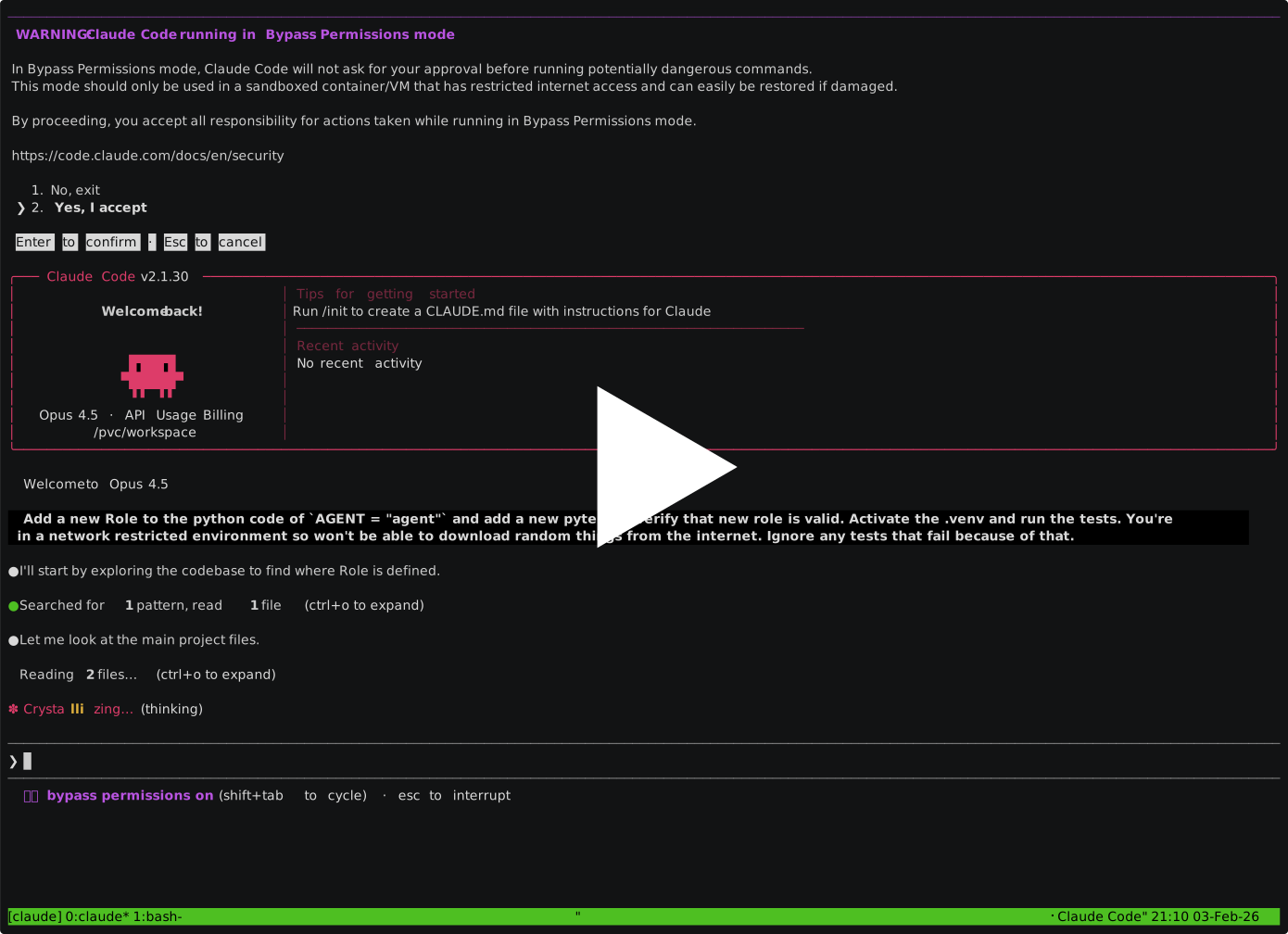
The demo shows Claude Code, but the workflow is identical with other agents.
Quick Start
Prerequisites
Container runtime: Podman or Docker for local use, or an OpenShift cluster for remote execution.
Authentication — set up credentials for your chosen provider:
Google Cloud / Vertex AI (Claude Code, Gemini CLI, OpenClaw)
Install the Google Cloud SDK, then:
gcloud auth application-default login
Set your project (find the ID in Google Cloud Console):
# Claude Code via Vertex
export CLAUDE_CODE_USE_VERTEX=1
export ANTHROPIC_VERTEX_PROJECT_ID=your-project-id
export GOOGLE_CLOUD_PROJECT=your-project-id

# Gemini CLI / OpenClaw via Vertex
export GOOGLE_CLOUD_PROJECT=your-project-id
Anthropic API key (Claude Code, OpenClaw)
export ANTHROPIC_API_KEY=your-api-key
For OpenClaw, also pass --provider anthropic:
paude create --agent openclaw --provider anthropic ...
OpenAI API key (OpenClaw)
export OPENAI_API_KEY=your-api-key
paude create --agent openclaw --provider openai ...
Cursor
agent login # or set CURSOR_API_KEY=your-api-key
macOS note: On Mac hosts,
CURSOR_API_KEYis the simplest authentication method. Without it, each paude session requires a separate browser-based OAuth login viaagent logininside the container.
Install
uv tool install paude
First run: Paude pulls container images on first use. This takes a few minutes; subsequent runs start immediately.
Your First Session
# OpenClaw — browser-based, no local agent install needed
paude create --agent openclaw --allowed-domains "default openclaw" my-project

# Claude Code (default)
cd your-project
paude create --yolo --git my-project

# Cursor CLI
paude create --agent cursor --yolo --git my-project

# Gemini CLI
paude create --agent gemini --yolo --git my-project

# Connect to a CLI agent's running session
paude connect my-project

# Pull the agent's commits (use your branch name):
git pull paude-my-project main
You'll know it's working when: For CLI agents, paude connect shows the agent interface and git pull brings back commits. For OpenClaw, paude connect prints a URL — open it in your browser.
OpenTelemetry Export
Export agent telemetry (metrics, logs, traces) to any OTLP-compatible collector:
paude create --otel-endpoint http://collector:4318 my-project
The endpoint hostname is automatically added to the proxy allowlist and non-standard ports (like 4318) are opened in the proxy. Supported agents: Claude Code, Gemini CLI, OpenClaw. Set otel-endpoint in ~/.config/paude/defaults.json to apply globally.
Passing a Task
paude create --yolo my-project -a '-p "refactor the auth module"'
Or just start the session and type your request in the agent interface.
Something Not Working?
- Run
paude --helpfor all options and examples - Run
paude listto check session status - Use
paude create --dry-runto verify configuration - Use
paude start -vfor verbose output (shows sync progress) - Check credentials:
gcloud auth application-default print-access-token(Vertex/Gemini) or verify your API key is exported
Learn more:
- Session Management — commands, lifecycle, code sync
- Configuration — defaults, network domains, GitHub CLI, custom environments
- Security Model — attack vectors,
--yolosafety, residual risks - Orchestration — fire-and-forget workflow, harvest, PRs
- Remote Hosts & Docker — SSH remotes, Docker backend, GPU passthrough
- OpenShift Backend — remote execution on Kubernetes
How It Works
Your Machine                    Container
    |                              |
    |-- git push ----------------▶ |  Agent works here
    |                              |  (network-filtered)
    ◀-- git pull -----------------|
    |                              |
- Git is the sync mechanism — your local files stay untouched until you pull
--yolois safe because network filtering blocks the agent from sending data to arbitrary URLs- The agent can only reach its API (e.g., Vertex AI) and package registries (e.g., PyPI) by default
Install from Source
git clone https://github.com/bbrowning/paude
cd paude
uv venv --python 3.12 --seed
source .venv/bin/activate
pip install -e .
Requirements
- Python 3.11+ (for the Python package)
- Podman or Docker (for local backend)
- OpenShift CLI
oc(for OpenShift backend) - Auth credentials for your provider (Google Cloud SDK, API key, etc.)
Development
See CONTRIBUTING.md for development setup, testing, and release instructions.
License
MIT
Release history Release notifications | RSS feed


Download files
Download the file for your platform. If you're not sure which to choose, learn more about installing packages.
Source Distribution
Built Distribution
Filter files by name, interpreter, ABI, and platform.
If you're not sure about the file name format, learn more about wheel file names.
Copy a direct link to the current filters
File details
Details for the file paude-0.20.0a2.tar.gz.
File metadata
- Download URL: paude-0.20.0a2.tar.gz
- Upload date:
- Size: 340.1 kB
- Tags: Source
- Uploaded using Trusted Publishing? Yes
- Uploaded via: twine/6.1.0 CPython/3.13.7
File hashes
| Algorithm | Hash digest | |
|---|---|---|
| SHA256 |
8e3d4cbe0f0f2911741391e8e212578414c3369332fc8f85da3e27a68fb2b7dd
|
|
| MD5 |
ba2f39b802edb2b84829405fd7b298bf
|
|
| BLAKE2b-256 |
4e858f8673a53a5f47cef6637e9476603992aadb60a3bba7d293a31e377de8c0
|
Provenance
The following attestation bundles were made for paude-0.20.0a2.tar.gz:
Publisher:
release.yml on bbrowning/paude
-
Statement:
-
Statement type:
https://in-toto.io/Statement/v1 -
Predicate type:
https://docs.pypi.org/attestations/publish/v1 -
Subject name:
paude-0.20.0a2.tar.gz -
Subject digest:
8e3d4cbe0f0f2911741391e8e212578414c3369332fc8f85da3e27a68fb2b7dd - Sigstore transparency entry: 1244510815
- Sigstore integration time:
-
Permalink:
bbrowning/paude@3172a7caf6b6672cacded16621cfbd91b2c06bdd -
Branch / Tag:
refs/tags/v0.20.0a2 - Owner: https://github.com/bbrowning
-
Access:
public
-
Token Issuer:
https://token.actions.githubusercontent.com -
Runner Environment:
github-hosted -
Publication workflow:
release.yml@3172a7caf6b6672cacded16621cfbd91b2c06bdd -
Trigger Event:
push
-
Statement type:
File details
Details for the file paude-0.20.0a2-py3-none-any.whl.
File metadata
- Download URL: paude-0.20.0a2-py3-none-any.whl
- Upload date:
- Size: 201.7 kB
- Tags: Python 3
- Uploaded using Trusted Publishing? Yes
- Uploaded via: twine/6.1.0 CPython/3.13.7
File hashes
| Algorithm | Hash digest | |
|---|---|---|
| SHA256 |
1ec319adfe0b975e9b9305ac36628c02cad0e103612f966ed2a22bbba7b0ef5f
|
|
| MD5 |
6c11c7cbced960e462962d949e1bc10a
|
|
| BLAKE2b-256 |
5a8c1aa6c64bb197d33cb1b5bb9ae457200b476a6c160282dcc444351c29d722
|
Provenance
The following attestation bundles were made for paude-0.20.0a2-py3-none-any.whl:
Publisher:
release.yml on bbrowning/paude
-
Statement:
-
Statement type:
https://in-toto.io/Statement/v1 -
Predicate type:
https://docs.pypi.org/attestations/publish/v1 -
Subject name:
paude-0.20.0a2-py3-none-any.whl -
Subject digest:
1ec319adfe0b975e9b9305ac36628c02cad0e103612f966ed2a22bbba7b0ef5f - Sigstore transparency entry: 1244510830
- Sigstore integration time:
-
Permalink:
bbrowning/paude@3172a7caf6b6672cacded16621cfbd91b2c06bdd -
Branch / Tag:
refs/tags/v0.20.0a2 - Owner: https://github.com/bbrowning
-
Access:
public
-
Token Issuer:
https://token.actions.githubusercontent.com -
Runner Environment:
github-hosted -
Publication workflow:
release.yml@3172a7caf6b6672cacded16621cfbd91b2c06bdd -
Trigger Event:
push
-
Statement type:






