
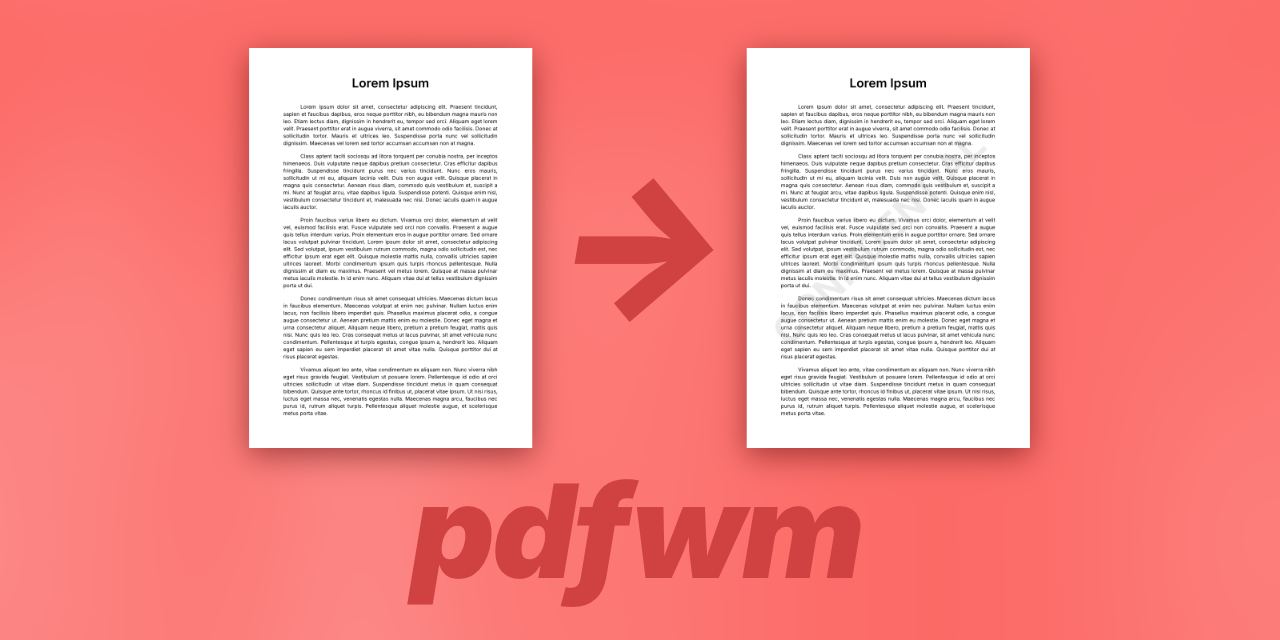
PDF Watermark (pdfwm)
A Python library and command-line tool for adding text watermarks to PDF files. Supports batch processing, custom colors, and recursive directory processing.
Features
- 🎨 Text Watermarks: Generate watermarks from custom text
- 🎯 Auto-sizing: Automatically fits watermark text to page dimensions
- 🌈 Color Customization: Support for RGB and RGBA hex color codes
- 📦 Batch Processing: Process multiple files with glob patterns
- 🔄 Recursive Mode: Preserve directory structure when processing
- 💾 Safe Overwrite: Optional in-place modification with temporary file safety
- 🔧 Library & CLI: Use as a Python library or command-line tool
- ✨ Type Hints: Full type annotation support
| Before Watermark | After Watermark |
|---|---|
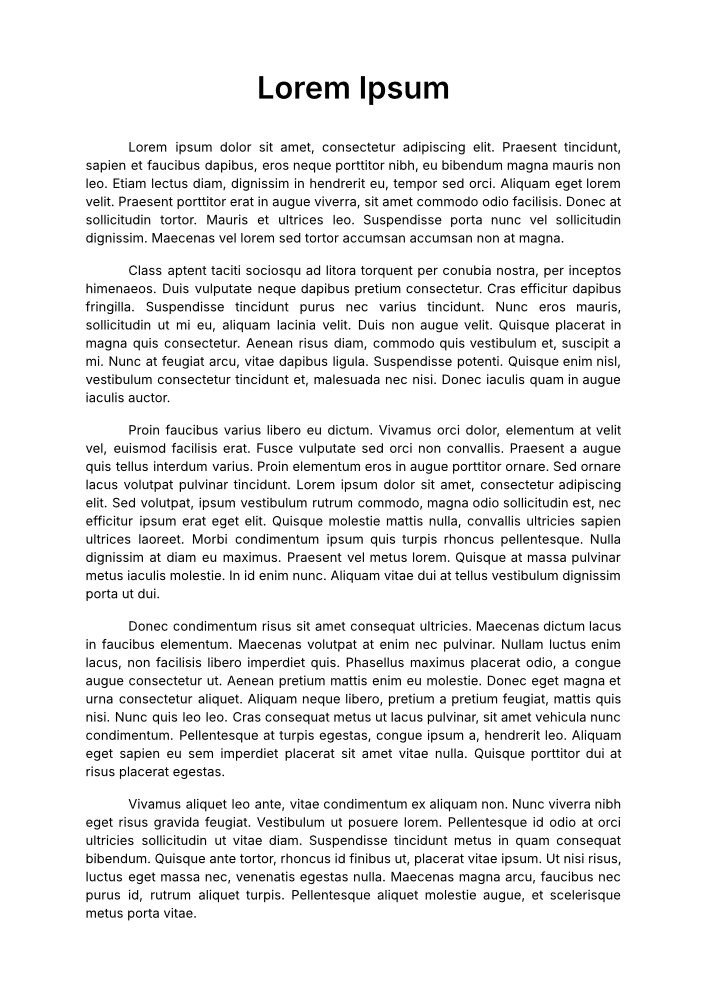 |
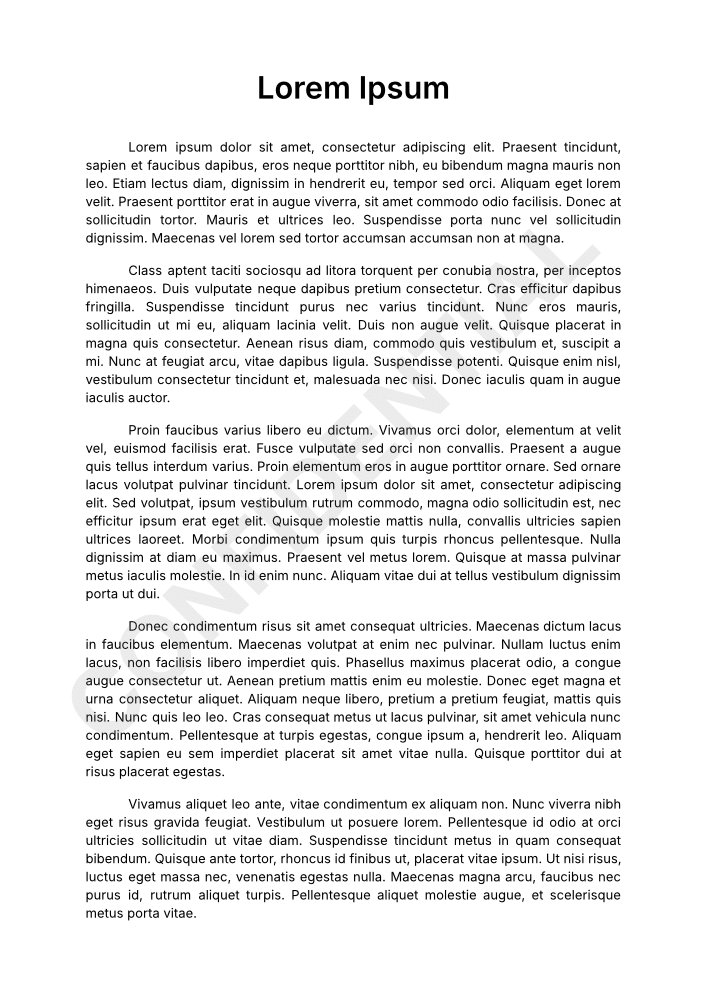 |
Installation
From PyPI
pip install pdfwm
From Source
git clone https://github.com/yourusername/pdfwm.git
cd pdfwm
pip install -e .
Command-Line Usage
Basic Usage
Add watermark to a single file:
pdfwm -i document.pdf -o watermarked.pdf -t "CONFIDENTIAL"
Batch Processing
Process multiple files with glob patterns:
# Process all PDFs in current directory
pdfwm -i *.pdf -o output/ -t "DRAFT"

# Process PDFs recursively
pdfwm -i **/*.pdf -o output/ -t "DRAFT" --recursive
Custom Colors
Use hex color codes (RGB or RGBA):
# Red with 50% opacity
pdfwm -i document.pdf -o output.pdf -t "CONFIDENTIAL" -c "#FF000080"

# Gray (default opacity)
pdfwm -i document.pdf -o output.pdf -t "DRAFT" -c "#808080"
Overwrite Mode
Modify files in-place:
pdfwm -i document.pdf -t "CONFIDENTIAL" --overwrite
Custom Suffix
When not specifying output path:
pdfwm -i document.pdf -t "DRAFT" -s "_draft"
# Creates: document_draft.pdf
Full Options
pdfwm [options]

Options:
  -i, --input FILE [FILE ...]   Input PDF file(s). Supports wildcards.
  -o, --output PATH             Output file or directory
  -t, --text TEXT               Watermark text (required)
  -c, --color HEX               Watermark color (default: #80808019)
  -s, --suffix SUFFIX           Filename suffix (default: _watermarked)
  -w, --overwrite               Overwrite input files
  -r, --recursive               Preserve directory structure
  --version                     Show version
  -h, --help                    Show help message
Library Usage
Basic Example
from pdfwm import process_pdf

# Add watermark to a file
success, message = process_pdf(
    input_path="document.pdf",
    output_path="watermarked.pdf",
    watermark_text="CONFIDENTIAL"
)

if success:
    print(f"Success: {message}")
else:
    print(f"Error: {message}")
Custom Color
from pdfwm import process_pdf

# Apply watermark with custom color
success, message = process_pdf(
    input_path="document.pdf",
    output_path="output.pdf",
    watermark_text="CONFIDENTIAL",
    watermark_color="#FF000080"  # Red with 50% opacity
)
Requirements
- Python 3.8+
- PyPDF2 >= 3.0.0
- reportlab >= 4.0.0
Install dependencies:
# For users
pip install -r requirements.txt

# For developers
pip install -r requirements-dev.txt
License
MIT License - see LICENSE file for details.
Contributing
Contributions are welcome! Please feel free to submit a Pull Request.
Changelog
See CHANGELOG.md for version history.
Author
Olivier Cléro - oclero@pm.me
1 maintainer

Metadata
1 maintainer
Release files for pdfwm 0.2.0
For a detailed explanation of source distributions (sdists) and built distributions (wheels), please see the package formats documentation.
Source distribution (sdist)
| File | Size | Uploaded | |
|---|---|---|---|
| pdfwm-0.2.0.tar.gz | 10.8 kB | Details |
Built distribution (wheel)
| File | Interpreter | ABI | Platform | Reset |
|---|---|---|---|---|
| pdfwm-0.2.0-py3-none-any.whl | Python 3 | none | any | Details |
Total release size: 20.6 kB
Release files / pdfwm-0.2.0.tar.gz
| Download URL | pdfwm-0.2.0.tar.gz |
|---|---|
| Size | 10.8 kB |
| Tags | Source |
|
SHA-256 checksum How to use checksums |
22fb4b70c2c602243e9d547cb827352a0c614eec1470035fbf6f28fa6081713e
|
|
BLAKE2b-256 checksum How to use checksums |
89a78a6d1c4e8d06de13ae6e2539c9fc4dfcb10cf68f5a396f33795c8933aa57
|
| Upload date | |
|
Uploaded using Trusted Publishing? What is trusted publishing? |
No |
| Uploaded via |
twine/6.2.0 CPython/3.14.2
|
Release files / pdfwm-0.2.0-py3-none-any.whl
| Download URL | pdfwm-0.2.0-py3-none-any.whl |
|---|---|
| Size | 9.8 kB |
| Tags | Python 3 |
|
SHA-256 checksum How to use checksums |
2c55bb11f2c3e0f3667ade27be18c4b792e89a4d651638ba12c4d41dbdd4c520
|
|
BLAKE2b-256 checksum How to use checksums |
725005b1189d204d017799482a4f57e8a3c24723af7e8709b35505c0e14ee2c8
|
| Upload date | |
|
Uploaded using Trusted Publishing? What is trusted publishing? |
No |
| Uploaded via |
twine/6.2.0 CPython/3.14.2
|













