
Pedre







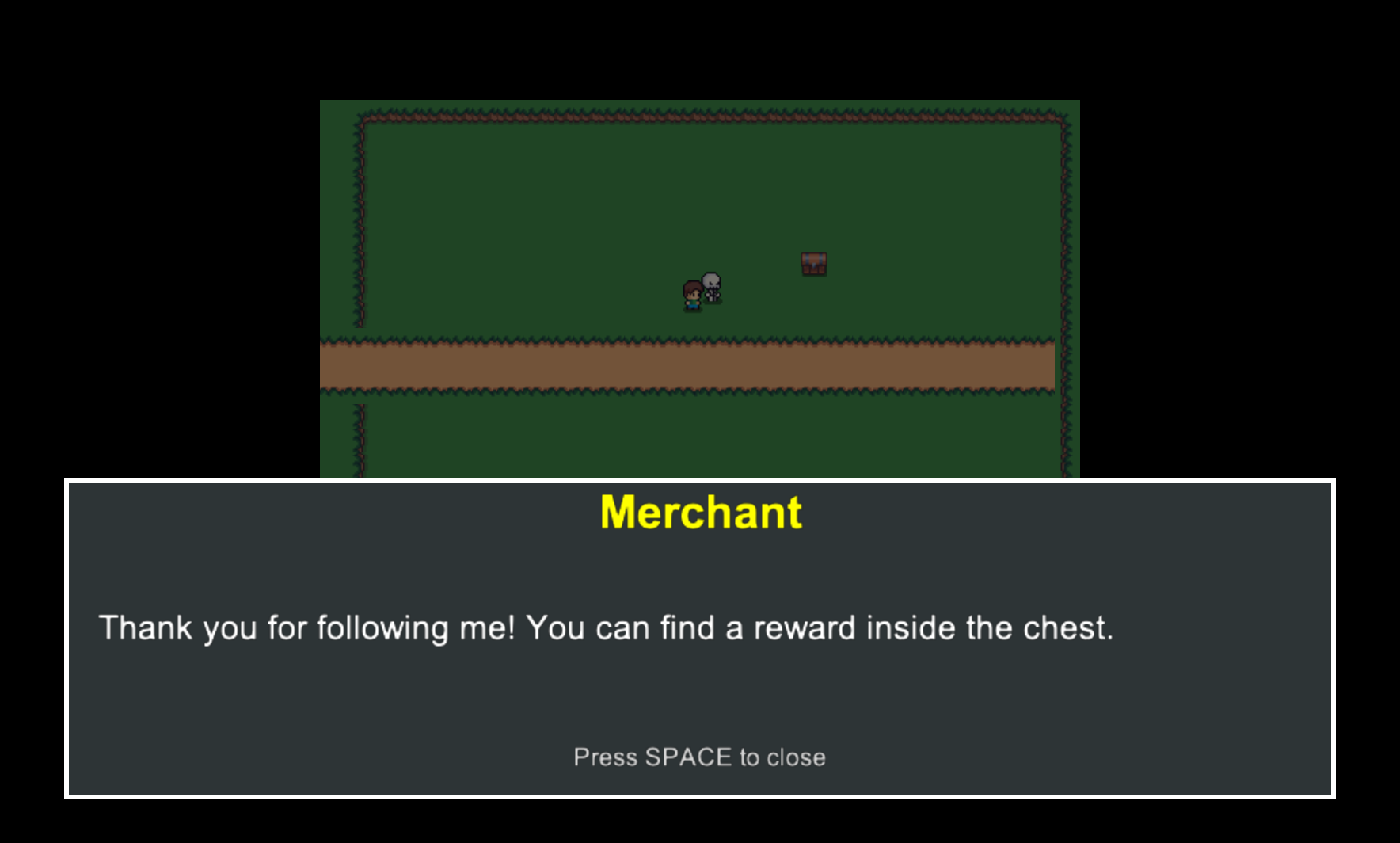
A Python RPG framework built on Arcade with seamless Tiled map editor integration. Build Zelda-like games with dialog systems, NPC interactions, inventory management, and event-driven scripting. Built with a plugin-based architecture that lets you replace or extend core systems without forking the engine.
Is Pedre for you?
Pedre is designed for:
- Developers who want to build 2D RPGs in Python
- Projects using Arcade + Tiled
- Games with dialog, NPCs, and scripted events
Pedre may not be a good fit if:
- You need a visual editor like Unity/Godot
- You want a low-level engine rather than a framework
- You are targeting mobile or web
Features
- Tiled Map Integration - Load .tmx maps with automatic layer detection and object parsing
- Event-Driven Scripting - JSON-based cutscenes, triggers, conditions, and actions
- NPC System - Animated NPCs with dialog trees, pathfinding, and state management
- Dialog System - Multi-page conversations with character names and text reveal animation
- Inventory System - Item collection, categorization, and photo viewing
- Portal System - Map transitions with conditional triggers and waypoint spawning
- Save/Load System - Multi-slot game state persistence with auto-save
- Pause Menu - In-game overlay with save/load, new game, and resume options
- Player Control - Animated player sprite with 8-directional movement and collision
- Camera System - Smooth camera following with target switching and bounds
- Audio System - Background music and sound effects with volume control
- Particle Effects - Visual feedback for interactions (sparkles, hearts, trails, bursts)
- Interaction System - Distance-based object and NPC interaction detection
- Physics System - Collision detection with configurable wall layers
- Pathfinding - A* pathfinding for NPC movement around obstacles
- Input Handling - Normalized movement vectors with customizable key bindings
- Debug Mode - Development overlay showing coordinates and NPC states
- Resource Caching - Efficient loading and caching of sprites, audio, and maps
Requirements
- Python 3.14+
- Arcade 3.x
- Tiled Map Editor (for map creation)
- Windows, macOS, or Linux
Installation
Install from PyPI:
pip install pedre
Or with uv:
uv add pedre
CLI
Pedre includes a command-line interface for project management:
# Initialize a new project with recommended structure
pedre init

# Initialize in a specific directory
pedre init --path ./my-game

# Validate project configuration
pedre validate
The CLI is extensible - you can add custom commands in your project's commands/ directory or via external packages. See the CLI Guide for details.
Quick Start
Create a new project:
pedre init
This creates main.py, settings.py, and the recommended directory structure. Run your game:
# main.py
from pedre import run_game

if __name__ == "__main__":
    run_game()
Customize settings:
# settings.py
SCREEN_WIDTH = 1280
SCREEN_HEIGHT = 720
WINDOW_TITLE = "My RPG"
INITIAL_MAP = "my_map.tmx"
See the Getting Started Guide for a complete tutorial covering NPCs, dialogs, scripts, portals, and more.
Demo Project
Want to see a complete working example? Check out msaizar/pedre-demo - a fully functional RPG demo showcasing the framework's features including NPCs, dialogs, inventory, portals, and scripted events.
Architecture
Pedre uses a plugin-based architecture where plugins communicate via a central GameContext:
- GameView - Single view managing gameplay (pause menu and inventory are plugin overlays, not separate views)
- GameContext - Central coordinator providing plugins access to each other
- EventBus - Powers the event-driven scripting system (triggers and actions)
- Plugins - Modular, replaceable components for different game aspects. See Plugin Reference for complete list
- Content Registry - JSON-driven data layer for sprites, NPCs, maps, players, items, and dialogs. See Content Registry
- Extensible scripting system - Create custom actions, events, and conditions
- Sprites -
AnimatedSpritewith multi-directional sprite sheet support for players and NPCs
All core plugins can be replaced or extended to customize your game's behavior.
Development
Want to contribute or run from source?
# Clone the repository
git clone https://github.com/msaizar/pedre.git
cd pedre

# Install with dev dependencies
uv sync

# Run quality checks
just qa

# Run quality checks with fixes
just qa-fix

# Run tests
just test
This project uses modern Python tooling:
- uv - Fast Python package manager
- ruff - Linter and formatter
- ty - Type checker
- pytest - Testing framework
- just - Command runner
See CONTRIBUTING.md for detailed guidelines.
Documentation
Full documentation is available at msaizar.github.io/pedre
Key guides:
- Getting Started - Step-by-step tutorial
- CLI Guide - Command-line interface and custom commands
- Configuration - Settings and customization
- Tiled Integration - Creating maps in Tiled
- Scripting System - Event-driven gameplay
- Content Registry - Sprites, NPCs, maps, players, items, and dialogs
- Plugin Reference - Complete plugin documentation
- API Reference - Python API docs
License
BSD 3-Clause License - See LICENSE for details.
Contributing
Contributions are welcome! Please read CONTRIBUTING.md before submitting pull requests.
Credits
Built with:
- Python Arcade - 2D game framework
- Tiled Map Editor - Level design tool
1 maintainer

Metadata
1 maintainer
Release files for pedre 0.3.0
For a detailed explanation of source distributions (sdists) and built distributions (wheels), please see the package formats documentation.
Source distribution (sdist)
| File | Size | Uploaded | |
|---|---|---|---|
| pedre-0.3.0.tar.gz | 594.8 kB | Details |
Built distribution (wheel)
| File | Interpreter | ABI | Platform | Reset |
|---|---|---|---|---|
| pedre-0.3.0-py3-none-any.whl | Python 3 | none | any | Details |
Total release size: 827.9 kB
Release files / pedre-0.3.0.tar.gz
| Download URL | pedre-0.3.0.tar.gz |
|---|---|
| Size | 594.8 kB |
| Tags | Source |
|
SHA-256 checksum How to use checksums |
9beb4ca3a930b1f70a6a08fd1e4a297975b99d98a4c2bbd31968900e2781b72d
|
|
BLAKE2b-256 checksum How to use checksums |
c89b42b3e353e54752a1ccffd71eed9c1e6228058d0ae3ce6e0241b1c38656c6
|
| Upload date | |
|
Uploaded using Trusted Publishing? What is trusted publishing? |
Yes |
| Uploaded via |
twine/6.1.0 CPython/3.13.7
|
Provenance
Provenance describes where a file came from. On PyPI, provenance is shared via attestations, which provide a verifiable record of the build or publishing details. View details, limitations and caveats.


PyPI Publish Attestation
PyPI verified that this artifact, at this checksum, originated from the publisher listed below.
Signed by GitHub Actions, verified by PyPI on Mar 12, 2026.
Transparency logRelease files / pedre-0.3.0-py3-none-any.whl
| Download URL | pedre-0.3.0-py3-none-any.whl |
|---|---|
| Size | 233.1 kB |
| Tags | Python 3 |
|
SHA-256 checksum How to use checksums |
fb75d91f276404842a4c5f1e933152183a2579a072a29dfb794b010b0aae7375
|
|
BLAKE2b-256 checksum How to use checksums |
25632dfb512be7ca67034169144e6abc453ee957317983db8ae9c8153dcfbb84
|
| Upload date | |
|
Uploaded using Trusted Publishing? What is trusted publishing? |
Yes |
| Uploaded via |
twine/6.1.0 CPython/3.13.7
|
Provenance
Provenance describes where a file came from. On PyPI, provenance is shared via attestations, which provide a verifiable record of the build or publishing details. View details, limitations and caveats.
PyPI Publish Attestation
PyPI verified that this artifact, at this checksum, originated from the publisher listed below.
Signed by GitHub Actions, verified by PyPI on Mar 12, 2026.
Transparency log













