

Runtime package for deploying robot policies trained with Physical AI Studio
Installation • Camera API • Robot API • Inference • Docs





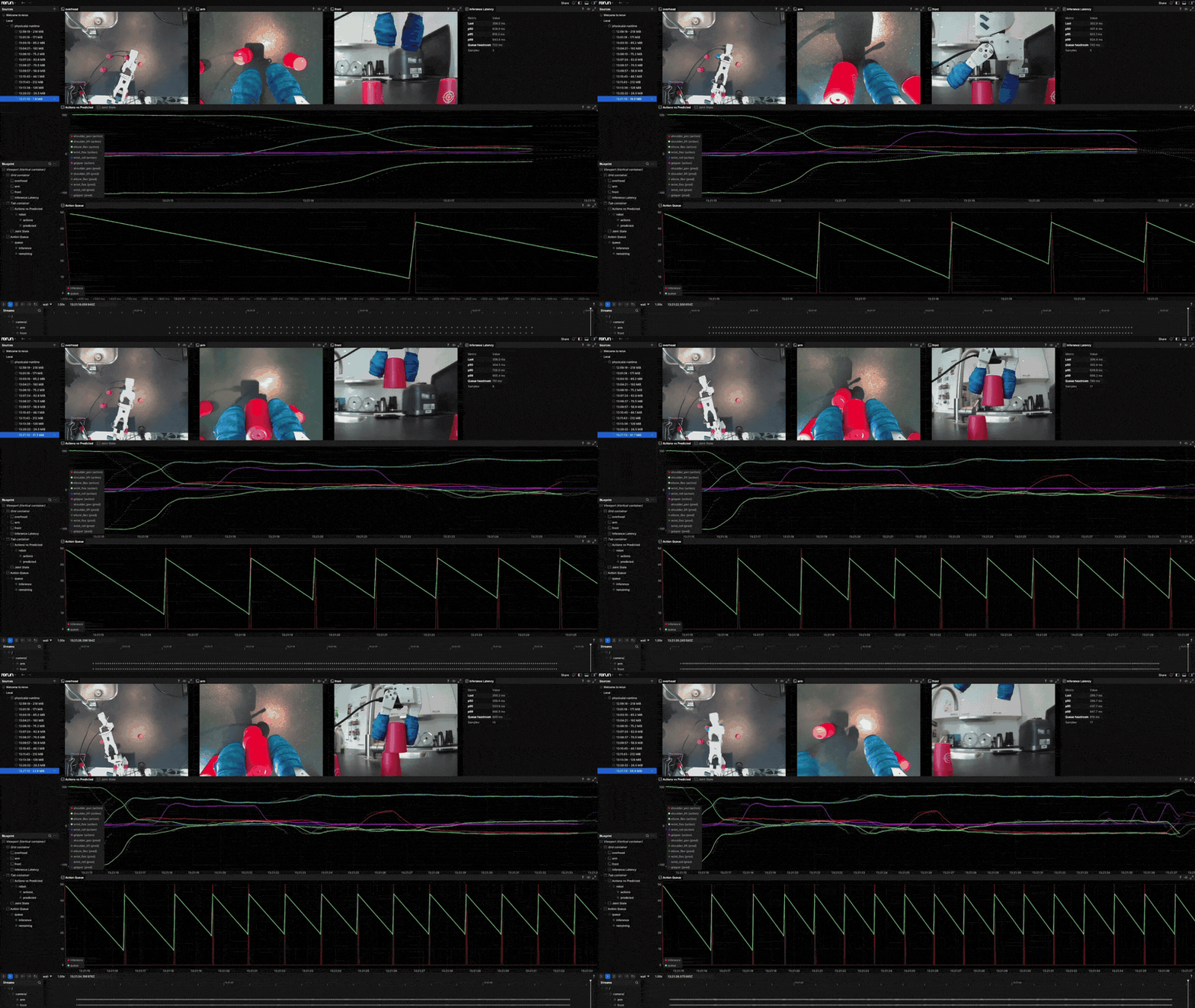
Physical AI Runtime provides the deployment-side components for running trained policies on real hardware. It handles camera capture, robot control, and policy inference with a unified API that works across different hardware vendors.
Key Features:
- Unified Camera API — Same interface for UVC, RealSense, Basler, and IP cameras
- Robot Protocol — Structural typing for any robot; no inheritance required
- Inference Engine — Load exported policies from Studio with auto-detected backends
- Robot Runtime — Control loop with pluggable action sources (policy inference or teleop), observation building, and action dispatch
Installation
pip install physicalai
With hardware-specific extras:
pip install physicalai[realsense]   # Intel RealSense cameras
pip install physicalai[basler]      # Basler industrial cameras
With first-party plugins (Python 3.12+):
pip install "physicalai[so101-plugin]"           # SO-101 robot arm and Studio catalog
pip install "physicalai[trossen-plugin]"         # Trossen WidowX robots
pip install "physicalai[plugin-mujoco]"          # simulated robots (MuJoCo)
pip install "physicalai[plugin-rebot-b601]"      # Seeed reBot B601
pip install "physicalai[plugin-stararm]"         # Fashion Star Arm 102
pip install "physicalai[plugin-so101]"           # single-arm and bimanual SO-101
Camera API
All cameras share a unified interface: connect(), read(), read_latest(), and context manager support. Switch hardware without changing application code.
from physicalai.capture import UVCCamera

with UVCCamera(device="/dev/video0", width=640, height=480, fps=30) as camera:
    frame = camera.read_latest()
    print(frame.data.shape)  # (480, 640, 3)
    print(frame.timestamp)   # monotonic timestamp
Intel RealSense (RGB + Depth)
from physicalai.capture import RealSenseCamera

with RealSenseCamera(serial_number="123456789", width=640, height=480, fps=30) as camera:
    rgb, depth = camera.read_rgbd()
    print(rgb.data.shape)    # (480, 640, 3) RGB
    print(depth.data.shape)  # (480, 640) depth in mm
Basler Industrial Camera
from physicalai.capture import BaslerCamera

with BaslerCamera(serial_number="12345678", width=1920, height=1080, fps=60) as camera:
    frame = camera.read_latest()
    print(frame.data.shape)  # (1080, 1920, 3)
IP / Network Camera (RTSP, HTTP)
from physicalai.capture import IPCamera

with IPCamera(url="rtsp://user:pass@192.168.1.50:554/stream", width=1280, height=720) as camera:
    frame = camera.read_latest()
    print(frame.data.shape)  # (720, 1280, 3)
Multi-Camera Sync
from physicalai.capture import UVCCamera, RealSenseCamera, read_cameras

cameras = {
    "wrist": UVCCamera(device="/dev/video0"),
    "overhead": RealSenseCamera(serial_number="123456789"),
}

# Connect all
for cam in cameras.values():
    cam.connect()

# Read from all cameras concurrently
synced = read_cameras(cameras)
print(synced.frames["wrist"].data.shape)
print(synced.frames["overhead"].data.shape)

# Cleanup
for cam in cameras.values():
    cam.disconnect()
Camera Discovery
from physicalai.capture import discover_all, UVCCamera

# Discover all connected cameras (returns dict of camera_type -> list of devices)
all_devices = discover_all()
for camera_type, devices in all_devices.items():
    for dev in devices:
        print(f"{camera_type}: {dev.device_id} - {dev.name}")

# Discover specific type
uvc_devices = UVCCamera.discover()
Robot API
Robots implement a Protocol-based interface. Any class with connect(), disconnect(), get_observation(), send_action(), and joint_names works — no inheritance required.
More robots ship as first-party plugins. Each plugin README covers setup and usage. Install them with the plugin-* extras (see Installation); the LeRobot plugin is installed manually with pip install physicalai-lerobot-plugin.
| Plugin | Robots |
|---|---|
| MuJoCo | Simulated single-arm and bimanual SO-101 and other MuJoCo Menagerie robots, with a browser viewer and camera streams |
| SO-101 | Single-arm and bimanual SO-101 drivers, Studio catalog, and URDF assets |
| reBot B601 | Seeed reBot B601-DM / B601-RS followers |
| Star Arm | Fashion Star Arm 102 leaders and a follower |
| LeRobot | Robots and teleoperators from LeRobot configs |
To add your own robot to Physical AI Studio, see the Studio plugin.
from physicalai_so101_plugin import SO101

robot = SO101(port="/dev/ttyUSB0", calibration="calibration.json")
robot.connect()

obs = robot.get_observation()
print(obs.joint_positions)  # [0.1, 0.2, 0.3, 0.4, 0.5, 0.6]
print(robot.joint_names)    # ['shoulder_pan', 'shoulder_lift', ...]

robot.send_action(target_positions, goal_time=0.1)
robot.disconnect()
Trossen WidowX-AI
from physicalai_trossen_plugin import WidowXAI

robot = WidowXAI(ip="192.168.1.100")
robot.connect()

obs = robot.get_observation()
print(obs.joint_positions)

robot.send_action(target_positions)
robot.disconnect()
Bimanual WidowX-AI
from physicalai_trossen_plugin import BimanualWidowXAI, WidowXAI

robot = BimanualWidowXAI(
    left=WidowXAI(ip="192.168.1.100"),
    right=WidowXAI(ip="192.168.1.101"),
)
robot.connect()

obs = robot.get_observation()
# Joint positions for both arms concatenated
print(obs.joint_positions.shape)

robot.send_action(bimanual_targets)
robot.disconnect()
Robot Verification
from physicalai_so101_plugin import SO101
from physicalai.robot import verify_robot

robot = SO101(port="/dev/ttyUSB0", calibration="calibration.json")
verify_robot(robot)  # Interactive joint-by-joint check
Inference
Load exported policies from Physical AI Studio. The InferenceModel class auto-detects the backend (OpenVINO or ONNX in this package; companion distributions may contribute additional adapters such as ExecuTorch) and handles action chunking automatically.
from physicalai.inference import InferenceModel

# Load exported policy
model = InferenceModel("./exports/act_policy")

# Reset state for new episode
model.reset()

# Run inference
action = model.select_action(observation)
With Explicit Backend
from physicalai.inference import InferenceModel

# Force specific backend
model = InferenceModel(
    "./exports/act_policy",
    backend="openvino",
    device="GPU",
)
Latency benchmarking
import json

from physicalai.benchmark.performance import InferenceLatencyBenchmark
from physicalai.inference import InferenceModel

model = InferenceModel("./exports/act_policy")
model.reset()
benchmark = InferenceLatencyBenchmark(
        max_iters=100,
        warmup_iters=2,
        max_duration=10000,
    )
metrics = benchmark.run(model)
print(json.dumps(metrics, indent=2))
Robot Runtime
The RobotRuntime orchestrates the full control loop: connecting hardware, reading cameras, building observations, running inference, and dispatching actions to the robot. It takes a required, pluggable action_source — PolicySource wraps a trained model, TeleopSource drives a follower from a leader arm, or bring your own by implementing the ActionSource protocol.
from physicalai.runtime import RobotRuntime, PolicySource, SyncExecution
from physicalai.inference import InferenceModel
from physicalai.capture import UVCCamera, RealSenseCamera
from physicalai_so101_plugin import SO101

runtime = RobotRuntime(
    fps=30,
    robot=SO101(port="/dev/ttyACM0"),
    action_source=PolicySource(
        model=InferenceModel("./exports/act_policy"),
    ),
    cameras={
        "wrist": UVCCamera(device="/dev/video0", width=640, height=480),
        "overhead": RealSenseCamera(serial_number="123456789"),
    },
)

with runtime:
    runtime.run(duration_s=60)
From YAML Config
runtime = RobotRuntime.from_config("runtime.yaml")
runtime.run(duration_s=60)
# runtime.yaml
runtime:
  robot:
    class_path: physicalai_so101_plugin.SO101
    init_args:
      port: /dev/ttyACM0
  action_source:
    class_path: physicalai.runtime.PolicySource
    init_args:
      model:
        class_path: physicalai.inference.InferenceModel
        init_args:
          export_dir: ./exports/act_policy
      execution:
        class_path: physicalai.runtime.SyncExecution
  cameras:
    wrist:
      class_path: physicalai.capture.UVCCamera
      init_args:
        device: /dev/video0
        width: 640
        height: 480
  fps: 30
CLI
physicalai run --config runtime.yaml --run.duration_s=60
The runtime package owns the shared physicalai executable. Training packages
can add subcommands such as fit and benchmark through the
physicalai.cli.subcommands entry-point group.
Async Execution
Async execution runs inference in a background thread while the main loop handles camera reads and robot commands at a fixed frequency. Useful when inference is slower than the control rate.
from physicalai.runtime import RobotRuntime, PolicySource, AsyncExecution

runtime = RobotRuntime(
    fps=30,
    robot=robot,
    action_source=PolicySource(model=model, execution=AsyncExecution()),
    cameras=cameras,
)

with runtime:
    runtime.run(duration_s=60)
Remote Execution
Remote inference runs the policy on a separate inference server and returns actions over Zenoh. Use RemoteInferenceModel with an existing execution mode such as AsyncExecution:
from physicalai.inference import RemoteInferenceModel
from physicalai.runtime import RobotRuntime, PolicySource, AsyncExecution

runtime = RobotRuntime(
    fps=30,
    robot=robot,
    action_source=PolicySource(
        model=RemoteInferenceModel(name="cell1-act"),
        execution=AsyncExecution(),
    ),
    cameras=cameras,
)

with runtime:
    runtime.run(duration_s=60)
See Run Inference Remotely for server setup, networking, and client configuration.
Full walkthrough: See
examples/tutorials/collect_train_deploy.ipynbfor a complete collect -> train -> deploy guide.
Documentation
Home • Getting Started • How-To Guides • Concepts • API Reference
Contributing
See CONTRIBUTING.md.
4 maintainers


Metadata
4 maintainers
Release files for physicalai 0.4.0
For a detailed explanation of source distributions (sdists) and built distributions (wheels), please see the package formats documentation.
Source distribution (sdist)
| File | Size | Uploaded | Provenance | Actions |
|---|---|---|---|---|
| physicalai-0.4.0.tar.gz | 6.7 MB | With provenance | Details for physicalai-0.4.0.tar.gz |
Built distribution (wheel)
| File | Interpreter | ABI | Platform | Actions Reset |
|---|---|---|---|---|
| physicalai-0.4.0-py3-none-any.whl | Python 3 | none | any | Details for physicalai-0.4.0-py3-none-any.whl |
Total release size: 7.1 MB
Release files / physicalai-0.4.0.tar.gz
| Download URL | physicalai-0.4.0.tar.gz |
|---|---|
| Size | 6.7 MB |
| Tags | Source |
|
SHA-256 checksum How to use checksums |
d8a40b08357f5e07de6890c7c9fc0521791e90bca2096c3c667c34af7e8aa177
|
|
BLAKE2b-256 checksum How to use checksums |
6d2c3238c65c0020b232fde38e9dae257c9ed43c82f6f20a863f856bfc7cdf51
|
| Upload date | |
|
Uploaded using Trusted Publishing? What is trusted publishing? |
Yes |
| Uploaded via |
twine/7.0.0 CPython/3.13.16
|
Provenance
Provenance describes where a file came from. On PyPI, provenance is shared via attestations, which provide a verifiable record of the build or publishing details. View details, limitations and caveats.


PyPI Publish Attestation
PyPI verified that this artifact, at this checksum, originated from the publisher listed below.
Signed by GitHub Actions, verified by PyPI on Nov 6, 2026.
Transparency logRelease files / physicalai-0.4.0-py3-none-any.whl
| Download URL | physicalai-0.4.0-py3-none-any.whl |
|---|---|
| Size | 376.2 kB |
| Tags | Python 3 |
|
SHA-256 checksum How to use checksums |
b063147eca5bdb1bd2057d09d477abc9ab551e8e7e3bc7739640b5cc5cb17cba
|
|
BLAKE2b-256 checksum How to use checksums |
5bbc6a383c77fdae872d5b5b565f270d70ed0b9975fb5cfdce895759a7a37bb4
|
| Upload date | |
|
Uploaded using Trusted Publishing? What is trusted publishing? |
Yes |
| Uploaded via |
twine/7.0.0 CPython/3.13.16
|
Provenance
Provenance describes where a file came from. On PyPI, provenance is shared via attestations, which provide a verifiable record of the build or publishing details. View details, limitations and caveats.
PyPI Publish Attestation
PyPI verified that this artifact, at this checksum, originated from the publisher listed below.
Signed by GitHub Actions, verified by PyPI on Nov 6, 2026.
Transparency logSecurity for physicalai 0.4.0
Provenance
Provenance describes where a file came from. On PyPI, provenance is shared via attestations, which provide a verifiable record of the build or publishing details. View details, limitations and caveats.
Full provenance
Both files in this release have been uploaded with provenance metadata.
Attestation for physicalai-0.4.0.tar.gz
PyPI Publish Attestation
PyPI verified that this artifact, at this checksum, originated from the publisher listed below.
Signed by GitHub Actions, verified by PyPI on Nov 6, 2026.
Transparency logA note on package security
PyPI is a repository for distributing packages, not a service for auditing them. While third-party security researchers and our staff do their best to detect and remove malicious packages, PyPI cannot guarantee the quality, security or suitability of any given package.
To learn more about protecting yourself from malicious actors, visit our package security documentation.














