
pillow-minecraft-map
A plugin for the Python Imaging Library Pillow (PIL) that enables loading, viewing, saving, and manipulation of Minecraft .dat map item files.
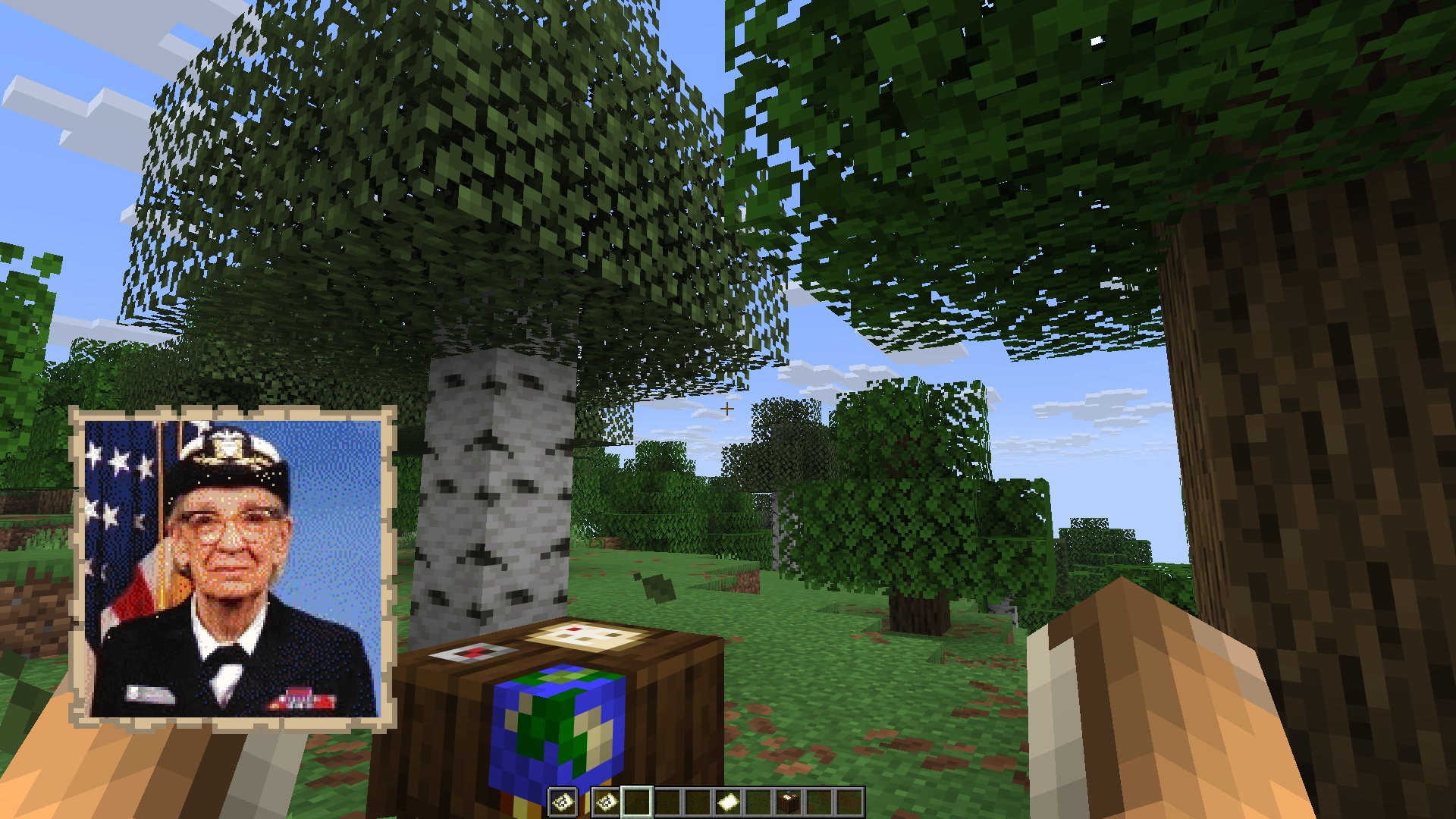
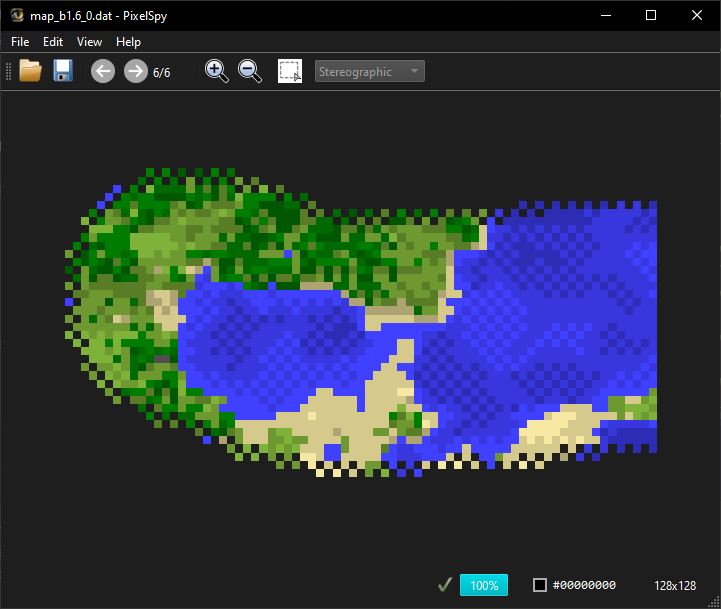
Features
- Open Minecraft maps using standard Pillow syntax (
Image.open("map_0.dat")). - Exposes location details (
xCenter,zCenter,scale) to Pillow's.infoattribute.
Important Note on Compatibility
Only Minecraft Java Edition map files are supported at this time. Minecraft Bedrock Edition utilizes a different map info format.
Installation
Install the package via pip:
pip install pillow-minecraft-map
Usage
Import the module to register the .dat plugin handlers into Pillow's image loader database.
Reading Map Images
from PIL import Image
import pillow_minecraft_map  # Activates the extension

# Open the map file
with Image.open("tests/data/map_130.dat") as img:
    # Convert from 8-bit color-indexed format ("P") to True Color ("RGB")
    rgb_img = img.convert("RGB")

    # Open inside your system's default image viewer
    rgb_img.show()

    # Export it to a standard format
    rgb_img.save("minecraft_map_render.png")
Accessing Map Metadata (info)
The plugin maps in-game positioning values into the image's .info dictionary:
from PIL import Image
import pillow_minecraft_map

with Image.open("tests/data/map_130.dat") as img:
    x = img.info.get("x_center")
    z = img.info.get("z_center")
    scale_factor = img.info.get("scale")
    version = img.info.get("data_version")

    # Calculate real-world block coverage
    block_width = 128 * (2 ** scale_factor)

    print(f"Minecraft DataVersion: {version}")
    print(f"Center Coordinates: X={x}, Z={z}")
    print(f"Scale: 1:{2**scale_factor} ({block_width}x{block_width} blocks total)")
Saving map files
To see your image in-game, you must overwrite a map file previously created in-game. If you are targetting versions of Minecraft older than version 1.17, it's very important that you specify the target minecraft version in your save() command.
from PIL import Image
import pillow_minecraft_map

with Image.open("hopper.jpg") as img:
    img.save("map_0.dat", format="MINECRAFT_MAP", version="26.2")
License
This project is licensed under the MIT License - see the LICENSE file for details.
1 maintainer

Download files
Download the file for your platform. If you're not sure which to choose, learn more about installing packages.
Source Distribution
Built Distribution
Filter files by name, interpreter, ABI, and platform.
If you're not sure about the file name format, learn more about wheel file names.
Copy a direct link to the current filters
File details
Details for the file pillow_minecraft_map-1.1.6.tar.gz.
File metadata
- Download URL: pillow_minecraft_map-1.1.6.tar.gz
- Upload date:
- Size: 10.6 MB
- Tags: Source
- Uploaded using Trusted Publishing? No
- Uploaded via:
twine/6.2.0 CPython/3.9.13
File hashes
| Algorithm | Hash digest | |
|---|---|---|
| SHA256 |
34b5bfde2607d91d504f564a2c98f8645652497f24f7f60cd717e69d158cbe62
|
|
| MD5 |
18c3c620cd62443ab90f27b53bd7d2a4
|
|
| BLAKE2b-256 |
dafb8a3bcdfb0e08cfc958f3cf9daecb056b60638193edbd7ca8542131c8b83a
|
File details
Details for the file pillow_minecraft_map-1.1.6-py3-none-any.whl.
File metadata
- Download URL: pillow_minecraft_map-1.1.6-py3-none-any.whl
- Upload date:
- Size: 13.0 kB
- Tags: Python 3
- Uploaded using Trusted Publishing? No
- Uploaded via:
twine/6.2.0 CPython/3.9.13
File hashes
| Algorithm | Hash digest | |
|---|---|---|
| SHA256 |
9bb4561e437eb113ba7245b0e2551a8ad31e5daa4fc62bfddf2a1214bce4789d
|
|
| MD5 |
01f3fcf70923ebaa817d15eb05140966
|
|
| BLAKE2b-256 |
265b26e3710ad9a07840479400c792d13d90524fbc439d948342392a6f661c67
|














