
Pip-Boy OS
The Pip-Boy OS (or Pip-Boy Operating System) is the 'soul' of the SPC 3000. This is my first ever Python code, so I used a half made base that I found online;


AI Disclaimer
I used Gemini to transcribe human logic to Python code, this is to maximise library use, code optimization and time efficiency (while still learning how those comands work). I also did some direct modifications to the code (to fix some errors)
🚀 Quick Start
All the software requirements are listed in the requirements file You can Install Pip-Boy OS from PyPI:
    pip install pipboy-os
    python -m pip_boy_os.modules.main
Preparations for Running the sourcecode
If you install the soource code before running the Pip-Boy OS for the first time locally you'll need to run the file init (init.bash if you are using windows; init.sh if you're using linux) these files create various vital files and folders in the Pip-Boy OS (it generates the 'cache' folder and the 'settings_secret' file). In case init doesn't compile/run: you have to manually add the cache folder with inside 2 folders named 'map' and 'places' and you have to add a Python file inside modules called 'settings_secret' with these lines of code.
    REAL_LOCATION = 'YOUR_LOCATION'
    LONGITUDE = 00.0000
    LATITUDE = 00.000
    GEOAPIFY_KEY = 'YOUR_GEOAPIFY_KEY'
REMEMBER: if you want to see the IRL Map you need to insert in the code above your information (doesn't need to be true) and Create/Insert your Geoapify API Key (at https://www.geoapify.com/get-started-with-maps-api/ in the "Project and API Keys" section); DO NOT insert the URL (it doesn't work).
How To Run
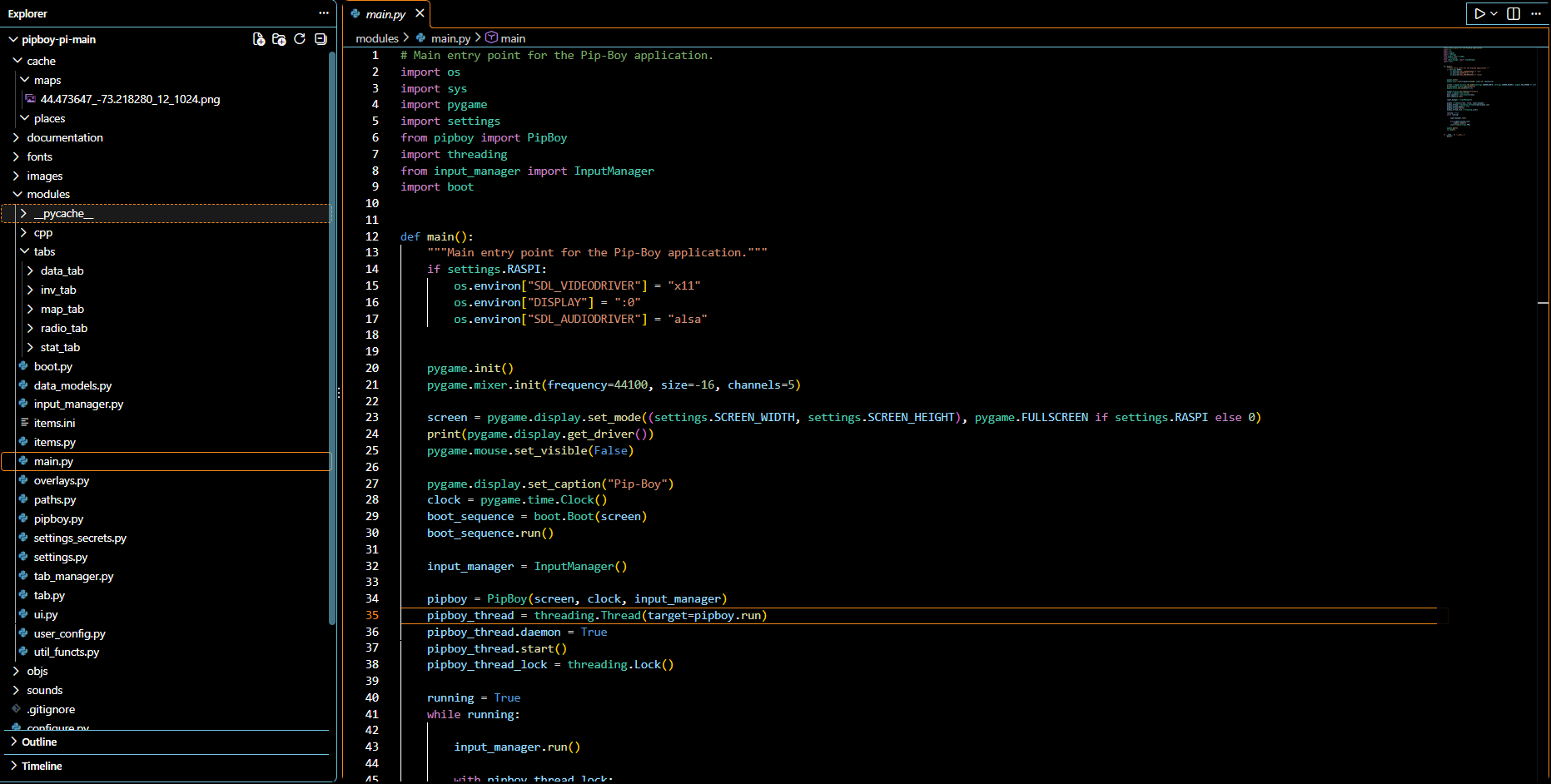
To start the code you need to run main.py, running other codes inside the software will not work. The code works perfectly on PC, give it a try!
Customization
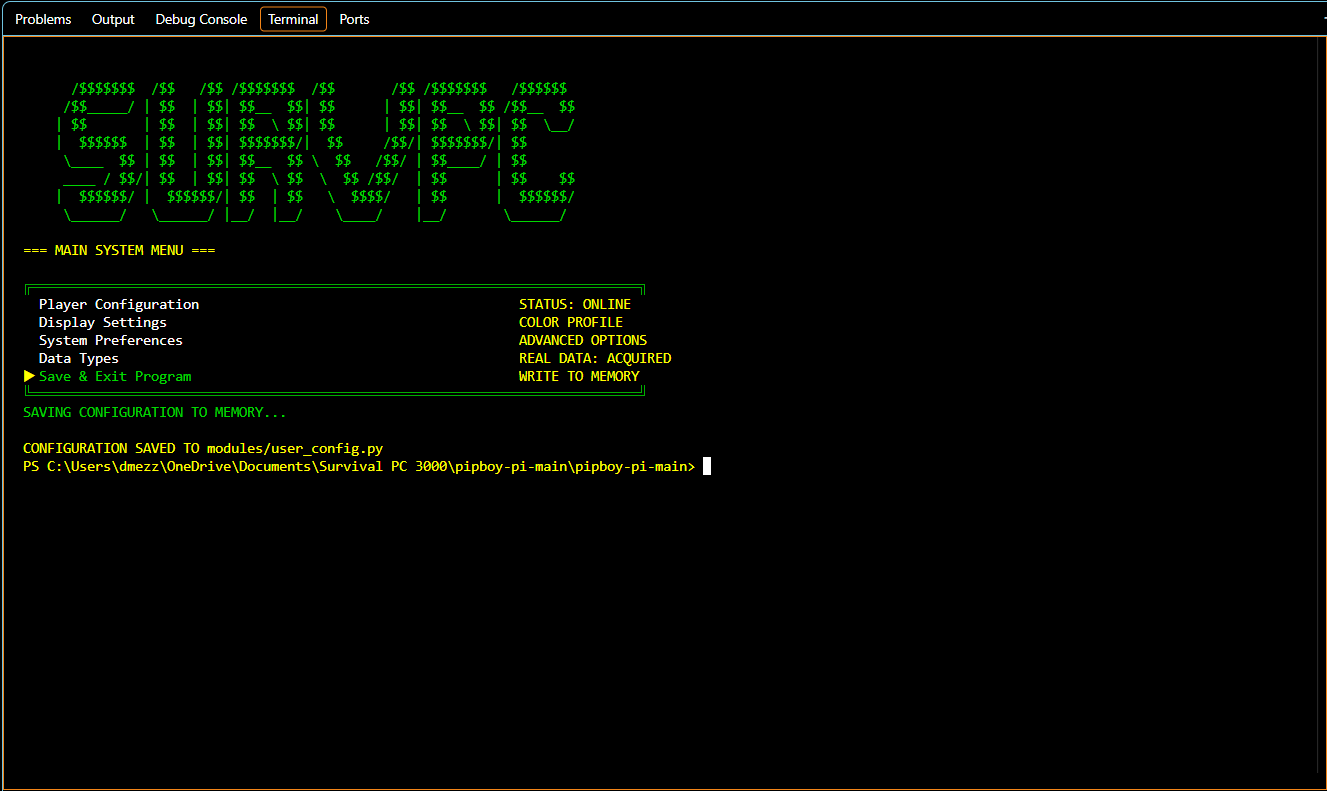
The Pip-Boy OS that you can find in the repo can also be personalized using the configure.py file or by using the settings tab in the running code (the position of the tab changes: in FO4 UI it's located in the DATA Menu, in the FNV UI it's a subtab of the General Tab in STATS). To move in the configure.py UI you use as inputs:
- Numpad 2: to move down
- Numpad 8: to move up
- ENTER: To change/select an option
(Always make sure that the Numlock is ON)
PARTS NOT MINE:
-3d Model of the casing: I used This 3D Pip-Boy case as a base and then heavily modified it to make space for the hardwware
-Pip-Boy menu: I used This Pip-Boy menu on github as a base to develop my code (the code has suffered extreme changes, only a few files remained unchanged)
-Icons: they are taken from the Iconify archive and all have MIT or Apache 2.0 licensing (No attribution required, commercial use is allowed)
-Songs: they are taken from the Internet Archive and are all 78 rpm songs from 1930s/1940s that are in the public domain
-SFXs: inherited from the base open-source repository (I don't know the origin of those SFXs; can be removed/replaced if required)
Inputs
The Pip-Boy OS uses for input:
- Left Arrow: to move to the menu to the left
- Right Arrow: to move to the menu to the right
- Up Arrow: to change between the CND/EFF/RAD tabs in the Fallout: New Vegas UI, to move upwards on the lists in the tabs or to zoom in in the MAP tab/menu
- Down Arrow: to change between the CND/EFF/RAD tabs in the Fallout: New Vegas UI, to move downwards on the lists in the tabs or to zoom out in the MAP tab/menu
- A: to change to the tab to the left
- D: to change to the tab to the right
- I: to move up in the MAP tab/menu
- K: to move down in the MAP tab/menu
- J: to move left in the MAP tab/menu
- L: to move right in the MAP tab/menu
- X: to change the area that you are scrolling in Quests and Notes/Misc Tabs in the DATA Menu
- ENTER: To equip/unequip weapons/armor, to activate/disactivate quests, to chenge between the Reputation and General tabs in the Fallout: New Vegas STATS Menu
Important information
- This version might not work on the SPC 3000: As I don't currently have the hardware, I cannot check;
- Not everything from the games is in the code: I don't have enough time to insert all missions/notes/weaons etc... so for the Stardance event I'll just leave some elements from the games and some fallback Images to ease future additions;
- There is NO FIRMWARE: the project uses a raspberry and, because I'm not using custom PCBs, it doesn't need a firmware. The only thing near to a firmware is the hardware_inputs file in Pip-Boy OS, which links the inputs from the GPIO ports of the Raspberry to their repsective PC Button/s (example: knob == A/D key);
1 maintainer

Metadata
1 maintainer
Release files for pipboy-os 1.0.3
For a detailed explanation of source distributions (sdists) and built distributions (wheels), please see the package formats documentation.
Source distribution (sdist)
| File | Size | Uploaded | Provenance | Actions |
|---|---|---|---|---|
| pipboy_os-1.0.3.tar.gz | 866.5 kB | Without provenance | Details for pipboy_os-1.0.3.tar.gz |
Built distribution (wheel)
| File | Interpreter | ABI | Platform | Actions Reset |
|---|---|---|---|---|
| pipboy_os-1.0.3-py3-none-any.whl | Python 3 | none | any | Details for pipboy_os-1.0.3-py3-none-any.whl |
Total release size: 22.1 MB
Release files / pipboy_os-1.0.3.tar.gz
| Download URL | pipboy_os-1.0.3.tar.gz |
|---|---|
| Size | 866.5 kB |
| Tags | Source |
|
SHA-256 checksum How to use checksums |
ddbcf99da27dd31150056b655beb31353ab07cce06ba631b52435251a367aa41
|
|
BLAKE2b-256 checksum How to use checksums |
269843436cdf3b95fac23edfc2018207cf3bff7b7ce7fa242bbbd8938f26a416
|
| Upload date | |
|
Uploaded using Trusted Publishing? What is trusted publishing? |
No |
| Uploaded via |
twine/7.0.0 CPython/3.12.10
|
Release files / pipboy_os-1.0.3-py3-none-any.whl
| Download URL | pipboy_os-1.0.3-py3-none-any.whl |
|---|---|
| Size | 21.3 MB |
| Tags | Python 3 |
|
SHA-256 checksum How to use checksums |
a14fa48b67956f6afc3bbfa05d5d4c46a12feca4ba59c2efda7b13d45ff3ef40
|
|
BLAKE2b-256 checksum How to use checksums |
48a78d9299704be07fb6e3900316da7e857cc54d673161700fa0f59dfab20dcb
|
| Upload date | |
|
Uploaded using Trusted Publishing? What is trusted publishing? |
No |
| Uploaded via |
twine/7.0.0 CPython/3.12.10
|
Security for pipboy-os 1.0.3
Provenance
Provenance describes where a file came from. On PyPI, provenance is shared via attestations, which provide a verifiable record of the build or publishing details. View details, limitations and caveats.
No provenance found
None of the files in this release were uploaded with provenance metadata.
A note on package security
PyPI is a repository for distributing packages, not a service for auditing them. While third-party security researchers and our staff do their best to detect and remove malicious packages, PyPI cannot guarantee the quality, security or suitability of any given package.
To learn more about protecting yourself from malicious actors, visit our package security documentation.














