
Pipelex is an open-source dev tool based on a simple declarative language that lets you define replicable, structured, composable LLM pipelines.
Verified details
These details have been verified by PyPIProject links
GitHub Statistics
Maintainers

Project description

Open-source language for repeatable AI workflows
Pipelex is an open-source devtool that transforms how you build repeatable AI workflows. Think of it as Docker or SQL for AI operations.Create modular "pipes", each using a different LLM and guaranteeing structured outputs. Connect them like LEGO blocks sequentially, in parallel, or conditionally, to build complex knowledge transformations from simple, reusable components.
Stop reinventing AI workflows from scratch. With Pipelex, your proven methods become shareable, versioned artifacts that work across different LLMs. What took weeks to perfect can now be forked, adapted, and scaled instantly.





📜 The Knowledge Pipeline Manifesto
Read why we built Pipelex to transform unreliable AI workflows into deterministic pipelines 🔗
🚀 See Pipelex in Action
From Whiteboard to AI Workflow in less than 5 minutes with no hands (2025-07)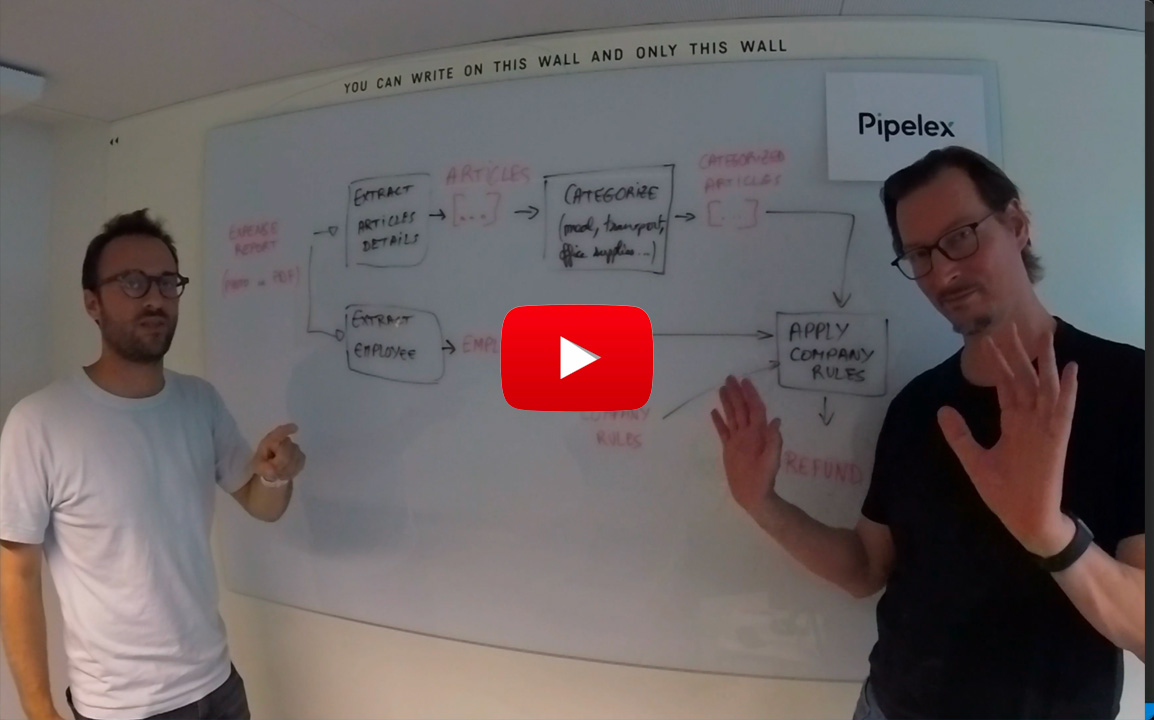
|
The AI workflow that writes an AI workflow in 64 seconds (2025-09)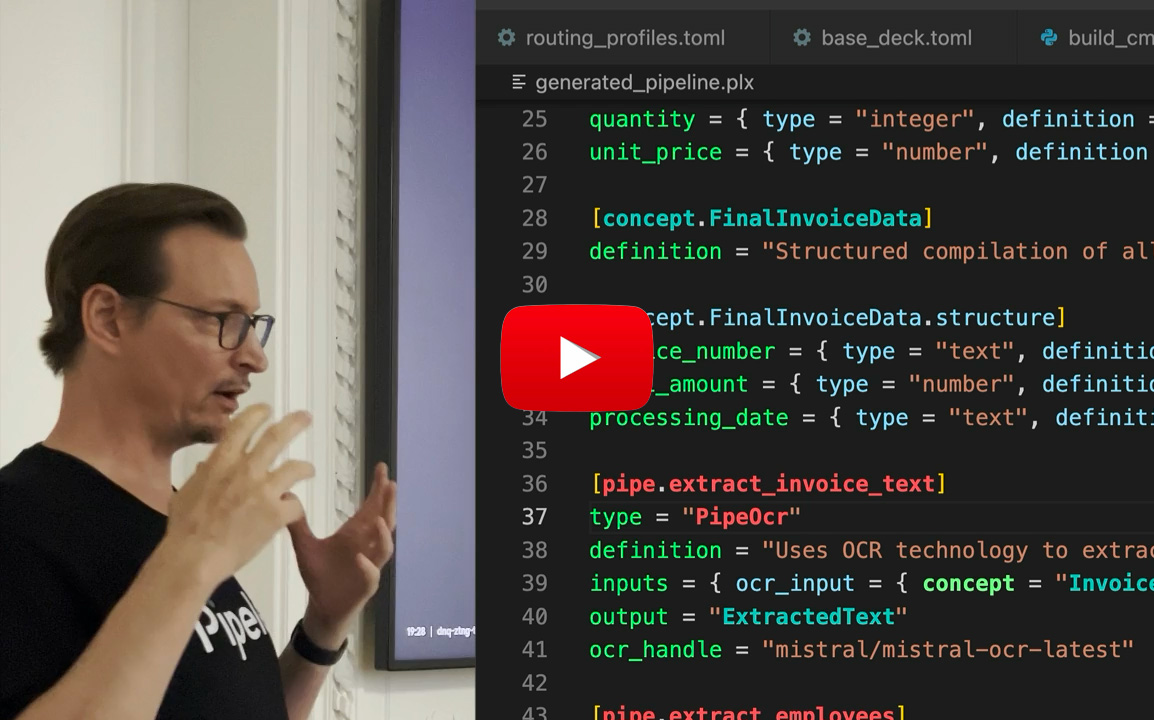
|
📑 Table of Contents
Introduction
Pipelex makes it easy for developers to define and run repeatable AI workflows. At its core is a clear, declarative pipeline language specifically crafted for knowledge-processing tasks.
Build pipelines from modular pipes that snap together. Each pipe can use different AI models - language models (LLMs) for text generation, OCR models for document processing, or image generation models for creating visuals. Pipes consistently deliver structured, predictable outputs at each stage.
Pipelex uses its own syntax PLX, based on TOML, making workflows readable and shareable. Business professionals, developers, and AI coding agents can all understand and modify the same pipeline definitions.
Example:
[concept]
Buyer = "The person who made the purchase"
PurchaseDocumentText = "Transcript of a receipt, invoice, or order confirmation"

[pipe.extract_buyer]
type = "PipeLLM"
description = "Extract buyer from purchase document"
inputs = { purchase_document_text = "PurchaseDocumentText" }
output = "Buyer"
model = "llm_to_extract_info"
prompt = """
Extract the first and last name of the buyer from this purchase document:
@purchase_document_text
"""
Pipes are modular building blocks that connect sequentially, run in parallel, or call sub-pipes. Like function calls in traditional programming, but with a clear contract: knowledge-in, knowledge-out. This modularity makes pipelines perfect for sharing: fork someone's invoice processor, adapt it for receipts, share it back.
Pipelex is an open-source Python library with a hosted API launching soon. It integrates seamlessly into existing systems and automation frameworks. Plus, it works as an MCP server so AI agents can use pipelines as tools.
🚀 Quick start
:books: Note that you can check out the Pipelex Documentation for more information and clone the Pipelex Cookbook repository for ready-to-run examples.
Follow these steps to get started:
Installation
Prerequisites
We highly recommend installing our own extension for PLX files into your IDE of choice. You can find it in the Open VSX Registry. It's coming soon to VS Code marketplace too and if you are using Cursor, Windsurf or another VS Code fork, you can search for it directly in your extensions tab.
Option #1: Run examples
Visit the
Option #2: Install the package
# Using pip
pip install pipelex

# Using Poetry
poetry add pipelex

# Using uv (Recommended)
uv pip install pipelex
API Key Configuration
Pipelex supports two approaches for accessing AI models:
Option A: Pipelex Inference (Optional & Free)
Get a single API key that works with all providers (OpenAI, Anthropic, Google, Mistral, FAL, and more):
-
Get your API key:
- Join our Discord community: https://go.pipelex.com/discord
- Request your free API key (no credit card required, limited time offer) in the 🔑・free-api-key channel
-
Configure environment variables:
# Copy the example file
cp .env.example .env

# Edit .env and add your Pipelex Inference API key
# PIPELEX_INFERENCE_API_KEY="your-api-key"
Note: Pipelex automatically loads environment variables from
.envfiles. No need to manually source or export them. -
Verify backend configuration:
- The
pipelex_inferencebackend is already enabled in.pipelex/inference/backends.toml - The default routing profile
pipelex_firstis configured to use Pipelex Inference
- The
Option B: Bring Your Own Keys
Use your own API keys from individual providers (OpenAI, Anthropic, Google, Mistral, AWS Bedrock, Azure OpenAI, FAL):
-
Configure environment variables:
# Copy the example file
cp .env.example .env

# Edit .env and add your provider API keys
# OPENAI_API_KEY="your-openai-key"
# ANTHROPIC_API_KEY="your-anthropic-key"
# GOOGLE_API_KEY="your-google-key"
# ... (add the keys you need)
-
Configure backends:
- Edit
.pipelex/inference/backends.tomlto enable/disable backends - Set
enabled = truefor the backends you want to use - Set
enabled = falsefor backends you don't need
- Edit
-
Select routing profile:
- Edit
.pipelex/inference/routing_profiles.toml - Set
active = "custom_routing"or create your own profile - Configure which backend handles which models
- Edit
Option C: Mix & Match (Custom Routing)
Combine Pipelex Inference with your own keys for maximum flexibility:
-
Configure environment variables:
# Copy and edit .env with both Pipelex and provider keys
cp .env.example .env
-
Enable multiple backends:
- Keep
pipelex_inferenceenabled in.pipelex/inference/backends.toml - Enable specific provider backends (e.g.,
openai,fal)
- Keep
-
Create custom routing:
- Edit
.pipelex/inference/routing_profiles.toml - Set up a hybrid profile routing some models to Pipelex, others to your backends
- Edit
See the configuration documentation for detailed setup instructions.
Optional Features
The package supports the following additional features:
anthropic: Anthropic/Claude support for text generationgoogle: Google models (Vertex) support for text generationmistralai: Mistral AI support for text generation and OCRbedrock: AWS Bedrock support for text generationfal: Image generation with Black Forest Labs "FAL" service
Install all extras:
Using pip:
pip install "pipelex[anthropic,google,google-genai,mistralai,bedrock,fal]"
Using poetry:
poetry add "pipelex[anthropic,google,google-genai,mistralai,bedrock,fal]"
Using uv:
uv pip install "pipelex[anthropic,google,google-genai,mistralai,bedrock,fal]"
Privacy & Telemetry
Pipelex collects optional, anonymous usage data to help improve the product. On first run, you'll be prompted to choose your telemetry preference:
- Off: No telemetry data collected
- Anonymous: Anonymous usage data only (command usage, performance metrics, feature usage)
- Identified: Usage data with user identification (helps us provide better support)
Your prompts, LLM responses, file paths, and URLs are automatically redacted and never transmitted. You can change your preference at any time or disable telemetry completely by setting the DO_NOT_TRACK environment variable.
For more details, see the Telemetry Documentation.
Example: optimizing a tweet in 2 steps
Example with the extension you can download now on Cursor, Windsurf or another VS Code fork. (Coming soon for VS Code Marketplace)
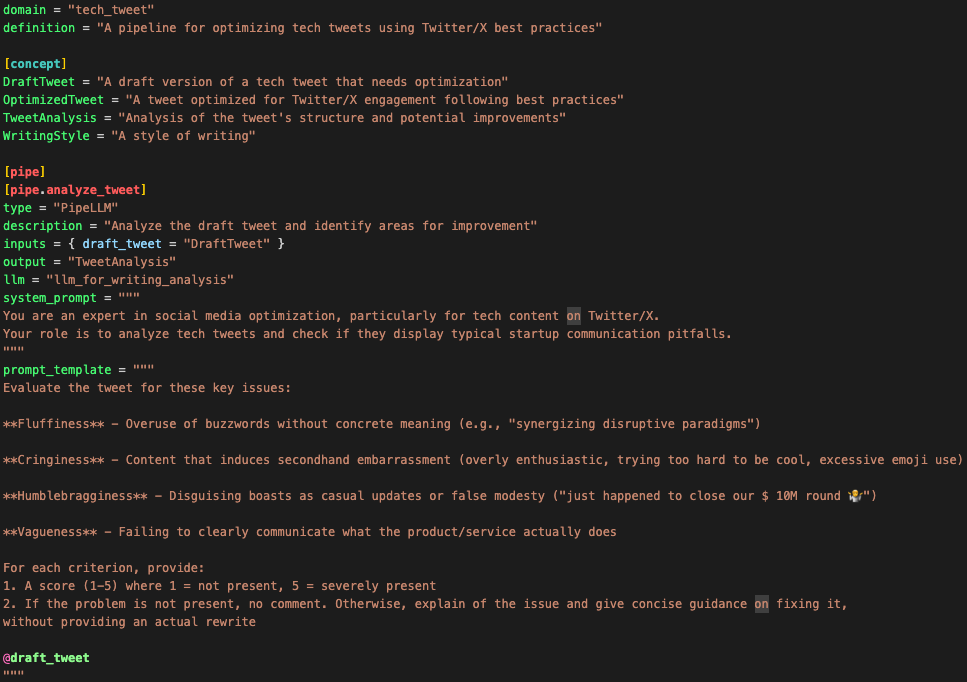
1. Define the pipeline in PLX
domain = "tech_tweet"
description = "A pipeline for optimizing tech tweets using Twitter/X best practices"

[concept]
DraftTweet = "A draft version of a tech tweet that needs optimization"
OptimizedTweet = "A tweet optimized for Twitter/X engagement following best practices"
TweetAnalysis = "Analysis of the tweet's structure and potential improvements"
WritingStyle = "A style of writing"

[pipe]
[pipe.analyze_tweet]
type = "PipeLLM"
description = "Analyze the draft tweet and identify areas for improvement"
inputs = { draft_tweet = "DraftTweet" }
output = "TweetAnalysis"
model = "llm_for_writing_analysis"
system_prompt = """
You are an expert in social media optimization, particularly for tech content on Twitter/X.
Your role is to analyze tech tweets and check if they display typical startup communication pitfalls.
"""
prompt = """
Evaluate the tweet for these key issues:

**Fluffiness** - Overuse of buzzwords without concrete meaning (e.g., "synergizing disruptive paradigms")

**Cringiness** - Content that induces secondhand embarrassment (overly enthusiastic, trying too hard to be cool, excessive emoji use)

**Humblebragginess** - Disguising boasts as casual updates or false modesty ("just happened to close our $ 10M round 🤷")

**Vagueness** - Failing to clearly communicate what the product/service actually does

For each criterion, provide:
1. A score (1-5) where 1 = not present, 5 = severely present
2. If the problem is not present, no comment. Otherwise, explain of the issue and give concise guidance on fixing it,
without providing an actual rewrite

@draft_tweet
"""

[pipe.optimize_tweet]
type = "PipeLLM"
description = "Optimize the tweet based on the analysis"
inputs = { draft_tweet = "DraftTweet", tweet_analysis = "TweetAnalysis", writing_style = "WritingStyle" }
output = "OptimizedTweet"
model = "llm_for_social_post_writing"
system_prompt = """
You are an expert in writing engaging tech tweets that drive meaningful discussions and engagement.
Your goal is to rewrite tweets to be impactful and avoid the pitfalls identified in the analysis.
"""
prompt = """
Rewrite this tech tweet to be more engaging and effective, based on the analysis:

Original tweet:
@draft_tweet

Analysis:
@tweet_analysis

Requirements:
- Include a clear call-to-action
- Make it engaging and shareable
- Use clear, concise language

### Reference style example

@writing_style

### Additional style instructions

No hashtags.
Minimal emojis.
Keep the core meaning of the original tweet.
"""

[pipe.optimize_tweet_sequence]
type = "PipeSequence"
description = "Analyze and optimize a tech tweet in sequence"
inputs = { draft_tweet = "DraftTweet", writing_style = "WritingStyle" }
output = "OptimizedTweet"
steps = [
    { pipe = "analyze_tweet", result = "tweet_analysis" },
    { pipe = "optimize_tweet", result = "optimized_tweet" },
]
2. Run the pipeline
Here is the flowchart generated during this run:
---
config:
  layout: dagre
  theme: base
---
flowchart LR
    subgraph "optimize_tweet_sequence"
    direction LR
        FGunn["draft_tweet:<br>**Draft tweet**"]
        EWhtJ["tweet_analysis:<br>**Tweet analysis**"]
        65Eb2["optimized_tweet:<br>**Optimized tweet**"]
        i34D5["writing_style:<br>**Writing style**"]
    end
class optimize_tweet_sequence sub_a;

    classDef sub_a fill:#e6f5ff,color:#333,stroke:#333;

    classDef sub_b fill:#fff5f7,color:#333,stroke:#333;

    classDef sub_c fill:#f0fff0,color:#333,stroke:#333;
    FGunn -- "Analyze tweet" ----> EWhtJ
    FGunn -- "Optimize tweet" ----> 65Eb2
    EWhtJ -- "Optimize tweet" ----> 65Eb2
    i34D5 -- "Optimize tweet" ----> 65Eb2
3. wait… no, there is no step 3, you're done!
🤝 Contributing
We welcome contributions! Please see our Contributing Guidelines for details on how to get started, including development setup and testing information.
👥 Join the Community
Join our vibrant Discord community to connect with other developers, share your experiences, and get help with your Pipelex projects!
💬 Support
- GitHub Issues: For bug reports and feature requests
- Discussions: For questions and community discussions
- Documentation
⭐ Star Us!
If you find Pipelex helpful, please consider giving us a star! It helps us reach more developers and continue improving the tool.
📝 License
This project is licensed under the MIT license. Runtime dependencies are distributed under their own licenses via PyPI.
"Pipelex" is a trademark of Evotis S.A.S.
© 2025 Evotis S.A.S.
Project details
Verified details
These details have been verified by PyPIProject links
GitHub Statistics
Maintainers
Release history Release notifications | RSS feed


Download files
Download the file for your platform. If you're not sure which to choose, learn more about installing packages.
Source Distribution
Built Distribution
Filter files by name, interpreter, ABI, and platform.
If you're not sure about the file name format, learn more about wheel file names.
Copy a direct link to the current filters
File details
Details for the file pipelex-0.13.2.tar.gz.
File metadata
- Download URL: pipelex-0.13.2.tar.gz
- Upload date:
- Size: 310.0 kB
- Tags: Source
- Uploaded using Trusted Publishing? Yes
- Uploaded via: twine/6.1.0 CPython/3.13.7
File hashes
| Algorithm | Hash digest | |
|---|---|---|
| SHA256 |
96474d2a861bc62511edcda3250a373e5d6ab4bc7b41950dd7e9631216870811
|
|
| MD5 |
af07f47d30902c1fe19a8bb8b1f705f7
|
|
| BLAKE2b-256 |
9442355c0a45a7237f461c5e6d00ebce13ffc8cde8afbdfbe0d9de16d2b95b17
|
Provenance
The following attestation bundles were made for pipelex-0.13.2.tar.gz:
Publisher:
publish-pypi.yml on Pipelex/pipelex
-
Statement:
-
Statement type:
https://in-toto.io/Statement/v1 -
Predicate type:
https://docs.pypi.org/attestations/publish/v1 -
Subject name:
pipelex-0.13.2.tar.gz -
Subject digest:
96474d2a861bc62511edcda3250a373e5d6ab4bc7b41950dd7e9631216870811 - Sigstore transparency entry: 641676597
- Sigstore integration time:
-
Permalink:
Pipelex/pipelex@bb5d240ffa413096057e65a1b72b52eb53a47fb4 -
Branch / Tag:
refs/heads/main - Owner: https://github.com/Pipelex
-
Access:
public
-
Token Issuer:
https://token.actions.githubusercontent.com -
Runner Environment:
github-hosted -
Publication workflow:
publish-pypi.yml@bb5d240ffa413096057e65a1b72b52eb53a47fb4 -
Trigger Event:
push
-
Statement type:
File details
Details for the file pipelex-0.13.2-py3-none-any.whl.
File metadata
- Download URL: pipelex-0.13.2-py3-none-any.whl
- Upload date:
- Size: 491.3 kB
- Tags: Python 3
- Uploaded using Trusted Publishing? Yes
- Uploaded via: twine/6.1.0 CPython/3.13.7
File hashes
| Algorithm | Hash digest | |
|---|---|---|
| SHA256 |
cbb460b21923451792ebd3026f29e832fca88a43efa2dde4bb73dd1d7624ac51
|
|
| MD5 |
948066e3582e5184e833427ded484540
|
|
| BLAKE2b-256 |
10da38bf24a6854558ef057c851f273e0a38ee0664d804ee484b420c5bd1940f
|
Provenance
The following attestation bundles were made for pipelex-0.13.2-py3-none-any.whl:
Publisher:
publish-pypi.yml on Pipelex/pipelex
-
Statement:
-
Statement type:
https://in-toto.io/Statement/v1 -
Predicate type:
https://docs.pypi.org/attestations/publish/v1 -
Subject name:
pipelex-0.13.2-py3-none-any.whl -
Subject digest:
cbb460b21923451792ebd3026f29e832fca88a43efa2dde4bb73dd1d7624ac51 - Sigstore transparency entry: 641676601
- Sigstore integration time:
-
Permalink:
Pipelex/pipelex@bb5d240ffa413096057e65a1b72b52eb53a47fb4 -
Branch / Tag:
refs/heads/main - Owner: https://github.com/Pipelex
-
Access:
public
-
Token Issuer:
https://token.actions.githubusercontent.com -
Runner Environment:
github-hosted -
Publication workflow:
publish-pypi.yml@bb5d240ffa413096057e65a1b72b52eb53a47fb4 -
Trigger Event:
push
-
Statement type:






