







Install · Quickstart · What you can do · Docs · Spec
planeops is an inventory and drift detector for the AI tooling on your machine: coding assistants, MCP servers, local models, background services, API keys. You declare what should exist and why in plain YAML; planeops tells you when reality disagrees, and changes nothing without showing the diff and asking first.
$ plane status --short
drift:2

$ plane drift
✗ 2 alert(s) on mymac 16:20

alerts (2)
  ✗ launchd/ai.gateway  ungoverned always-on service; declare it or add an unmanaged glob
  ✗ ollama/qwen3:8b     expected present, not observed

  full report ~/planeops/observed/mymac/DRIFT.md
A machine with six things running that nobody wrote down, caught by one read-only scan.
Why
Your machine accretes AI tooling: coding harnesses, MCP servers wired into three different clients, local models, background services, API keys in dotfiles. Nobody writes down what is installed, how it is wired, or why it is there. Six months later, something is listening on a port and you cannot say what put it there.
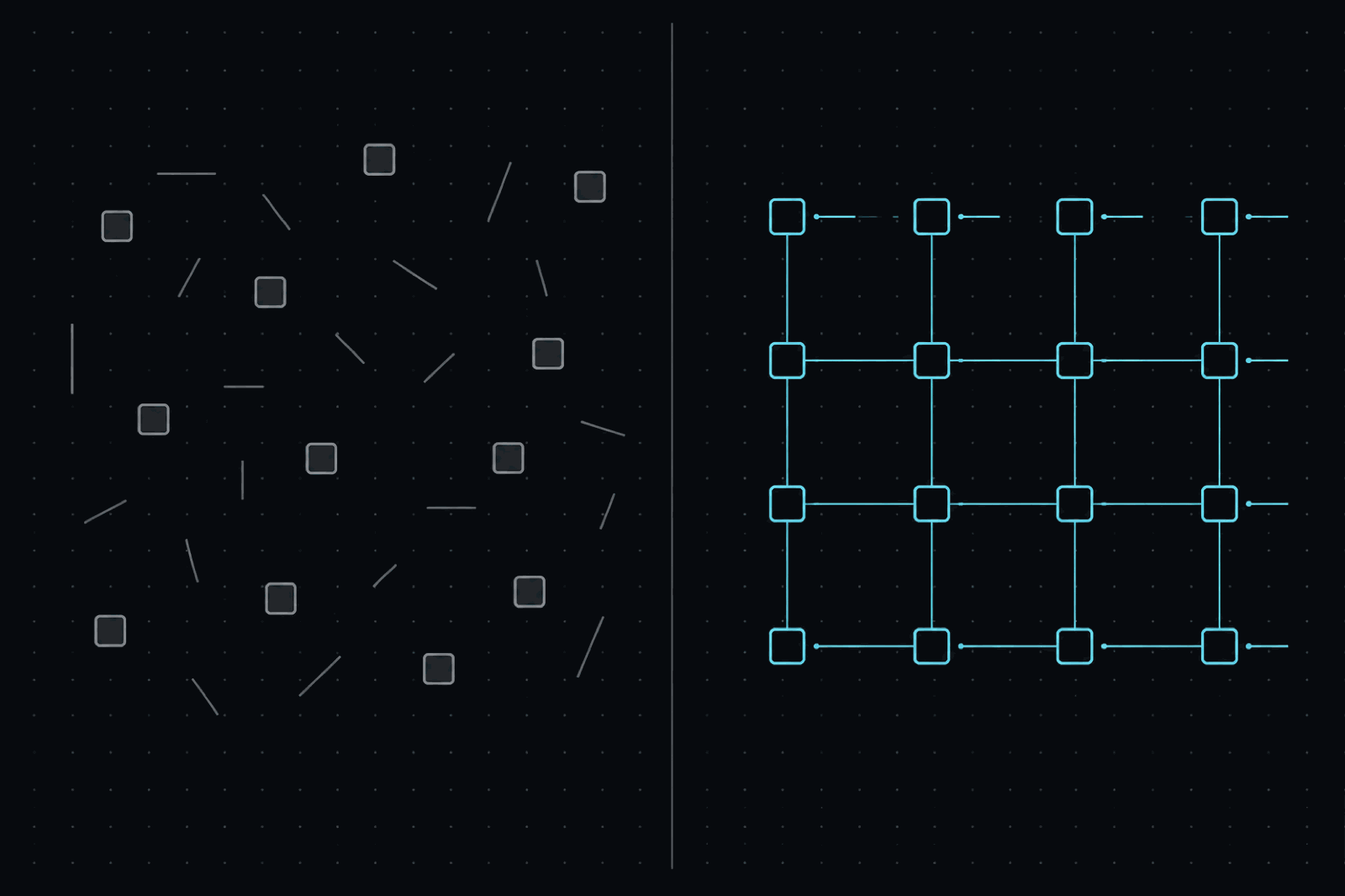
planeops turns the pile into a registry: every asset declared with its reason for existing, every scan diffed against that intent, every fix a rendered change you confirm one at a time.
What you can do with it
| You want to | planeops gives you |
|---|---|
| Put your whole AI setup in writing | A plain-YAML registry: every service, model, package, MCP server, key, and config trace, each with the reason it exists. plane init --seed drafts it from what's already installed; you prune instead of authoring. |
| Find out what's really on the machine | plane observe: one read-only scan across package managers, launchd/systemd, Ollama, MCP client configs, secret stores, and the config traces tools leave behind, covering tools nothing else tracks. |
| Hear about it when reality diverges | plane drift: the daemon that installed itself, the model a cleanup pruned, the MCP server wired into one client but missing from the rest, the key that was never configured. |
| Converge without surprise mutations | plane apply: each fix rendered as a diff and confirmed one change at a time; nothing writes behind your back. |
| Pause a project without months of nagging | parked means dormant on purpose, so silence is correct; a completed retirement asks you to clean up the registry instead of alerting forever. |
| Keep API keys sealed and findable | plane secrets add/list/remove: names and presence tracked in the open, values encrypted at rest (sops + age), written only to the file their entry declares. |
| Make the loop ambient | plane schedule puts the scan on your OS's own timer, no daemon involved; plane status --short drops the state into your shell prompt. |
| Let your assistant work from real state | plane-mcp: read-only MCP tools for drift, status, the server-by-client view, and secret names, so "what changed on my machine?" gets a real answer. |
The guarantees under all of it: observation never writes, there is no daemon
and no open port, a registry typo fails at load instead of silently meaning
nothing, exit codes are scriptable (0 clean, 1 operator error, 2 drift),
and the engine names no vendor: adapters, schedulers, and secret stores are
all discovery seams.
Install
$ uv tool install planeops # or: pipx install planeops / pip install planeops
Installs the plane command. Python 3.12+, macOS and Linux.
Want your AI assistant to query the plane over MCP? Install the extra:
uv tool install "planeops[mcp]" (adds plane-mcp).
From source (development)
$ git clone https://github.com/albertorsesc/planeops
$ cd planeops
$ uv sync            # engine + plane CLI
$ make check         # the full gate: lint, format, types, tests
Quickstart
# scaffold an instance and seed the registry from what's already installed
$ plane init --seed
create the instance at /Users/you/planeops? (path or Enter to accept)
instance ready at /Users/you/planeops
  wrote 73 entries to /Users/you/planeops/registry/imported.yaml; prune, then `plane drift`

# scan the machine, diff it against the registry
$ plane observe
✓ observed 73 facts on mymac /Users/you/planeops/observed/mymac/snapshot.json
  brew 21 · mcp 14 · ollama 9 · npm 8 · launchd 6 · ...
$ plane drift
✓ no drift on mymac 16:04

# keep it fresh: an OS timer, previewed and confirmed
$ plane schedule --every 6h

# one glance forever after (empty means clean; wire it into your prompt)
$ plane status --short
drift:3
From there, plane apply walks the drift one confirmed change at a time.
plane init created an instance: a directory that is yours, not the
tool's. Git it like a dotfiles repo:
~/planeops/
├── registry/           desired state: the YAML you declare, edit, and prune
├── instance.yaml       this machine's adapter settings
├── secrets.sops.yaml   encrypted values, if you use the secrets store
└── observed/<host>/    generated per machine: snapshot.json, DRIFT.md
registry/ and instance.yaml are your setup's documentation; observed/ is
regenerated by every scan. Layout, multi-machine use, and the tool's exact
footprint: docs/instance.md.
Going further
- SPEC.md: the architecture, entry schema, adapter contracts, and exit codes.
- docs/instance.md: your instance directory, several machines on one registry, the tool's footprint.
- docs/secrets.md: the secrets flow (declare,
secrets add/list/removewith the store bootstrapped on first use,applymaterializes) and how values stay sealed. - docs/mcp.md: every MCP server across every client in one view, the opt-in unwire of retired servers, and the read-only server your assistant can query.
- docs/footprint.md: discovering tools by the config traces they leave, and how debris and already-governed tools stay out of the way.
- CHANGELOG.md: releases and what is coming.
What planeops is not
- Not a runtime. It never sits in any request path and starts no long-running process.
- Not an installer. Adapters shell out to the tools you already trust (
brew,systemctl,ollama); planeops decides whether, they do how. - Not a fleet manager. One human, their machines, their intent. Multi-host is on the roadmap as bundles of the same registry, not an agent mesh.
Status
Pre-1.0: the loop, twelve adapters, scheduling, secrets, importers, and the MCP server work on macOS and Linux and govern this project's own machines daily. Contracts may still move; a breaking change bumps the minor and lands in the CHANGELOG with its migration.
Built on
planeops delegates instead of reinventing: sops and age hold the secrets, chezmoi reproduces config files, your OS's own scheduler runs the ambient loop, and the package managers you already use keep doing the installing. The engine rides on ruamel.yaml for the registry, Rich with rich-argparse for the console, and the MCP Python SDK for the optional server, and is built with uv, ruff, mypy, and pytest. Thanks to all of them.
Contributing, security, license
CONTRIBUTING.md
has the dev setup, the quality gate, and how to write an adapter. Security
posture and reporting:
SECURITY.md.
Licensed Apache-2.0.
1 maintainer

Download files
Download the file for your platform. If you're not sure which to choose, learn more about installing packages.
Source Distribution
Built Distribution
Filter files by name, interpreter, ABI, and platform.
If you're not sure about the file name format, learn more about wheel file names.
Copy a direct link to the current filters
File details
Details for the file planeops-0.10.3.tar.gz.
File metadata
- Download URL: planeops-0.10.3.tar.gz
- Upload date:
- Size: 280.7 kB
- Tags: Source
- Uploaded using Trusted Publishing? Yes
- Uploaded via:
twine/7.0.0 CPython/3.13.14
File hashes
| Algorithm | Hash digest | |
|---|---|---|
| SHA256 |
82f72374ced1e2c634b5a30286c11db2c7f8ec90efee943a38a1aaa2e0034d47
|
|
| MD5 |
6205da0ead2869cbe92d3f2917010875
|
|
| BLAKE2b-256 |
a62f83e276cf4115fc2a447d139259a47e0a98e394c9db5cad1394ebcd9c9491
|
Provenance
The following attestation bundles were made for planeops-0.10.3.tar.gz:
Publisher:
release.yml on albertorsesc/planeops
-
Statement:
-
Statement type:
https://in-toto.io/Statement/v1 -
Predicate type:
https://docs.pypi.org/attestations/publish/v1 -
Subject name:
planeops-0.10.3.tar.gz -
Subject digest:
82f72374ced1e2c634b5a30286c11db2c7f8ec90efee943a38a1aaa2e0034d47 - Sigstore transparency entry: 2425258358
- Sigstore integration time:
-
Permalink:
albertorsesc/planeops@366c739263c02dde325ea1f9ee921fad4e058bea -
Branch / Tag:
refs/tags/v0.10.3 - Owner: https://github.com/albertorsesc
-
Access:
public
-
Token Issuer:
https://token.actions.githubusercontent.com -
Runner Environment:
github-hosted -
Publication workflow:
release.yml@366c739263c02dde325ea1f9ee921fad4e058bea -
Trigger Event:
push
-
Statement type:
File details
Details for the file planeops-0.10.3-py3-none-any.whl.
File metadata
- Download URL: planeops-0.10.3-py3-none-any.whl
- Upload date:
- Size: 144.9 kB
- Tags: Python 3
- Uploaded using Trusted Publishing? Yes
- Uploaded via:
twine/7.0.0 CPython/3.13.14
File hashes
| Algorithm | Hash digest | |
|---|---|---|
| SHA256 |
b1fa9da96399c9a4e7141c33f05ad2bd5e237bb797c0839c439b0873a2891749
|
|
| MD5 |
9a290024ca52e2ead2474a61fb73ed8b
|
|
| BLAKE2b-256 |
80413fcab7ca6df581fac7fe011e5a8f3aa7b8ed98b91501e6a3932f5ad2741a
|
Provenance
The following attestation bundles were made for planeops-0.10.3-py3-none-any.whl:
Publisher:
release.yml on albertorsesc/planeops
-
Statement:
-
Statement type:
https://in-toto.io/Statement/v1 -
Predicate type:
https://docs.pypi.org/attestations/publish/v1 -
Subject name:
planeops-0.10.3-py3-none-any.whl -
Subject digest:
b1fa9da96399c9a4e7141c33f05ad2bd5e237bb797c0839c439b0873a2891749 - Sigstore transparency entry: 2425258432
- Sigstore integration time:
-
Permalink:
albertorsesc/planeops@366c739263c02dde325ea1f9ee921fad4e058bea -
Branch / Tag:
refs/tags/v0.10.3 - Owner: https://github.com/albertorsesc
-
Access:
public
-
Token Issuer:
https://token.actions.githubusercontent.com -
Runner Environment:
github-hosted -
Publication workflow:
release.yml@366c739263c02dde325ea1f9ee921fad4e058bea -
Trigger Event:
push
-
Statement type:







