
ppar
Portfolio performance attribution, contribution, and ex-post risk analytics.
ppar compares a portfolio with a benchmark, explains active return by classification, and produces reviewable HTML tables and PNG charts. It runs locally and accepts vendor-neutral CSV files or Axys/APX exports.
Start here
ppar supports Python 3.11.9 through Python 3.14.
ppar is available under a 90-day, single-user internal evaluation license.
Production, commercial, multi-user, or continued use requires a separate agreement;
contact jjjkreynolds@gmail.com. Review the
license before installing.
python -m pip install ppar
Then choose one demonstration.
Vendor-neutral (the default):
ppar setup ./my_ppar
python ./my_ppar/ppar_demo.py
Axys/APX:
ppar setup ./my_ppar --axys-apx
python ./my_ppar/ppar_demo.py
Either setup command creates a demonstration directory:
my_ppar/
  README.md
  ppar_demo.py
  input/
  output/
The extensively commented ppar_demo.py is both a tutorial and the executable
workflow. Edit its Python values to choose input paths, calculation assumptions, and
reports, then replace the demonstration files under input/ with your data.
What it produces
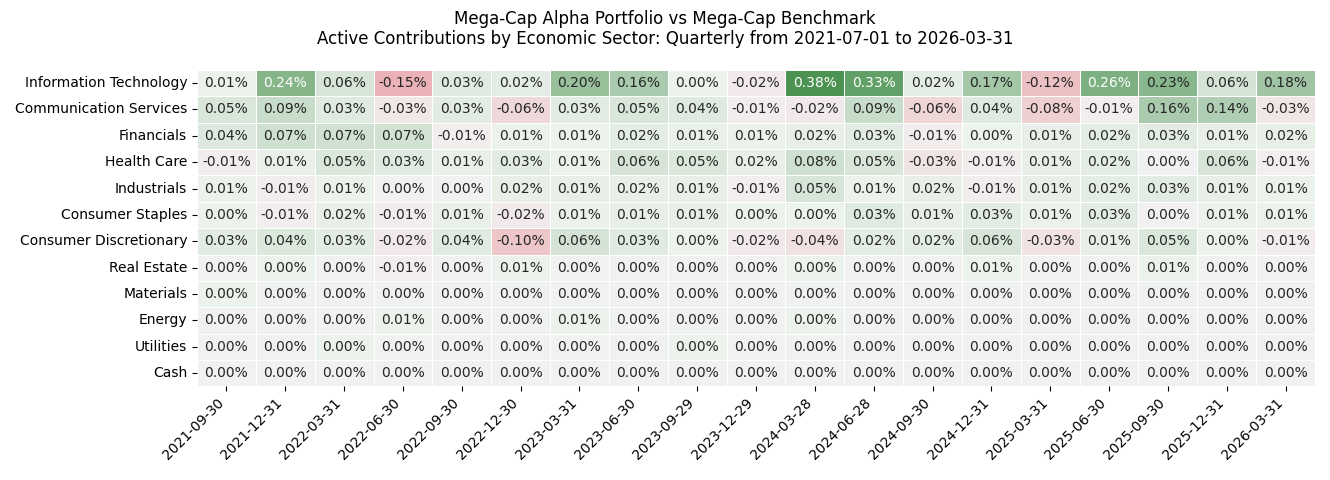
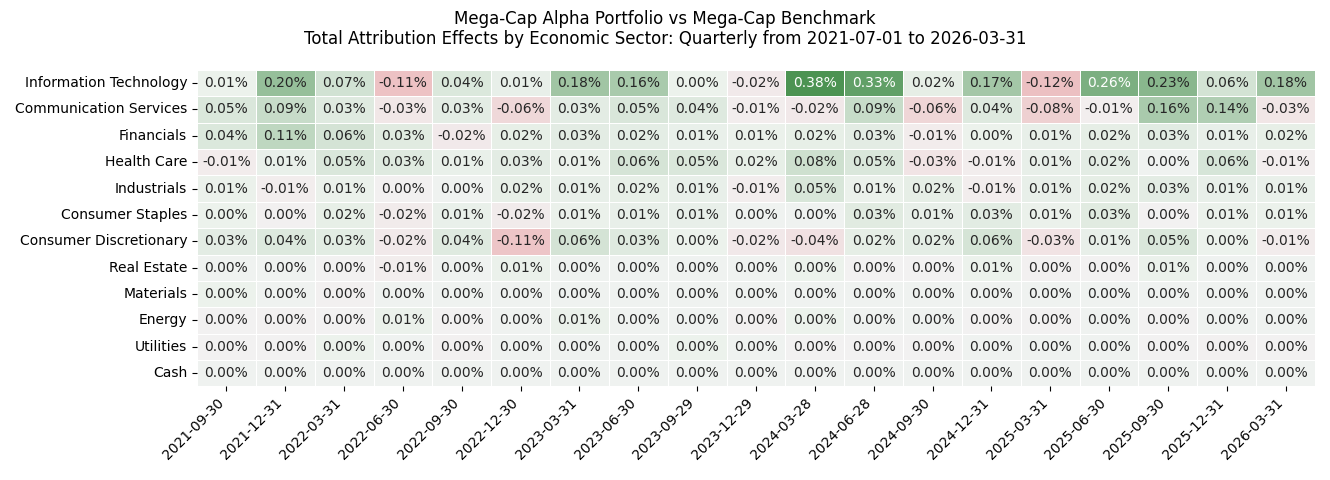
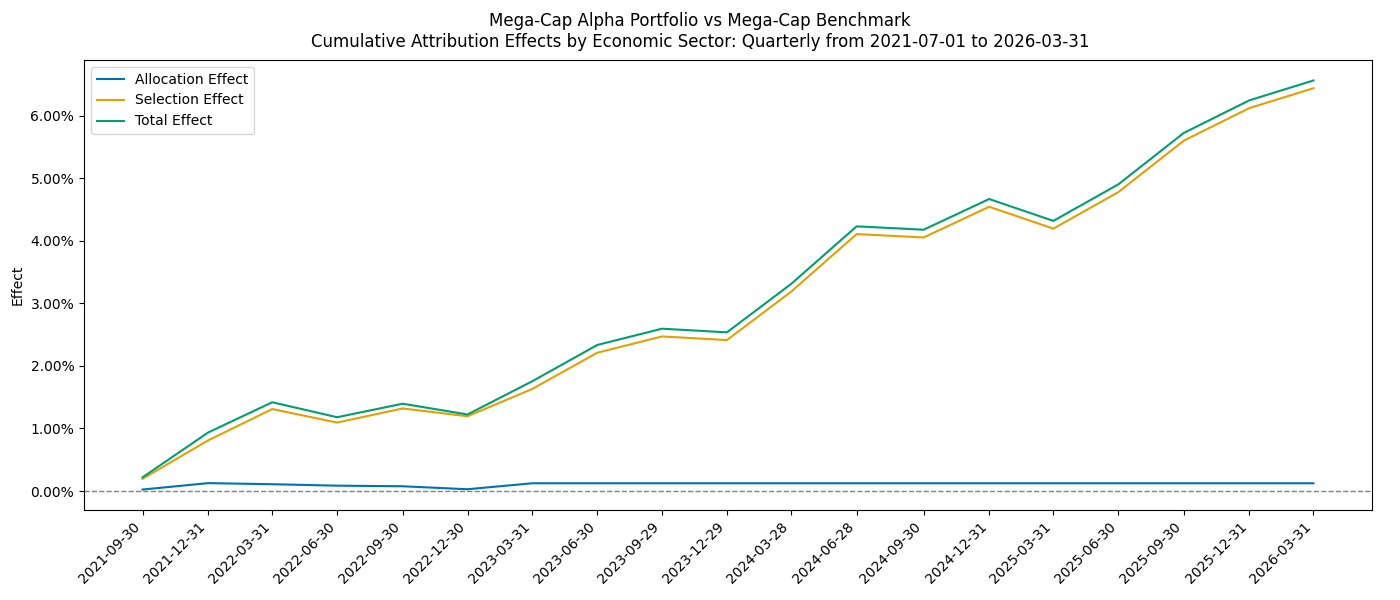
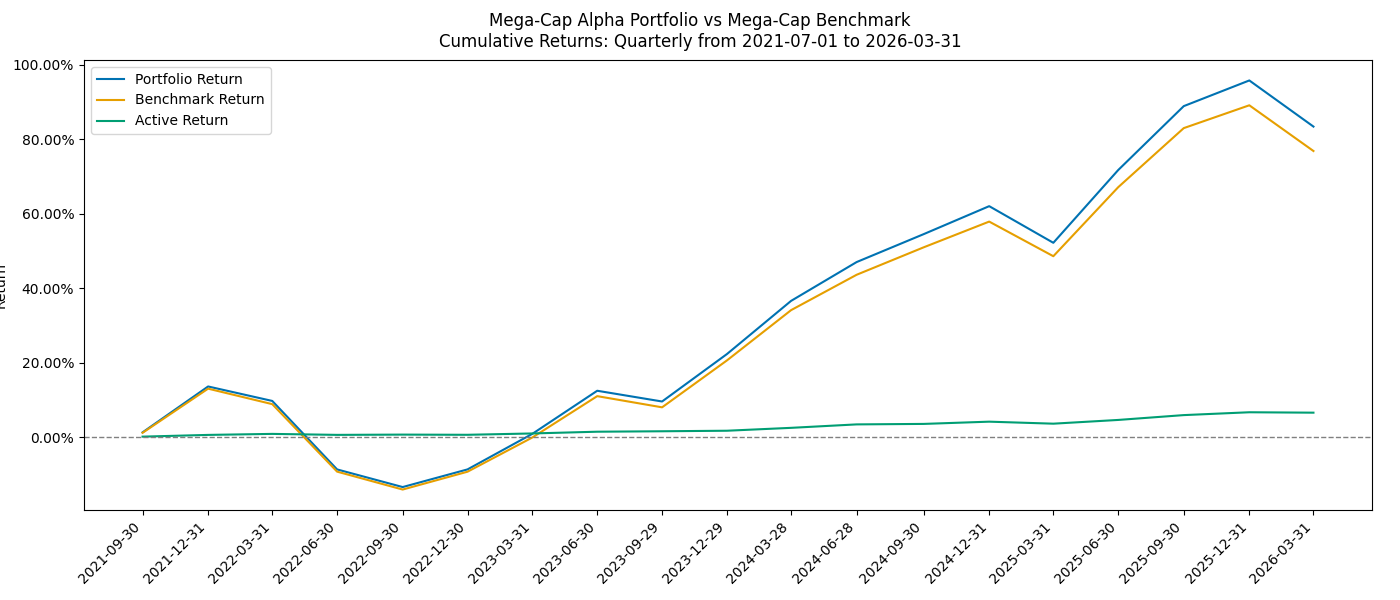
The standard demonstration writes security and classification attribution tables, attribution and contribution charts, cumulative return charts, heatmaps, and an ex-post risk-statistics table.
The gallery below shows examples of available output, including reports that can be
selected by editing ppar_demo.py.
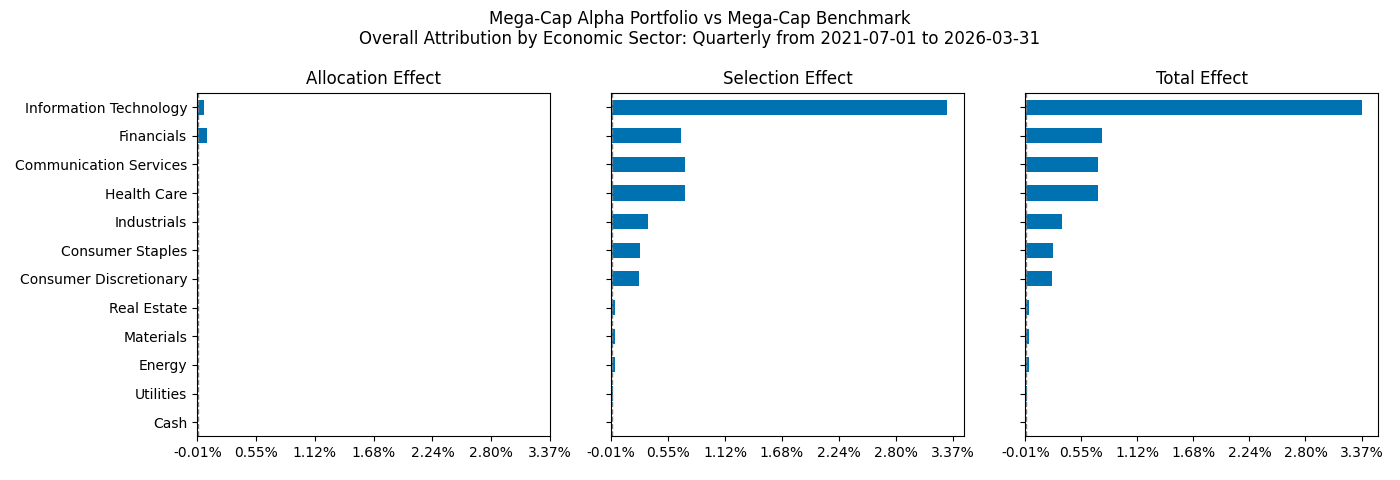
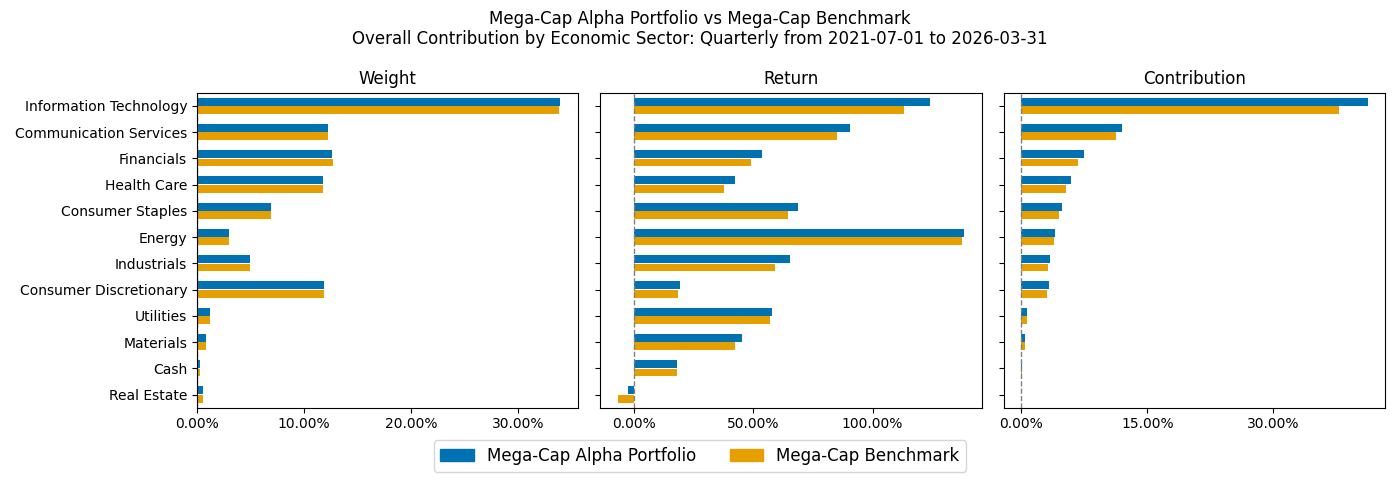
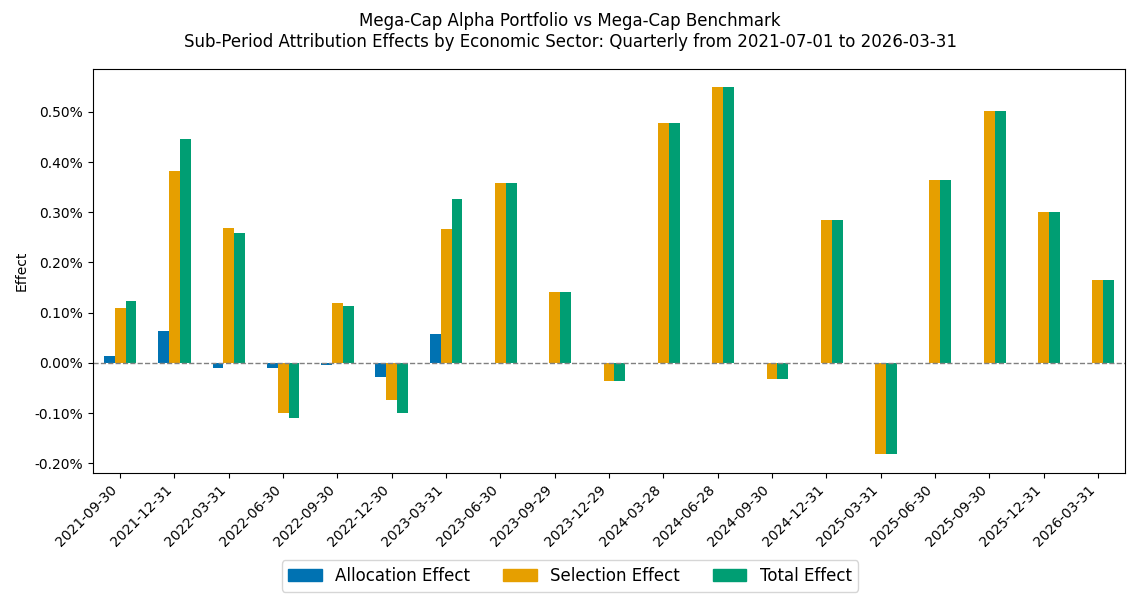
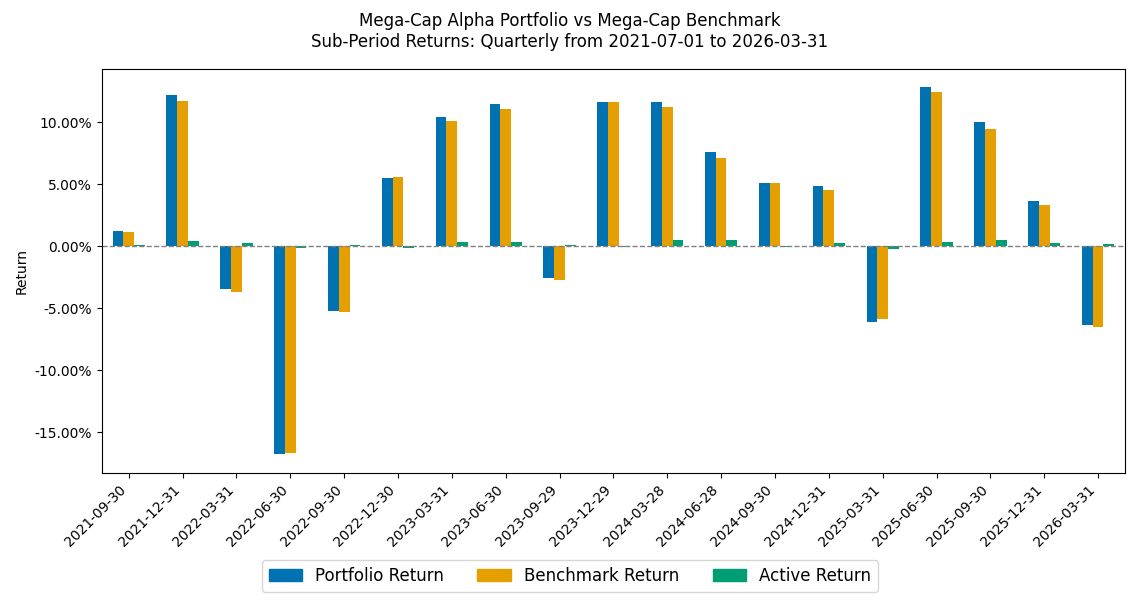
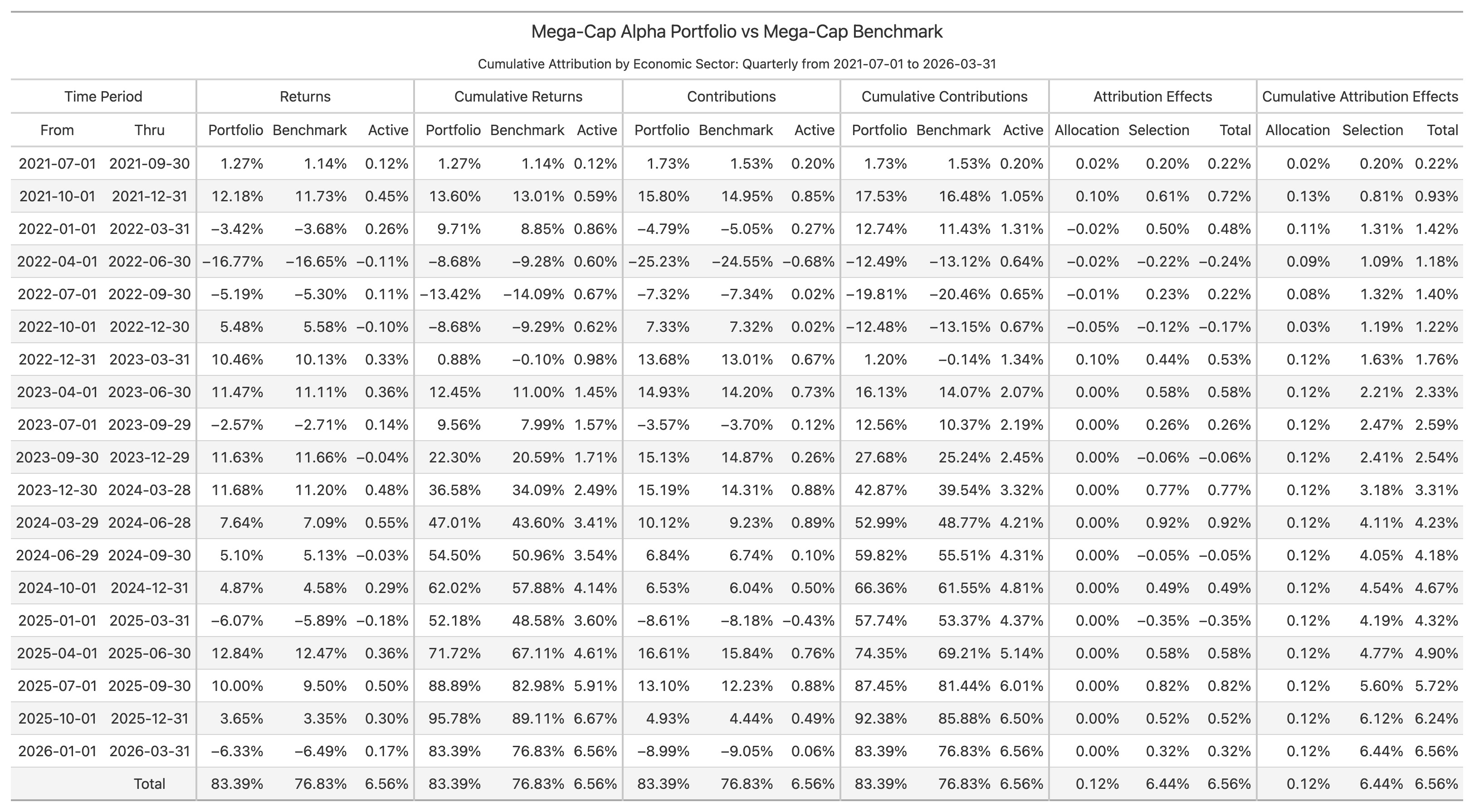
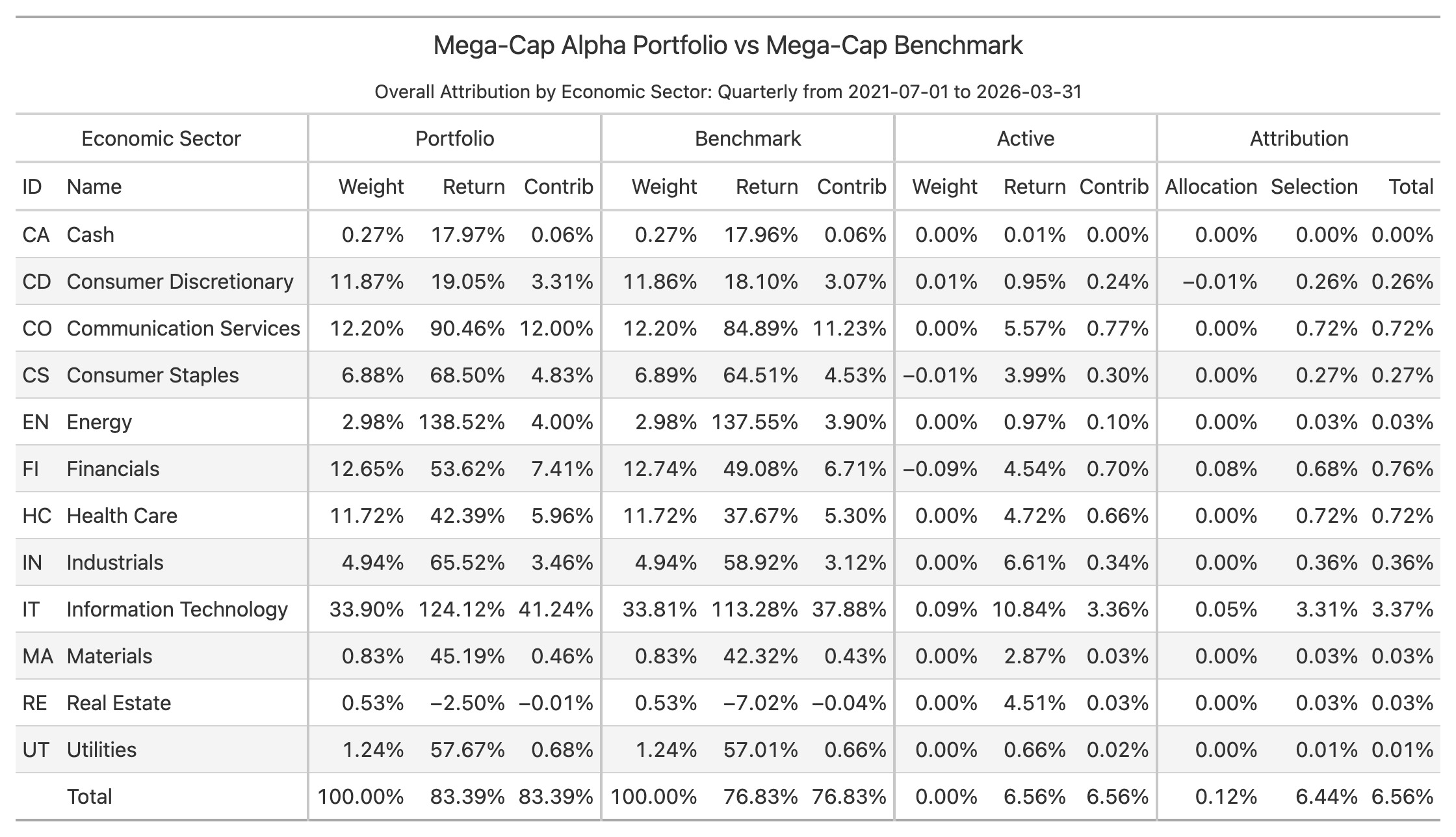
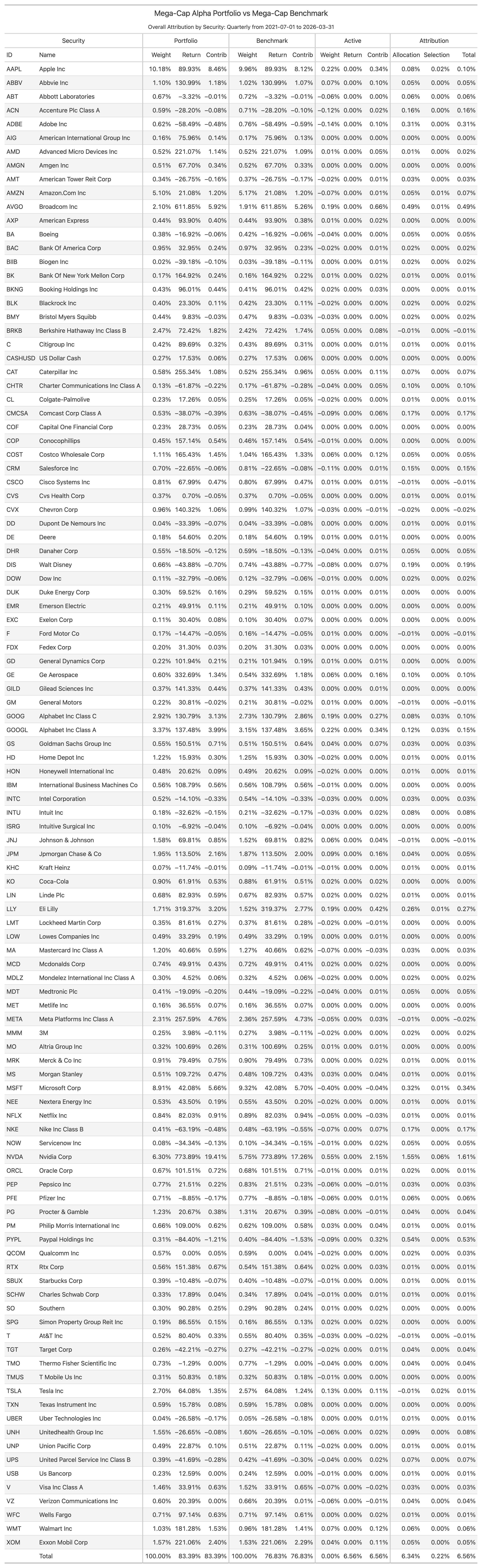
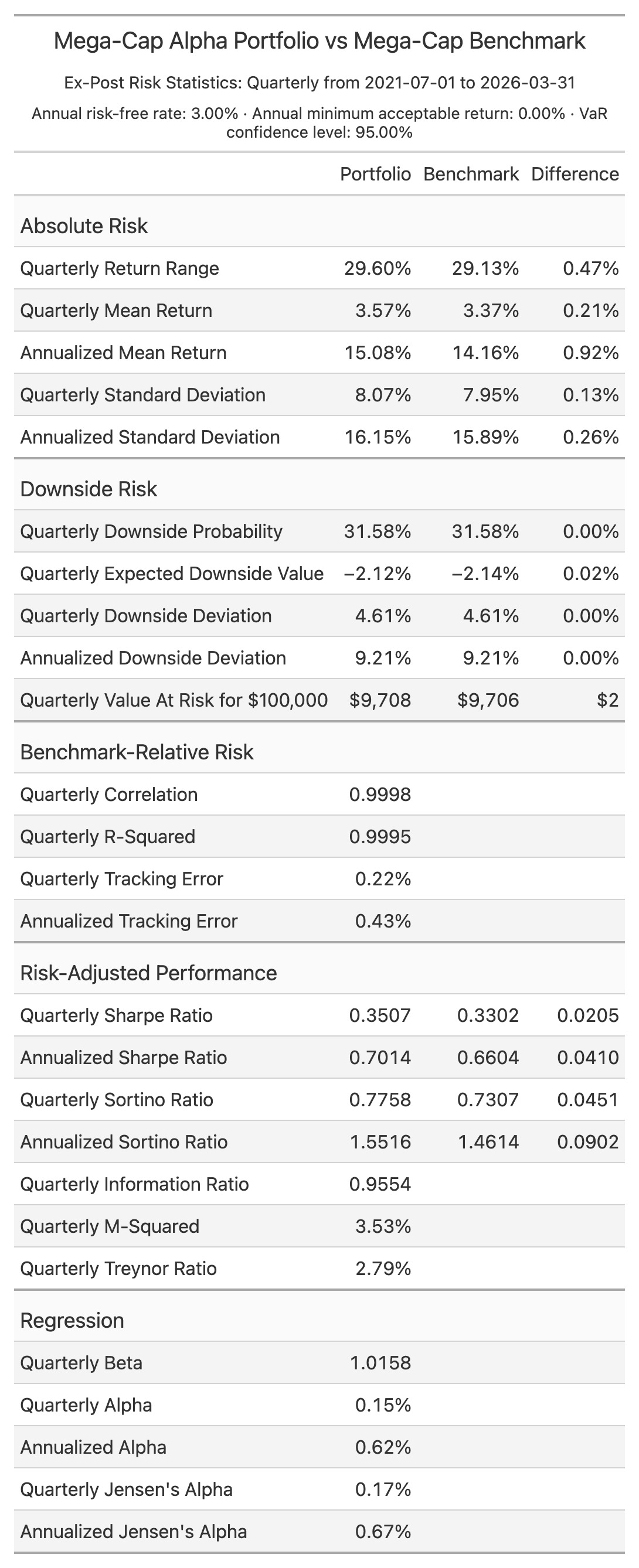
Over the demonstrated period, the Mega-Cap Alpha portfolio returned 83.4% versus 76.8% for the benchmark, outperforming by approximately 656 basis points. Security selection generated about 644 basis points of that result, while sector allocation added about 12 basis points. Information Technology was the largest positive source, contributing approximately 337 basis points. The portfolio was slightly more volatile, but its annualized Sharpe ratio of 0.70 and Sortino ratio of 1.55 were both better than the benchmark's 0.66 and 1.46.
Python
This prints the overall security attribution view as a Polars DataFrame:
from pathlib import Path

from ppar import Analytics
from ppar.attribution import View

# Use the performance files created by: ppar setup ./my_ppar
performance_input_directory = Path("./my_ppar") / "input" / "performance"

# The portfolio is the first file and the benchmark is the second.
analytics = Analytics(
    performance_input_directory / "Mega-Cap Alpha Portfolio.csv",
    performance_input_directory / "Mega-Cap Benchmark.csv",
)

# Calculate security-level attribution and request its overall table.
overall_attribution = analytics.attribution().to_polars(View.OVERALL_ATTRIBUTION)
print(overall_attribution)
The generated ppar_demo.py is the complete reporting example. Results are available
as Polars DataFrames, HTML text, PNG bytes, or CSV files.
Documentation
Downloading, installing, accessing, copying, or using ppar constitutes acceptance of the license.
1 maintainer

Metadata
1 maintainer
Release files for ppar 0.4.1
For a detailed explanation of source distributions (sdists) and built distributions (wheels), please see the package formats documentation.
Built distribution (wheel)
| File | Interpreter | ABI | Platform | Actions Reset |
|---|---|---|---|---|
| ppar-0.4.1-py3-none-any.whl | Python 3 | none | any | Details for ppar-0.4.1-py3-none-any.whl |
Release files / ppar-0.4.1-py3-none-any.whl
| Download URL | ppar-0.4.1-py3-none-any.whl |
|---|---|
| Size | 749.4 kB |
| Tags | Python 3 |
|
SHA-256 checksum How to use checksums |
77fb54d4a23e0810e734b57dea540fb674db7649380d7c08d285baf6612688ff
|
|
BLAKE2b-256 checksum How to use checksums |
850469c0265bb8e54d70b6d06188ba036d4d0dccbe3da6b1e48c6560ce308ee9
|
| Upload date | |
|
Uploaded using Trusted Publishing? What is trusted publishing? |
Yes |
| Uploaded via |
twine/7.0.0 CPython/3.13.14
|
Provenance
Provenance describes where a file came from. On PyPI, provenance is shared via attestations, which provide a verifiable record of the build or publishing details. View details, limitations and caveats.


PyPI Publish Attestation
PyPI verified that this artifact, at this checksum, originated from the publisher listed below.
Signed by GitHub Actions, verified by PyPI on Sep 10, 2026.
Transparency logSecurity for ppar 0.4.1
Provenance
Provenance describes where a file came from. On PyPI, provenance is shared via attestations, which provide a verifiable record of the build or publishing details. View details, limitations and caveats.
Full provenance
All 1 file in this release has been uploaded with provenance metadata.
Attestation for ppar-0.4.1-py3-none-any.whl
PyPI Publish Attestation
PyPI verified that this artifact, at this checksum, originated from the publisher listed below.
Signed by GitHub Actions, verified by PyPI on Sep 10, 2026.
Transparency logA note on package security
PyPI is a repository for distributing packages, not a service for auditing them. While third-party security researchers and our staff do their best to detect and remove malicious packages, PyPI cannot guarantee the quality, security or suitability of any given package.
To learn more about protecting yourself from malicious actors, visit our package security documentation.














