
ppar
Portfolio performance attribution, contribution, and ex-post risk analytics.
ppar compares a portfolio with a benchmark, explains active return by classification, and produces reviewable HTML tables and PNG charts. It runs locally and supports both Axys/APX exports and a small vendor-neutral CSV format.
Start here
ppar requires Python 3.11.9 or newer.
python -m pip install ppar

# Axys/APX demonstration workspace (the default)
ppar setup ./my_ppar
ppar run ./my_ppar

# Vendor-neutral demonstration workspace
ppar setup ./my_generic_ppar --generic
ppar run ./my_generic_ppar
Both setup commands create a complete runnable workspace:
my_ppar/
  README.md
  ppar.yaml
  input/
  output/
Edit ppar.yaml and replace the demonstration files under input/ with your data.
Every run writes the complete result atomically to output/; a failed run leaves the
previous successful output intact.
What it produces
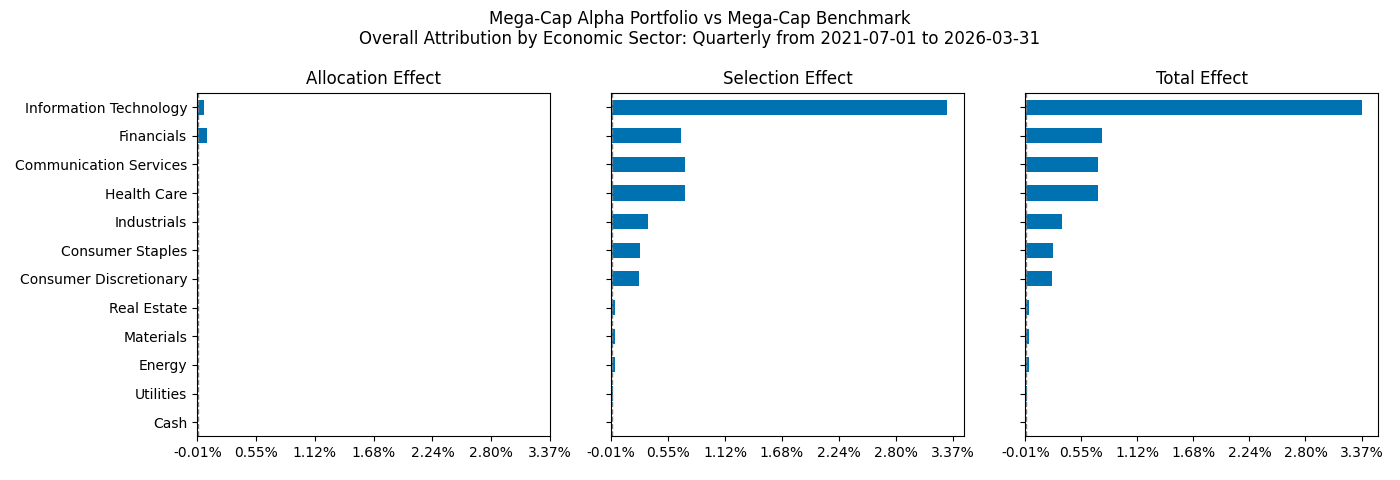
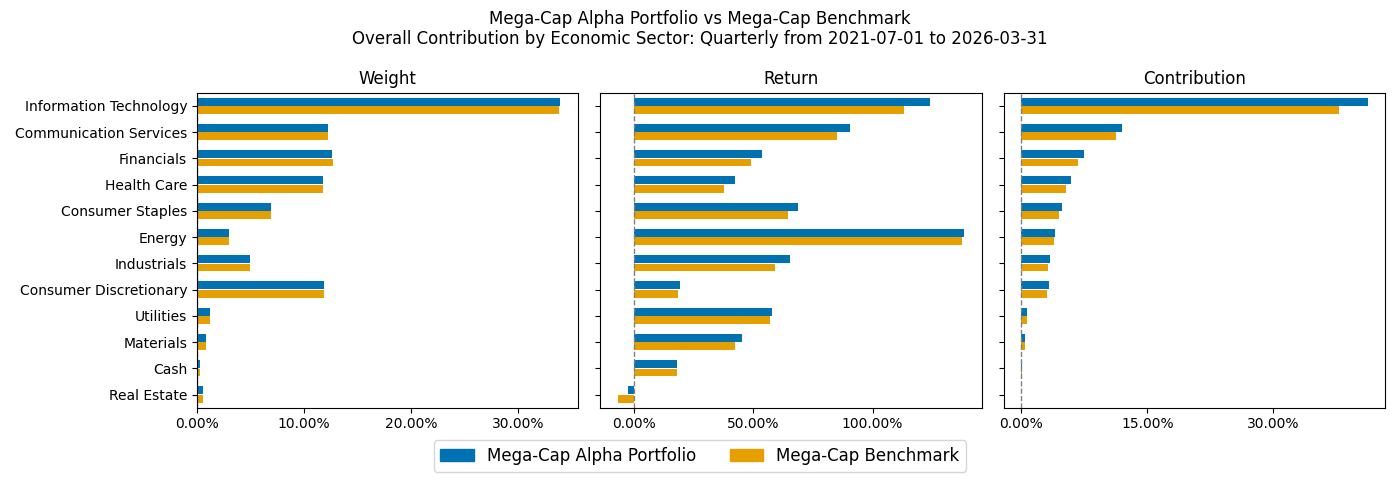
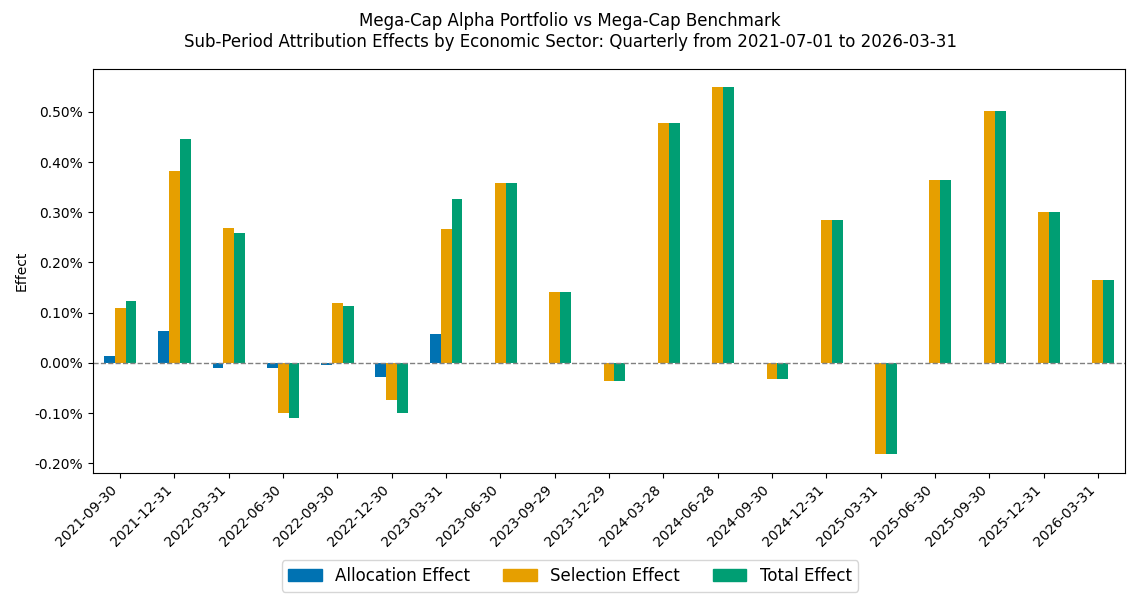
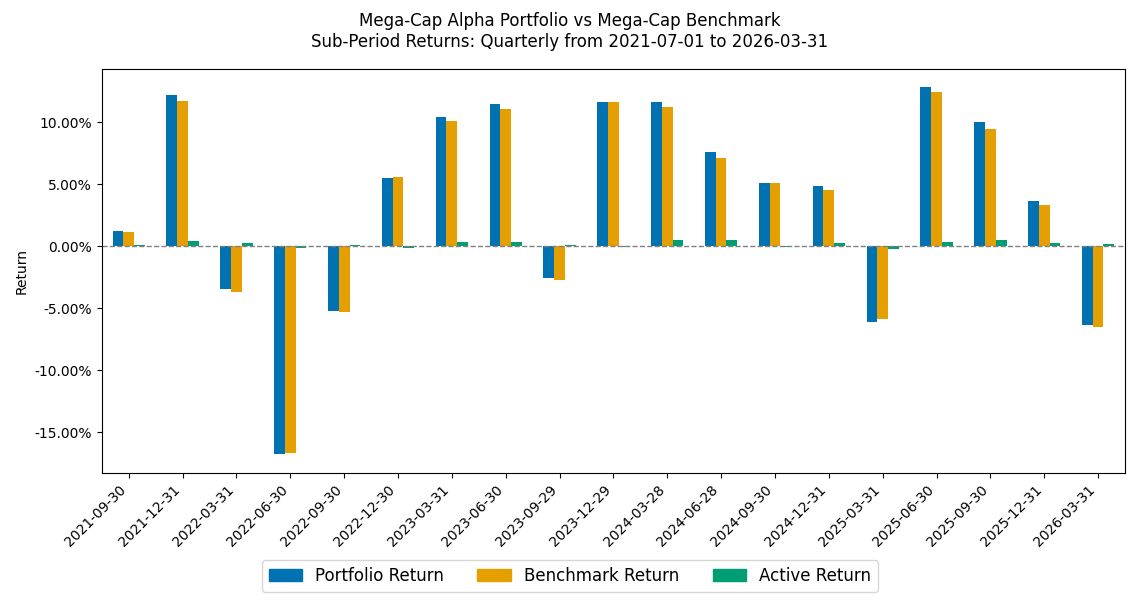
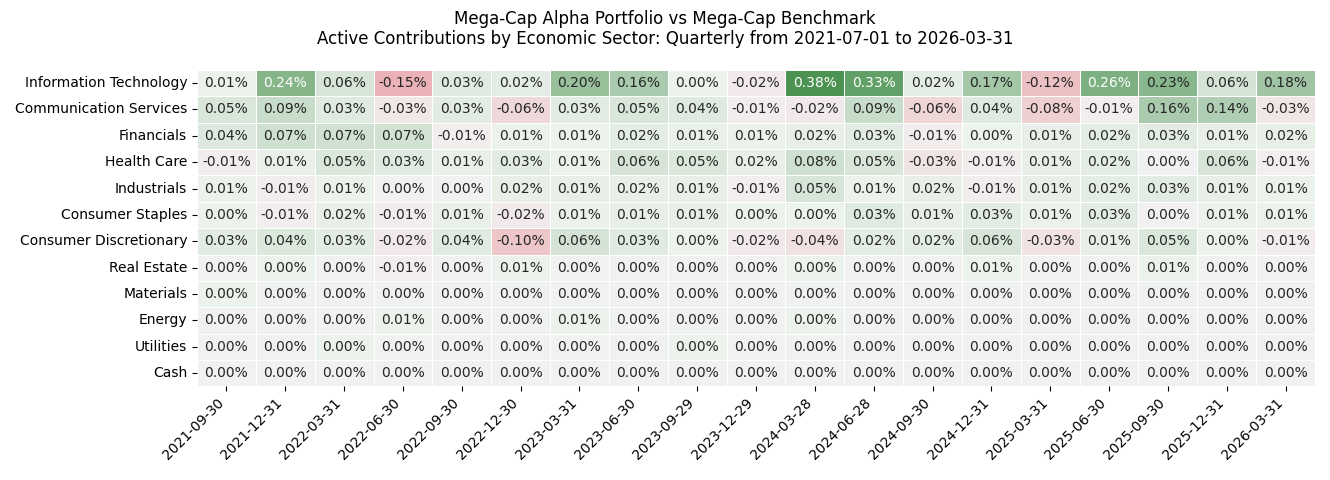
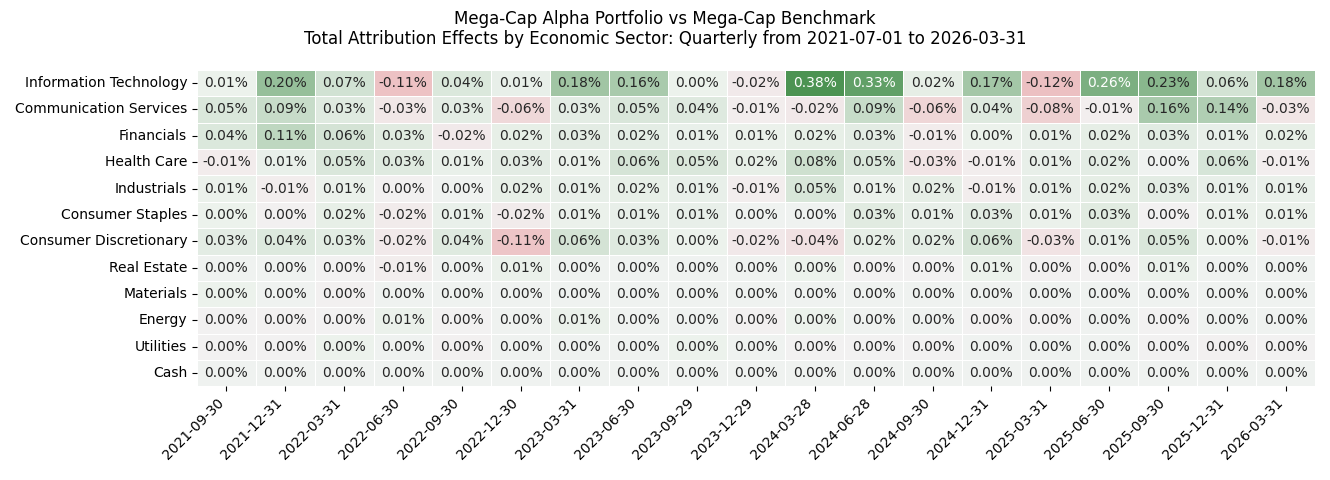
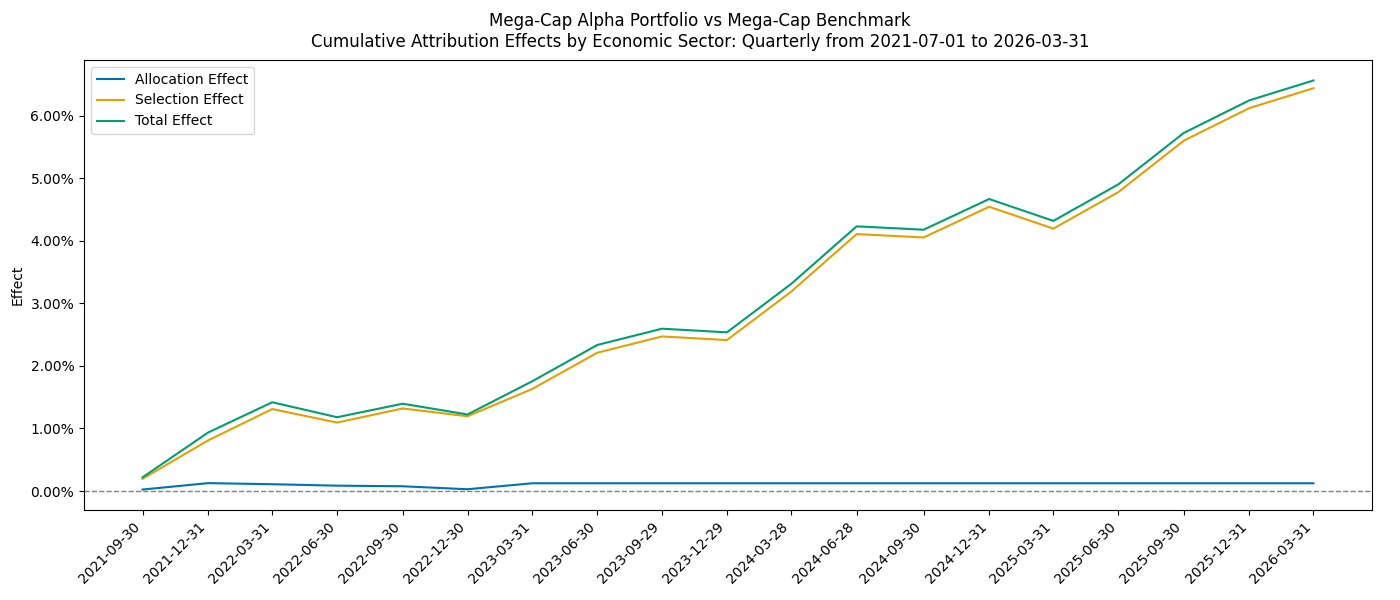
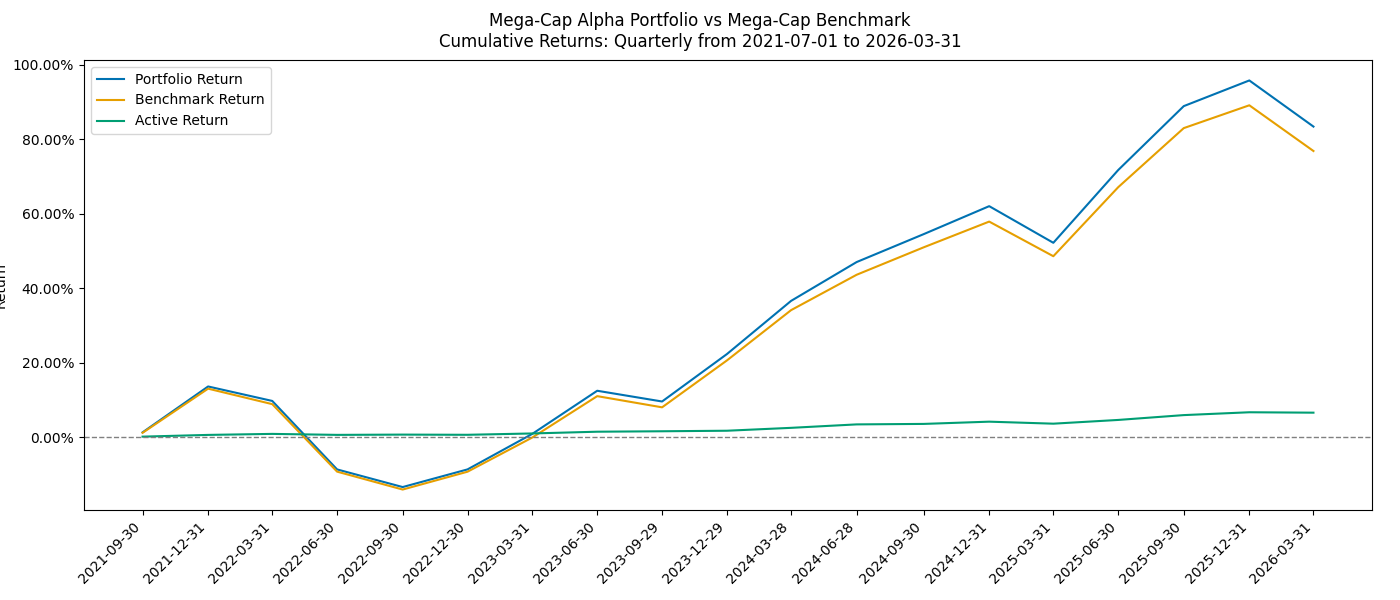
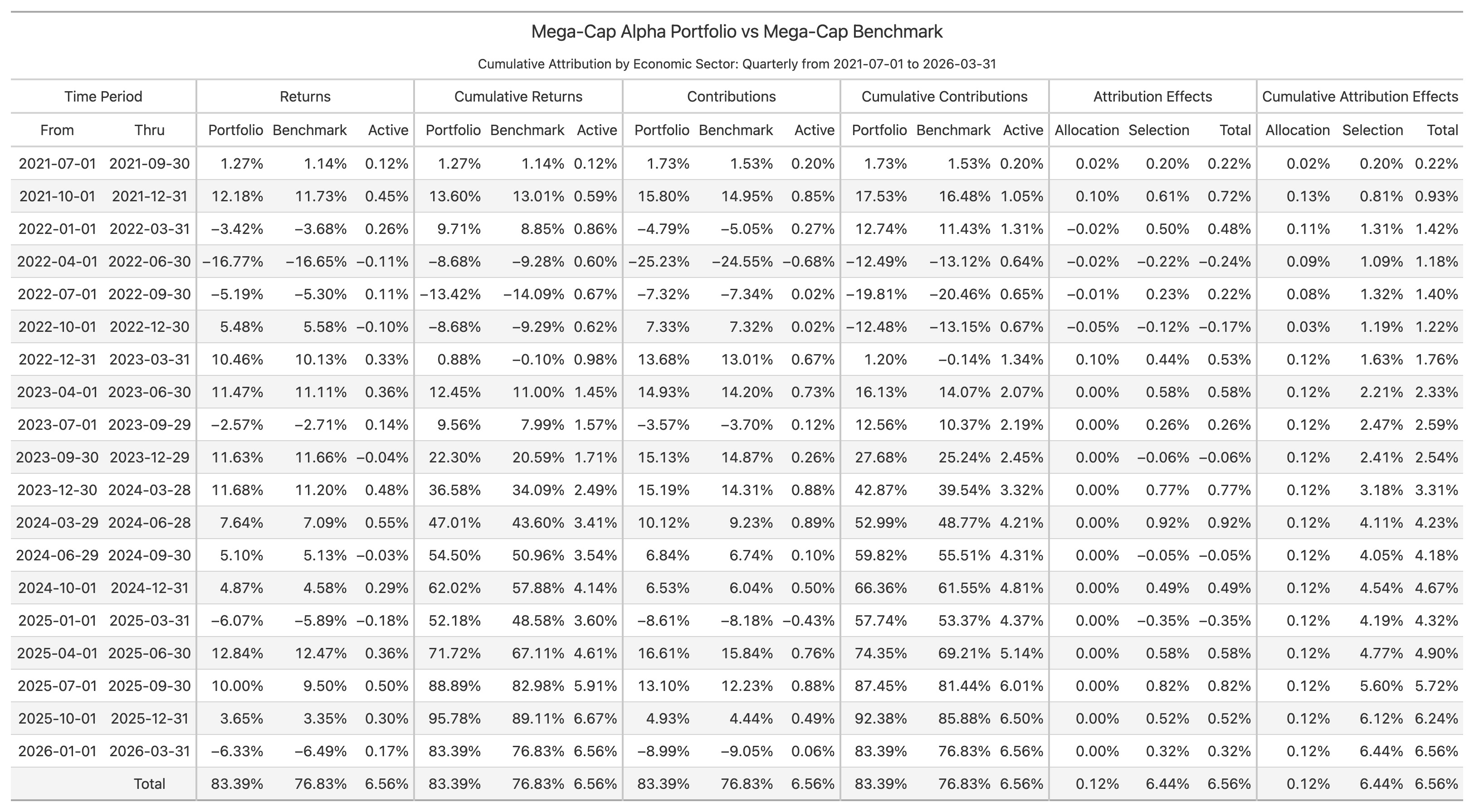
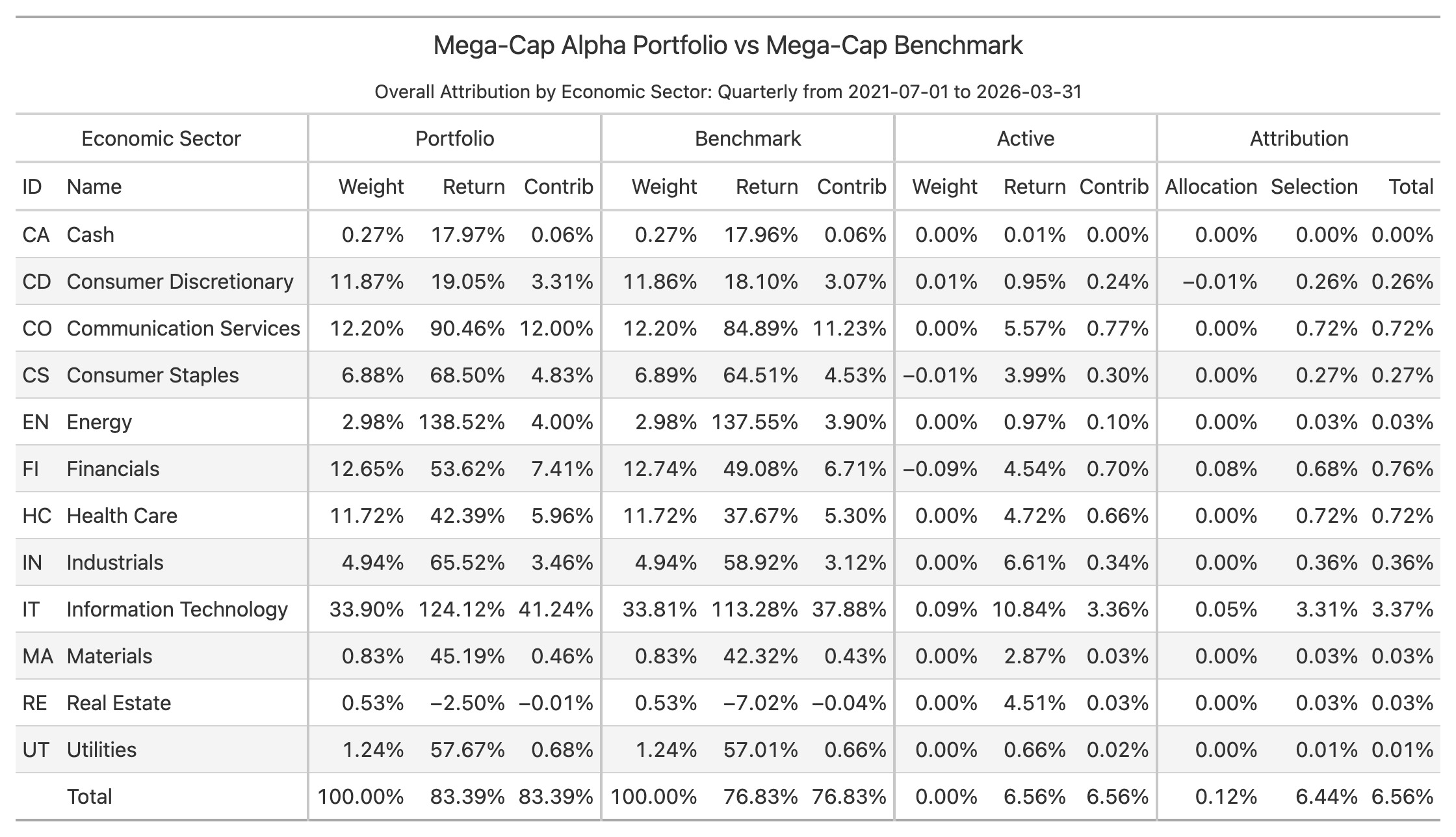
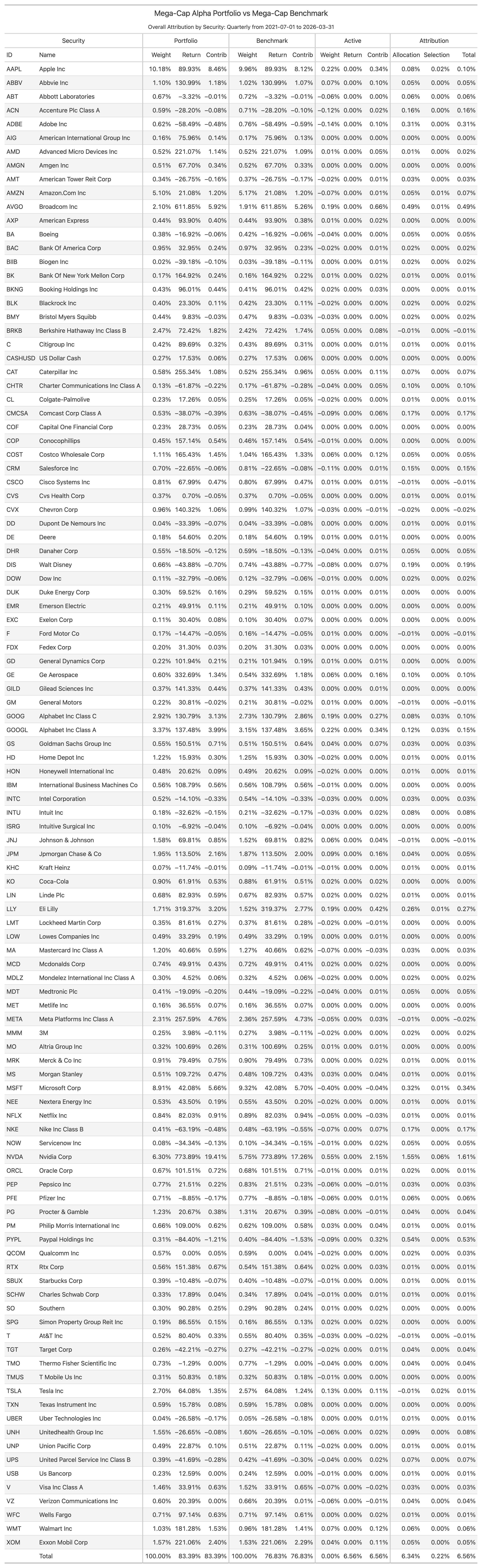
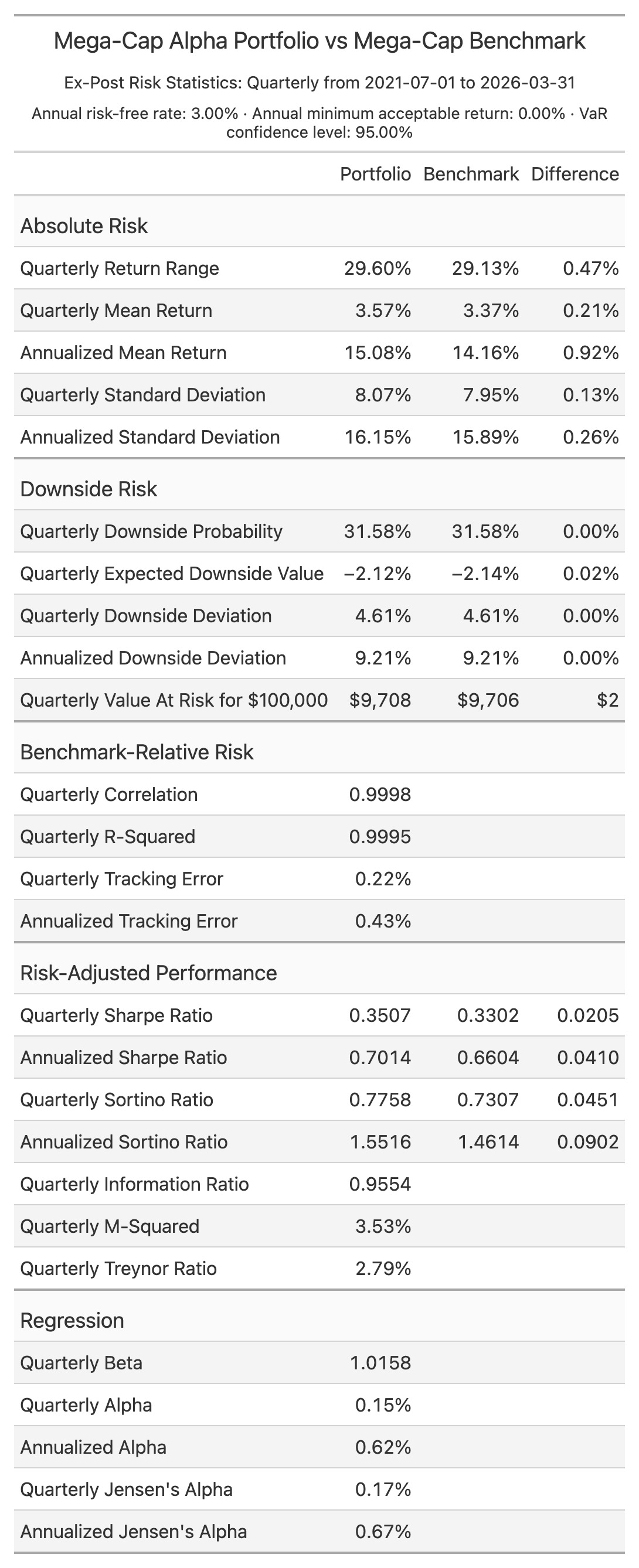
The standard quarterly workspace writes security and classification attribution tables, attribution and contribution charts, cumulative return charts, heatmaps, and an ex-post risk-statistics table.
Python
from ppar import Analytics
from ppar.attribution import View

analytics = Analytics("portfolio.csv", "benchmark.csv")
overall = analytics.attribution().to_polars(View.OVERALL_ATTRIBUTION)
print(overall)
Public tabular results are Polars DataFrames. HTML, PNG, and CSV output is available from the owning attribution or risk object.
Documentation
Downloading, installing, accessing, copying, or using ppar constitutes acceptance of the license. The public package grants a time-limited internal evaluation license; production and other commercial use require a separate written agreement.
1 maintainer

Download files
Download the file for your platform. If you're not sure which to choose, learn more about installing packages.
Source Distributions
Built Distribution
Filter files by name, interpreter, ABI, and platform.
If you're not sure about the file name format, learn more about wheel file names.
Copy a direct link to the current filters
File details
Details for the file ppar-0.2.0-py3-none-any.whl.
File metadata
- Download URL: ppar-0.2.0-py3-none-any.whl
- Upload date:
- Size: 744.4 kB
- Tags: Python 3
- Uploaded using Trusted Publishing? Yes
- Uploaded via:
twine/7.0.0 CPython/3.13.14
File hashes
| Algorithm | Hash digest | |
|---|---|---|
| SHA256 |
f05fe12ba853cb3e5b4cdb2fa901a54776e72d1066137cec51093bcb41289b84
|
|
| MD5 |
04adfdd0b49965200c696161b3409aea
|
|
| BLAKE2b-256 |
456fe2a85a68579ca5c747a0c344b04bb22563265e056f1a1bd743d37310f844
|
Provenance
The following attestation bundles were made for ppar-0.2.0-py3-none-any.whl:
Publisher:
publish.yml on JohnDReynolds/ppar
-
Statement:
-
Statement type:
https://in-toto.io/Statement/v1 -
Predicate type:
https://docs.pypi.org/attestations/publish/v1 -
Subject name:
ppar-0.2.0-py3-none-any.whl -
Subject digest:
f05fe12ba853cb3e5b4cdb2fa901a54776e72d1066137cec51093bcb41289b84 - Sigstore transparency entry: 2636010389
- Sigstore integration time:
-
Permalink:
JohnDReynolds/ppar@47f8035df216c510b3d077ebcb43f68036ea1f1e -
Branch / Tag:
refs/heads/main - Owner: https://github.com/JohnDReynolds
-
Access:
public
-
Token Issuer:
https://token.actions.githubusercontent.com -
Runner Environment:
github-hosted -
Publication workflow:
publish.yml@47f8035df216c510b3d077ebcb43f68036ea1f1e -
Trigger Event:
workflow_dispatch
-
Statement type:














