
Prefab 🎨
The generative UI framework that even humans can use.
🚧 Don't panic. Prefab is under very active development. 🚧



Docs · Playground · GitHub
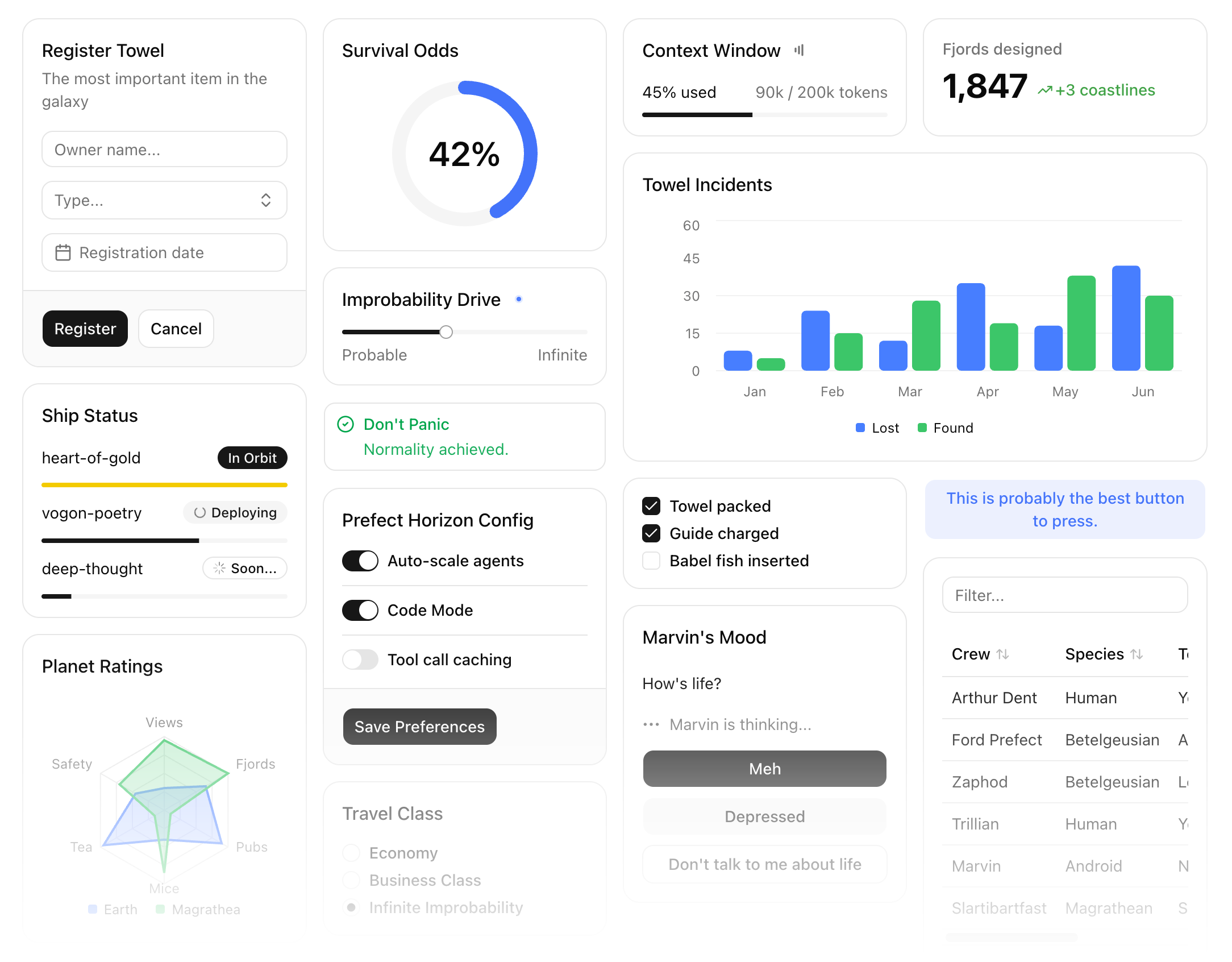
Prefab is a UI framework for building rich, interactive interfaces in Python. Create MCP Apps, data dashboards, interactive tools, and more with 100+ prebuilt components. A bundled React renderer turns everything into a self-contained application.
Composing frontends in Python is blasphemous surprisingly natural. Prefab's DSL uses context managers for nesting components, making it both token-efficient and streaming-compatible. As a result, you (or your agent) can declare UIs in advance or generate them on the fly. A reactive state system handles client-side interactivity with no JavaScript required, and MCP and REST backends are (optionally!) supported out of the box.
The "hello world" of Prefab is an interactive card. It looks like something you might see in any frontend framework... except, of course, that it's written entirely in Python. Context managers define the component hierarchy, and the reactive Rx class binds the form input to client-side state. The heading and badge update in real time as you type. You can try an interactive version in the Prefab docs.
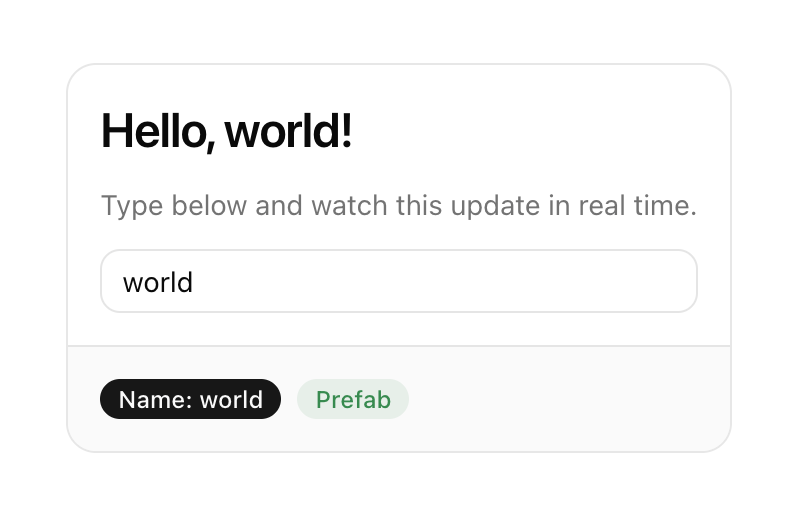
from prefab_ui.components import *
from prefab_ui.rx import Rx

name = Rx("name").default("world")

with Card():
    with CardContent():
        with Column(gap=3):
            H3(f"Hello, {name}!")
            Muted("Type below and watch this update in real time.")
            Input(name="name", placeholder="Your name...")
    with CardFooter():
        with Row(gap=2):
            Badge(f"Name: {name}", variant="default")
            Badge("Prefab", variant="success")
Why Prefab
Python developers building tools, APIs, and servers regularly need to ship interactive interfaces alongside their logic: dashboards, data tables, forms, charts. Building these interfaces has traditionally meant working in an entirely different language and ecosystem, or settling for static templates and limited tooling.
Prefab takes a different approach, using a Python DSL to naturally compose a library of production-ready components into interactive applications. The north star is composition, not construction: assembling existing components into interfaces, not authoring new ones in Python. The component tree compiles to a JSON protocol and is rendered by a bundled React frontend built on shadcn/ui. This means the interface definition stays in Python, right next to the data it presents. The output is declarative and serializable, which means UIs are safe for agents to generate, simple to validate, and portable across any transport.
Prefab is designed from the ground up for MCP Apps, bringing interactive frontend capabilities to the Python MCP ecosystem for the first time. Prefab ships as a native part of FastMCP, supporting everything from hand-authored declarative interfaces to fully agent-generated UIs in a single framework.
Prefab's protocol-first approach was inspired by FastUI, which pioneered declarative component protocols rendered by a separate frontend. Prefab brings that idea to the MCP ecosystem, with a renderer that ships as a self-contained static bundle and a DSL designed for both developers and agents.
Installation
pip install prefab-ui
Requires Python 3.10+.
Documentation
Full documentation at prefab.prefect.io, including an interactive playground where you can try components live.
Made with 💙 by Prefect


Release files for prefab-ui 0.21.1
For a detailed explanation of source distributions (sdists) and built distributions (wheels), please see the package formats documentation.
Source distribution (sdist)
| File | Size | Uploaded | Provenance | Actions |
|---|---|---|---|---|
| prefab_ui-0.21.1.tar.gz | 4.4 MB | Without provenance | Details for prefab_ui-0.21.1.tar.gz |
Built distribution (wheel)
| File | Interpreter | ABI | Platform | Actions Reset |
|---|---|---|---|---|
| prefab_ui-0.21.1-py3-none-any.whl | Python 3 | none | any | Details for prefab_ui-0.21.1-py3-none-any.whl |
Total release size: 6.5 MB
Release files / prefab_ui-0.21.1.tar.gz
| Download URL | prefab_ui-0.21.1.tar.gz |
|---|---|
| Size | 4.4 MB |
| Tags | Source |
|
SHA-256 checksum How to use checksums |
26e84e0ba195845edd1f36ff88a2ef3d76e9d79044518fa6636a5862e0a1bac5
|
|
BLAKE2b-256 checksum How to use checksums |
3eb881abe3ba9a85e3862933b274bd7293eef557415e21d00c3b7efdf73a67d8
|
| Upload date | |
|
Uploaded using Trusted Publishing? What is trusted publishing? |
Yes |
| Uploaded via |
uv/0.13.5 {"installer":{"name":"uv","version":"0.13.5","subcommand":["publish"]},"python":null,"implementation":{"name":null,"version":null},"distro":{"name":"Ubuntu","version":"24.04","id":"noble","libc":null},"system":{"name":null,"release":null},"cpu":null,"openssl_version":null,"setuptools_version":null,"rustc_version":null,"ci":true}
|
Release files / prefab_ui-0.21.1-py3-none-any.whl
| Download URL | prefab_ui-0.21.1-py3-none-any.whl |
|---|---|
| Size | 2.0 MB |
| Tags | Python 3 |
|
SHA-256 checksum How to use checksums |
94185e9032475ec1b348fc70e23ba5328f458279e0b8af972aa7c755ff9301d3
|
|
BLAKE2b-256 checksum How to use checksums |
c106b4fdf18094199cf470dc9f33fff1ba945f7108e1b177d3d14a4eb9273f1c
|
| Upload date | |
|
Uploaded using Trusted Publishing? What is trusted publishing? |
Yes |
| Uploaded via |
uv/0.13.5 {"installer":{"name":"uv","version":"0.13.5","subcommand":["publish"]},"python":null,"implementation":{"name":null,"version":null},"distro":{"name":"Ubuntu","version":"24.04","id":"noble","libc":null},"system":{"name":null,"release":null},"cpu":null,"openssl_version":null,"setuptools_version":null,"rustc_version":null,"ci":true}
|
Security for prefab-ui 0.21.1
Provenance
Provenance describes where a file came from. On PyPI, provenance is shared via attestations, which provide a verifiable record of the build or publishing details. View details, limitations and caveats.
No provenance found
None of the files in this release were uploaded with provenance metadata.
A note on package security
PyPI is a repository for distributing packages, not a service for auditing them. While third-party security researchers and our staff do their best to detect and remove malicious packages, PyPI cannot guarantee the quality, security or suitability of any given package.
To learn more about protecting yourself from malicious actors, visit our package security documentation.














