
Elegant, customizable progress bars and spinners for Python — in both terminal and Jupyter notebook environments!

Project description
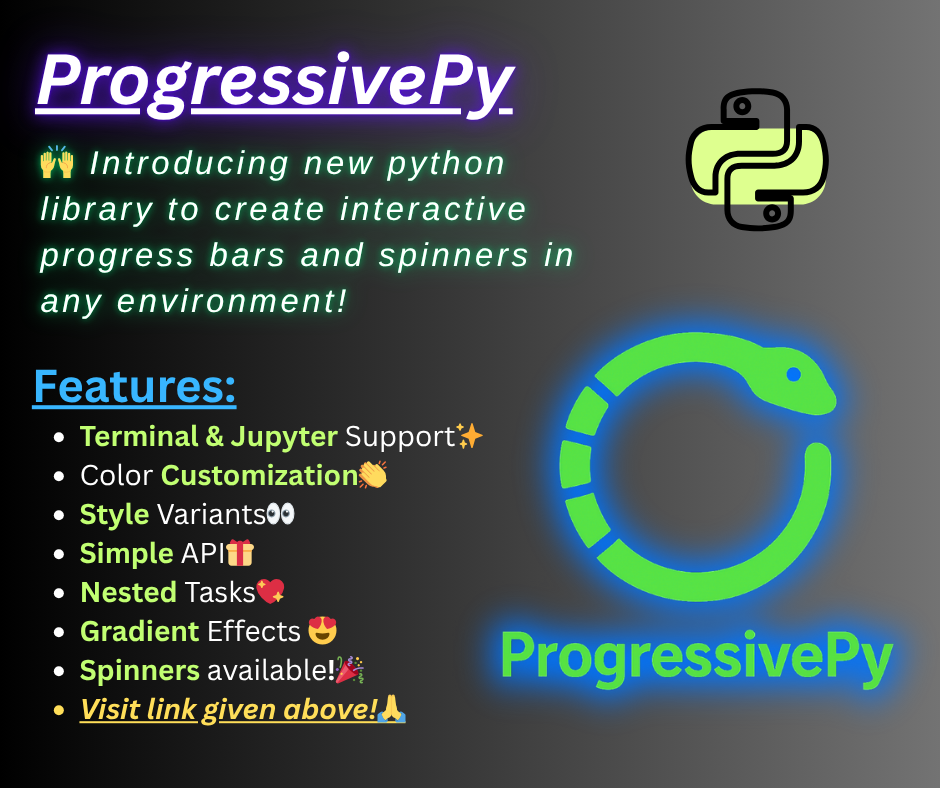
ProgressivePy
Elegant, customizable progress bars and spinners for Python — in both terminal and Jupyter notebook environments!
Features
- Highly customizable: Colors, styles, templates, and more.
- Terminal & Notebook support: Works seamlessly in scripts, CLI, and Jupyter/IPython.
- Nested & parallel bars: Track multiple tasks at once.
- Spinners: Animated indicators for indeterminate tasks.
- Low dependencies: Lightweight and easy to install.
- Thread management: Run multiple bars/spinners concurrently.
See BenchMarks
Installation from Git
pip install git+https://github.com/Ansari-Codes/progressive_py.git
Installation from pypi
pip install progressive-py
Quick Start
Terminal Progress Bar
from progressive_py.progress_bar import simple, time

for i in simple(range(100), txt_lf="Processing {iters} "):
    time.sleep(0.1)
Styled Progress Bar
from progressive_py.manager import AssetsManager
from progressive_py.progress_bar import simple, time
mgr = AssetsManager()
theme = mgr.load('progress_bar', 'theme', 'neon_wave')
style = mgr.load('progress_bar', 'style', 'its_cool')
for i in simple(range(100),
                dict(     # pass theme seperatly as dict, its safer
                    **theme,
                    **style
                ),
                head = '>', # change parameters of passed dict before
                txt_lf='You\'re being hacked... {percent:.0f}% |',
                txt_rt='| ETA: {eta} | Elapsed: {elapsed}'
                ):
    time.sleep(0.05)
Terminal Spinner
from progressive_py import spinner
import time
from progressive_py.manager import AssetsManager

mgr = AssetsManager()
style = mgr.load('spinner', 'style', 'dots')
theme = mgr.load('spinner', 'theme', 'sunset')
spinner = spinner.Spinner(seq=style, spn_side='left', text=' Loadings ', **theme)

spinner.start()
time.sleep(2)
spinner.stop()
Notebook Progress Bar
from progressive_py.ntbk_progbar import NotebookProgressBar
from progressive_py.utils import gradient_colors
from progressive_py.manager import AssetsManager
import time
style = AssetsManager().load('progress_bar', 'style', 'its_cool')
pb = NotebookProgressBar({
    **style,
    'txt_lf': "I'm Fast... [{percent:.0f}%] | ",
    'txt_rt': "| ETA {eta} | Elapsed {elapsed}",
    'colors': gradient_colors('#00ff00', '#0000ff', 15),
    'paint': 'bar-by-bar',
    'text_color': ['#efa', '#afe'],
    'length': 15,
})

total = 100
for i in range(total + 1):
    pb.update(i/ total, i, total)
    time.sleep(0.03)
print("Progress Complete!")
Notebook Spinner
from progressive_py.ntbk_spinner import NotebookDivSpinner
import time

spn = NotebookDivSpinner({"text": "Loading"})
spn.start()
time.sleep(2)
spn.stop()
Style Spinner
from progressive_py.ntbk_spinner import NotebookDivSpinner
import time

spinner = NotebookDivSpinner(
    text="Loading...",
    final_text="Done!",
    speed=1.2,
    refresh=0.1,
    fg_text=["#2afadf", "#00c9ff", "#ff0080", "#7928ca"],
    bg_text=["#111111", "#222222", "#333333"],
    clr_interval=[0.4],
    container_css={
        "box-shadow": "0 4px 12px rgba(0, 0, 0, 0.25)",
        "background": "#1a1a1a",
        "border-radius": "10px",
        "padding": "6px 14px",
        "gap": "10px",
        "display": "inline-flex",
        "align-items": "center",
        "margin": "0px",  # No top margin
        "max-width": "fit-content"
    },
    spinner={
        "spinner_css": {
            "width": "20px",
            "height": "20px",
            "border": "4px solid #333",         # Full border
            "border-top": "4px solid #0ff",     # Spinner highlight
            "border-radius": "50%",
            "animation": "spin 1s linear infinite"
        },
        "text_css": {
            "font-size": "15px",
            "font-weight": "bold"
        }
    },
    animation={  # Keyframes!
        "spin 1s linear infinite":
        "0% { transform: rotate(0deg); } 100% { transform: rotate(360deg); }"
    }
)
spinner.start()
for i in range(21):
    spinner.set_text(f"<b>Loading...</b> {i*5}%")
    time.sleep(0.5)
spinner.stop()
Advanced Usage
Nested Progress Bars
from progressive_py.progress_bar import nested_bar, ProgressBar
import time

def task1(bar):
    for i in range(100):
        time.sleep(0.01)
        bar.update(i/99, i+1, 100)

def task2(bar):
    for i in range(50):
        time.sleep(0.01)
        bar.update(i/49, i+1, 50)

main = ProgressBar({'line':2})
childs = {
    "Task1": [task1, {"txt_lf": "Task1 {percent:.0f}%"}],
    "Task2": [task2, {"txt_lf": "Task2 {percent:.0f}%"}]
}
nested_bar(main, childs)
Threaded Bars
from progressive_py.progress_bar import ProgressBar
from progressive_py.utils import BarThreadManager
import time

def example_task(bar, pause_event, stop_check, cool_down=0.05):
    total = 100
    for i in range(total):
        if stop_check():
            break
        pause_event.wait()
        time.sleep(cool_down)
        bar.update(i / (total - 1), i + 1, total)

bar1 = ProgressBar({'txt_lf': 'Task 1 {percent:.0f}% {eta} {elapsed}', 'line': 1})
bar2 = ProgressBar({'txt_lf': 'Task 2 {percent:.0f}% {eta} {elapsed}', 'line': 0})

tasks = {
    "task1": [bar1, example_task],
    "task2": [bar2, example_task],
}

manager = BarThreadManager(tasks)
manager.start_all(cool_down=0.02)
manager.wait_all()
print("\nAll tasks completed.")
See documentation for more info
Customization
- Text templates: Use
{percent},{iters},{eta},{elapsed},{speed}in labels. - Colors: Pass color names or hex codes (
'#ffaa00') for bars, spinners, and text. - CSS/HTML: In notebooks, customize with inline CSS and SVG for advanced visuals.
- Thread control: Pause, resume, stop, and restart bars/spinners with
BarThreadManager.
Why to choose it?
TQDM, simple, esay to use. But not customizable in any environment. Rich, highly customizable, but learning cruve is high. Alive-progress, no notebook support. But this library provides you with both environments with high customizablity.
- Interactive in notebooks and terminals.
- Easy customization.
- Lightweight and simple.
- Nested progress bars.
An important thing to note: This library is not a replacement of existing libs, but just an add on.
Modules Overview
- progress_bar.py: Terminal progress bars (single, nested, parallel).
- spinner.py: Terminal spinners with color and threading.
- ntbk_progbar.py: Notebook progress bars with HTML/CSS styling.
- ntbk_spinner.py: Notebook spinners with advanced animation.
- utils.py: Color handling, terminal control, thread management, error classes.
- manager.py: Assets manager for progressive_py
Developed by Muhammad Abubakar Siddique Ansari


Download files
Download the file for your platform. If you're not sure which to choose, learn more about installing packages.
Source Distribution
Built Distribution
Filter files by name, interpreter, ABI, and platform.
If you're not sure about the file name format, learn more about wheel file names.
Copy a direct link to the current filters
File details
Details for the file progressive_py-0.1.3.tar.gz.
File metadata
- Download URL: progressive_py-0.1.3.tar.gz
- Upload date:
- Size: 28.2 kB
- Tags: Source
- Uploaded using Trusted Publishing? No
- Uploaded via: twine/6.2.0 CPython/3.10.19
File hashes
| Algorithm | Hash digest | |
|---|---|---|
| SHA256 |
b2f8238fb5ca444ac03899d39dd0d28d823410f99ab45fd28999dd916e99c92d
|
|
| MD5 |
0d704056aa7919408afa7f588c25d294
|
|
| BLAKE2b-256 |
1ed296cffabc2df70cafd3f316473629c3e7130256cd98549fccda0bcb0e8557
|
File details
Details for the file progressive_py-0.1.3-py3-none-any.whl.
File metadata
- Download URL: progressive_py-0.1.3-py3-none-any.whl
- Upload date:
- Size: 29.8 kB
- Tags: Python 3
- Uploaded using Trusted Publishing? No
- Uploaded via: twine/6.2.0 CPython/3.10.19
File hashes
| Algorithm | Hash digest | |
|---|---|---|
| SHA256 |
1a2b96e8d748ea2373fdab85109516a9281631ebf7ec02ad2e845fa98ead2d38
|
|
| MD5 |
6cf7fa6cb9d4a6aaa07067f20d03273b
|
|
| BLAKE2b-256 |
8bdde7b88f3fd64ac166f86931ad1747bb851b9b2e9fecbd9acf388e5a4eed05
|






