
Shared memory foundation for AI development teams

Project description

project-bedrock: A team lead for your AI agents.
Every session starts with context.
Every important decision leaves a trail.
Every session leaves the project smarter.
robotaitai




AI can write code fast.
What it does not do well by default is leave behind clear, shared project understanding.
Decisions disappear into chat history.
Architecture gets rediscovered.
New sessions start from zero.
And the next developer, human or AI, has to figure out again what changed, where, and why.
Project Bedrock gives every repo a shared memory layer for humans and AI developers.
It works like the operating discipline of a strong team lead:
- every session starts with context
- every important change leaves a trail
- stable knowledge gets written down where the next developer can find it
- the project becomes easier to understand over time, not harder
With one command, your project gets:
- STRUCTURED MEMORY for architecture, decisions, conventions, and history
- PROJECT-LOCAL integration for Claude Code, Cursor, and Codex
- lightweight git-friendly markdown that LIVES WITH THE REPO
- HTML, graph, and Obsidian-ready VIEWS of what the project knows
Under the hood, it is just markdown files and a CLI.
No database. No server. No hosted backend. No black box.
The result: your AI developers stop behaving like disconnected sessions, and start behaving more like a team.
📦 Install
Option A — let your agent do it (no pip knowledge needed):
Paste this into Claude Code, Cursor, or any capable agent:
Install the `project-bedrock` CLI on this machine so `bedrock --version` works. Handle Python and pipx installation if missing. Fix any errors along the way. Don't stop until it's working.
The agent detects your OS, installs Python + pipx if needed, installs the package, and verifies it. Works on macOS, Linux, and Windows.
Option B — manual:
pip install project-bedrock # or: pipx install project-bedrock
PyPI:
project-bedrock· CLI:bedrock· alias:agent-knowledge(deprecated)
🚀 Quick Start
1. Initialize the project (run once in your project folder):
cd your-project
bedrock init
2. Onboard your agent — paste this into chat:
Read AGENTS.md and ./bedrock/STATUS.md, then onboard this project.
That's it. The agent reads the project structure, writes stable knowledge into Memory/, and every future session starts with full context automatically.
What init does in one shot
| Step | What happens |
|---|---|
| 1 | Creates ./bedrock/ as a real directory inside the repo (git-tracked) |
| 2 | Registers the project in ~/agent-os/projects/<slug>/ so every project shows up in one place -- open it in Obsidian for a unified cross-project vault |
| 3 | Adds noisy subfolders (Evidence/raw/, Outputs/site/, ...) to .gitignore automatically |
| 4 | Installs project-local integration for Claude Code and Cursor |
| 5 | Detects Codex and installs its bridge files if present |
| 6 | Bootstraps the memory tree and marks onboarding as pending |
| 7 | Imports repo history into Evidence/ and backfills lightweight history from git |
💾 Storage Modes
By default, knowledge lives inside the repo (git-tracked). Curated knowledge is committed normally; noisy subfolders are gitignored.
# Default: in-repo (recommended)
bedrock init

# External: knowledge outside the repo (not committed)
bedrock init --external

# Convert external -> in-repo later
bedrock migrate-to-local
🧠 How It Works
Think of the vault as your team's shared notebook. Casual scribbles don't get mistaken for confirmed facts, and you can always tell what is canon vs. chatter.
Knowledge Layers
| Folder | What goes here | Canon? | |
|---|---|---|---|
| 📘 | Memory/ |
Decisions, conventions, architecture, gotchas -- what you'd tell a new hire | Yes |
| 📅 | History/ |
What happened and when -- releases, milestones, a dated trail | Yes |
| 📎 | Evidence/ |
Raw imports: docs, ADRs, PRs, screenshots -- captured context | No |
| 📊 | Outputs/ |
Generated views: HTML site, search index, knowledge map | No |
The rule: only
Memory/andHistory/are truth. Nothing imported, captured, or generated is ever treated as canon on its own. A developer has to consciously promote something intoMemory/for it to count.
🔌 Project-Local Integration
The project carries everything it needs. Claude Code, Cursor, and Codex all get integration installed automatically on init -- hooks, runtime contracts, and slash commands. No global config.
Platform & Tool Support
 |
 |
 |
|
|---|---|---|---|
 |
 |
|
 |
 |
|
|
|
 |
|
|
|
init -- hooks fire automatically, slash commands active, bedrock doctor validates health.
AGENTS.md installed when .codex/ detected -- agent loads memory context, no automated hooks.
CI matrix: ubuntu-latest + macos-latest, Python 3.9 / 3.12 / 3.13. Windows: Git Bash auto-detected; forward-slash paths and UTF-8 subprocess encoding fixed in v0.4.0.
Claude Code .claude/
| File | Purpose |
|---|---|
settings.json |
Lifecycle hooks: sync on SessionStart, Stop, PreCompact |
CLAUDE.md |
Runtime contract: knowledge layers, session protocol, onboarding |
commands/memory-update.md |
/memory-update slash command |
commands/system-update.md |
/system-update slash command |
commands/absorb.md |
/absorb <file/folder> slash command |
Cursor .cursor/
| File | Purpose |
|---|---|
rules/bedrock.mdc |
Always-on rule: loads memory context on every session |
hooks.json |
Lifecycle hooks: sync on start, update on write, sync on stop/compact |
commands/memory-update.md |
/memory-update slash command |
commands/system-update.md |
/system-update slash command |
commands/absorb.md |
/absorb <file/folder> slash command |
Codex .codex/ (installed when detected)
| File | Purpose |
|---|---|
AGENTS.md |
Agent contract with knowledge layer instructions |
⚡ Session Lifecycle
Hooks fire automatically -- zero manual intervention:
| Event | Claude Code | Cursor | What runs |
|---|---|---|---|
| Session start | SessionStart |
session-start |
bedrock sync |
| File saved | -- | post-write |
bedrock update |
| Task complete | Stop |
stop |
bedrock sync |
| Context compaction | PreCompact |
preCompact |
bedrock sync |
The agent reads STATUS.md and Memory/MEMORY.md at the start of every session, with no prompting required.
💬 Slash Commands
These are how the team writes to the logbook. Both work in Claude Code and Cursor -- init installed them.
| Command | When to use it |
|---|---|
/memory-update |
End of session, before logging off. The agent reviews what happened, writes stable facts into Memory/, and summarizes changes. This is the team handoff -- the next developer (or session) gets it for free. |
/system-update |
After upgrading project-bedrock. Refreshes hooks, rules, commands. Purely infrastructure -- never touches knowledge content. |
A developer should never finish a session without running
/memory-update. It's the equivalent of a daily standup writeup -- short, factual, and always there for the next person.
🩺 Integration Health
bedrock doctor
Reports whether all integration files are installed and current. If anything is stale or missing, doctor tells you exactly what to run.
🔮 Obsidian-Ready
Each project's ./bedrock/ is a valid Obsidian vault on its own. But the real payoff is ~/agent-os/projects/: every project you've ever run init in is registered there. Open that folder in Obsidian and you have a unified vault across all your teams' projects -- backlinks, graph view, and full-text search spanning every codebase you manage.
One window. Every team.

bedrock export-canvas
# produces: bedrock/Outputs/knowledge-export.canvas
Obsidian is optional. Works without it too.
🛠️ Commands
| Command | What it does |
|---|---|
init |
Set up a project -- one command, no arguments |
sync |
Full sync: memory, history, git evidence, index |
ship |
Validate + sync + commit + push |
view |
Build site and open in browser |
doctor |
Validate setup, integration health, note staleness |
All commands
absorb · search · export-html · export-canvas · clean-import · refresh-system · backfill-history · compact · migrate-to-local · init --external
All write commands support --dry-run and --json. Run bedrock --help for the full list.
More
- Static site export --
bedrock viewbuilds an interactive HTML site from your vault - Automatic capture -- every sync event is recorded as lightweight evidence
- Progressive retrieval -- agents load only the branches they need
- Clean web import -- import a URL as cleaned markdown evidence
- Project history -- lightweight event log auto-backfilled from git
- Keeping up to date --
pip install -U project-bedrock+bedrock refresh-system - Migrating from agent-knowledge-cli -- 3-step migration to
project-bedrockand thebedrockCLI - Custom knowledge home -- change where
~/agent-os/lives - Troubleshooting -- common issues and fixes
- Platform support -- macOS, Linux, Windows, Python 3.9+
- Development -- contributing and running tests
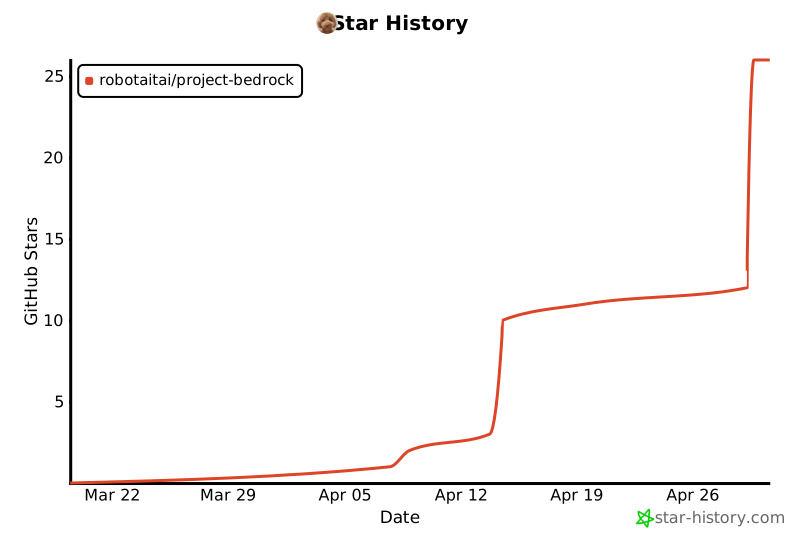
Star History
Release history Release notifications | RSS feed


Download files
Download the file for your platform. If you're not sure which to choose, learn more about installing packages.
Source Distribution
Built Distribution
Filter files by name, interpreter, ABI, and platform.
If you're not sure about the file name format, learn more about wheel file names.
Copy a direct link to the current filters
File details
Details for the file project_bedrock-0.4.11.tar.gz.
File metadata
- Download URL: project_bedrock-0.4.11.tar.gz
- Upload date:
- Size: 176.1 kB
- Tags: Source
- Uploaded using Trusted Publishing? No
- Uploaded via: twine/6.2.0 CPython/3.14.3
File hashes
| Algorithm | Hash digest | |
|---|---|---|
| SHA256 |
ecc53781f400cca6f50dc3f7284ada59b0b55c74a2450b449ab0e1775efd952b
|
|
| MD5 |
d38379bc62c99ab15ffebbcf2fae2546
|
|
| BLAKE2b-256 |
8acfb404648b7a2535949a4d034e7e8d50b59bb4967293f9734828598960a5cc
|
File details
Details for the file project_bedrock-0.4.11-py3-none-any.whl.
File metadata
- Download URL: project_bedrock-0.4.11-py3-none-any.whl
- Upload date:
- Size: 221.8 kB
- Tags: Python 3
- Uploaded using Trusted Publishing? No
- Uploaded via: twine/6.2.0 CPython/3.14.3
File hashes
| Algorithm | Hash digest | |
|---|---|---|
| SHA256 |
36d9b3e6ddcdc8c67a0f96f11ed0e07d378f796bf2f5ee98951740087348ff22
|
|
| MD5 |
2b4ff68de37dd2609d18aef6e9c35b86
|
|
| BLAKE2b-256 |
01dd75c9cdee01337a26f8e0457b5206ea61b55e817e4d0a66b9ce2143a164a5
|






