
Proseview
A writing studio for novels in plain Markdown. ✍️
Try the live demo → The dashboard for Alice's Adventures in Wonderland, in your browser: read, search, open the analysis, edit a scene, and export the book as an EPUB or a PDF. Nothing to install, and your edits never leave the tab.
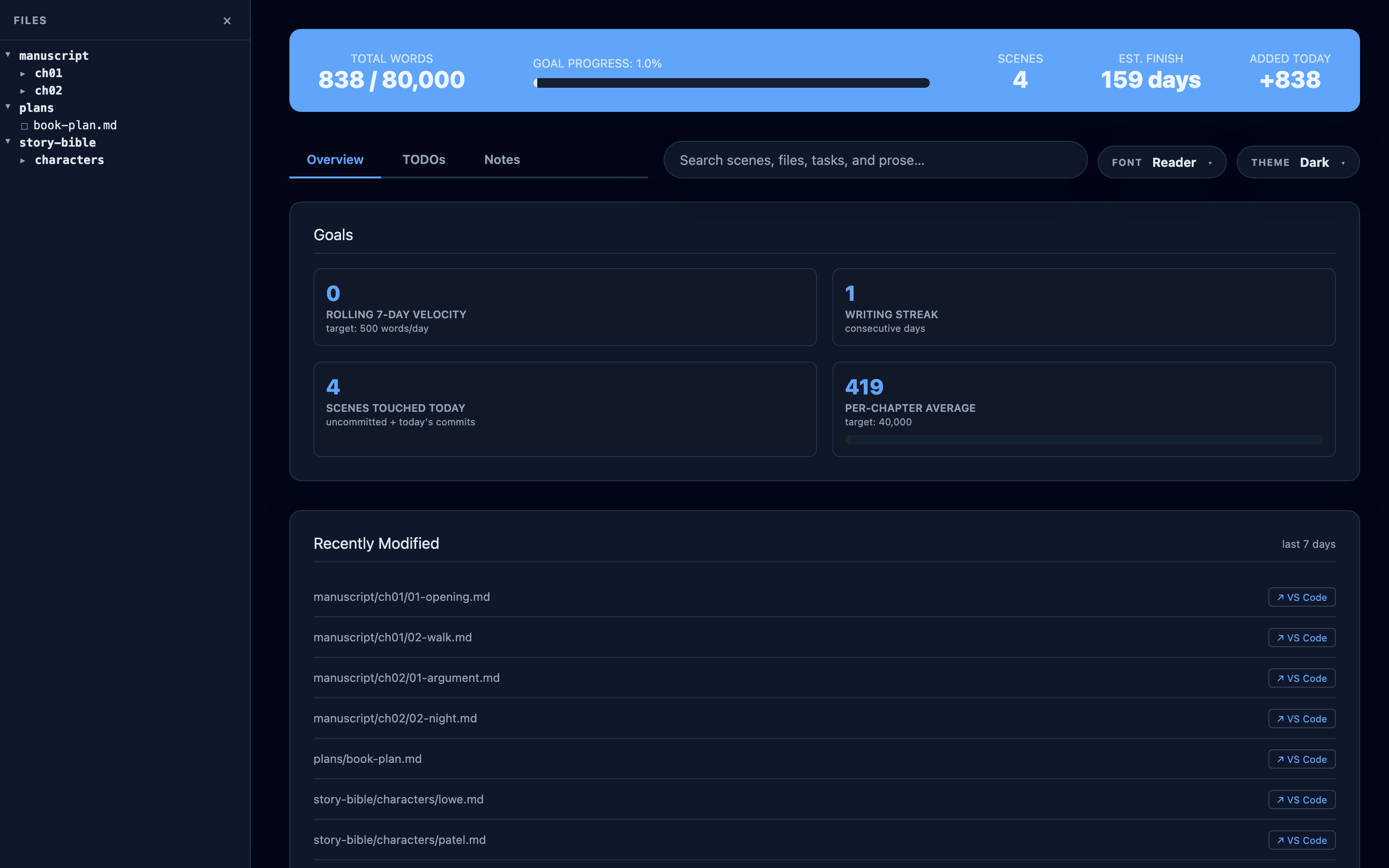
Proseview turns a folder of Markdown scenes into a place to write the book: read and edit scenes and the rest of your Markdown files on a typeset page, read the whole book from start to finish, check pacing, prose and character presence, ask Codex or Claude about the manuscript, and export it as an e-book or a print-ready PDF. Your files stay plain Markdown, and a save changes only what you edited.
Core analysis stays on your machine: no account, subscription, database, or
telemetry. AI features are opt-in and run through agent CLIs you installed and
logged into yourself — Codex or Claude in the side dock. When you ask one,
Proseview sends your question, which file is open, and any selection or
@mentioned paths to that agent, which reads what it needs from your project
under its own login and data handling.
Your files stay where they are, as plain .md, so Proseview sits alongside
Obsidian, Vim, or any other Markdown editor.
pipx install "proseview[claude]"
proseview --root /path/to/your/novel
Leave off [claude] if you will not use the Claude tab. Quick start →




✨ What it does
✍️ Write
- 📖 Reading view and WYSIWYG editor. The same typographic page, with
Edittoggled on.Mod-Ssaves and returns to reading; a conflict guard checks the file mtime so a change made in your own editor is never silently overwritten. A save rewrites only the paragraphs you changed. - 📚 Read the book. The whole manuscript as one continuous text, the way
an e-reader shows it, with a progress bar, chapter list, scene and chapter
skips, and
Editbeside each scene. It reopens where you stopped. - 📝 Every Markdown file editable. Story bible, plans, and any other
Markdown file in the book get the same
EditandSave, with backups and the same conflict guard. Files with HTML inside their lines are edited as plain Markdown. - 📁 File browser. Create empty Markdown files and folders, rename them inline, or move them to Proseview Trash from the row menu or right-click.
- 🔎 Repository search.
Mod-Kfrom anywhere — paths, metadata, TODOs, notes, and prose, grouped by kind. - 🔁 Live reload, deep links, themes. Save in your editor and the page follows. Every scene has a URL. Six themes, seven fonts.
🔍 Revise
- 📊 Dashboard. Word count, chapter pacing, lexical health, sentence rhythm, character presence, setting stickiness, and a sortable scene table. What the numbers mean →
- 🎨 Editorial highlights. Nine prose passes over any scene, switched on from the Analysis panel with a match count each: repetition, passive voice, filter verbs, crutch words, hyperbole, lyrical reach, sensory density, comedy beats, first-person rate.
- 🕰️ Timeline. The shape of the book, storylines as lanes, and reading order against the order events happen.
- 🗒️ Inline TODOs and Notes. Select a passage, drop a
TODOor a taggedNOTE, and it lands in the file as a Markdown comment. They stay in the file, so they survive in git and turn up in grep. - 🕹️ File history. Versions of a scene, restored through a diff you can read first.
📦 Publish
- 📚 EPUB and PDF export. The Export button turns the whole book, a
chapter, a scene, or any mix of them into a styled e-book, a print-ready
paperback interior (5 × 8 to 6 × 9 in, or A5), or a PDF to share, in four
styles including standard manuscript format for agents. Pick scenes by
status, point of view or character, add a copyright page, dedication and
"Also by" page, preview the pages, and get a plain-language check that the
book is ready for the stores. Nothing else to install;
proseview exportdoes the same from the command line. Export guide → - 🌐 A read-only copy to share.
proseview snapshotwrites the dashboard as a static site for beta readers. Share a read-only copy →
🤖 Ask an agent (optional)
Entirely optional, and it never runs on its own. Proseview has no model of its own and no API key of yours — it drives the agent CLIs already installed on your machine, under your login: Codex and Claude, one tab each in the side dock, each with its own project conversation. Both run at once; switching tabs or opening another file never interrupts either one.
They work as they do in the VS Code extensions. Each question says which file
is open, plus your selection and any files you @mention, and the agent reads
the rest of the project itself. Claude loads your own Claude settings
(permission rules, CLAUDE.md, skills, MCP servers) and asks in the panel
wherever the Claude Code extension would ask; Codex asks before a command that
would change something. Raw model reasoning is never forwarded to the browser.
An edit the agent makes is saved, and a small card after the turn shows the file and how many changes it made, with Expand view to see the diff, Undo all, and Looks good. Reading passes such as Quick critique make no edits, and continuity and canon questions come back with citations.
Everything else works without an agent installed. For the Claude tab, install
Proseview with its claude extra (pipx install "proseview[claude]", or
pipx inject proseview claude-agent-sdk for an existing install).
How the AI features work →
📸 Screenshots
Editorial passes
The Analysis panel lists nine prose passes, each with the number of matches in this scene. Switching a row on marks the page you are reading: repetition, filter verbs, sensory language, passive voice.

Editing
Edit turns the page you were reading into the page you type into — same
typography, same highlights. Mod-S saves to the file and returns to reading, and the stats update; E picks up where you left off.
A scene's frontmatter sits above its prose as the YAML it is, and in edit mode
it is a box you can change too; a typo that is not YAML is pointed out, not
saved.
Story-bible pages, plans, and other Markdown files open in the file view with
their own Edit button (or press E). Frontmatter is kept as it is. Tables
show as tables and are saved as written; a file with HTML inside its lines
opens as plain Markdown, so it is saved exactly as typed. Like
scenes, each save keeps a backup and won't overwrite a change made elsewhere.
A save rewrites only the paragraphs you changed, so Obsidian [[wikilinks]],
callouts and embeds elsewhere in the file stay exactly as written.

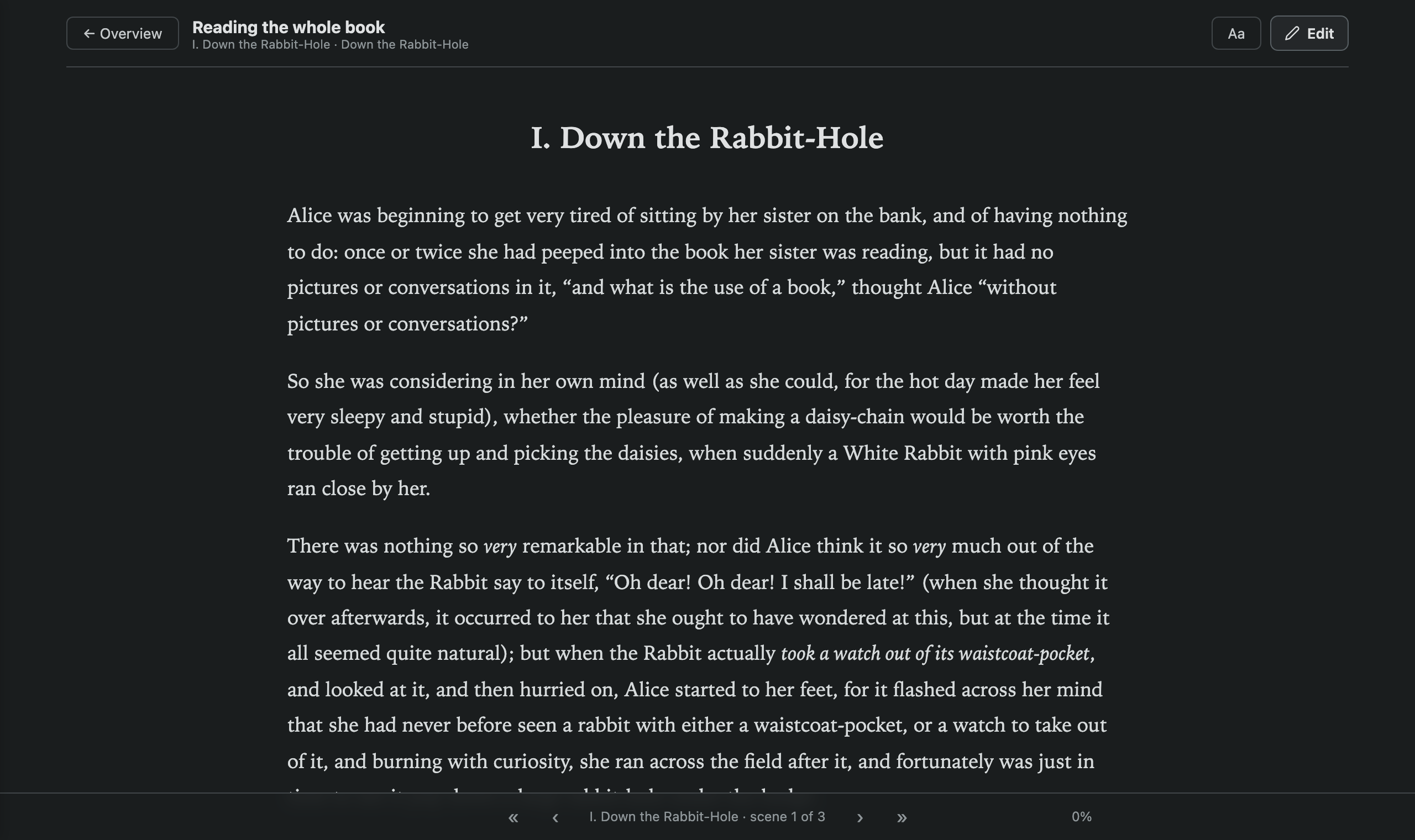
Read the book
Read the book on the dashboard shows the whole manuscript as one
continuous text, every scene in order under its chapter's heading. A quiet bar
at the bottom shows how far through you are, skips by scene or chapter (the
arrow keys do too) and opens a chapter list; Aa sets the text size, line
width, font and theme. Edit beside a scene (or E) opens it in the editor,
and leaving brings you back to the same place in the book.
Agent tabs
Codex and Claude each get a tab and a separate project conversation. Opening
another file does not replace either conversation; the next question simply
tells the agent which file you are in now, and the agent reads it from the
project. Type @ to point at other files.

Search
Mod-K from anywhere. File paths, scene metadata, TODOs, notes, and prose,
grouped by kind.

Timeline
Chapter proportion and words per scene, your storylines as lanes, and reading order against the order events actually happen — so a scene read far from where it happens is visible instead of inferred. Hover any scene for its card.

Export: EPUB and PDF
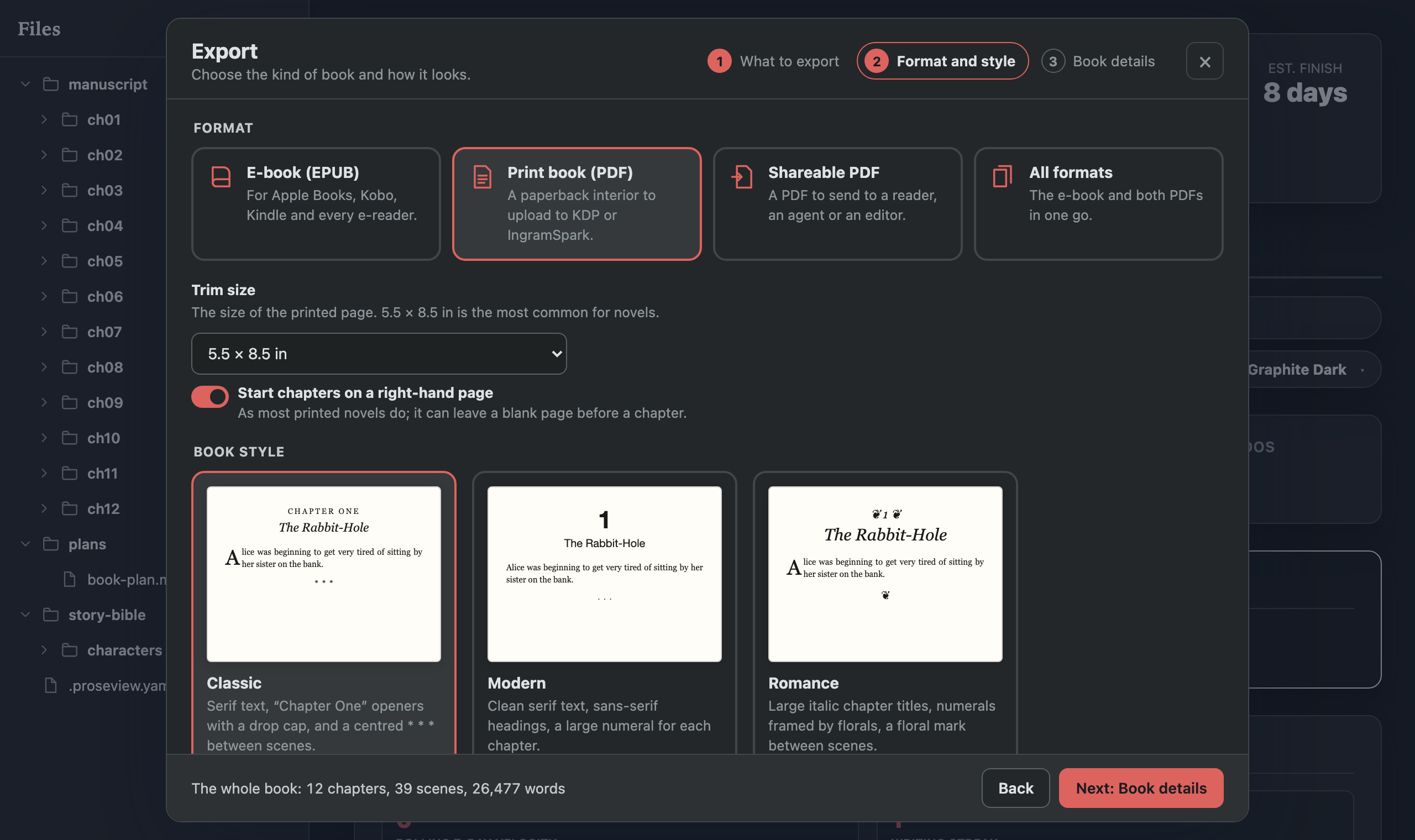
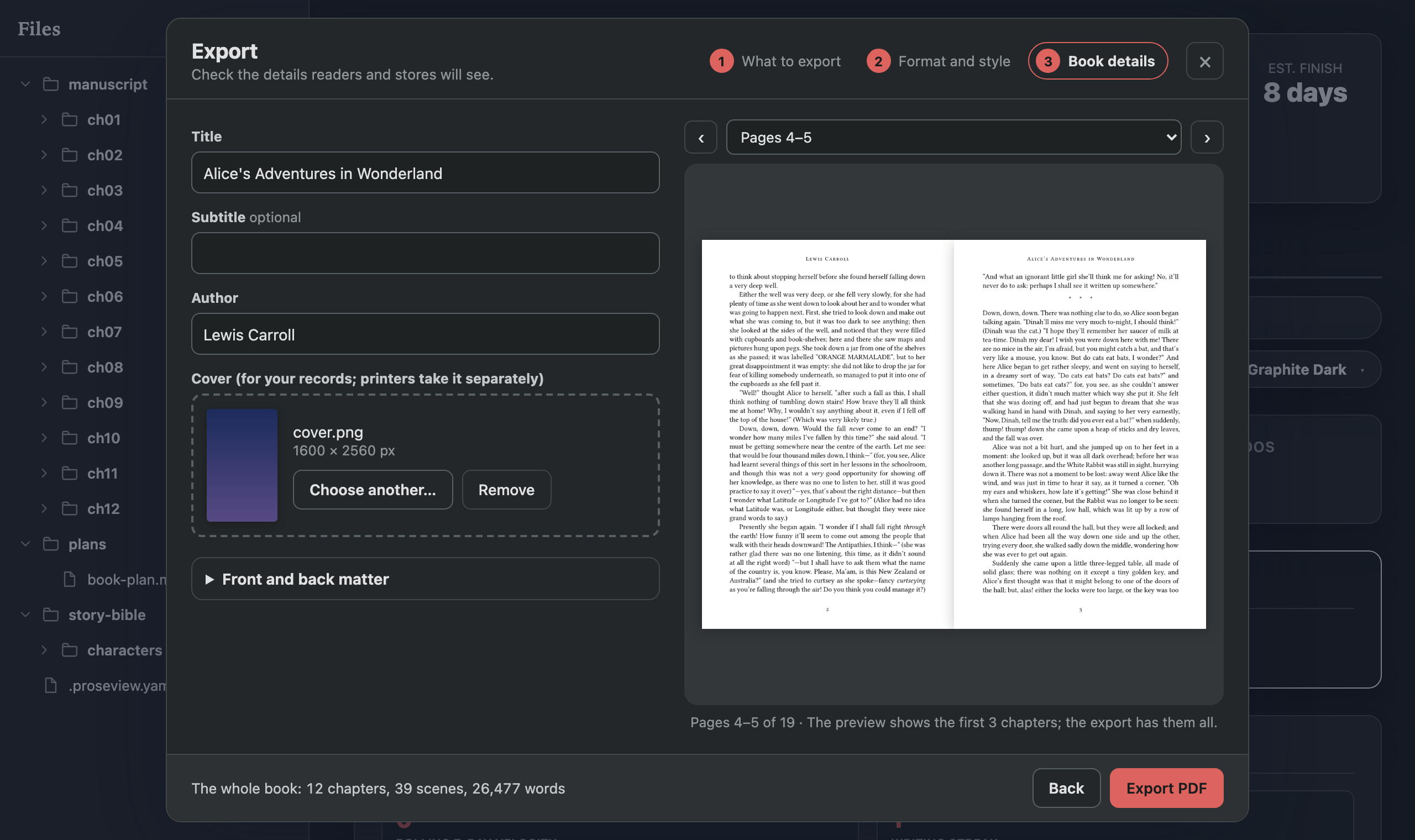
Click Export to turn the whole book, a chapter, a scene, or any mix of them into an e-book for Apple Books, Kobo and Kindle, a paperback interior ready for KDP or IngramSpark, or a PDF to share, as a finished-looking book or in manuscript format for agents. Pick chapters and scenes by hand, by status, point of view or character; choose a style (Classic, Modern, Romance or Manuscript); and see the pages, laid out exactly as the file will be, before you export. A check afterwards says whether the book is ready for the stores or what to fix.
Character presence
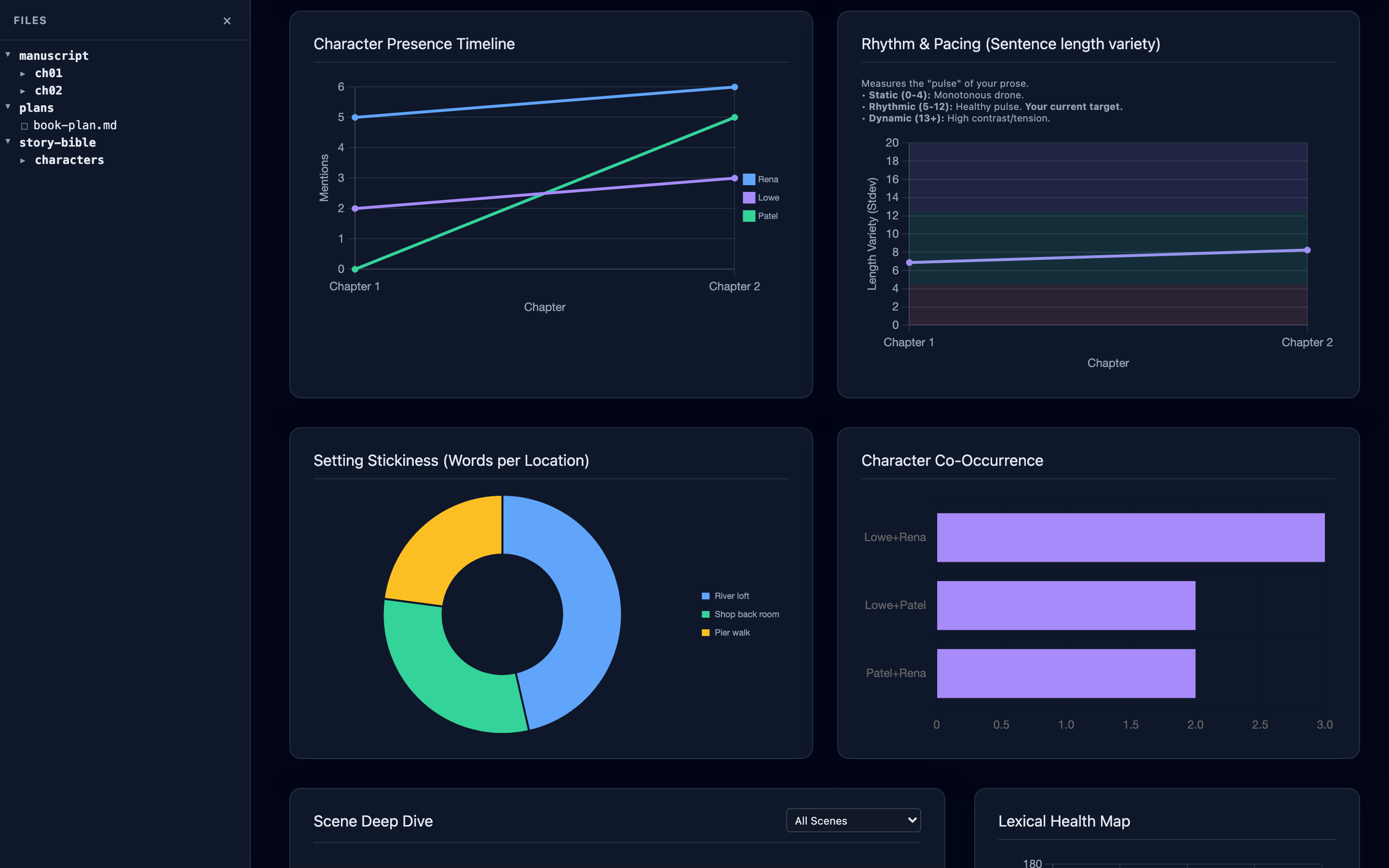
Clips use the bundled demo manuscript: Alice's Adventures in Wonderland (public domain), split into 39 scenes across 12 chapters with story fields filled in. See fixtures/demo-book.
🚀 Quick start
Requirements: Python 3.11+ on macOS, Linux, or Windows.
pipx install "proseview[claude]"
proseview --root /path/to/your/novel
[claude] adds the SDK the Claude tab needs; plain pipx install proseview
is everything else. A browser tab opens at http://localhost:7842. Press Ctrl-C to stop.
Proseview's book features read a manuscript/ folder: one folder per
chapter, one Markdown file per scene. Point it at a folder without one, such as
an Obsidian vault, and it opens as plain Markdown you can read, edit and
search; Choose manuscript folder… on the dashboard tells it where the book
is (or that the whole folder is), and the rest switches on.
my-novel/
├── manuscript/
│   ├── ch01/
│   │   ├── 01-opening.md
│   │   └── 02-meeting.md
│   └── ch02/
│       └── 01-aftermath.md
└── .proseview.yaml          # optional
Frontmatter is optional. Proseview reads what is there and falls back on what is not. Layout and the full frontmatter contract →
Share a read-only copy
proseview snapshot --root /path/to/your/novel --out ~/my-novel-site
writes the dashboard as static files any web host can serve, GitHub Pages
included. Readers can browse scenes, search, and read the analysis; nothing on
it edits, and no server runs. Paths from your machine are replaced by the
folder's name. --demo also lets visitors try edit mode (what they save stays
in their browser tab) and Export, with ready-made EPUB and PDF files of the
whole book in every style to download. --title, --site-url and --preview-image decide how a
link to it unfurls when shared. The live demo is built that way.
⚙️ Configuration
Proseview runs without a config file. A .proseview.yaml at the repo root can
change where things live, set a word-count goal, pick which agent tab opens
first, or point the Timeline at your own frontmatter keys. proseview init
writes a starter file.
manuscript_path: manuscript/
target_words: 80000
discuss:
  agent: codex
📚 Documentation
- Manuscript layout and frontmatter
- Configuration reference
- Working with AI
- The analytics
- Exporting: EPUB and PDF
🛣️ Status
Proseview is alpha. Everything described above works today. Still unfinished:
- 🚧 The
$skill picker on the Claude tab. Claude uses your Claude skills on its own, but the picker lists only Codex's today. - 🚧 Read the book does not yet update live when a scene changes on disk.
See plans/roadmap.md for the full punch list.
🧪 Development
pip install -e ".[dev]"
pytest
That runs over a thousand unit tests plus an HTTP end-to-end tier that boots a real
proseview subprocess and drives every endpoint — saves and the conflict
guard, TODOs and notes, the AI proposal bridge through the actual CLI, and
live reload over SSE — asserting on bytes written to disk.
Discuss integration tests use a deterministic fake app-server and isolated
home/state directories; they never contact Codex, the network, or your profile.
~15 seconds, no extra dependencies.
One behaviour suite runs against both agents, so a feature cannot silently
work on one tab and not the other.
A browser tier drives the real UI in Chromium (editor round-trip fidelity, the selection menu, highlight passes, deep links, Discuss streaming/approvals/dock behavior, and applying an AI proposal end to end). It's opt-in:
pip install -e ".[e2e]"
python -m playwright install chromium
pytest -m e2e_browser
Both tiers work on a throwaway copy of fixtures/demo-repo. See
CONTRIBUTING.md for details.
📜 License
MIT. See LICENSE.
1 maintainer

Metadata
1 maintainer
Release files for proseview 0.4.2
For a detailed explanation of source distributions (sdists) and built distributions (wheels), please see the package formats documentation.
Source distribution (sdist)
| File | Size | Uploaded | |
|---|---|---|---|
| proseview-0.4.2.tar.gz | 2.7 MB | Details |
Built distribution (wheel)
| File | Interpreter | ABI | Platform | Reset |
|---|---|---|---|---|
| proseview-0.4.2-py3-none-any.whl | Python 3 | none | any | Details |
Total release size: 5.4 MB
Release files / proseview-0.4.2.tar.gz
| Download URL | proseview-0.4.2.tar.gz |
|---|---|
| Size | 2.7 MB |
| Tags | Source |
|
SHA-256 checksum How to use checksums |
e314096ee64007599b38e908effe1bfe505c536dfe9b45a1626d4cd3a6d74617
|
|
BLAKE2b-256 checksum How to use checksums |
79ed70c3875fb60d10954851d444c35edcea03175d1762f0b5b5b9745277b409
|
| Upload date | |
|
Uploaded using Trusted Publishing? What is trusted publishing? |
Yes |
| Uploaded via |
twine/7.0.0 CPython/3.13.14
|
Provenance
Provenance describes where a file came from. On PyPI, provenance is shared via attestations, which provide a verifiable record of the build or publishing details. View details, limitations and caveats.


PyPI Publish Attestation
PyPI verified that this artifact, at this checksum, originated from the publisher listed below.
Signed by GitHub Actions, verified by PyPI on Oct 15, 2026.
Transparency logRelease files / proseview-0.4.2-py3-none-any.whl
| Download URL | proseview-0.4.2-py3-none-any.whl |
|---|---|
| Size | 2.6 MB |
| Tags | Python 3 |
|
SHA-256 checksum How to use checksums |
d02875cb012ed7788ddf9ba898e37ab2ccdc052508984ad37ae19c4a990bba26
|
|
BLAKE2b-256 checksum How to use checksums |
cbfcbf1c90c62500f4ee4268170789385333be3902f27298f8d8c8152d4336be
|
| Upload date | |
|
Uploaded using Trusted Publishing? What is trusted publishing? |
Yes |
| Uploaded via |
twine/7.0.0 CPython/3.13.14
|
Provenance
Provenance describes where a file came from. On PyPI, provenance is shared via attestations, which provide a verifiable record of the build or publishing details. View details, limitations and caveats.
PyPI Publish Attestation
PyPI verified that this artifact, at this checksum, originated from the publisher listed below.
Signed by GitHub Actions, verified by PyPI on Oct 15, 2026.
Transparency log













