
proteomics-mcp




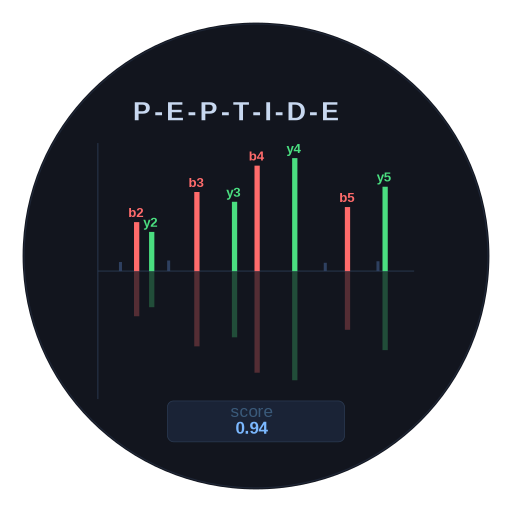
proteomics-mcp is a local-first MCP server and Python package for inspecting proteomics identification results and interrogating selected MS2 spectra.
It turns heterogeneous de novo and search-engine outputs into one usable workflow: inspect IDs and peptides, retrieve the relevant spectrum, predict fragments, score the candidate, annotate the observed signal, and render an interactive report. Interactive HTML reports load Plotly from a CDN when opened; see the privacy policy.
What It Supports
- Input adapters for InstaNovo, Casanovo, MaxQuant, FragPipe, Proteome Discoverer, and user-mapped tables.
- Modified peptidoforms normalized to inline UNIMOD notation, such as
C[UNIMOD:4]andM[UNIMOD:35]. - Local IPC/Feather spectra, mzML, MGF, Bruker
.d, and USI retrieval. - Local MS2PIP and remote Koina/Prosit fragment prediction.
- On-demand spectrum scoring, observed-spectrum annotation, three interactive HTML views, and publication-ready static SVG/PDF/PNG spectrum figures.
- PSM/peptide tables, structured dataset summaries, dashboards, SDRF context, and resumable batch prediction/scoring artifacts.
The package does not run local InstaNovo inference, perform FDR/q-value analysis, or carry out protein inference.
Quick Start
Install from PyPI:
pip install proteomics-mcp
proteomics-mcp --help
Or run it without installing it into the current environment, with uv:
uvx proteomics-mcp --help
For an MCP client, launch proteomics-mcp serve over stdio; see Use With An Agent.
Requirements
- Python 3.11, 3.12, 3.13 or 3.14 on Linux (x86-64), macOS or Windows (x86-64).
- Linux: glibc 2.28 or newer; Python 3.13 and 3.14 need glibc 2.34 or newer (e.g. Ubuntu 22.04+, Debian 12+, RHEL 9+), because
pyopenmspublishes no older wheels for them. - macOS: Apple silicon needs macOS 14 or newer. Intel Macs need macOS 13 or newer and Python 3.11–3.13;
numbapublishes no Intel macOS wheels for Python 3.14. - macOS, for local MS2PIP prediction: install the OpenMP runtime with
brew install libomp. Without it, MS2PIP tools report an error asking you to install it; everything else works.
Develop from source
git clone https://github.com/UadKLab/proteomics-mcp.git
cd proteomics-mcp
uv sync --extra dev
uv run pytest -q
In a source checkout, prefix the commands below with uv run.
Inspect an identification table before committing to prediction or scoring:
proteomics-mcp inspect-psm-table \
  --path results.csv \
  --adapter instanovo
Then render a browseable peptide table:
proteomics-mcp render-peptide-table \
  --path results.csv \
  --adapter instanovo \
  --output-path peptide_table.html
Predict And Score
Use local MS2PIP by default. It runs on your computer, but downloads its model files once on first use (from genesis.ugent.be, with a Zenodo fallback) and caches them in ~/.ms2pip; after that, predictions work offline. Repeated single-spectrum calls use a bounded in-process cache; reusable batch workflows use MS2PIP's native batch API. For a remote Prosit prediction through Koina:
proteomics-mcp predict-fragments \
  --backend koina \
  --model Prosit_2020_intensity_HCD \
  --peptidoform 'PEPM[UNIMOD:35]TIDE' \
  --charge 2
Inspect a new Koina model before a large batch:
proteomics-mcp describe-predictor-model \
  --model Prosit_2020_intensity_HCD
Use With An Agent
An MCP-capable client launches proteomics-mcp serve over stdio and exposes the tools to an LLM. The server runs locally and reads your spectra and result tables from your computer. Optional tools contact external services; see the privacy policy.
For Claude Desktop, install the .mcpb file attached to the latest GitHub release. The extension installs its Python dependencies through the managed uv runtime. Select an output directory in the extension settings; local input paths must be accessible to Claude Desktop.
For other MCP clients, run the package from PyPI with uvx. Pin a version, such as proteomics-mcp@0.1.10, for reproducible results. Step-by-step setup for Claude Desktop, Claude Code, Codex CLI, Cursor and Windsurf is in Connect an MCP client:
{
  "mcpServers": {
    "proteomics-mcp": {
      "command": "uvx",
      "args": ["proteomics-mcp@0.1.10", "serve"]
    }
  }
}
To run a source checkout instead, for development:
{
  "mcpServers": {
    "proteomics-mcp": {
      "command": "uv",
      "args": ["run", "proteomics-mcp", "serve"],
      "cwd": "/absolute/path/to/proteomics-mcp"
    }
  }
}
Do not run proteomics-mcp serve in a terminal by itself. It expects JSON-RPC messages from an MCP client.
Example Requests
- "Inspect
/path/to/results.csvas an InstaNovo PSM table. Show the number of identifications, confidence distribution, and top five rows." Theinspect_psm_tabletool returns a structured dataset summary and a constrained preview. - "Score the first ten InstaNovo candidates in
/path/to/results.csvagainst/path/to/spectra.ipcwith local MS2PIP, save the scores to/path/to/scored.csv, and summarize matched ions." Thescore_candidatestool scores a constrained set and writes the scored table;summarize_score_metricsexplains individual results. - "Convert
/path/to/run.mgfto/path/to/run.feather, then export that spectrum table as/path/to/instanovo.ipc." Themgf_to_featherandexport_to_instanovotools write local files and report spectrum counts and output paths.
For more task-specific examples, see the prompt examples.
Privacy And Support
See the privacy policy for local file handling, optional network requests, and generated report behavior. Report issues through GitHub Issues.
For software citation, use the metadata in CITATION.cff. The manuscript's supplementary data and figure evidence are deposited at Zenodo; the original mass-spectrometry files remain in PRIDE under PXD044934, PXD014877, and PXD010595.
Documentation
- Documentation site: installation, reference, and prompt examples.
- Technical reference: installation, configuration, data formats, workflows, metrics, batch artifacts, and tool groups.
- Prompt examples: practical requests for an MCP-capable agent.
- Examples: rendered spectra and dashboard artifacts included with the repository.
- GitHub releases: versioned source and build artifacts, and the Claude Desktop extension.
- Changelog: changes per release.
Testing
From a source checkout:
uv run pytest -q
uv run proteomics-mcp --help
Tests that download MS2PIP models are marked network; deselect them when offline with uv run pytest -m "not network".


Release files for proteomics-mcp 0.1.10
For a detailed explanation of source distributions (sdists) and built distributions (wheels), please see the package formats documentation.
Source distribution (sdist)
| File | Size | Uploaded | Provenance | Actions |
|---|---|---|---|---|
| proteomics_mcp-0.1.10.tar.gz | 220.0 kB | With provenance | Details for proteomics_mcp-0.1.10.tar.gz |
Built distribution (wheel)
| File | Interpreter | ABI | Platform | Actions Reset |
|---|---|---|---|---|
| proteomics_mcp-0.1.10-py3-none-any.whl | Python 3 | none | any | Details for proteomics_mcp-0.1.10-py3-none-any.whl |
Total release size: 358.8 kB
Release files / proteomics_mcp-0.1.10.tar.gz
| Download URL | proteomics_mcp-0.1.10.tar.gz |
|---|---|
| Size | 220.0 kB |
| Tags | Source |
|
SHA-256 checksum How to use checksums |
10e5f3b78865fcb0f73099b9b24eb84e6027930f7f963ee3e73b21c150b1795c
|
|
BLAKE2b-256 checksum How to use checksums |
a98ca96a9a8a114ec1ecd8f9a58fd26d83378cc7e0d1d2eb922f44df0e47dd95
|
| Upload date | |
|
Uploaded using Trusted Publishing? What is trusted publishing? |
Yes |
| Uploaded via |
twine/7.0.0 CPython/3.13.14
|
Provenance
Provenance describes where a file came from. On PyPI, provenance is shared via attestations, which provide a verifiable record of the build or publishing details. View details, limitations and caveats.


PyPI Publish Attestation
PyPI verified that this artifact, at this checksum, originated from the publisher listed below.
Signed by GitHub Actions, verified by PyPI on Oct 15, 2026.
Transparency logRelease files / proteomics_mcp-0.1.10-py3-none-any.whl
| Download URL | proteomics_mcp-0.1.10-py3-none-any.whl |
|---|---|
| Size | 138.7 kB |
| Tags | Python 3 |
|
SHA-256 checksum How to use checksums |
cf955b6553e05b16fbf45ef224043faa91d57ab904df15958e5e33354c7f60d4
|
|
BLAKE2b-256 checksum How to use checksums |
27e015ffb428c7b28d0c1b5235d2d14124a288e6102c8333c64849bbb418e50e
|
| Upload date | |
|
Uploaded using Trusted Publishing? What is trusted publishing? |
Yes |
| Uploaded via |
twine/7.0.0 CPython/3.13.14
|
Provenance
Provenance describes where a file came from. On PyPI, provenance is shared via attestations, which provide a verifiable record of the build or publishing details. View details, limitations and caveats.
PyPI Publish Attestation
PyPI verified that this artifact, at this checksum, originated from the publisher listed below.
Signed by GitHub Actions, verified by PyPI on Oct 15, 2026.
Transparency logSecurity for proteomics-mcp 0.1.10
Provenance
Provenance describes where a file came from. On PyPI, provenance is shared via attestations, which provide a verifiable record of the build or publishing details. View details, limitations and caveats.
Full provenance
Both files in this release have been uploaded with provenance metadata.
Attestation for proteomics_mcp-0.1.10.tar.gz
PyPI Publish Attestation
PyPI verified that this artifact, at this checksum, originated from the publisher listed below.
Signed by GitHub Actions, verified by PyPI on Oct 15, 2026.
Transparency logA note on package security
PyPI is a repository for distributing packages, not a service for auditing them. While third-party security researchers and our staff do their best to detect and remove malicious packages, PyPI cannot guarantee the quality, security or suitability of any given package.
To learn more about protecting yourself from malicious actors, visit our package security documentation.














