
Autonomous AI pentesting with 200+ tools, exploit chaining, PoC validation, and credential-safe MCP server
Verified details
These details have been verified by PyPIProject links
GitHub Statistics
Maintainers

Project description

pentest-ai
Autonomous pentests from one command. Real tools, working PoCs, audit-ready reports.


⚠️ Offensive tooling, authorized testing only. By installing you accept the AUP and Terms. Full text in Responsible use ↓
Point ptai at a target. It runs recon, logs in, and ties findings into multi-step attack paths. Every finding comes with a working PoC. The report writes itself.
Runs on your laptop. No cloud, no telemetry.
What's new in 0.15.1 (2026-05-16). Three new flags for pointing ptai at real production targets without breaking the engagement rules.
intensity=safeskips probes that mutate server state (no mass-assignment, no stored XSS, no race conditions).respect_rate_limits=truehonors HTTP 429 andRetry-Afterinstead of hammering through them.strict_scope=truerefuses any request whose host doesn't match the engagement target, and turns off redirect-following so a 302 to attacker.com can't pull the scan off-target. All three default off — existing 0.14.x behavior is unchanged unless you opt in. There's also a workingbearerauth flow now: POST your creds, ptai pulls the JWT out of a JSON path you configure, then attaches it to every probe. JWT-style APIs (Juice Shop, crAPI, most modern bug-bounty stacks) actually work. Measured: 63.24% catch rate (43/68 in-scope challenges) on OWASP Juice Shop v19.2.1 withintensity=aggressive+strict_scope=true. See CHANGELOG.Also in 0.14.0 (2026-05-13): 200+ wrapped security tools (wpscan, dalfox, hydra, hashcat, paramspider, ffuf, gobuster, sqlmap, ...) are reachable from Claude Code, Cursor, Codex, and any MCP client via
list_tools,run_tool,plan_tools,ensure_tools_installed. No Anthropic API key required. Pick a tool, install missing ones in one batched prompt, run, get findings.
See it run

One prompt to Claude Code. The MCP server ran ptai's tools against the target, and Claude streamed findings back into the session. Subscription-driven, no API key.
The scan returned 17 critical, 53 high, 107 total findings, 7 confirmed attack chains, and 264 generated detection rules against a stock OWASP Juice Shop instance. JWT alg:none accepted on 8+ protected endpoints, SQLi auth bypass on /rest/user/login, UNION-based SQLi on /rest/products/search, path-filter bypass via NUL byte, XXE disclosing /etc/passwd, file upload polyglot, mass assignment, password reset bypass. Each one has a working PoC.
Recording is the actual output of
claude -pagainst a local OWASP Juice Shop withpentest-airegistered as an MCP server. Cast file inassets/realdemo.cast; the time-paced re-render used for the GIF is inassets/realdemo-paced.cast. Findings are real; inter-line timing was reconstructed for watchability sinceclaude -pbuffers and dumps in non-interactive mode. A deterministic synthesized fallback (assets/demo.tape+assets/demo.sh) is kept for reproducible re-renders.
Honesty caveat: Juice Shop is the most-written-about deliberately-vulnerable app on the internet, so LLMs and probe authors both have a head start. Against a novel target the catch rate is whatever the curated probe library actually covers: 60 web probes today, growing each release. The LLM coordinates and reasons about results; it doesn't replace the probes. A private honeypot harness in
tests/honeypot/measures coverage against bugs we wrote ourselves and is asserted in CI at 10/10 caught (tests/honeypot/test_mcp_honeypot_e2e.py). Numbers there are lower than Juice Shop, and that's the point. We publish both. See the full Juice Shop benchmark vs ZAP / Nuclei / HexStrike.
Install
pip install ptai
Path 1: Drive it from Claude Code (no API key)
If you already pay for Claude Pro / Max / Team, your subscription IS the LLM. Wire ptai in as an MCP server:
claude mcp add pentest-ai -- ptai mcp
Restart Claude Code, then ask:
"Run an authenticated pentest against staging.acme.com. Login is at /login, password is in $APP_PASS."
What hits the network: ptai's tools and probes execute locally against your target. Your prompts and the tool output that Claude Code reads go through Anthropic's API, same as any Claude Code session. If you need an air-gapped path, see Path 3 (Ollama / on-prem LLM).
Claude Code drives ptai via these MCP tools (49 of them as of 0.14.0):
list_tools/run_tool: list and invoke any of 200+ wrapped security toolsplan_tools/ensure_tools_installed: get the canonical tool list for an engagement, batched installlist_probes/run_probe: 60 SPA-aware probes for OWASP Top 10 bug classeshttp_request: raw HTTP under a hard scope guard for novel chainsstart_engagement/get_findings/get_attack_chains: the engagement record- plus
test_web_app,test_active_directory,test_cloud,test_api_security, and the rest
Path 2: Other MCP clients (Cursor, VS Code Copilot, Codex, Claude Desktop)
ptai setup --mcp
Auto-detects every MCP-compatible client you have installed and writes their config files. Restart the client and the same 49 tools are there.
Path 3: Standalone CLI when you DON'T have an MCP client
If you're using Claude Code, Cursor, Codex, or Claude Desktop, use Path 1 or 2 above and skip this section. No API key needed there.
Path 3 is for CI/CD pipelines, scheduled cron jobs, air-gapped terminals, and users without an MCP client. The standalone CLI has no LLM of its own, so you bring one via env var:
export ANTHROPIC_API_KEY=sk-ant-...   # Claude (best results)
# or
export OPENAI_API_KEY=sk-...          # OpenAI
# or, fully local, no cloud
export OLLAMA_HOST=localhost:11434    # Ollama
# or, any of 300+ models via LiteLLM (OpenRouter, Azure, DeepSeek, Groq, Mistral, ...)
pip install ptai[litellm]

ptai start https://your-target.com
Installing security tools
ptai wraps 200+ external tools. Three ways to get them on the box:
# 1. Zero-config (recommended). At engagement start, the planner predicts
#    which tools the LLM will need and asks ONCE to install the missing
#    ones. Decline once and the answer persists in
#    ~/.pentest-ai/install-preferences.json.
ptai start https://target.example.com

# 2. Batch install upfront. Skips the engagement-time prompt entirely.
ptai setup --tier core            # ~6 essentials, ~30s
ptai setup --tier recommended     # + fuzzers, crawlers, password tools, ~5m
ptai setup --tier full            # everything, ~30m

# 3. Install specific tools by name.
ptai setup --per-tool wpscan,dalfox,paramspider
ptai setup --wizard               # interactive picker
In non-interactive contexts (PTAI_NON_INTERACTIVE=1 or no TTY) ptai uses what's on PATH and logs (rather than prompts) for anything missing.
Other paths: REST API, MCP composition, HITL teleoperation, cloud workspace, public benchmarks
HTTP REST API (for dashboards and integrations)
pip install ptai[api]
ptai serve --port 8888
Endpoints: /health, /version, /agents, /tools, /engagements (list, detail, findings, chains, detection rules, SARIF export). Write endpoints (POST /engagements, POST /engagements/{id}/abort) require Authorization: Bearer $PENTEST_AI_API_TOKEN. Live event stream at WS /engagements/{id}/stream.
Load other MCP servers as tool sources
Compose with hexstrike or any other MCP-compatible security server. Edit ~/.pentest-ai/mcp_servers.json:
{
  "servers": [
    {"name": "hexstrike", "command": "python3 hexstrike_mcp.py", "transport": "stdio"}
  ]
}
Take over mid-run (HITL teleoperation)
While an engagement is running, press Ctrl+C twice within 600ms to pause the orchestrator and drop into a REPL: step, inspect findings, inject <instruction>, skip, resume, abort. Current LLMs aren't fully autonomous. The operator owns the call when it matters.
Public benchmarks
Reproducible solve-rate measurements live in benchmarks/:
./benchmarks/scripts/run_all.sh # writes JSON per run + RESULTS.md
Spec, harness, results all in git. The full Juice Shop comparison vs ZAP / Nuclei / HexStrike is at docs/benchmarks/juice-shop.md. No "98.7% detection rate" claims you can't audit.
Cloud workspace (Pro / Team / Enterprise)
The CLI is free forever and stores everything locally. If you want engagement history, branded client-ready PDF reports, and team collaboration, link the CLI to an app.pentestai.xyz workspace:
# Sign up, then Dashboard → API Keys → Generate → copy ptai_...
ptai auth login        # paste the key (hidden prompt)
ptai auth status       # confirm link
# or use an env var for CI:
export PENTESTAI_API_KEY=ptai_...
ptai start auto-syncs findings to your cloud workspace when authed. No cloud = no calls; integration is silently off unless you log in.
No LLM at all (interactive launcher)
ptai menu
Numeric category navigation, search (/term), tag filtering (t web), keyword-based recommendation. Real engagements still go through ptai start with full scope confirmation.
Why it's different
| 🤖 LLM-coordinated, not LLM-dependent | Seventeen agents cover recon, web, API, AD, cloud, mobile, wireless, browser, credentials, privesc, vuln scan, chaining, PoC, detection, report, social engineering, and LLM red team. The LLM runs the phase loop and reasons about results; bug detection is in the curated deterministic probe library. Set no API key and the same probes still run. The LLM coordinates; it doesn't scan. |
| 🔓 No API key on the MCP path | Claude Code / Cursor / Codex users drive ptai through MCP using their existing subscription. 200+ tool wrappers and 60 probes are LLM-callable without an Anthropic key. The standalone CLI (ptai start --agent-mode) is where the API key matters; that's the Codex-without-MCP, CI, and air-gapped paths. |
| 🔐 It logs in | Most scanners die at the login page. This one holds a session, refreshes credentials when they expire, and every downstream tool inherits the cookie. Auth profiles store references (env vars, op://, Vault paths, AWS Secrets Manager ARNs), never the value. |
| 🧪 Every finding is proven | A non-destructive proof of concept runs against the target. No more triaging 40 maybes from a noisy scanner. |
| ⚡ CI-native | GitHub Action, severity gates, SARIF output, PR comments. Drop it into your workflow file and it runs on the next PR. |
| 💾 Runs on your laptop | MIT licensed, no cloud calls. Runs offline with Ollama. Findings stay on your disk. |
How it works
┌─────────────────────────────────────────────────────────────┐
│                    ptai start <target>                      │
└─────────────────────────────────────────────────────────────┘
                             │
          ┌──────────────────┼──────────────────┐
          ▼                  ▼                  ▼
      ┌────────┐        ┌────────┐        ┌─────────┐
      │ recon  │   →    │  auth  │   →    │   web   │
      └────────┘        └────────┘        └─────────┘
                                               │
          ┌────────────────────────────────────┤
          ▼                                    ▼
      ┌────────┐                          ┌─────────┐
      │   ad   │   ┌──────────────────┐   │ cloud   │
      └────────┘   │  Findings DB     │   └─────────┘
          │        │  (sqlite + evidence)│       │
          └───────▶│  scope-guarded     │◀──────┘
                   │  deduplicated      │
                   └──────────────────┘
                             │
                ┌────────────┼────────────┐
                ▼            ▼            ▼
           ┌──────┐    ┌─────────┐  ┌──────────┐
           │chain │    │validate │  │ detect   │
           └──────┘    └─────────┘  └──────────┘
                             │
                             ▼
                       ┌──────────┐
                       │  report  │   md · html · pdf · SARIF · JUnit
                       └──────────┘
Each agent runs with an LLM when you've set a key, or as a deterministic tool loop when you haven't. Either way the phase order is the same.
Agents
| Agent | Phase | Does |
|---|---|---|
recon |
1 | Port scan, DNS and subdomain enum, service fingerprinting |
web |
2 | Authenticated OWASP Testing Guide v4 pass |
api_security |
2 | OpenAPI/GraphQL/REST surface analysis, OWASP API Top 10 |
browser |
2 | Playwright-driven DOM analysis, XHR capture, security-header grading |
ad |
3 | AD enum, Kerberoasting, BloodHound pathfinding, delegation abuse |
cloud |
4 | AWS, Azure, GCP IAM, misconfig, K8s RBAC, serverless |
credential_tester |
4 | Password spraying, credential stuffing, MFA bypass checks |
privesc |
5 | Local and lateral privilege-escalation advice from collected context |
vuln_scanner |
5 | Cross-cutting vuln aggregation against the findings DB |
exploit_chain |
6 | Correlates findings into multi-step attack paths |
poc_validator |
7 | Non-destructive proof of concept per finding |
detection |
8 | Sigma, SPL, KQL rules for the blue team |
report |
9 | Markdown, HTML, PDF, SARIF, JUnit, compliance maps |
llm_redteam |
opt | OWASP LLM Top 10 probes |
social_engineer |
opt | Phishing corpus and pretext generation |
mobile |
opt | Android/iOS static + dynamic checks |
wireless |
opt | Wireless reconnaissance and handshake capture |
Playbooks
Your methodology as a file. Checked into git. Shared with your team.
name: internal-ad-pentest
inputs:
  domain: { required: true, prompt: "AD domain" }
  dc_ip:  { required: true, prompt: "DC IP" }

phases:
  - id: recon
    tools: [nmap, masscan]

  - id: ad-enum
    depends_on: [recon]
    condition: "any_finding(type='open_port', port=445)"
    tools: [enum4linux, ldapsearch, bloodhound-python]

  - id: kerberoast
    requires_finding: { type: ad_user_enumerated }
    tools: [impacket-getuserspns]
    llm_decide: true         # let the LLM skip if context says useless
ptai playbook list                  # show installed playbooks
ptai playbook show web-app-quick    # preview before running
ptai playbook run ./my-ad.yaml      # execute
Five playbooks ship built-in. A community catalog is coming.
Drop it into your CI
# .github/workflows/security.yml
name: Security scan
on: [pull_request]

jobs:
  ptai:
    runs-on: ubuntu-latest
    steps:
      - uses: actions/checkout@v4
      - run: pip install ptai
      - run: |
          ptai start ${{ vars.STAGING_URL }} \
            --ci \
            --fail-on high \
            --sarif pentest.sarif
        env:
          ANTHROPIC_API_KEY: ${{ secrets.ANTHROPIC_API_KEY }}
      - uses: github/codeql-action/upload-sarif@v3
        if: always()
        with:
          sarif_file: pentest.sarif
Findings post as a PR comment, SARIF uploads to GitHub Code Scanning, and the build fails on gated severity. GitLab CI and Jenkins templates plus advanced options (auth profiles in CI, cost gates, scope files) → docs/ci-cd.md.
Benchmarks
ptai's design is purpose-built for SPA pentesting with curated probe coverage. On OWASP Juice Shop, the published 4-tool matrix showed:
| Tool | Findings | Critical+High | OWASP Top 10 buckets | FP rate |
|---|---|---|---|---|
| ptai 0.13.0 | 88 | 46 | 5 | 0% |
| ZAP 2.17.0 | 593 | 0 | 1 | 47% |
| Nuclei 3.8.0 | 1 | 0 | 1 | 0% |
| HexStrike v6.0 | 11 | 0 | 1 | — |
n=1 single-rater, single-shot. Methodology + raw artifacts in benchmarks/results/2026-05-12/juice-shop/. The honest read: ptai is better at SPA web pentests with curated probe coverage. HexStrike is broader (cloud, binary, CTF) and likely beats ptai on traditional crawlable surfaces like WordPress. v5 will widen the comparison.
Recent research context: fully autonomous LLM-pentest agents finish 21–31% of tasks end-to-end; human-assisted setups reach 64% (ARTEMIS, DARPA AICC Atlantis, xOffense). ptai is built for the human-assisted regime: the LLM reasons about results, the curated probes detect, and Ctrl+C twice lets the operator take over.
vs the field
ptai |
Hexstrike | ZAP | Nuclei | Burp Pro | PentestGPT | |
|---|---|---|---|---|---|---|
| LLM-driven via MCP (no API key) | ✓ | ✓ | ||||
| LLM-synthesized HTTP under scope guard | ✓ | partial | ||||
| Authenticated scanning via MCP | ✓ | partial | partial | raw HTTP | ✓ | |
| Exploit chaining | ✓ | partial | partial | |||
| Non-destructive PoC validation | ✓ | partial | ||||
| Stored injection chains (POST → GET verify) | ✓ | manual | partial | manual | ||
| Curated probes (specialised, not template-driven) | 60 | tool-wrapper-driven | rule-driven | 8000+ templates | manual + scan | — |
| Wrapped CLI security tools | 200+ | 150+ | — | — | — | — |
| Tool install wizard | core/recommended/full + per-tool | — | n/a | n/a | n/a | — |
| Smart install at engagement start | ✓ | |||||
| CI-native (SARIF + severity gates) | ✓ | partial | partial | partial | ||
| LLM red team probes | ✓ | |||||
| YAML playbooks | ✓ | templates | ||||
| License | MIT | MIT | Apache-2.0 | MIT | commercial | MIT |
What's inside
- 17 agents across recon, web, API security, AD, cloud, mobile, wireless, browser, credential testing, privilege escalation, vuln scanning, exploit chaining, PoC validation, detection, reporting, LLM red team, social engineering
- 60 curated web probes covering OWASP Top 10 + API Top 10
- 200+ tool wrappers with auto-install: nmap, masscan, nuclei, ffuf, sqlmap, gobuster, wapiti, nikto, dalfox, xsstrike, wpscan, hydra, hashcat, enum4linux, bloodhound-python, the impacket suite, trufflehog, gitleaks, kube-hunter, trivy, prowler, scout-suite, and more
- 4000+ Nuclei templates integrated for atomic vulnerability detection
- 49 MCP tools for LLM-driven engagements, including the 0.14.0 additions (
plan_tools,ensure_tools_installed) that let the outer LLM batch-install tools without an Anthropic API key - 300+ LLM models via the LiteLLM provider (Anthropic, OpenAI, Ollama direct; Azure, OpenRouter, DeepSeek, Groq, Mistral, Together AI, Bedrock, Vertex AI, Cohere via LiteLLM)
- HTTP REST API + WebSocket surface (
ptai serve) for non-MCP integrations - Local web dashboard with live engagement view, findings table, attack chain visualization, SARIF export
- Browser automation agent with screenshot capture, DOM analysis, network capture, security header grading (Playwright-driven)
- Human-In-The-Loop teleoperation (Ctrl+C twice to take over an engagement mid-run)
- MCP client capability to load external MCP servers as tool sources
- Public reproducible benchmark harness in
benchmarks/. Numbers, code, raw artifacts, all in git. - 6 output formats: Markdown, HTML, PDF, SARIF 2.1.0, JUnit XML, compliance mappings (OWASP, CWE, CVE, CVSS v3.1)
- 1,000+ tests with CI on Python 3.10, 3.11, 3.12, 3.13
- MIT licensed, 100% yours
Who uses it for what
AppSec teams. Wire ptai into your CI. Every PR against staging gets an authenticated scan. The build fails on high-severity findings. The fix → retest → confirm loop runs on its own.
Consultants. Set up a week-long engagement, point ptai at the target list, and spend your time on the parts that need a human: analyzing findings, picking chains to demonstrate, talking to the client. The report writes itself.
Bug bounty hunters. Run it over breakfast. Come back to a list of validated findings with PoCs ready to paste into HackerOne.
Red teamers. Encode your AD methodology as a YAML playbook. Every new engagement runs it. Same methodology, shared across the team.
Claude Code / Cursor / Codex users. Add ptai as an MCP server. Ask your assistant to run a scan in plain English. Your existing subscription pays for the LLM; ptai supplies the tools.
Developers shipping AI features. Enable --enable-llm-redteam against your chatbot. Get an OWASP LLM Top 10 report in minutes.
Responsible use
pentest-ai is offensive security tooling. It executes real network and host operations against the targets you specify. You are solely responsible for ensuring you have explicit, written authorization to test every target.
By installing or running ptai you agree to the Acceptable Use Policy and the Terms of Service. Testing systems you do not own without written authorization may violate the Computer Fraud and Abuse Act, the Computer Misuse Act 1990, GDPR Article 32, and equivalents in your jurisdiction. Misuse is your sole responsibility.
First-run prompts you to confirm AUP acceptance and persists the choice to ~/.pentest-ai/aup-consent.txt. Set PENTEST_AI_AUP_ACCEPTED=1 in CI to bypass the prompt non-interactively.
On startup ptai loads a scope file. Out-of-scope hosts are refused at tool-invocation time. PoCs are non-destructive by default. Rate limits kick in automatically in stealth mode. Don't be that person.
Ecosystem
| Repo | What |
|---|---|
| pentest-ai | This repo. The CLI and MCP server. Python product. |
| pentest-ai-agents | Standalone Claude Code subagent markdown files. Optional, runs without this CLI. |
Need shared workspaces, branded PDF reports, SSO, or a managed engagement? The website has Pro / Team / Enterprise dashboards and a one-shot Launch Engagement option. The OSS tool stays OSS, free forever.
Community
- Discord: join the server. Chat, get help, share findings, lurk.
- Questions, ideas, feedback: GitHub Discussions
- Bug reports: GitHub Issues
- Show and tell: post the wildest finding
ptaigave you in Show and tell
Contributing
PRs welcome. Before you submit:
ruff check . && mypy . && pytest -q
See CONTRIBUTING.md for the full flow.
Contributors

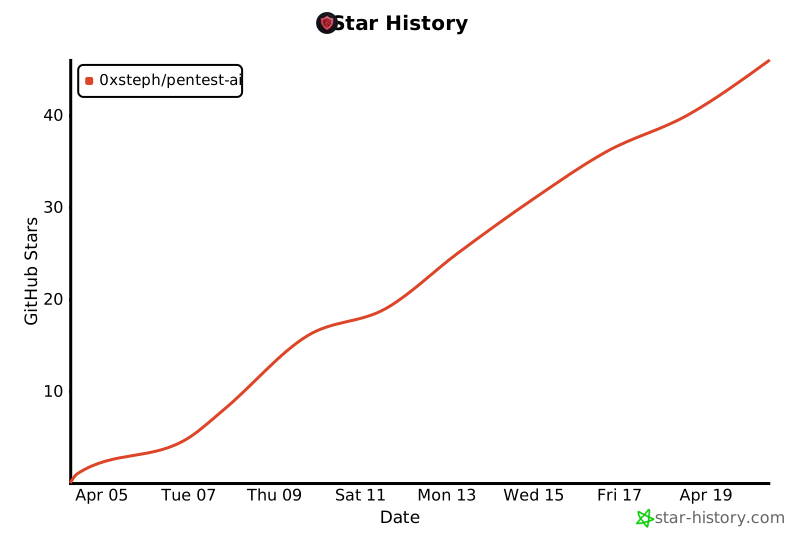
Star history
License
MIT. Do whatever you want with it.
If ptai saved you a Sunday, star the repo. It's the only payment I ask for.
Project details
Verified details
These details have been verified by PyPIProject links
GitHub Statistics
Maintainers
Release history Release notifications | RSS feed


Download files
Download the file for your platform. If you're not sure which to choose, learn more about installing packages.
Source Distribution
Built Distribution
Filter files by name, interpreter, ABI, and platform.
If you're not sure about the file name format, learn more about wheel file names.
Copy a direct link to the current filters
File details
Details for the file ptai-0.15.2.tar.gz.
File metadata
- Download URL: ptai-0.15.2.tar.gz
- Upload date:
- Size: 658.2 kB
- Tags: Source
- Uploaded using Trusted Publishing? Yes
- Uploaded via: twine/6.1.0 CPython/3.13.13
File hashes
| Algorithm | Hash digest | |
|---|---|---|
| SHA256 |
29437d01c5fede5d66c37bee70b46d7a84e833c4137efc36d79333371d81a28b
|
|
| MD5 |
8eac504a8f694a48a5916442b00cdbb2
|
|
| BLAKE2b-256 |
2e77f56cc6fb9dff189d2b10fd3cf52a974906c181113ef32d42c663c5ecb005
|
Provenance
The following attestation bundles were made for ptai-0.15.2.tar.gz:
Publisher:
release.yml on 0xSteph/pentest-ai
-
Statement:
-
Statement type:
https://in-toto.io/Statement/v1 -
Predicate type:
https://docs.pypi.org/attestations/publish/v1 -
Subject name:
ptai-0.15.2.tar.gz -
Subject digest:
29437d01c5fede5d66c37bee70b46d7a84e833c4137efc36d79333371d81a28b - Sigstore transparency entry: 1569433317
- Sigstore integration time:
-
Permalink:
0xSteph/pentest-ai@39dbb686fee95ce98e3fba9f5e2206d54f505c3e -
Branch / Tag:
refs/tags/v0.15.2 - Owner: https://github.com/0xSteph
-
Access:
public
-
Token Issuer:
https://token.actions.githubusercontent.com -
Runner Environment:
github-hosted -
Publication workflow:
release.yml@39dbb686fee95ce98e3fba9f5e2206d54f505c3e -
Trigger Event:
push
-
Statement type:
File details
Details for the file ptai-0.15.2-py3-none-any.whl.
File metadata
- Download URL: ptai-0.15.2-py3-none-any.whl
- Upload date:
- Size: 506.0 kB
- Tags: Python 3
- Uploaded using Trusted Publishing? Yes
- Uploaded via: twine/6.1.0 CPython/3.13.13
File hashes
| Algorithm | Hash digest | |
|---|---|---|
| SHA256 |
af56c63d7c8e3265affc6e79b51dc84661b07aa6f416121cc56f0bb90b696938
|
|
| MD5 |
b7c71cc17ed4333ab82c8e38346de4fa
|
|
| BLAKE2b-256 |
87c9689e462825ba9715bdc888afe8f537a18d7423994a0ec4cfb4fef017e134
|
Provenance
The following attestation bundles were made for ptai-0.15.2-py3-none-any.whl:
Publisher:
release.yml on 0xSteph/pentest-ai
-
Statement:
-
Statement type:
https://in-toto.io/Statement/v1 -
Predicate type:
https://docs.pypi.org/attestations/publish/v1 -
Subject name:
ptai-0.15.2-py3-none-any.whl -
Subject digest:
af56c63d7c8e3265affc6e79b51dc84661b07aa6f416121cc56f0bb90b696938 - Sigstore transparency entry: 1569433332
- Sigstore integration time:
-
Permalink:
0xSteph/pentest-ai@39dbb686fee95ce98e3fba9f5e2206d54f505c3e -
Branch / Tag:
refs/tags/v0.15.2 - Owner: https://github.com/0xSteph
-
Access:
public
-
Token Issuer:
https://token.actions.githubusercontent.com -
Runner Environment:
github-hosted -
Publication workflow:
release.yml@39dbb686fee95ce98e3fba9f5e2206d54f505c3e -
Trigger Event:
push
-
Statement type:






