
py-image-border
py-image-border is a simple project that lets you easily add borders to screenshots:
$ add-border my_screenshot.png
Installation sets up an add-border shortcut, so you don't need to use any python commands to use the project. If you want, you can also use the following syntax:
$ python -m py_image_border.add_border my_screenshot.png
Installation
Install the package with pip:
$ python -m pip install py-image-border
The only dependency is Pillow.
Usage
You can adjust the size of the border, add some padding between the image and border, and set a custom color for the border:
# 15-pixel border:
$ add-border my_screenshot.png 15

# 10-pixel padding:
$ add-border my_screenshot.png --padding 10

# black border:
$ add-border my_screenshot.png --border-color black
To see the full usage documentation, use --help:
usage: add-border [-h] [--padding PADDING] [--border-color BORDER_COLOR] path [border_width]

Add a border to any image.

positional arguments:
  path                  Path to the original image.
  border_width          Border width (default: 2).

options:
  -h, --help            show this help message and exit
  --padding PADDING     Padding (default: 0).
  --border-color BORDER_COLOR
                        Border color (default: lightgray).
Notes
This project was motivated by the lack of an easy, consistent way to add borders to screenshots on macOS.
The test image is a bear I caught with a game camera, scratching its back against a tree:
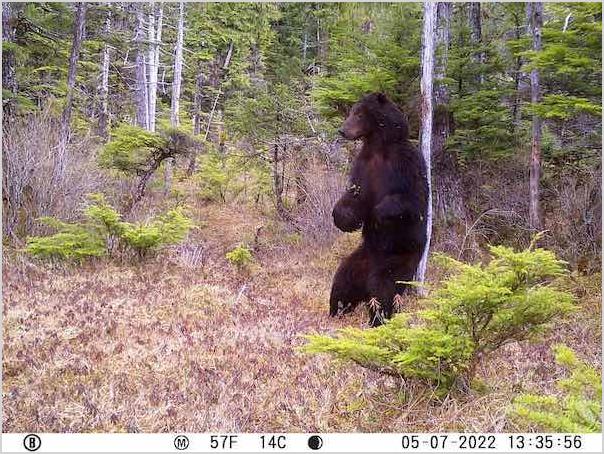
I had left the game camera out much longer than expected, and had about 100k images to go through. I wrote a Python script to flag any image with an area of dark pixels. This was one of about 12 images flagged. :)
1 maintainer

Metadata
1 maintainer
Release files for py-image-border 2023.4.14.2
For a detailed explanation of source distributions (sdists) and built distributions (wheels), please see the package formats documentation.
Source distribution (sdist)
| File | Size | Uploaded | |
|---|---|---|---|
| py-image-border-2023.4.14.2.tar.gz | 3.0 kB | Details |
Built distribution (wheel)
| File | Interpreter | ABI | Platform | Reset |
|---|---|---|---|---|
| py_image_border-2023.4.14.2-py3-none-any.whl | Python 3 | none | any | Details |
Total release size: 7.4 kB
Release files / py-image-border-2023.4.14.2.tar.gz
| Download URL | py-image-border-2023.4.14.2.tar.gz |
|---|---|
| Size | 3.0 kB |
| Tags | Source |
|
SHA-256 checksum How to use checksums |
c23f2fa11af29e31f4a11c309c265b6a1205291e1eb26b320c9e57d340d02f14
|
|
BLAKE2b-256 checksum How to use checksums |
76094247189fdb90734f5f0b678d3fe0f936a31ebdbe9afcbec3cfac9f7e91cb
|
| Upload date | |
|
Uploaded using Trusted Publishing? What is trusted publishing? |
No |
| Uploaded via |
twine/4.0.2 CPython/3.11.2
|
Release files / py_image_border-2023.4.14.2-py3-none-any.whl
| Download URL | py_image_border-2023.4.14.2-py3-none-any.whl |
|---|---|
| Size | 4.4 kB |
| Tags | Python 3 |
|
SHA-256 checksum How to use checksums |
56f69381d9a009de6e3576a11c5b2052cace267e5670e5150913e3f7f6adf4be
|
|
BLAKE2b-256 checksum How to use checksums |
2fb99e07b633eaaddb3b8d003a4463a564f0908a6c916c0737e6277c92d31b94
|
| Upload date | |
|
Uploaded using Trusted Publishing? What is trusted publishing? |
No |
| Uploaded via |
twine/4.0.2 CPython/3.11.2
|














