
A powerful Python library for terminal string styling, ANSI color manipulation, ASCII art generation, and SVG terminal rendering.
Verified details
These details have been verified by PyPIProject links
GitHub Statistics
Maintainers

Project description
pyansistring
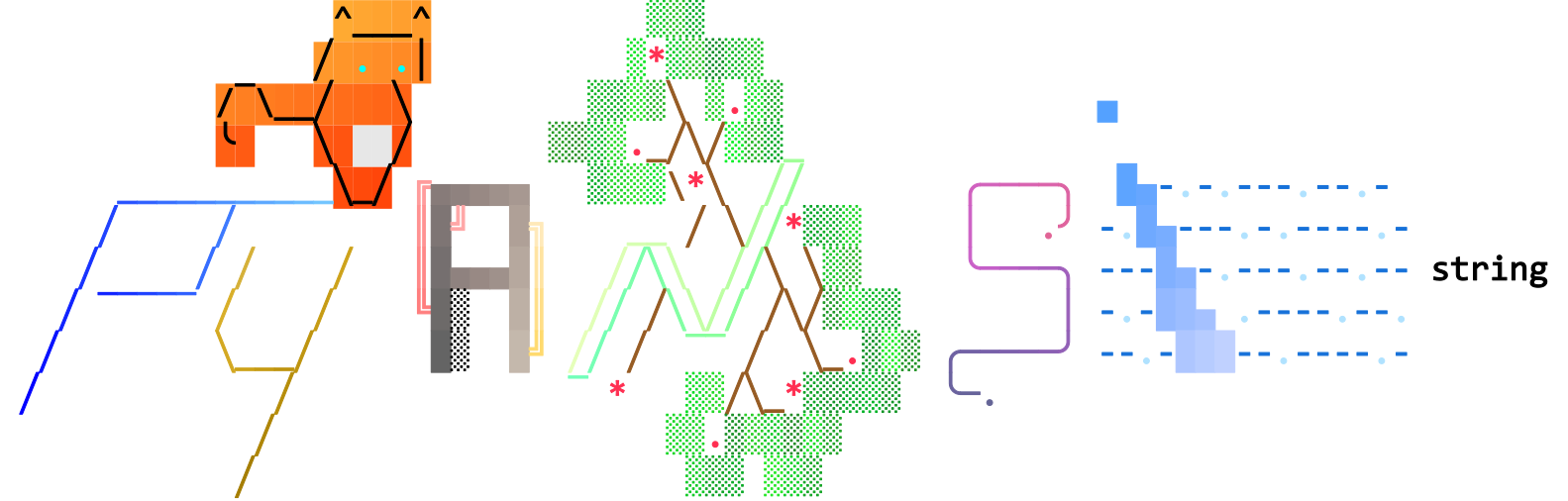







ANSI-aware string formatting for Python CLIs.
pyansistring gives you a string type that keeps styling attached while you keep using familiar string operations. You can color text, apply SGR attributes, generate gradients, color ASCII art, and export styled output to SVG.
Why pyansistring
- Keeps styling aligned with text during common string operations.
- Supports 4-bit, 8-bit, and 24-bit (truecolor) foreground/background/underline colors.
- Works well for CLI tools, logs, dashboards, and terminal UX.
- Includes practical APIs for gradients, ASCII art coloring, and SVG export.
Features
- ANSIString class that subclasses Python
str. - Style-preserving operations for concatenation, slicing, splitting, joining, replacing, stripping, case transforms, and formatting (f-strings,
.format()). - SGR styling and attributes: bold, dim, italic, underline, strikethrough, invert, and advanced underline modes (single, double, curly, dotted, dashed).
- Color channels: 4-bit ANSI, 8-bit palette, and 24-bit RGB for foreground, background, and underlines.
- Targeting modes: apply to full strings, slice ranges, or word matches (case-sensitive or insensitive).
- Gradient engine: RGB or HSL interpolation, coordinate-based gradients for multiline text, and out-of-bounds handling.
- SVG export: render text or path modes with per-character coloring and optional custom fonts.
- Art registries: built-in ASCII art, load from TOML, custom color generators, and an optional cowsay adapter.
- ANSI parsing: convert raw ANSI-encoded strings back into
ANSIStringinstances with styles intact. - Large constants base: extensive predefined color constants and palettes, plus SGR/regex helpers for easy access.
- Terminal-oriented formatting controls: supports modern and compatibility SGR formatting modes to improve behavior across ANSI-capable terminals.
- Performance-minded internals: cached line-start indexing, style object caching, and change-tracked re-rendering to reduce repeated work.
- Comprehensive test suite covering edge cases around string operations, style preservation, gradient calculations, and terminal rendering.
Requirements
- Python 3.11+
Installation
Install the base package:
pip install pyansistring
Install extras when needed:
pip install pyansistring[img]            # For SVG export (installs fontTools)
pip install pyansistring[adapter-cowsay] # For the cowsay adapter
pip install pyansistring[adapters]       # All adapters
pip install pyansistring[all]            # Install everything
Quick Start
from pyansistring import ANSIString, Foreground, Background, SGR

text = (
    ANSIString("Hello, World!")
    .fg_4b(Foreground.YELLOW)
    .bg_4b(Background.BLUE)
    .style(SGR.BOLD)
)

print(text)
Usage Examples
The examples below are generated by examples/generate_usage_svg.py.
Unstyled text
from pyansistring import ANSIString

print(ANSIString("Hello, World!"))

Whole-string styling
from pyansistring import ANSIString, Foreground, Background, SGR

print(
    ANSIString("Hello, World!")
    .fg_4b(Foreground.YELLOW)
    .bg_4b(Background.BLUE)
    .style(SGR.BOLD)
)

Style by slice
from pyansistring import ANSIString, Foreground, Background, SGR

print(
    ANSIString("Hello, World!")
    .fg_4b(Foreground.YELLOW, (0, 5), (7, 12))
    .bg_4b(Background.BLUE, (7, 12))
    .style(SGR.BOLD, (7, 12))
)

Style by words
from pyansistring import ANSIString, Foreground, Background, SGR

print(
    ANSIString("Hello, World!")
    .fg_4b_words(Foreground.YELLOW, "Hello", "World")
    .bg_4b_words(Background.BLUE, "World")
    .style_words(SGR.BOLD, "Hello", "World")
)

SGR attributes
from pyansistring import ANSIString, SGR

print(ANSIString("Hello, World!").style(SGR.BOLD).style(SGR.UNDERLINE))

4-bit, 8-bit, and 24-bit colors
from pyansistring import ANSIString, Foreground, Background

print(ANSIString("Hello, World!").fg_4b(Foreground.YELLOW).bg_4b(Background.BLUE))
print(ANSIString("Hello, World!").fg_8b(11).bg_8b(4).ul_8b(74))
print(ANSIString("Hello, World!").fg_24b(255, 255, 0).bg_24b(0, 0, 238).ul_24b(135, 175, 215))



Underline modes
from pyansistring import ANSIString, UnderlineMode

print(
    ANSIString("Hello, World!")
    .bg_24b(255, 255, 255)
    .ul_24b(255, 0, 0)
    .style(UnderlineMode.DOUBLE)
)

Rainbow
from pyansistring import ANSIString

print(ANSIString("Hello, World! This is rainbow text!").rainbow(fg=True))

Gradient APIs
from pyansistring import ANSIString

print(
    ANSIString("Hello, World! This is gradient text!")
    .gradient([(84, 161, 255), (233, 200, 216)], fg=True)
)

print(
    ANSIString("Hello, colorful gradient world!")
    .gradient_words([(255, 99, 71), (255, 215, 0)], "Hello", "world", case_sensitive=False, fg=True)
)

print(
    ANSIString("HELLO\nworld")
    .gradient_coordinates(
        [(255, 0, 120), (0, 200, 255)],
        (1, 1),
        (2, 1),
        (3, 1),
        (4, 1),
        (5, 1),
        index_base=1,
        fg=True,
    )
)



ArtRegistry and custom generators
from pyansistring import (
    ArtRegistry,
    ColorGeneratorContext,
    register_color_generator,
    unregister_color_generator,
)


def zigzag_generator(context: ColorGeneratorContext) -> list[tuple[int, int, int]]:
    palette = [
        (84, 161, 255),
        (255, 99, 71),
        (255, 215, 0),
        (120, 220, 160),
    ]
    return [palette[i % len(palette)] for i in range(max(2, context["step_count"]))]


register_color_generator("zigzag_readme_v1", zigzag_generator)
try:
    registry = ArtRegistry()
    registry.register(
        "ZIGZAG",
        " /\\/\\/\\/\\\n \\/\\/\\/\\/",
        colorings=(
            {
                "mode": "gradient",
                "colors": {
                    "generator": "zigzag_readme_v1",
                    "mode": "seeded",
                    "seed": 42,
                },
                "skip_whitespace": True,
                "fg": True,
            },
        ),
    )
    print(registry.get_colored_art("ZIGZAG"))
finally:
    unregister_color_generator("zigzag_readme_v1")

Parse ANSI text back into ANSIString
from pyansistring import ANSIString

raw = "\x1b[31mError\x1b[0m: file not found"
parsed = ANSIString.from_ansi(raw)

print(parsed.plain_text)
print(parsed)
Export ANSIString to SVG
from fontTools.ttLib import TTFont
from pyansistring import ANSIString, SGR

font = TTFont("path/to/font.ttf")
styled = ANSIString("SVG output").style(SGR.BOLD).fg_24b(90, 170, 255)

svg_code = styled.to_svg(
    font=font,
    font_size_px=16,
    convert_text_to_path=False,
)
For a complete terminal tour, run examples/showcase.py.
For a focused ArtRegistry walkthrough, run examples/art_registry_demo.py.
Contributing
Contributions are what make the open source community such an amazing place to learn, inspire, and create. Any contributions you make are greatly appreciated.
- Fork the Project
- Create your Feature Branch (
git checkout -b feature/AmazingFeature) - Commit your Changes (
git commit -m 'Add some AmazingFeature') - Push to the Branch (
git push origin feature/AmazingFeature) - Open a Pull Request
[!IMPORTANT] If linting or tests fail, make sure to fix those and push the changes.
License
Distributed under the MIT License. See LICENSE for more information.
Project details
Verified details
These details have been verified by PyPIProject links
GitHub Statistics
Maintainers
Release history Release notifications | RSS feed


Download files
Download the file for your platform. If you're not sure which to choose, learn more about installing packages.
Source Distribution
Built Distribution
Filter files by name, interpreter, ABI, and platform.
If you're not sure about the file name format, learn more about wheel file names.
Copy a direct link to the current filters
File details
Details for the file pyansistring-0.4.0.tar.gz.
File metadata
- Download URL: pyansistring-0.4.0.tar.gz
- Upload date:
- Size: 171.6 kB
- Tags: Source
- Uploaded using Trusted Publishing? Yes
- Uploaded via: twine/6.1.0 CPython/3.13.12
File hashes
| Algorithm | Hash digest | |
|---|---|---|
| SHA256 |
b58dedab27802c3e2af77f316ee315ba03a9b6874be3fd11375b1ad35d790540
|
|
| MD5 |
ec4200b51e78b3093a89d8dc1515b3be
|
|
| BLAKE2b-256 |
d076e2e604d4f5812782bcd2a1d9c76c079c65369fbbaaf37b9fecb062da8fc4
|
Provenance
The following attestation bundles were made for pyansistring-0.4.0.tar.gz:
Publisher:
ci-cd.yml on l1asis/pyansistring
-
Statement:
-
Statement type:
https://in-toto.io/Statement/v1 -
Predicate type:
https://docs.pypi.org/attestations/publish/v1 -
Subject name:
pyansistring-0.4.0.tar.gz -
Subject digest:
b58dedab27802c3e2af77f316ee315ba03a9b6874be3fd11375b1ad35d790540 - Sigstore transparency entry: 1818406584
- Sigstore integration time:
-
Permalink:
l1asis/pyansistring@1dcdb4a948b31d283cf9f4bd4b5b8416648c5d1e -
Branch / Tag:
refs/tags/v0.4.0 - Owner: https://github.com/l1asis
-
Access:
public
-
Token Issuer:
https://token.actions.githubusercontent.com -
Runner Environment:
github-hosted -
Publication workflow:
ci-cd.yml@1dcdb4a948b31d283cf9f4bd4b5b8416648c5d1e -
Trigger Event:
push
-
Statement type:
File details
Details for the file pyansistring-0.4.0-py3-none-any.whl.
File metadata
- Download URL: pyansistring-0.4.0-py3-none-any.whl
- Upload date:
- Size: 70.7 kB
- Tags: Python 3
- Uploaded using Trusted Publishing? Yes
- Uploaded via: twine/6.1.0 CPython/3.13.12
File hashes
| Algorithm | Hash digest | |
|---|---|---|
| SHA256 |
da0f9c0dd9e5bf9cbcef46b4278bee01b2f5fac87e3a72f4cd85f2b2093abb0b
|
|
| MD5 |
256ab718817a47b117806d4145ad04bb
|
|
| BLAKE2b-256 |
5d7b85c84961e3e0ff0128dd5cae7f7c76c4c3ebe98345b82f22b283a1e91b4d
|
Provenance
The following attestation bundles were made for pyansistring-0.4.0-py3-none-any.whl:
Publisher:
ci-cd.yml on l1asis/pyansistring
-
Statement:
-
Statement type:
https://in-toto.io/Statement/v1 -
Predicate type:
https://docs.pypi.org/attestations/publish/v1 -
Subject name:
pyansistring-0.4.0-py3-none-any.whl -
Subject digest:
da0f9c0dd9e5bf9cbcef46b4278bee01b2f5fac87e3a72f4cd85f2b2093abb0b - Sigstore transparency entry: 1818406641
- Sigstore integration time:
-
Permalink:
l1asis/pyansistring@1dcdb4a948b31d283cf9f4bd4b5b8416648c5d1e -
Branch / Tag:
refs/tags/v0.4.0 - Owner: https://github.com/l1asis
-
Access:
public
-
Token Issuer:
https://token.actions.githubusercontent.com -
Runner Environment:
github-hosted -
Publication workflow:
ci-cd.yml@1dcdb4a948b31d283cf9f4bd4b5b8416648c5d1e -
Trigger Event:
push
-
Statement type:






