
MCP server package for running Python with pyautogui instrumentation.

Project description
MCP server for simplest GUI agent 🕹️🤖
pyautogui_mcp_server packages a Streamable HTTP MCP server for running Python code with pyautogui instrumentation.
It is designed for GUI automation workflows where plain pyautogui execution is not enough. The package adds MCP-friendly output handling, richer screenshots, and a small macOS display wake helper.
✨ What this package adds
Compared with running raw pyautogui calls directly, this library adds extra effort in the following areas:
- Fresh Python execution state for every tool call.
- Captured
stdout,stderr, and final expression results in one MCP response stream. - Inline screenshot delivery as MCP image content instead of requiring manual file handling.
- Annotated mouse-operation previews that show the target point or path before the action runs.
- Screenshot normalization so captured images line up better with logical screen coordinates.
- A separate macOS wake command for waking the display before automation starts.
A tool response example:
<pyautogui-mcp.dragTo x=860 y=430 duration=0.2 button='left'
    time_offset="T+1.1s" pyautogui.size=(1440, 900)>
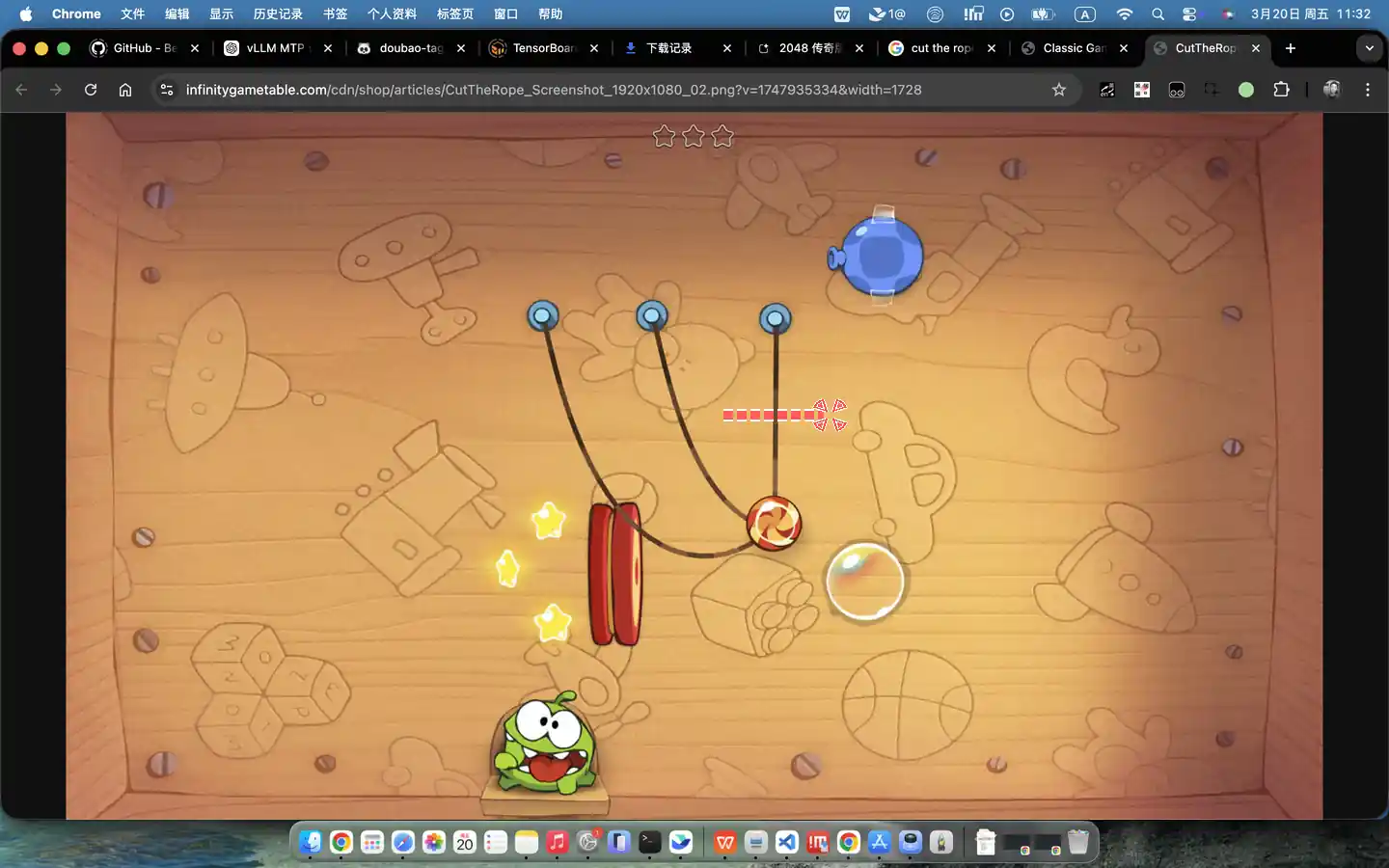
</pyautogui-mcp.dragTo>
<stdout>
Cut the right rope by dragging left to right through it.
</stdout>
📦 Installation
pip install pyautogui_mcp_server
For local development:
pip install -e .[dev]
🚀 Run the MCP server
Use the module entrypoint:
python -m pyautogui_mcp_server --host 127.0.0.1 --port 9300
Or use the installed console script:
pyautogui-mcp-server --port 9300
Show CLI help:
python -m pyautogui_mcp_server --help
The server exposes a run_python_with_pyautogui MCP tool that executes Python in a fresh interpreter state with instrumented pyautogui behavior.
🖥️ Wake a macOS display
The wake helper is macOS-only.
python -m pyautogui_mcp_server.wake --hold-seconds 60
Or:
pyautogui-mcp-wake --help
This helper sends a short user-activity pulse, optionally activates Finder, and briefly holds the display awake with caffeinate.
📄 License
MIT
Release history Release notifications | RSS feed


Download files
Download the file for your platform. If you're not sure which to choose, learn more about installing packages.
Source Distribution
Built Distribution
Filter files by name, interpreter, ABI, and platform.
If you're not sure about the file name format, learn more about wheel file names.
Copy a direct link to the current filters
File details
Details for the file pyautogui_mcp_server-0.1.0.tar.gz.
File metadata
- Download URL: pyautogui_mcp_server-0.1.0.tar.gz
- Upload date:
- Size: 14.5 kB
- Tags: Source
- Uploaded using Trusted Publishing? No
- Uploaded via: twine/6.1.0 CPython/3.11.7
File hashes
| Algorithm | Hash digest | |
|---|---|---|
| SHA256 |
b46763f6402bbc779d7bfd8bd74678ded89d54004d2ef1a0e2f19efdfb1e9d69
|
|
| MD5 |
1316d3d015f9d1978f817414297e29e6
|
|
| BLAKE2b-256 |
77691ec2ec20af6c15a5b583bc34296123e4c973ec5989437c94550160f5ac20
|
File details
Details for the file pyautogui_mcp_server-0.1.0-py3-none-any.whl.
File metadata
- Download URL: pyautogui_mcp_server-0.1.0-py3-none-any.whl
- Upload date:
- Size: 14.3 kB
- Tags: Python 3
- Uploaded using Trusted Publishing? No
- Uploaded via: twine/6.1.0 CPython/3.11.7
File hashes
| Algorithm | Hash digest | |
|---|---|---|
| SHA256 |
cbc87639000c1a9f0606c338afa93d73861437e2f3d21080e4f782de54b9bd29
|
|
| MD5 |
3e9ad134ae61cd2faa763ec5e0662ab8
|
|
| BLAKE2b-256 |
f9706c87a4794ea527dda2dee4e7810c1169b8d8be4b0eb301ad2114f509b6f2
|






