
A typed Python library for creating SVG graphics, data visualizations, charts, maps, and generative art.

Project description
pyDreamplet
pyDreamplet is a typed Python library for creating SVG graphics, data visualizations, charts, maps, and generative art. It provides a flexible, low-level API for building and manipulating scalable vector graphics directly from Python.
Use pyDreamplet for custom data visualization, creative coding, report graphics, diagrams, and other projects where you need precise control over the generated SVG. It works in Python scripts, Jupyter notebooks, and web applications, and the resulting files remain resolution-independent and easy to style or edit.
Features
- Programmatic SVG generation: Create, compose, query, and manipulate SVG elements with a Pythonic API.
- Data visualization tools: Use numeric, categorical, color, square, and circle scales alongside helpers for ticks, labels, and chart geometry.
- Paths and shapes: Generate lines, curves, splines, arcs, stars, polygons, and other reusable SVG path data.
- Maps and creative coding: Build geographic visualizations, generative art, grids, waves, spirals, noise-based layouts, and animations.
- Typography support: Measure text accurately using installed OpenType and TrueType fonts.
- Typed and lightweight: Benefit from inline type information, a compact dependency set, and optional Jupyter notebook display support.
Installation
Install pyDreamplet using your preferred package manager:
With uv:
uv add pydreamplet
For notebook display support with svg.display():
uv add pydreamplet --extra notebook
With pip:
pip install pydreamplet
For notebook display support with svg.display():
pip install "pydreamplet[notebook]"
Documentation
For complete documentation, tutorials, and API references, please visit pyDreamplet documentation
Examples
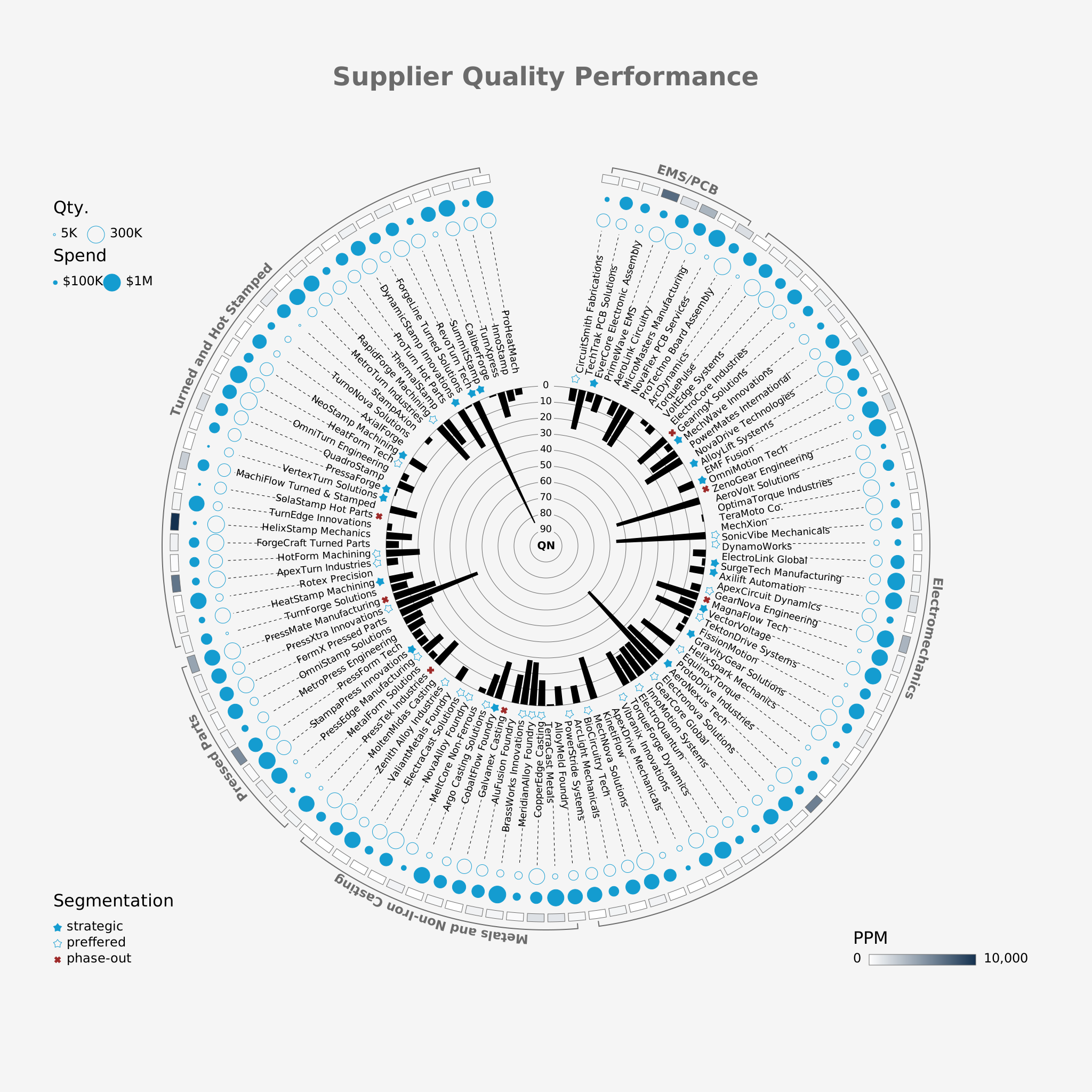
Multidimensional Visualization of Supplier Quality Performance
This example showcases a sophisticated, multidimensional SVG visualization that displays supplier quality performance metrics. In this visualization, data dimensions such as defect occurrences, defect quantity, and spend are combined to provide an insightful overview of supplier performance. The visualization uses color, shape, and layout to encode multiple measures, allowing users to quickly identify strengths and weaknesses across suppliers.
Creative Coding
This example uses pyDreamplet to create an engaging animated visualization featuring a series of circles. The animation leverages dynamic properties like stroke color and radius, which are mapped using linear and color scales. Each circle’s position and size are animated over time, creating a pulsating, rotating effect that results in a visually striking pattern.

Usage example
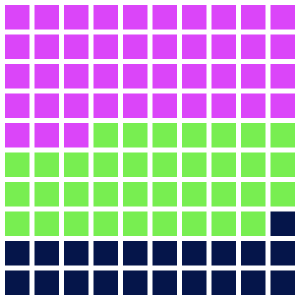
Here's a quick example of how to create a waffle chart using pyDreamplet:
import pydreamplet as dp
from pydreamplet.colors import random_color

data = [130, 65, 108]


def waffle_chart(data, side=300, rows=10, cols=10, gutter=5, colors=["blue"]):
    sorted_data = sorted(data, reverse=True)
    while len(colors) < len(sorted_data):
        colors.append(random_color())

    svg = dp.SVG(side, side)

    total_cells = rows * cols
    total = sum(data)
    proportions = [int(round(d / total * total_cells, 0)) for d in sorted_data]
    print("Proportions:", proportions)

    cell_side = (side - (cols + 1) * gutter) / cols

    cell_group_map = []
    for group_index, count in enumerate(proportions):
        cell_group_map.extend([group_index] * count)

    if len(cell_group_map) < total_cells:
        cell_group_map.extend([None] * (total_cells - len(cell_group_map)))

    paths = {i: "" for i in range(len(sorted_data))}

    for i in range(total_cells):
        col = i % cols
        row = i // cols

        x = gutter + col * (cell_side + gutter)
        y = gutter + row * (cell_side + gutter)

        group = cell_group_map[i]
        if group is not None:
            paths[group] += f"M {x} {y} h {cell_side} v {cell_side} h -{cell_side} Z "

    for group_index, d_str in paths.items():
        if d_str:
            path = dp.Path(d=d_str, fill=colors[group_index])
            svg.append(path)

    return svg


svg = waffle_chart(data)
svg.display()  # in jupyter notebook
svg.save("waffle_chart.svg")
Contributing
I welcome contributions from the community! Whether you have ideas for new features, bug fixes, or improvements to the documentation, your input is invaluable.
- Open an Issue: Found a bug or have a suggestion? Open an issue on GitHub.
- Submit a Pull Request: Improve the code or documentation? I’d love to review your PR.
- Join the Discussion: Get involved in discussions and help shape the future of pyDreamplet.
License
This project is licensed under the MIT License.
Release history Release notifications | RSS feed


Download files
Download the file for your platform. If you're not sure which to choose, learn more about installing packages.
Source Distribution
Built Distribution
Filter files by name, interpreter, ABI, and platform.
If you're not sure about the file name format, learn more about wheel file names.
Copy a direct link to the current filters
File details
Details for the file pydreamplet-2.2.0.tar.gz.
File metadata
- Download URL: pydreamplet-2.2.0.tar.gz
- Upload date:
- Size: 498.4 kB
- Tags: Source
- Uploaded using Trusted Publishing? No
- Uploaded via: uv/0.11.7 {"installer":{"name":"uv","version":"0.11.7","subcommand":["publish"]},"python":null,"implementation":{"name":null,"version":null},"distro":null,"system":{"name":null,"release":null},"cpu":null,"openssl_version":null,"setuptools_version":null,"rustc_version":null,"ci":null}
File hashes
| Algorithm | Hash digest | |
|---|---|---|
| SHA256 |
6cb46591e24b3cd9cb9109f881a1b50e2383e705724cd6ddeaf31b79d3cd3e94
|
|
| MD5 |
96fe49492ae5fdeb284221a10783d714
|
|
| BLAKE2b-256 |
32f311bc8479672b89c19c231fd530c696d5e8ecc3915d67f2d394a36256df7e
|
File details
Details for the file pydreamplet-2.2.0-py3-none-any.whl.
File metadata
- Download URL: pydreamplet-2.2.0-py3-none-any.whl
- Upload date:
- Size: 127.4 kB
- Tags: Python 3
- Uploaded using Trusted Publishing? No
- Uploaded via: uv/0.11.7 {"installer":{"name":"uv","version":"0.11.7","subcommand":["publish"]},"python":null,"implementation":{"name":null,"version":null},"distro":null,"system":{"name":null,"release":null},"cpu":null,"openssl_version":null,"setuptools_version":null,"rustc_version":null,"ci":null}
File hashes
| Algorithm | Hash digest | |
|---|---|---|
| SHA256 |
cc8be1da8cf1feda17d90804a31137dd70010c233dfdcd70cb296a19688ceb60
|
|
| MD5 |
5408757dbd9def23c001bbc220ae7098
|
|
| BLAKE2b-256 |
640776ae9dc52cedd37859f4b45547b12f24475d225809d32ab2b7e463601d13
|






