
anywidget wrapper for globe.gl
Verified details
These details have been verified by PyPIProject links
GitHub Statistics
Maintainers

Project description
pyglobegl
anywidget wrapper for globe.gl with integrations with popular Python spatial packages.
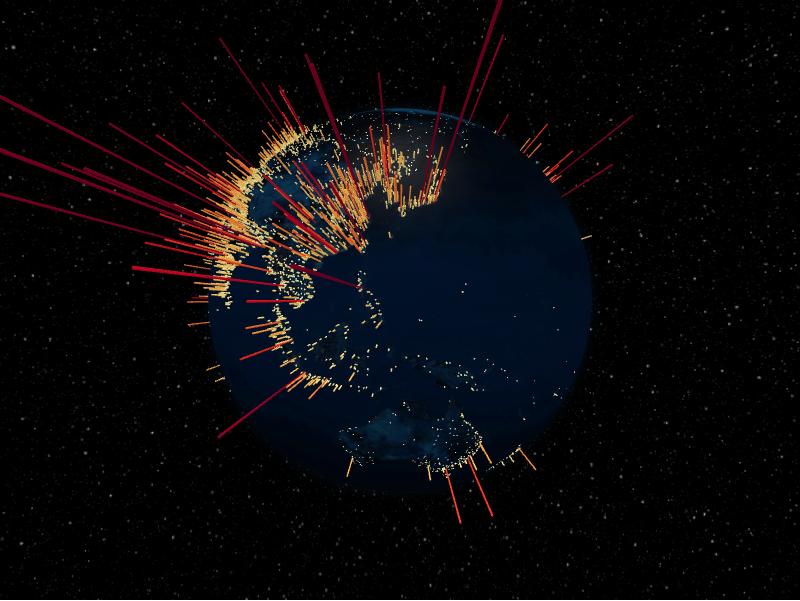
📖 Full documentation: https://pyglobegl.pages.dev/
pyglobegl renders interactive WebGL globes in modern notebook environments
(Jupyter, JupyterLab, Colab, VS Code, marimo) and drives them from a friendly,
strongly typed Python API. It ships a prebuilt JupyterLab extension, so
pip install is all you need.
Installation
pip install pyglobegl
Optional spatial extras:
pip install "pyglobegl[geopandas]"     # GeoPandas + Pandera helpers
pip install "pyglobegl[movingpandas]"  # MovingPandas (includes GeoPandas)
See the installation guide for uv and extras details.
Quick start
from IPython.display import display

from pyglobegl import (
    GlobeConfig,
    GlobeLayerConfig,
    GlobeWidget,
    PointDatum,
    PointsLayerConfig,
)

points = [
    PointDatum(lat=0, lng=0, altitude=0.25, color="#ff0000", label="Center"),
    PointDatum(lat=15, lng=-45, altitude=0.12, color="#00ff00", label="West"),
]

config = GlobeConfig(
    globe=GlobeLayerConfig(
        globe_image_url="https://cdn.jsdelivr.net/npm/three-globe/example/img/earth-day.jpg"
    ),
    points=PointsLayerConfig(points_data=points),
)

display(GlobeWidget(config=config))
Layer data are typed Pydantic models (no dynamic accessor remapping), and defaults mirror globe.gl so omitted values still render predictably. See the quick start for more.
Layers & features
Each globe.gl layer is exposed as typed data models:
- Globe & images
- Points
- Arcs
- Polygons
- Paths
- Heatmaps
- Hex bin
- Hexed polygons
- Tiles
- Particles
- Rings
- Labels
Plus:
- Runtime updates & callbacks — update data and respond to hover/click after render
- Frontend Python callbacks
—
@frontend_pythonaccessors that run in the browser - GeoPandas helpers — build layer data straight from GeoDataFrames
- MovingPandas helpers — render trajectories as paths
Documentation
Contributing
Build Assets (Release Checklist)
cd frontend && pnpm run builduv build
UI Test Artifacts
- Canvas captures are saved under
ui-artifactsas{test-name}-pass-<timestamp>.pngor{test-name}-fail-<timestamp>.png. - Canvas comparisons use SSIM (structural similarity) with a fixed threshold
(currently
0.86).
Project details
Verified details
These details have been verified by PyPIProject links
GitHub Statistics
Maintainers
Release history Release notifications | RSS feed


Download files
Download the file for your platform. If you're not sure which to choose, learn more about installing packages.
Source Distribution
Built Distribution
Filter files by name, interpreter, ABI, and platform.
If you're not sure about the file name format, learn more about wheel file names.
Copy a direct link to the current filters
File details
Details for the file pyglobegl-0.9.0.tar.gz.
File metadata
- Download URL: pyglobegl-0.9.0.tar.gz
- Upload date:
- Size: 1.3 MB
- Tags: Source
- Uploaded using Trusted Publishing? Yes
- Uploaded via: uv/0.11.19 {"installer":{"name":"uv","version":"0.11.19","subcommand":["publish"]},"python":null,"implementation":{"name":null,"version":null},"distro":{"name":"Ubuntu","version":"24.04","id":"noble","libc":null},"system":{"name":null,"release":null},"cpu":null,"openssl_version":null,"setuptools_version":null,"rustc_version":null,"ci":true}
File hashes
| Algorithm | Hash digest | |
|---|---|---|
| SHA256 |
93cb0454874dbdc7267e3dc07d74bb3b52c30d29e9b31bade33874d77e87df6c
|
|
| MD5 |
66a8f0d95c3c68ff03f3653d578baa1d
|
|
| BLAKE2b-256 |
674901d5833311c14859fd31c1633947e2f52c8f95c67b9309d17dcdfee2be3f
|
File details
Details for the file pyglobegl-0.9.0-py3-none-any.whl.
File metadata
- Download URL: pyglobegl-0.9.0-py3-none-any.whl
- Upload date:
- Size: 1.3 MB
- Tags: Python 3
- Uploaded using Trusted Publishing? Yes
- Uploaded via: uv/0.11.19 {"installer":{"name":"uv","version":"0.11.19","subcommand":["publish"]},"python":null,"implementation":{"name":null,"version":null},"distro":{"name":"Ubuntu","version":"24.04","id":"noble","libc":null},"system":{"name":null,"release":null},"cpu":null,"openssl_version":null,"setuptools_version":null,"rustc_version":null,"ci":true}
File hashes
| Algorithm | Hash digest | |
|---|---|---|
| SHA256 |
4f2142d7ff9f740e8f18db39a4859bfd86e8040ac1545860c1148dd0ef0e8967
|
|
| MD5 |
8615422b14a1b71210560e4666d8b1be
|
|
| BLAKE2b-256 |
5592b625ea57168eaceb4c0b5fe257b5d7a49c62df6c49e3ad8226b7b6d3e899
|






