

PyHazards: A Python framework for AI-powered hazard prediction
Datasets · Models · Benchmarks · Training Pipelines · Evaluation


Documentation · GitHub · Slack
Overview
PyHazards is built for hazard-AI work that needs more than a single model or paper reproduction. It unifies dataset discovery, model construction, benchmark-aligned evaluation, and experiment plumbing so the same library can support first-run baselines, comparative studies, and contributor extensions.
Intended users:
- Researchers: run benchmark-aligned experiments and compare baselines across hazard tasks.
- Practitioners: reuse hazard-specific workflows for data inspection, model building, and evaluation.
- Contributors: extend datasets, models, and benchmarks through registry and catalog patterns already used in the repo.
Why PyHazards
- Unified datasets: public hazard datasets, forcing sources, and inspection entrypoints live in one curated catalog.
- Benchmark-aligned evaluation: shared benchmark families, smoke configs, and reports keep experiments comparable.
- Registry-based models: published baselines and adapters are built through a consistent model-registry surface.
- Shared training and inference pipelines: one engine layer supports fit, evaluate, predict, and benchmark execution workflows.
Hazard Coverage
- Wildfire: danger forecasting, weekly forecasting, spread baselines, fuels, burn products, and active-fire sources.
- Earthquake: waveform picking, dense-grid forecasting adapters, and linked benchmark ecosystems for picking and forecasting.
- Flood: streamflow and inundation baselines with benchmark-backed evaluation paths.
- Tropical Cyclone: track-and-intensity forecasting baselines plus shared benchmark ecosystems and adapters.
Installation
Install PyHazards from PyPI:
pip install pyhazards
If you need GPU execution, install a compatible PyTorch build first and then select the device as needed:
export PYHAZARDS_DEVICE=cuda:0
Quick Start
Use this as the shortest benchmark-aware starter path: verify the package, build one registered model, and run one smoke benchmark config.
- Verify the installation:
python -c "import pyhazards; print(pyhazards.__version__)"
- Build a registered model:
from pyhazards.models import build_model

model = build_model(
    name="hydrographnet",
    task="regression",
    node_in_dim=2,
    edge_in_dim=3,
    out_dim=1,
)
print(type(model).__name__)
- Run a benchmark-aligned smoke configuration:
python scripts/run_benchmark.py --config pyhazards/configs/flood/hydrographnet_smoke.yaml
- Continue with the full docs for dataset inspection, benchmark pages, and training workflows.
Project Structure
pyhazards.datasets- dataset catalog, registry surfaces, and inspection entrypoints.pyhazards.models- model registry, builders, and reusable baseline implementations.pyhazards.benchmarks- benchmark families, ecosystem mappings, and evaluation contracts.pyhazards.engine- shared training, inference, runner, and experiment utilities.pyhazards.configs- smoke and example benchmark configurations.docs/anddocs/source/- published documentation, generated catalogs, and contributor guides.
Supported Workflows
- inspect hazard datasets and forcing sources before training,
- build baseline and adapter models through the unified registry,
- run smoke tests and benchmark configs for hazard-specific tasks,
- export benchmark reports and compare metrics across models,
- extend the library with new datasets, models, benchmarks, and catalog entries.
Documentation
Full documentation: https://labrai.github.io/PyHazards
Recommended reading order:
Contributing
If you want to extend PyHazards:
- Contributing guide: GitHub CONTRIBUTING
- Developer implementation guide: Implementation Guide
- Maintainer notes: Maintainer Notes
Roadmap themes:
- more benchmark ecosystems and external data adapters,
- more hazard-specific baselines and evaluation coverage,
- expanded reproducibility, report tooling, and smoke-test coverage,
- stronger examples, tutorials, and contributor automation.
Community
- Slack: RAI Lab Slack Channel
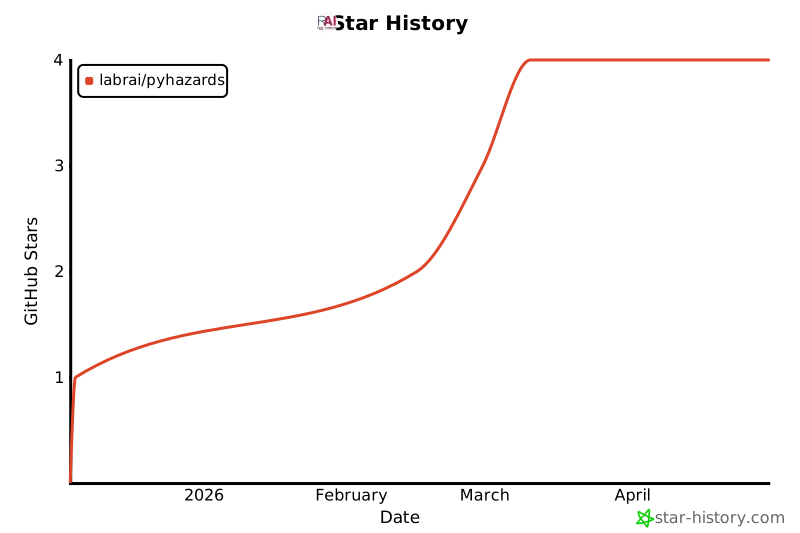
Project activity:
Citation
If you use PyHazards in your research, please cite:
@misc{pyhazards2025,
  title        = {PyHazards: An Open-Source Library for AI-Powered Hazard Prediction},
  author       = {Cheng et al.},
  year         = {2025},
  howpublished = {\url{https://github.com/LabRAI/PyHazards}},
  note         = {GitHub repository}
}
License
1 maintainer

Metadata
1 maintainer
Release files for pyhazards 1.0.6
For a detailed explanation of source distributions (sdists) and built distributions (wheels), please see the package formats documentation.
Source distribution (sdist)
| File | Size | Uploaded | Provenance | |
|---|---|---|---|---|
| pyhazards-1.0.6.tar.gz | 60.2 MB | Without provenance | Details |
Built distribution (wheel)
| File | Interpreter | ABI | Platform | Reset |
|---|---|---|---|---|
| pyhazards-1.0.6-py3-none-any.whl | Python 3 | none | any | Details |
Total release size: 120.5 MB
Release files / pyhazards-1.0.6.tar.gz
| Download URL | pyhazards-1.0.6.tar.gz |
|---|---|
| Size | 60.2 MB |
| Tags | Source |
|
SHA-256 checksum How to use checksums |
6d3977dab8eaeb72e7ec60253f1770ad13f61ef7329216ac5cb1f8aadecf8587
|
|
BLAKE2b-256 checksum How to use checksums |
9202e21c773607addae5e7188e0dbcece3fa0a59c6b3d5c069a1fda3a85bed77
|
| Upload date | |
|
Uploaded using Trusted Publishing? What is trusted publishing? |
No |
| Uploaded via |
twine/6.2.0 CPython/3.11.7
|
Release files / pyhazards-1.0.6-py3-none-any.whl
| Download URL | pyhazards-1.0.6-py3-none-any.whl |
|---|---|
| Size | 60.3 MB |
| Tags | Python 3 |
|
SHA-256 checksum How to use checksums |
e0d42b9175a315a9e490f2008e1c0468514b34ea6965282505539fb7fc7e002c
|
|
BLAKE2b-256 checksum How to use checksums |
e0bea64d30b9ad268abe36a8af85e6851a47b8c708a45a102f736ab9caeb2984
|
| Upload date | |
|
Uploaded using Trusted Publishing? What is trusted publishing? |
No |
| Uploaded via |
twine/6.2.0 CPython/3.11.7
|
Security for pyhazards 1.0.6
Provenance
Provenance describes where a file came from. On PyPI, provenance is shared via attestations, which provide a verifiable record of the build or publishing details. View details, limitations and caveats.
No provenance found
None of the files in this release were uploaded with provenance metadata.
A note on package security
PyPI is a repository for distributing packages, not a service for auditing them. While third-party security researchers and our staff do their best to detect and remove malicious packages, PyPI cannot guarantee the quality, security or suitability of any given package.
To learn more about protecting yourself from malicious actors, visit our package security documentation.














