
A Python framework for AI-powered hazard prediction and risk assessment

Project description
PyHazards







Introduction
PyHazards is a Python framework for AI-powered hazard prediction and risk assessment. It provides a hazard-first API for loading data, building models, running end-to-end experiments, and extending with your own modules.
Core Components
- Datasets: Unified interfaces for tabular, temporal, raster, and graph-style hazard data through
DataBundle. - Models: Built-in hazard models plus reusable backbones/heads via a registry-driven model API.
- Engine:
Trainerfor fit/evaluate/predict workflows with mixed precision and distributed options. - Metrics and Utilities: Classification/regression/segmentation metrics, hardware helpers, and reproducibility tools.
Install
pip install pyhazards
Optional CUDA setup:
export PYHAZARDS_DEVICE=cuda:0
Load Data
Example using the implemented ERA5 flood subset loader:
from pyhazards.data.load_hydrograph_data import load_hydrograph_data

print("[Step 1/3] Loading ERA5 dataset...")
data = load_hydrograph_data(
    era5_path="pyhazards/data/era5_subset",
    max_nodes=50,
)
print("[Step 1/3] Dataset loaded.")
print(data.feature_spec)
print(data.label_spec)
print(list(data.splits.keys()))  # ["train"]
Load Model
Example using wildfire_aspp:
from pyhazards.models import build_model

print("[Step 2/3] Building model...")
model = build_model(
    name="wildfire_aspp",
    task="segmentation",
    in_channels=12,
)
print("[Step 2/3] Model built.")
print(type(model).__name__)
Full Test
Short end-to-end example using real ERA5 data and an implemented flood model:
import torch
from pyhazards.data.load_hydrograph_data import load_hydrograph_data
from pyhazards.datasets import graph_collate
from pyhazards.engine import Trainer
from pyhazards.models import build_model

data = load_hydrograph_data("pyhazards/data/era5_subset", max_nodes=50)

model = build_model(
    name="hydrographnet",
    task="regression",
    node_in_dim=2,
    edge_in_dim=3,
    out_dim=1,
)

trainer = Trainer(model=model, mixed_precision=False)
optimizer = torch.optim.Adam(model.parameters(), lr=1e-3)
loss_fn = torch.nn.MSELoss()

print("[Step 3/3] Running one training epoch...")
trainer.fit(
    data,
    optimizer=optimizer,
    loss_fn=loss_fn,
    max_epochs=1,
    batch_size=1,
    collate_fn=graph_collate,
)

print("[Step 3/3] Evaluating on train split...")
metrics = trainer.evaluate(
    data,
    split="train",
    batch_size=1,
    collate_fn=graph_collate,
)
print(metrics)
Quick Verification (test.py)
Run the built-in GPU smoke test:
python test.py
test.py is a validation/smoke test only. It verifies pipeline correctness and integration, not final benchmark performance.
It prints step-by-step status (dataset load, model build, forward pass, train/eval) and ends with:
PASS: end-to-end implementation is working.
Custom Module
To upload and use your own data/model modules:
- Upload your raw data files to your project path and write a dataset loader that returns a
DataBundle. - Register your model with
register_modeland a builder function that returns annn.Module. - Build with
build_model(...)and train/evaluate throughTrainer.
Implementation details:
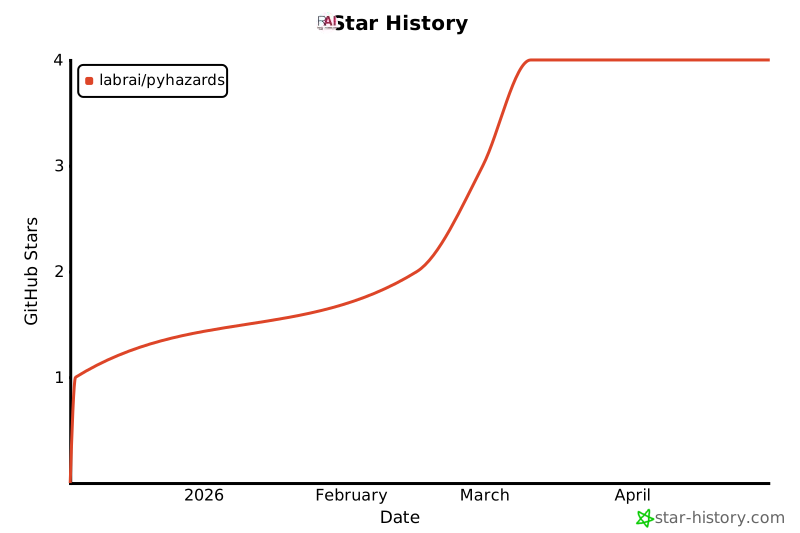
Star History
How to Cite
If you use PyHazards in your research, please cite:
@software{pyhazards2025,
  title={PyHazards: A Python Framework for AI-Powered Hazard Prediction},
  author={Cheng, Xueqi},
  year={2025},
  url={https://github.com/LabRAI/PyHazards}
}
Documentation
Full documentation is available at: https://labrai.github.io/PyHazards
License
Contact
For questions or contributions, please contact xc25@fsu.edu.


Download files
Download the file for your platform. If you're not sure which to choose, learn more about installing packages.
Source Distribution
Built Distribution
Filter files by name, interpreter, ABI, and platform.
If you're not sure about the file name format, learn more about wheel file names.
Copy a direct link to the current filters
File details
Details for the file pyhazards-1.0.4.tar.gz.
File metadata
- Download URL: pyhazards-1.0.4.tar.gz
- Upload date:
- Size: 60.1 MB
- Tags: Source
- Uploaded using Trusted Publishing? No
- Uploaded via: twine/6.2.0 CPython/3.11.7
File hashes
| Algorithm | Hash digest | |
|---|---|---|
| SHA256 |
fe2209280839679a1cc4aec587637df3d676c76885655b97a5fac36a6698de38
|
|
| MD5 |
0d5f2fa99ea36cf6fa32ad755695238c
|
|
| BLAKE2b-256 |
dea1ec66cf9b120dd4a60584563716f9f0cf544e0e21af9266a0b936bb59aa25
|
File details
Details for the file pyhazards-1.0.4-py3-none-any.whl.
File metadata
- Download URL: pyhazards-1.0.4-py3-none-any.whl
- Upload date:
- Size: 60.1 MB
- Tags: Python 3
- Uploaded using Trusted Publishing? No
- Uploaded via: twine/6.2.0 CPython/3.11.7
File hashes
| Algorithm | Hash digest | |
|---|---|---|
| SHA256 |
119e37eeeea69a3256f21dc02ea6ff24bbb2fe750d270f1621a2e920a47a3f38
|
|
| MD5 |
60456a22a263133c57f9616d33614b46
|
|
| BLAKE2b-256 |
419c83f249fce19ae91626675a3bab4d6c68c4551c3b126df2d336ff2add4ecf
|






