
PyJaws: A Pythonic Way to Define Databricks JaWs (Jobs and Workflows)







- PyJaws enables declaring Databricks Jobs and Workflows as Python code, allowing for:
- Code Linting
- Formatting
- Parameter Validation
- Modularity and reusability
- In addition to those, PyJaws also provides some nice features such as cycle detection out of the box.
Folks who have used Python-based orchestration tools such as Apache Airflow, Luigi and Mage will be familiar with the concepts and the API if PyJaws.
Getting Started
- First step is installing
pyjaws:
pip install pyjaws
- Once it's installed, define your Databricks Workspace authentication variables:
export DATABRICKS_HOST = ...
export DATABRICKS_TOKEN = ...
- Last, define your Workflow Tasks (see
examples) and run:
pyjaws create path/to/your/workflow_definitions
Sample Job Definition
from pyjaws.api.base import (
    Cluster,
    Runtime,
    Workflow
)
from pyjaws.api.tasks import PythonWheelTask

cluster = Cluster(
    job_cluster_key = "ai_cluster",
    spark_version = Runtime.DBR_13_ML,
    num_workers = 2,
    node_type_id = "Standard_DS3_v2",
    cluster_log_conf = {
        "dbfs": {
            "destination": "dbfs:/home/cluster_log"
        }
    }
)


# Create a Task object.

ingest_task = PythonWheelTask(
    key = "ingest",
    cluster = cluster,
    entrypoint = "iot",
    task_name = "ingest",
    parameters = [
        f"my_parameter_value",
        "--output-table", "my_table"
    ]
)

transform_task = PythonWheelTask(
    key = "transform",
    cluster = cluster,
    entrypoint = "iot",
    task_name = "ingest",
    dependencies = [ingest_task],
    parameters = [
        f"my_parameter_value2",
        "--input-table", "my_table"
        "--output-table", "output_table"
    ]
)


# Create a Workflow object to define dependencies
# between previously defined tasks.

workflow = Workflow(
    name = "my_workflow",
    tasks = [ingest_task, transform_task]
)
Extra Features
- Context Manager for Cluster declarations:
# cluster created with context manager
with Cluster(
    job_cluster_key="mycluster_2",
    spark_version=Runtime.DBR_13_ML,
    node_type_id="Standard_E4ds_v4",
    num_workers=3,
) as cluster_2:
    task_2 = SparkPythonTask(
        key="task_2",
        cluster=cluster_2,
        python_file="/Workspace/Repos/bob@mail.com/utils/task_2.py",
        source=Source.WORKSPACE,
    )
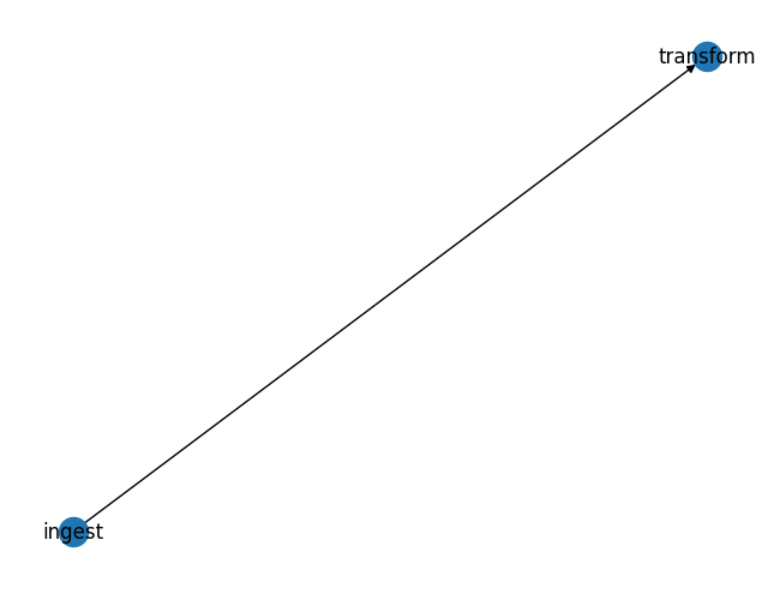
- Workflow preview/visualization on notebooks:
display(workflow)
Result:
Deploying Jobs
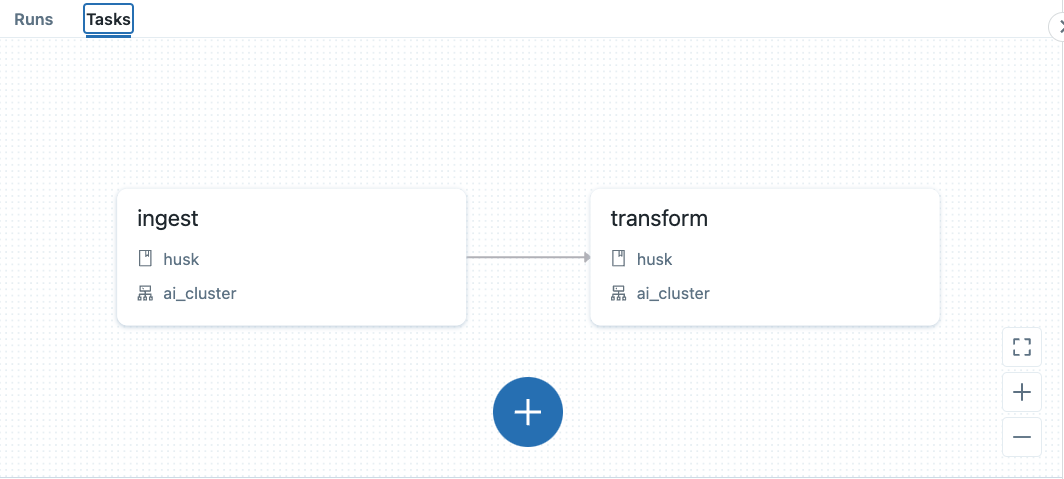
If you have a folder containing multiple workflow definition files written in Python with PyJaws, it is quite simple to deploy all of them to your Databricks Workspace with a one liner:
pyjaws create examples/simple_workflow
This would result in the following Workflow being deployed to your workspace:
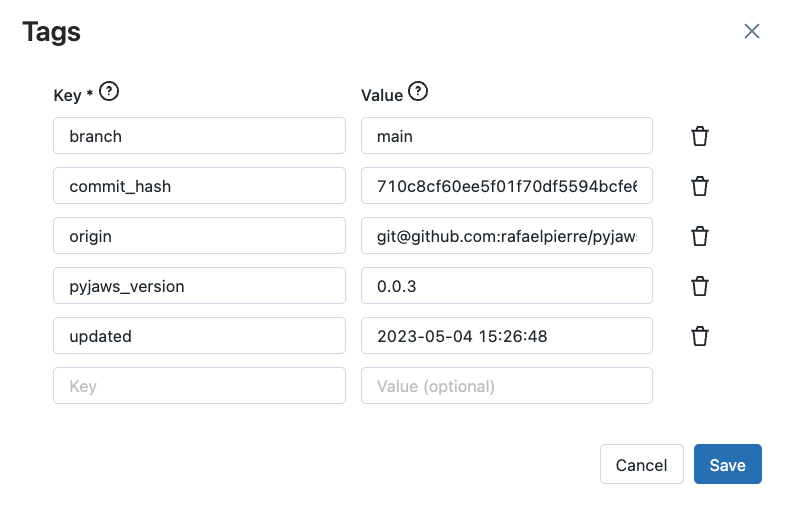
By default, pyjaws also includes some useful tags into the workflows indicating which Git Repo hosts the Python definition, commit hash and when the workflow was last updated. For example:
Documentation
Development & Testing
- PyJaws can be tested locally for development purposes. To run unit tests, make sure
tox,pytest,pytest-cov, andcoverageare installed and from a bash terminal, simply runtox.
Disclaimer
- PyJaws is not developed, endorsed not supported by Databricks. It is provided as-is; no warranty is derived from using this package. For more details, please refer to the license.
Reporting Bugs and Contributing
Feel free to create an issue if you feel something is not right. Contribution guidelines can be found here.
1 maintainer

Metadata
1 maintainer
Release files for pyjaws 0.1.7
For a detailed explanation of source distributions (sdists) and built distributions (wheels), please see the package formats documentation.
Source distribution (sdist)
| File | Size | Uploaded | Provenance | |
|---|---|---|---|---|
| pyjaws-0.1.7.tar.gz | 11.7 kB | Without provenance | Details |
Built distribution (wheel)
| File | Interpreter | ABI | Platform | Reset |
|---|---|---|---|---|
| pyjaws-0.1.7-py3-none-any.whl | Python 3 | none | any | Details |
Total release size: 23.0 kB
Release files / pyjaws-0.1.7.tar.gz
| Download URL | pyjaws-0.1.7.tar.gz |
|---|---|
| Size | 11.7 kB |
| Tags | Source |
|
SHA-256 checksum How to use checksums |
bb6f25da0da06dac82b96bbab2d2e29b106c31f834e970c4a902059711ac8b0b
|
|
BLAKE2b-256 checksum How to use checksums |
97ddb63e4bbcc50e526a2f92b529357cf057ce943d510d3546909a6bb6d0a042
|
| Upload date | |
|
Uploaded using Trusted Publishing? What is trusted publishing? |
No |
| Uploaded via |
twine/4.0.2 CPython/3.11.5
|
Release files / pyjaws-0.1.7-py3-none-any.whl
| Download URL | pyjaws-0.1.7-py3-none-any.whl |
|---|---|
| Size | 11.3 kB |
| Tags | Python 3 |
|
SHA-256 checksum How to use checksums |
1ce424135e21476f0d45b36295d932602842eb862da1c8baff5925e8ac8bab8c
|
|
BLAKE2b-256 checksum How to use checksums |
18430384a37a5ccdf792028f50930b4ea8a7b71c13476a8ba59b1480f42ed601
|
| Upload date | |
|
Uploaded using Trusted Publishing? What is trusted publishing? |
No |
| Uploaded via |
twine/4.0.2 CPython/3.11.5
|
Security for pyjaws 0.1.7
Provenance
Provenance describes where a file came from. On PyPI, provenance is shared via attestations, which provide a verifiable record of the build or publishing details. View details, limitations and caveats.
No provenance found
None of the files in this release were uploaded with provenance metadata.
A note on package security
PyPI is a repository for distributing packages, not a service for auditing them. While third-party security researchers and our staff do their best to detect and remove malicious packages, PyPI cannot guarantee the quality, security or suitability of any given package.














