
pyobservablejs
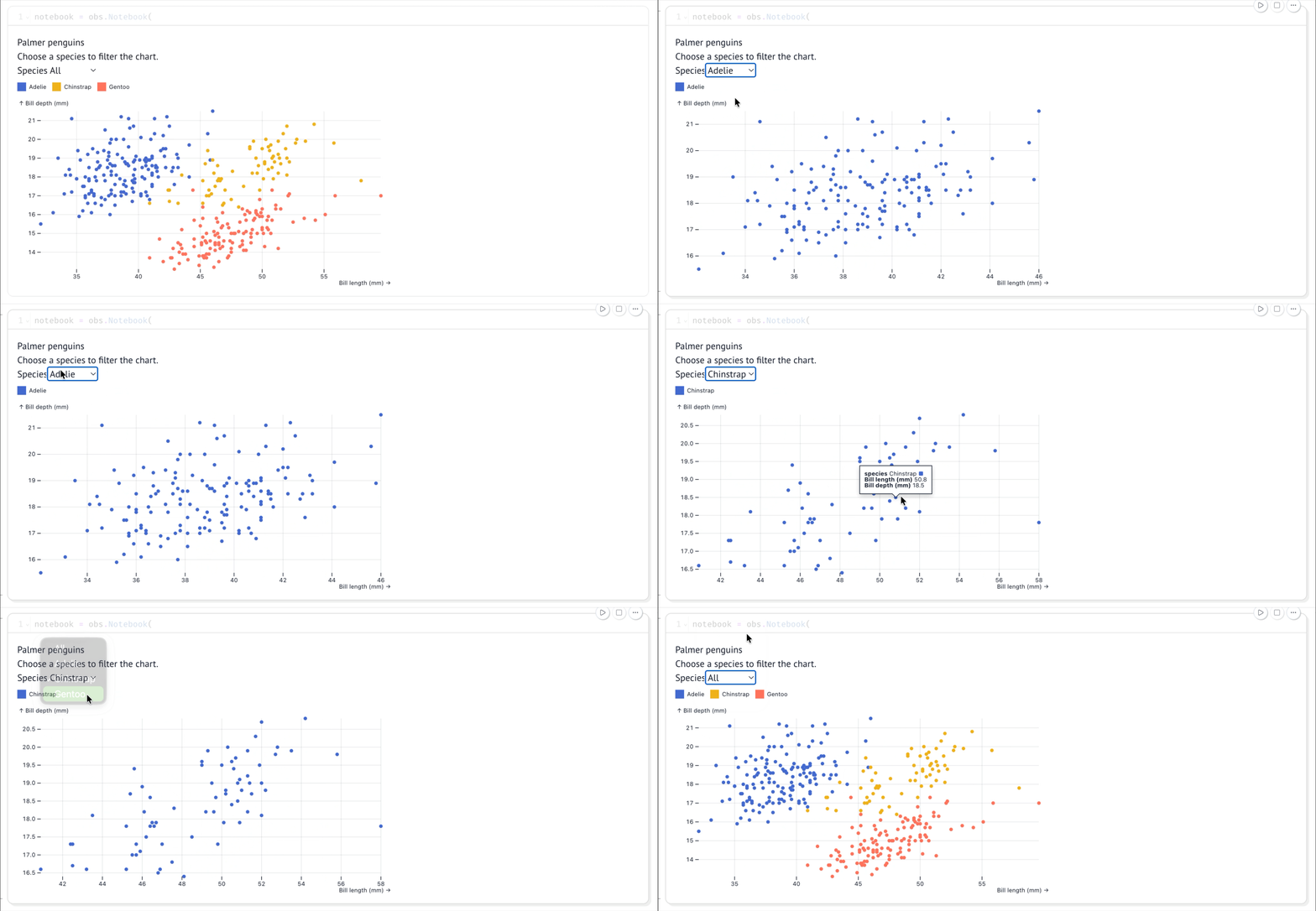
pyobservablejs brings reactive Observable notebooks
to Python. Build cells, charts, and browser inputs, or import an existing notebook.
Display the whole notebook or selected cells in JupyterLab, marimo, VS Code,
Colab, and other anywidget hosts.
Try it in your browser · Quickstart · Examples · API reference
Start
Install in a Python 3.11 through 3.14 notebook environment:
pip install pyobservablejs
Create an input and a result that updates when it changes:
import observablejs as obs

notebook = obs.Notebook(
    obs.ojs(
        "viewof threshold = Inputs.range([0, 1], {value: 0.5, step: 0.1})",
        key="control",
    ),
    obs.js(
        "const doubled = threshold * 2; display(md`Doubled: **${doubled}**`);",
        key="result",
    ),
)
view = notebook.view()
view
Cells run in the browser through Notebook Kit.
Its Inputs library loads from the network. Use notebook and module sources you
trust, since their JavaScript runs in the host page.
Experimental: the API may change between releases.
Run headlessly
Install pyobservablejs[server] to inspect and evaluate notebooks in Python
scripts and services:
print(notebook.with_variables(threshold=0.5).data["doubled"].to_python())
Read Python values, Polars or pandas dataframes, Arrow tables, and attachment bytes through the data and file namespaces. Headless Python guide.
Build on it
- Compose views.
notebook.view("result")displays the result and evaluates its dependencies. Select and arrange cells. - Connect Python.
notebook.update_variables({"threshold": 0.8})updates mounted views. Read named results throughview.state. Send values and read results. - Bring notebooks and data. Load Notebook Kit HTML, public ObservableHQ notebooks, local files, and JavaScript modules. Create and import notebooks.
- Inspect and extract. Browse cells, imports, attachments, and dependencies. Read datasets as Arrow or projected rows. Inspect notebook data.
- Work with agents. The installed package carries instructions that match its API. Read the packaged skill or the documentation map.
Documentation · Troubleshooting · Contributing · MIT license
Built on Observable's Notebook Kit
and anywidget.
pyobsplot informed the Python variable API.
1 maintainer

Release files for pyobservablejs 0.2.1
For a detailed explanation of source distributions (sdists) and built distributions (wheels), please see the package formats documentation.
Source distribution (sdist)
| File | Size | Uploaded | |
|---|---|---|---|
| pyobservablejs-0.2.1.tar.gz | 4.9 MB | Details |
Built distribution (wheel)
| File | Interpreter | ABI | Platform | Reset |
|---|---|---|---|---|
| pyobservablejs-0.2.1-py3-none-any.whl | Python 3 | none | any | Details |
Total release size:9.9 MB
Release files / pyobservablejs-0.2.1.tar.gz
| Download URL | pyobservablejs-0.2.1.tar.gz |
|---|---|
| Size | 4.9 MB |
| Tags | Source |
|
SHA-256 checksum How to use checksums |
df8d92d4ad306f7de0e865f57bb13bb8ddc58ba52d40f31194574c27a998a48f
|
|
BLAKE2b-256 checksum How to use checksums |
3aa01e5c11d953c9ad5503edc04dcdfd08f8f15733a9903c50c765da43250edf
|
| Upload date | |
|
Uploaded using Trusted Publishing? What is trusted publishing? |
Yes |
| Uploaded via |
uv/0.12.16 {"installer":{"name":"uv","version":"0.12.16","subcommand":["publish"]},"python":null,"implementation":{"name":null,"version":null},"distro":{"name":"Ubuntu","version":"24.04","id":"noble","libc":null},"system":{"name":null,"release":null},"cpu":null,"openssl_version":null,"setuptools_version":null,"rustc_version":null,"ci":true}
|
Release files / pyobservablejs-0.2.1-py3-none-any.whl
| Download URL | pyobservablejs-0.2.1-py3-none-any.whl |
|---|---|
| Size | 5.0 MB |
| Tags | Python 3 |
|
SHA-256 checksum How to use checksums |
6cd0095a2ed3f13c6d7a01be5a745d09b5a56f0cbc6b1f790767fa95e4c1f209
|
|
BLAKE2b-256 checksum How to use checksums |
7a89135b54cce9657097e8d0446c76600192b3a6708c9017807fa376482b9821
|
| Upload date | |
|
Uploaded using Trusted Publishing? What is trusted publishing? |
Yes |
| Uploaded via |
uv/0.12.16 {"installer":{"name":"uv","version":"0.12.16","subcommand":["publish"]},"python":null,"implementation":{"name":null,"version":null},"distro":{"name":"Ubuntu","version":"24.04","id":"noble","libc":null},"system":{"name":null,"release":null},"cpu":null,"openssl_version":null,"setuptools_version":null,"rustc_version":null,"ci":true}
|














