
Observable JavaScript notebooks as reusable Python widgets
Verified details
These details have been verified by PyPIProject links
GitHub Statistics
Maintainers

Project description
pyobservablejs




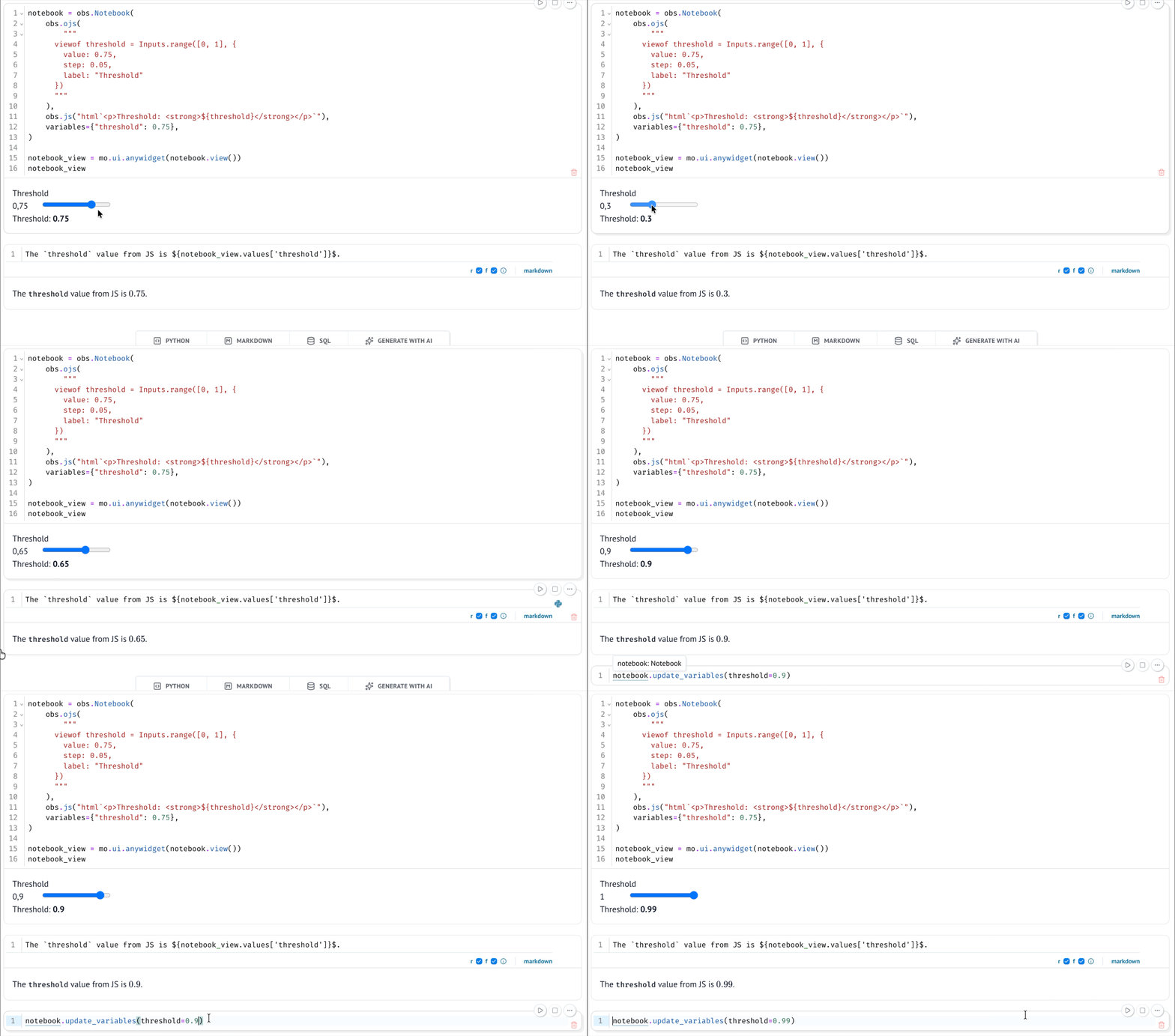
pyobservablejs embeds reactive Observable notebooks in Python. Author cells or
load an existing notebook, render all or selected cells, synchronize Python
values, read structured browser results, and inspect the dependency graph.
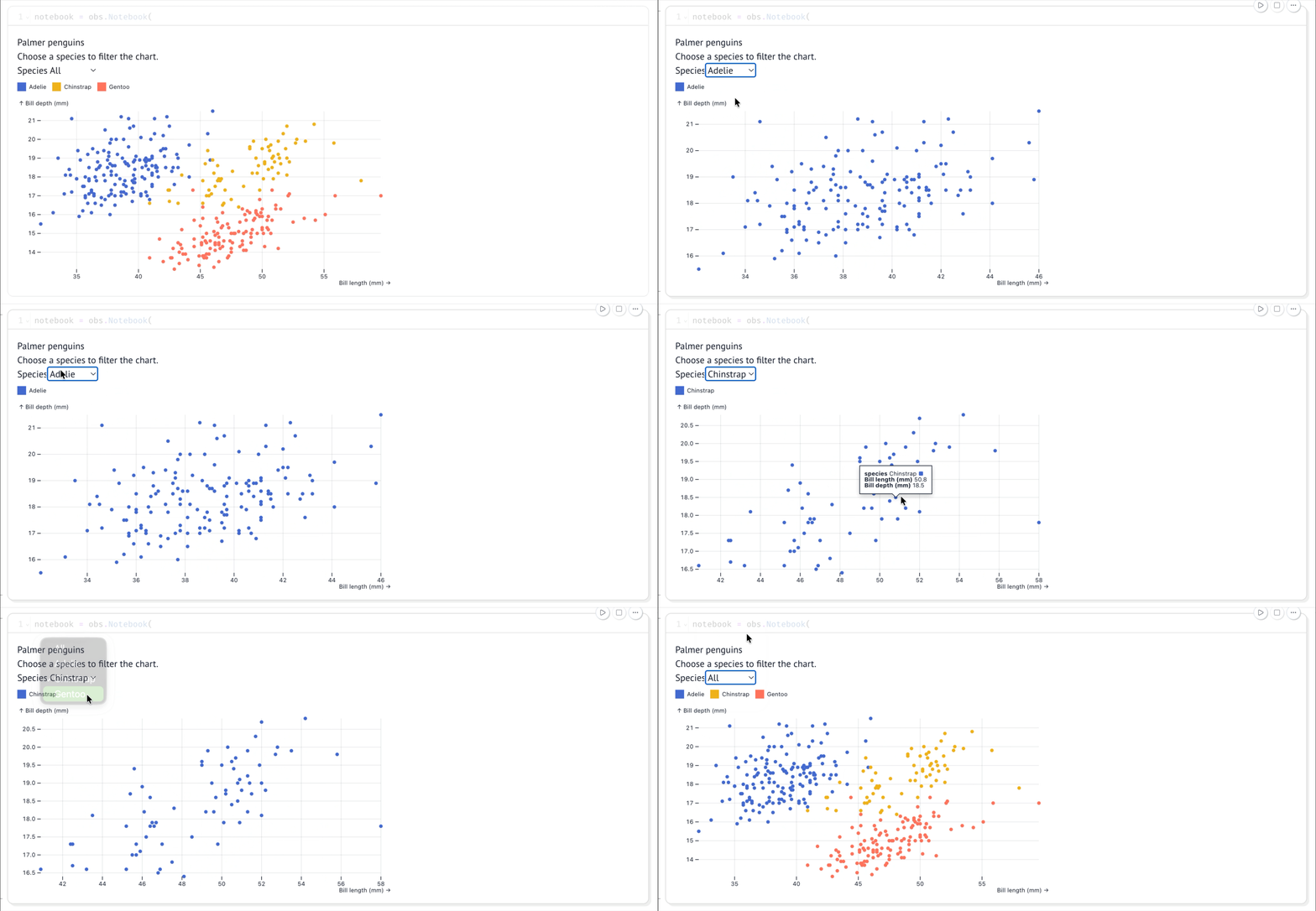
It works in JupyterLab, marimo, VS Code notebooks, Google Colab, and other environments that support anywidget.
Install or try
Add pyobservablejs to an existing Python 3.11 or newer environment:
uv pip install pyobservablejs
Or open a disposable marimo environment with the package available:
uvx --with pyobservablejs marimo edit notebook.py
This command installs marimo and pyobservablejs in the temporary environment.
Quickstart
Paste this into the marimo editor opened above:
import marimo as mo
import observablejs as obs

control = obs.ojs(
    """
    viewof threshold = Inputs.range([0, 1], {
      value: 0.5,
      step: 0.1,
      label: "Threshold"
    })
    """,
    key="threshold",
)

result = obs.js(
    'html`<strong>Threshold: ${threshold}</strong>`',
    key="result",
)

notebook = obs.Notebook(
    control,
    result,
    variables={"threshold": 0.5},
)

mo.ui.anywidget(notebook.view())
Each cell key is its portable Python identity. Render one result with
notebook.view("result").
Capabilities
| Task | API |
|---|---|
| Author JavaScript, Observable JavaScript, Markdown, and HTML cells | obs.js, obs.ojs, obs.md, obs.html |
| Load Notebook Kit HTML or an ObservableHQ notebook | Notebook.from_html, Notebook.from_observablehq |
| Render a whole notebook or selected keyed cells | notebook.view() and notebook.view("chart") |
| Update Python-owned variables | notebook.update_variables({"threshold": 0.8}) |
| Read pending, successful, and failed browser results | view.state and view.state.result("chart") |
| Inspect dependencies or export a diagram | view.state.graph, to_mermaid(), and to_d2() |
Views from one Notebook share controller variables and supported browser
inputs. Each view keeps its own result state plus input and settled revision
metadata.
Import notebooks
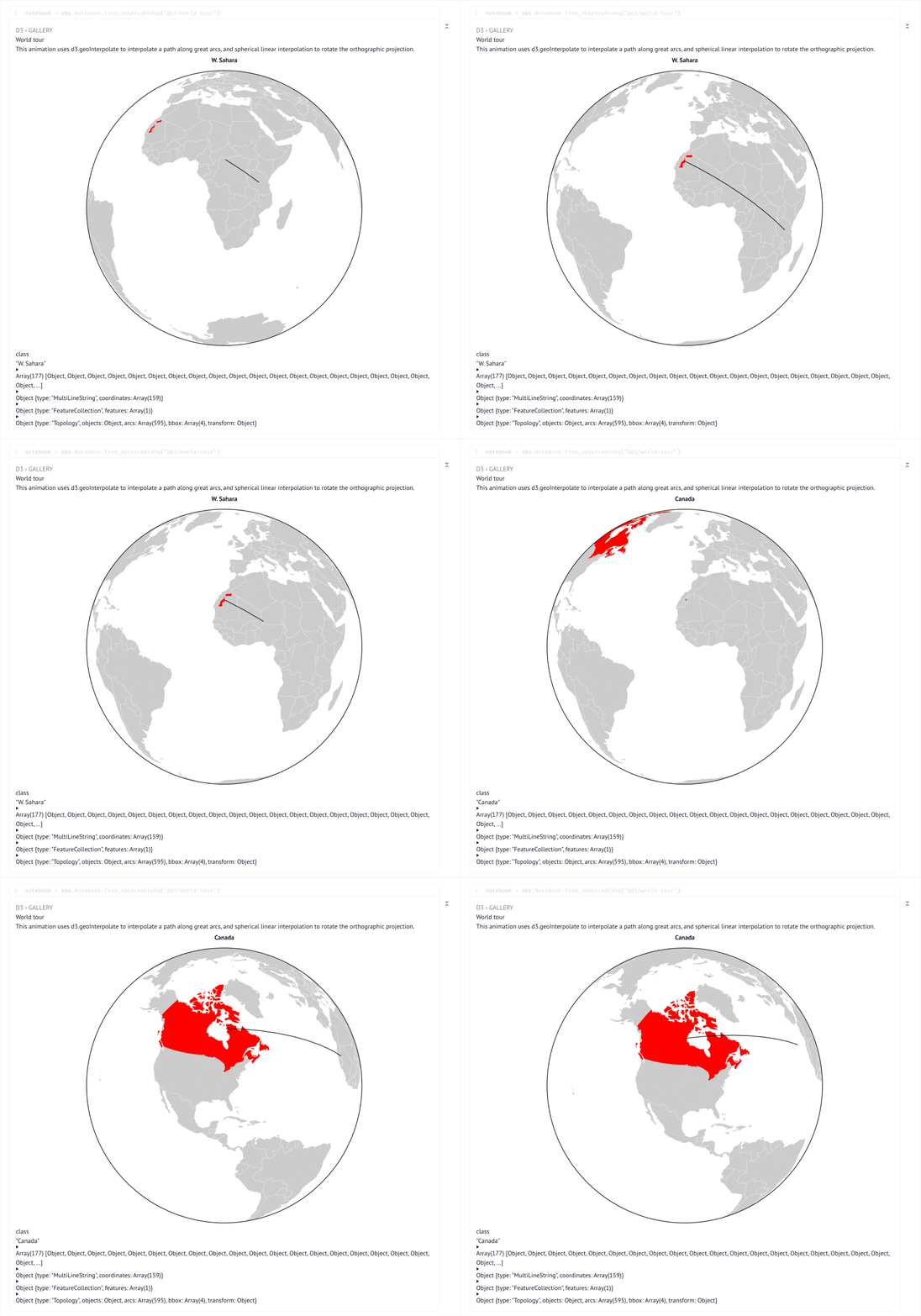
Notebook cells execute as JavaScript in the host page. Treat imported Notebook Kit HTML, ObservableHQ notebooks, and remote modules as trusted code. See Browser execution.
import marimo as mo
import observablejs as obs

notebook = obs.Notebook.from_observablehq("@d3/world-tour")
mo.ui.anywidget(notebook.view())
Documentation
Read the documentation for the quickstart, task guides, recipes, troubleshooting, and API reference.
Acknowledgements
Thanks to the Observable team for Notebook
Kit, which provides the notebook
format and runtime. pyobsplot informed
the Python variable API. Trevor Manz's anywidget
composition demo shaped the shared-session design.
License
MIT
Project details
Verified details
These details have been verified by PyPIProject links
GitHub Statistics
Maintainers
Release history Release notifications | RSS feed


Download files
Download the file for your platform. If you're not sure which to choose, learn more about installing packages.
Source Distribution
Built Distribution
Filter files by name, interpreter, ABI, and platform.
If you're not sure about the file name format, learn more about wheel file names.
Copy a direct link to the current filters
File details
Details for the file pyobservablejs-0.0.4.tar.gz.
File metadata
- Download URL: pyobservablejs-0.0.4.tar.gz
- Upload date:
- Size: 1.5 MB
- Tags: Source
- Uploaded using Trusted Publishing? Yes
- Uploaded via: uv/0.11.30 {"installer":{"name":"uv","version":"0.11.30","subcommand":["publish"]},"python":null,"implementation":{"name":null,"version":null},"distro":{"name":"Ubuntu","version":"24.04","id":"noble","libc":null},"system":{"name":null,"release":null},"cpu":null,"openssl_version":null,"setuptools_version":null,"rustc_version":null,"ci":true}
File hashes
| Algorithm | Hash digest | |
|---|---|---|
| SHA256 |
1c45982202ec237ebc02ceba0d1e5785ca7d79a51705f2f6dfef6b2c317ceb3c
|
|
| MD5 |
8b630d6a919b19b2823e6dc931ae15f7
|
|
| BLAKE2b-256 |
2f2125af72c499827fff36808c79ed204b67412ffc38e776160bfa86141739c9
|
File details
Details for the file pyobservablejs-0.0.4-py3-none-any.whl.
File metadata
- Download URL: pyobservablejs-0.0.4-py3-none-any.whl
- Upload date:
- Size: 1.5 MB
- Tags: Python 3
- Uploaded using Trusted Publishing? Yes
- Uploaded via: uv/0.11.30 {"installer":{"name":"uv","version":"0.11.30","subcommand":["publish"]},"python":null,"implementation":{"name":null,"version":null},"distro":{"name":"Ubuntu","version":"24.04","id":"noble","libc":null},"system":{"name":null,"release":null},"cpu":null,"openssl_version":null,"setuptools_version":null,"rustc_version":null,"ci":true}
File hashes
| Algorithm | Hash digest | |
|---|---|---|
| SHA256 |
458b8db555cf9325ab7fa21fcd878ce273222182a8f02ca2266b6ce9526120b3
|
|
| MD5 |
dcf1eda10b6cb4ad1ffebfe3f90c65fe
|
|
| BLAKE2b-256 |
a3fe016b420406099c68a2b0570fe362d1eed12779cb770a2b9b22af4418dead
|






