
PyQtDarkTheme
PyQtDarkTheme applies a flat dark theme to QtWidgets application. There's a light theme too. Color balanced from the dark theme for easy viewing in daylight.
Check out the complete documentation.
Project status




Features
- A flat dark and light theme
- Support PySide and PyQt
- Sync with OS's theme and accent (Mac, Windows, Linux)
- Resolve the style differences between Qt versions
- Provide dark/light theme QPalette
- Override Qt old standard icons
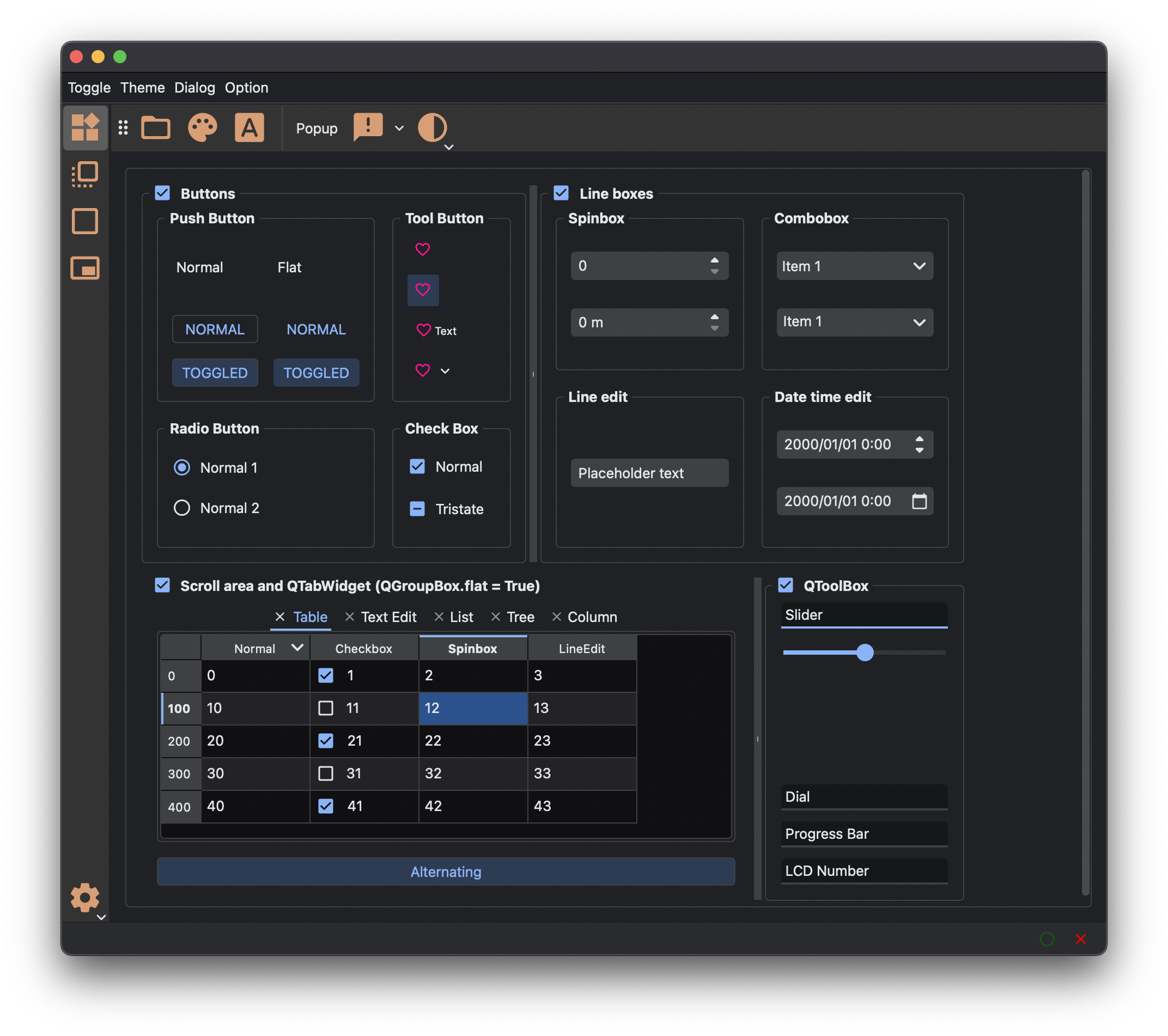
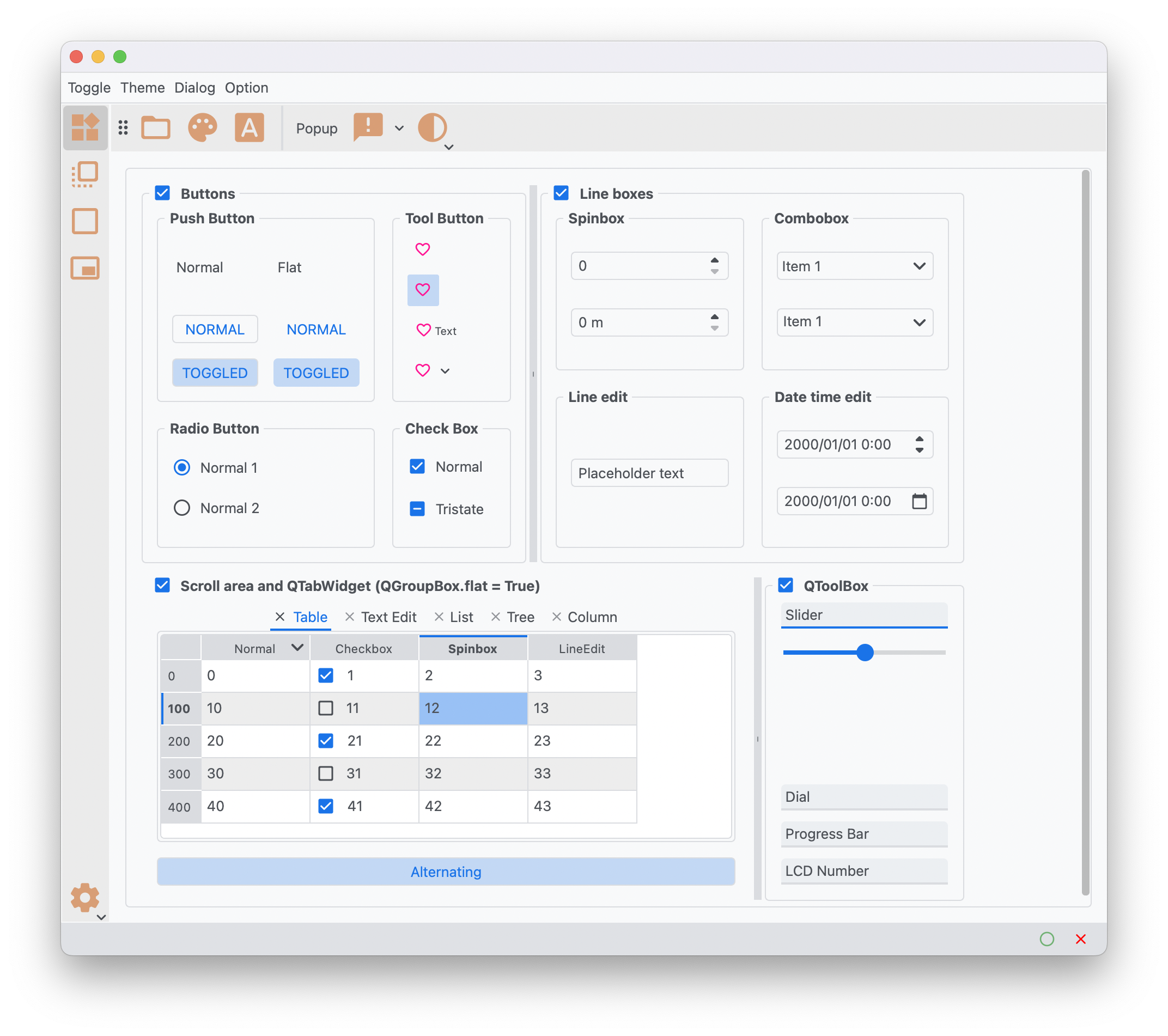
Themes
Dark Theme
Light Theme
Requirements
- Python 3.12+
- Qt 5.15+
- PySide6, PyQt6, PyQt5 or PySide2
Installation Method
-
Last released version
pip install pyqtdarktheme
-
Latest development version
pip install git+https://github.com/5yutan5/PyQtDarkTheme.git@main
Usage
import sys

from PySide6.QtWidgets import QApplication, QMainWindow, QPushButton

import qdarktheme

app = QApplication(sys.argv)
# Apply the complete dark theme to your Qt App.
qdarktheme.setup_theme()

main_win = QMainWindow()
push_button = QPushButton("PyQtDarkTheme!!")
main_win.setCentralWidget(push_button)

main_win.show()

app.exec()
Further information can be found in our docs:
Enable HiDPI
# enable_hi_dpi() must be called before the instantiation of QApplication.
qdarktheme.enable_hi_dpi()
app = QApplication(sys.argv)
qdarktheme.setup_theme()
For Qt6 bindings, HiDPI “just works” without using this function.
Light theme
qdarktheme.setup_theme("light")
Sync with OS's theme and accent
qdarktheme.setup_theme("auto")
On macOS, qdarktheme also syncs with accent colors.
Customizing colors
You can customize the theme color.
# Customize accent color.
qdarktheme.setup_theme(custom_colors={"primary": "#D0BCFF"})
For a list of all customizable colors, see the Theme Color Reference:
Sharp frame
You can change the corner style.
# Default is "rounded".
stylesheet = qdarktheme.setup_theme(corner_shape="sharp")
QPalette and stylesheet
You can also only load QPalette and stylesheet. qdarktheme.setup_theme uses the following functions internally.
palette = qdarktheme.load_palette(theme="dark")
stylesheet = qdarktheme.load_stylesheet(theme="dark")
Example
To check all Qt widgets, run:
python -m qdarktheme.widget_gallery
License
The svg files for the PyQtDarkTheme are derived Material design icons(Apache License Version 2.0). Qt stylesheets are originally fork of QDarkStyleSheet(MIT License). Other files are covered by PyQtDarkTheme's MIT license. The accent detector(qdarktheme/_os_appearance/_accent/_mac_detect) is inspired by darkdetect(3-clause BSD License).
Contributing
All contributions, bug reports, bug fixes, documentation improvements, enhancements, and ideas are welcome. You can get started by reading this:
Change log
See Releases.
1 maintainer

Metadata
1 maintainer
Release files for PyQtDarkTheme2 2.1.2
For a detailed explanation of source distributions (sdists) and built distributions (wheels), please see the package formats documentation.
Source distribution (sdist)
| File | Size | Uploaded | Provenance | Actions |
|---|---|---|---|---|
| pyqtdarktheme2-2.1.2.tar.gz | 39.9 kB | Without provenance | Details for pyqtdarktheme2-2.1.2.tar.gz |
Built distribution (wheel)
| File | Interpreter | ABI | Platform | Actions Reset |
|---|---|---|---|---|
| pyqtdarktheme2-2.1.2-py3-none-any.whl | Python 3 | none | any | Details for pyqtdarktheme2-2.1.2-py3-none-any.whl |
Total release size: 94.0 kB
Release files / pyqtdarktheme2-2.1.2.tar.gz
| Download URL | pyqtdarktheme2-2.1.2.tar.gz |
|---|---|
| Size | 39.9 kB |
| Tags | Source |
|
SHA-256 checksum How to use checksums |
e4027b23384fcccd6f6bf9b2b6344898c76bb9ec9f0aca75b63f8a703c241098
|
|
BLAKE2b-256 checksum How to use checksums |
a088cd477b3bd7cfdd674d352c8cef6098de954a3d46d090172a614fc432eda5
|
| Upload date | |
|
Uploaded using Trusted Publishing? What is trusted publishing? |
No |
| Uploaded via |
poetry/2.1.3 CPython/3.12.10 Linux/6.11.0-1014-azure
|
Release files / pyqtdarktheme2-2.1.2-py3-none-any.whl
| Download URL | pyqtdarktheme2-2.1.2-py3-none-any.whl |
|---|---|
| Size | 54.1 kB |
| Tags | Python 3 |
|
SHA-256 checksum How to use checksums |
50fe5fce2a2cfa41d142ba3dd51a636f2d562c8cb203de37175cec65bbf28e53
|
|
BLAKE2b-256 checksum How to use checksums |
27e0a529d69cb271a9984e26884516117549a696b2adbf0028161935566c85f5
|
| Upload date | |
|
Uploaded using Trusted Publishing? What is trusted publishing? |
No |
| Uploaded via |
poetry/2.1.3 CPython/3.12.10 Linux/6.11.0-1014-azure
|
Security for PyQtDarkTheme2 2.1.2
Provenance
Provenance describes where a file came from. On PyPI, provenance is shared via attestations, which provide a verifiable record of the build or publishing details. View details, limitations and caveats.
No provenance found
None of the files in this release were uploaded with provenance metadata.
A note on package security
PyPI is a repository for distributing packages, not a service for auditing them. While third-party security researchers and our staff do their best to detect and remove malicious packages, PyPI cannot guarantee the quality, security or suitability of any given package.
To learn more about protecting yourself from malicious actors, visit our package security documentation.














