
🚀🍀 PyRatatui — Professional Python bindings for ratatui 0.29 🦀🤩 | 💥🔥 High-performance Rust TUI engine for building rich terminal applications, interactive CLIs, dashboards, and text-based UIs 💯✨
Verified details
These details have been verified by PyPIProject links
GitHub Statistics
Maintainers

Project description
🌟🚀💎 pyratatui 🐍⚡🔥
✨🚀💫 Maturin-based Python bindings for ratatui 0.30 🦀🌈🔥





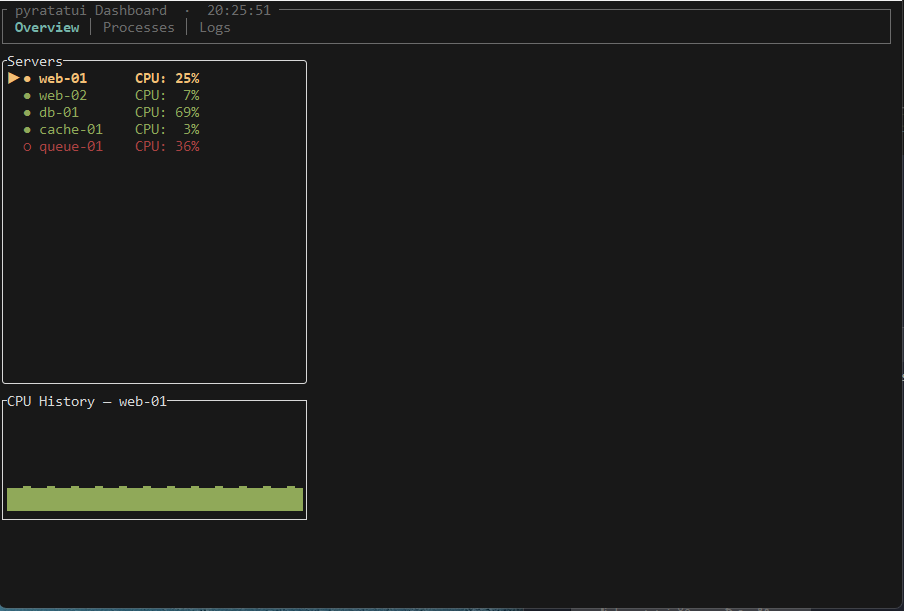 |
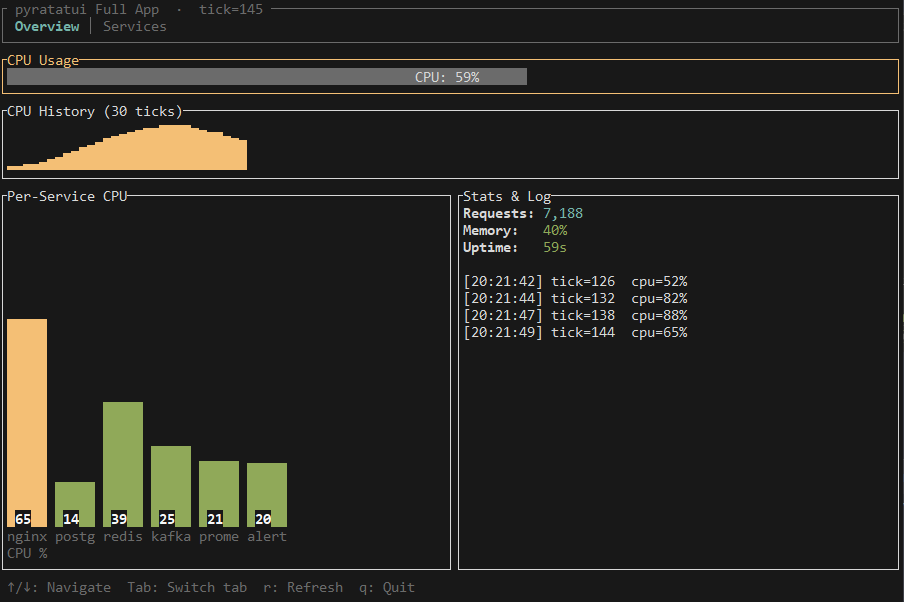 |
|---|---|
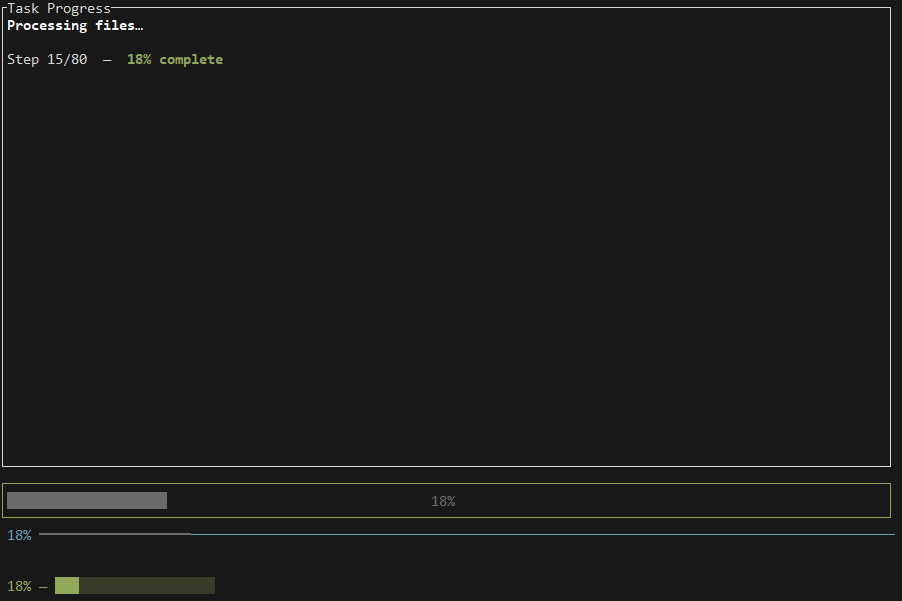 |
 |
 |
 |
💖🌟🌈 Partnered with: Alacritty 🔥⚡✨




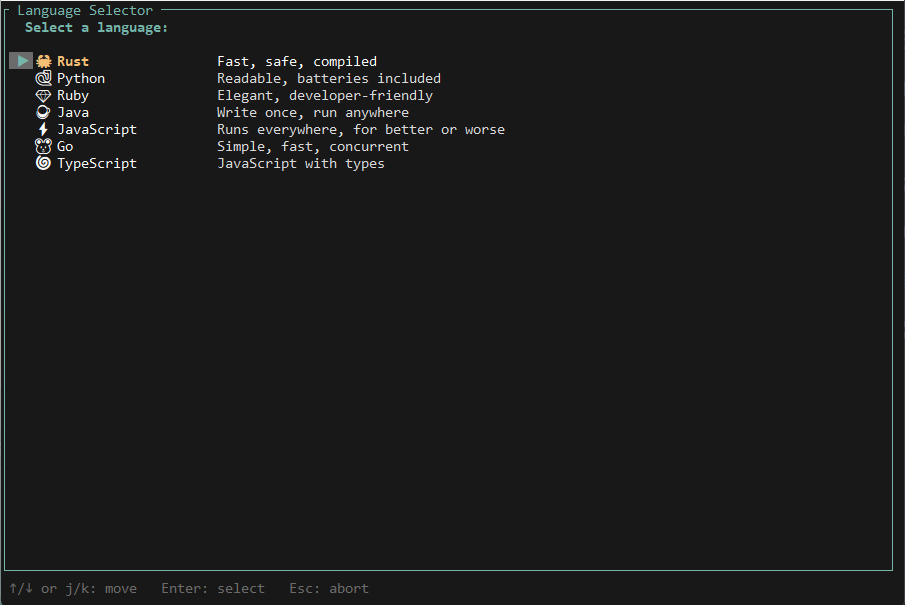
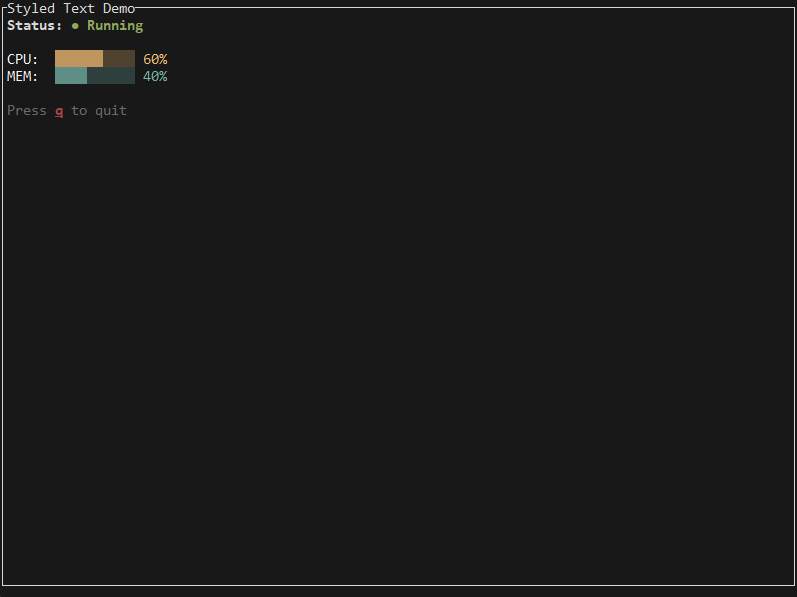
pyratatui bridges Rust's ultra-fast terminal rendering engine 🦀💨 with Python's ergonomic and productive ecosystem 🐍💡💎.
- Native Rust rendering via ratatui 0.30 ⚡🚀
- Fully Pythonic API — fluent builders, snake_case, type stubs 🐍✨
- Async-ready —
AsyncTerminalintegrates seamlessly with asyncio ⚡💻 - Zero Rustisms in Python API ✅
- ABI3 wheels — one wheel per OS/arch, Python 3.10–3.13+ 💎🌟
Installation 💾🛠️
pip install pyratatui 🔥
Build from source (requires Rust stable + maturin 🦀):
pip install maturin
maturin develop --release 🚀
Hello World 👋🐀✨
from pyratatui import Terminal, Paragraph, Block, Style, Color

with Terminal() as term:
    while True:
        def ui(frame):
            frame.render_widget(
                Paragraph.from_string("Hello, pyratatui! 🐀💖")
                    .block(Block().bordered().title("Demo 🚀✨"))
                    .style(Style().fg(Color.cyan())),
                frame.area,
            )
        term.draw(ui)
        ev = term.poll_event(timeout_ms=100)
        if ev and ev.code == "q":
            break 🛑
Layout & Widgets 📊🖌️💎
from pyratatui import (
    Terminal, Layout, Constraint, Direction,
    Block, Paragraph, Gauge, List, ListItem, ListState,
    Table, Row, Cell, TableState,
    Style, Color,
)

with Terminal() as term:
    list_state = ListState()
    list_state.select(0)
    table_state = TableState()
    table_state.select(0)

    while True:
        def ui(frame):
            chunks = Layout().direction(Direction.Vertical).constraints([
                Constraint.length(3),
                Constraint.fill(1),
                Constraint.length(3),
            ]).split(frame.area)

            frame.render_widget(Block().bordered().title("pyratatui Dashboard 📊💡"), chunks[0])

            body = Layout().direction(Direction.Horizontal).constraints([
                Constraint.percentage(40), Constraint.fill(1)
            ]).split(chunks[1])

            items = [ListItem(f"Server {i+1} ⚡💻") for i in range(8)]
            frame.render_stateful_list(
                List(items)
                    .block(Block().bordered().title("Servers 🖥️🌟"))
                    .highlight_style(Style().fg(Color.yellow()).bold())
                    .highlight_symbol("▶✨"),
                body[0],
                list_state,
            )

            header = Row([Cell("Name 🏷️"), Cell("CPU 💻"), Cell("Mem 🧠")])
            rows = [Row.from_strings(["nginx ⚡", "0.2% 🔹", "128MB 💾"]),
                    Row.from_strings(["redis ⚡", "0.1% 🔹", "64MB 💾"])]
            frame.render_stateful_table(
                Table(rows, [Constraint.fill(1)]*3, header=header)
                    .block(Block().bordered().title("Processes 🧮💎"))
                    .highlight_style(Style().fg(Color.cyan())),
                body[1],
                table_state,
            )

            frame.render_widget(
                Gauge().percent(72).label("CPU: 72% 💚⚡")
                    .style(Style().fg(Color.green()))
                    .block(Block().bordered()),
                chunks[2],
            )

        term.draw(ui)
        ev = term.poll_event(timeout_ms=50)
        if ev:
            if ev.code == "q": break
            elif ev.code == "Down": list_state.select_next()
            elif ev.code == "Up": list_state.select_previous()
Async Usage ⚡💻🚀
import asyncio
from pyratatui import AsyncTerminal, Paragraph, Block, Style, Color

async def main():
    tick = 0
    async with AsyncTerminal() as term:
        async for ev in term.events(fps=30):
            def ui(frame, t=tick):
                frame.render_widget(
                    Paragraph.from_string(f"Tick: {t} ⏱️✨")
                        .block(Block().bordered().title("Async 🚀💡"))
                        .style(Style().fg(Color.magenta())),
                    frame.area,
                )
            term.draw(ui)
            tick += 1

asyncio.run(main())
API Overview 📚🛠️✨
| Module | Types |
|---|---|
| style | Color, Modifier, Style 🖌️💎 |
| text | Span, Line, Text ✍️✨ |
| layout | Rect, Constraint, Direction, Alignment, Layout 🧩💡 |
| buffer | Buffer 🔹⚡ |
| widgets | Block, Paragraph, List, Table, Gauge, LineGauge, ... 🛠️🚀 |
| terminal | Terminal, Frame, KeyEvent 🎛️💎 |
| async | AsyncTerminal, run_app, run_app_async ⚡💻 |
| effects | Effect, EffectManager, CellFilter, Interpolation, ... 🌈✨ |
| prompts | TextPrompt, PasswordPrompt, TextState, PromptStatus 💬💡 |
| popups | Popup, PopupState, KnownSizeWrapper 🪟✨ |
| textarea | TextArea, CursorMove, Scrolling ✏️🔥 |
| scrollview | ScrollView, ScrollViewState 📜⚡ |
| qrcode | QrCodeWidget, QrColors 📱🔲 |
| errors | PyratatuiError, BackendError, LayoutError, RenderError, ... ❌🔥 |
Full reference: https://pyratatui.github.io/pyratatui
TextArea ✏️🔥
A full-featured multi-line text editor widget powered by tui-textarea:
from pyratatui import TextArea, CursorMove, Block, Style, Color, Terminal

ta = TextArea.from_lines(["Hello", "World"])
ta.set_block(Block().bordered().title(" Editor "))
ta.set_line_number_style(Style().fg(Color.dark_gray()))
ta.set_cursor_line_style(Style().bg(Color.dark_gray()))

with Terminal() as term:
    while True:
        term.draw(lambda frame: frame.render_textarea(ta, frame.area))
        ev = term.poll_event(timeout_ms=50)
        if ev:
            if ev.code == "Esc": break
            ta.input_key(ev.code, ev.ctrl, ev.alt, ev.shift)

print("\n".join(ta.lines()))
| TextArea method | Description |
|---|---|
TextArea.from_lines(lines) |
Create with initial content |
input_key(code, ctrl, alt, shift) |
Process key with Emacs bindings |
move_cursor(CursorMove.*) |
Programmatic cursor movement |
undo() / redo() |
Undo/redo history |
lines() |
Get all text lines |
set_block(block) |
Add border/title |
set_line_number_style(style) |
Enable line numbers |
ScrollView 📜⚡
Scrollable viewport for oversized content, powered by tui-scrollview:
from pyratatui import ScrollView, ScrollViewState, Terminal

lines = [f"  {i:03d} │ " + "data " * 10 for i in range(200)]
state = ScrollViewState()

with Terminal() as term:
    while True:
        sv = ScrollView.from_lines(lines, content_width=80)
        term.draw(lambda frame: frame.render_stateful_scrollview(sv, frame.area, state))
        ev = term.poll_event(timeout_ms=50)
        if ev:
            if ev.code == "q":        break
            elif ev.code == "Down":   state.scroll_down(1)
            elif ev.code == "Up":     state.scroll_up(1)
            elif ev.code == "Home":   state.scroll_to_top()
            elif ev.code == "End":    state.scroll_to_bottom()
QrCodeWidget 📱🔲
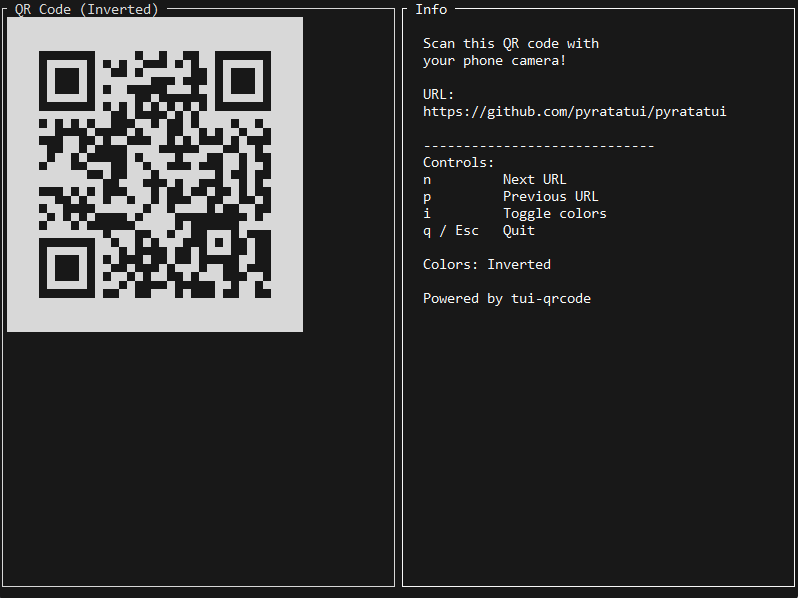
Render scannable QR codes natively in the terminal using Unicode half-block characters
(▀ ▄ █ space). QR codes are encoded with the qrcode crate and painted
directly into the ratatui frame buffer — no external process or image renderer needed.
Implementation note: pyratatui uses native Unicode half-block rendering rather than
tui-qrcode, which depends on a pre-release ratatui API. The result is pixel-perfect and fully compatible with ratatui 0.30.
from pyratatui import QrCodeWidget, QrColors, Block, Terminal

qr = QrCodeWidget("https://ratatui.rs").colors(QrColors.Inverted)

with Terminal() as term:
    while True:
        def ui(frame):
            block = Block().bordered().title(" QR Code ")
            inner = block.inner(frame.area)
            frame.render_widget(block, frame.area)
            frame.render_qrcode(qr, inner)
        term.draw(ui)
        ev = term.poll_event(timeout_ms=30_000)
        if ev and ev.code == "q":
            break
| QrCodeWidget method | Description |
|---|---|
QrCodeWidget(data) |
Encode string as QR code |
.colors(QrColors.Default) |
Dark on light (standard) |
.colors(QrColors.Inverted) |
Light on dark (suits dark terminals) |
.quiet_zone(n) |
Quiet zone border size in modules (default 2) |
frame.render_qrcode(qr, area) — renders into a Rect. Use Block.inner(area)
to compute the inner area when wrapping in a border.
Popups 🪟✨
pyratatui integrates the tui-popup
crate for professional centered popup dialogs.
from pyratatui import Popup, PopupState, KnownSizeWrapper, Style, Color, Terminal

# ── Basic centered popup ───────────────────────────────────────────────────────
popup = (
    Popup("Press any key to exit.")
    .title(" tui-popup demo ")
    .style(Style().fg(Color.white()).bg(Color.blue()))
)

with Terminal() as term:
    term.draw(lambda frame: frame.render_popup(popup, frame.area))
    term.poll_event(timeout_ms=5000)

# ── Draggable popup with PopupState ───────────────────────────────────────────
state = PopupState()

with Terminal() as term:
    while True:
        term.draw(lambda frame: frame.render_stateful_popup(popup, frame.area, state))
        ev = term.poll_event(timeout_ms=50)
        if ev:
            if ev.code == "Up":    state.move_up(1)
            if ev.code == "Down":  state.move_down(1)
            if ev.code == "Esc":   break

# ── Scrollable popup with KnownSizeWrapper ────────────────────────────────────
lines = [f"Item {i:03d}: some content" for i in range(50)]
wrapper = KnownSizeWrapper(lines, width=40, height=10)

scrollable_popup = Popup(wrapper).title(" Scrollable ")
with Terminal() as term:
    while True:
        term.draw(lambda frame: frame.render_popup(scrollable_popup, frame.area))
        ev = term.poll_event(timeout_ms=50)
        if ev:
            if ev.code == "Up":   wrapper.scroll_up(1)
            if ev.code == "Down": wrapper.scroll_down(1)
            if ev.code == "Esc":  break
Popup API
| Method | Description |
|---|---|
Popup(content) |
Create popup; content is str or KnownSizeWrapper |
.title(title) |
Set border title (builder) |
.style(style) |
Set colors/style (builder) |
frame.render_popup(popup, area) |
Render stateless (centered) |
frame.render_stateful_popup(popup, area, state) |
Render stateful (draggable) |
PopupState method |
Description |
|---|---|
move_up/down/left/right(n) |
Move popup by n cells |
move_to(x, y) |
Move to absolute position |
mouse_down/up/drag(col, row) |
Handle mouse drag events |
reset() |
Return popup to center |
KnownSizeWrapper |
Description |
|---|---|
KnownSizeWrapper(lines, width, height) |
Create with fixed dimensions |
scroll_down(n) / scroll_up(n) |
Scroll content |
.scroll |
Current scroll offset |
Examples 📁
All examples are in the examples/ directory. Run any with python examples/<name>.py.
| File | Description |
|---|---|
01_hello_world.py |
Minimal hello world — Terminal, Paragraph, Block, Style, Color |
02_layout.py |
Horizontal & vertical layouts with Constraint variants |
03_styled_text.py |
Styled spans, bold/italic/underline, Color palette |
04_list_navigation.py |
Scrollable list with ListState selection |
05_progress_bar.py |
Gauge, LineGauge, Sparkline live updates |
06_table_dynamic.py |
Dynamic table with TableState — Table(rows).column_widths([...]).header(row) |
07_async_reactive.py |
AsyncTerminal with asyncio tasks and reactive updates |
08_effects_fade.py |
TachyonFX fade-in/out effects |
09_effects_dsl.py |
TachyonFX DSL chaining — sweep, translate, coalesce |
10_full_app.py |
Multi-panel dashboard — list + table + gauge + popup |
11_popup_basic.py |
Basic centered popup (tui-popup) |
12_popup_stateful.py |
Draggable popup with PopupState |
13_popup_scrollable.py |
Popup with scrollable content via KnownSizeWrapper |
14_textarea_basic.py |
Simple text editor with tui-textarea |
15_textarea_advanced.py |
Vim-style modal editing with tui-textarea |
16_scrollview.py |
Large scrollable viewport — Block.inner(area) + tui-scrollview |
17_qrcode.py |
QR code in terminal — Unicode half-block rendering |
18_async_progress.py |
Async progress bars with background task |
19_effects_glitch.py |
TachyonFX glitch and pixelate effects |
20_effects_matrix.py |
TachyonFX matrix rain effect |
21_prompt_confirm.py |
Confirmation prompt widget |
22_prompt_select.py |
Selection prompt widget |
23_prompt_text.py |
Text input prompt widget |
24_dashboard.py |
Complete multi-widget dashboard |
Key API Patterns
# Layout — use Layout() not Layout.default()
chunks = Layout().direction(Direction.Vertical).constraints([...]).split(frame.area)

# Constraint — always lowercase static methods
Constraint.length(10)   # not Constraint.Length(10)
Constraint.min(0)       # not Constraint.Min(0)
Constraint.fill(1)
Constraint.percentage(50)

# Table — rows first, then chain .column_widths() and .header()
Table(rows).column_widths([Constraint.fill(1), Constraint.length(8)]).header(header_row)

# Block.inner(area) — compute inner Rect after borders (NEW in 0.2.0)
block = Block().bordered().title("My Panel")
inner = block.inner(frame.area)   # subtracts border width/height
frame.render_widget(block, frame.area)
frame.render_widget(content, inner)

# QR codes — render_qrcode(widget, area)
qr = QrCodeWidget("https://example.com").colors(QrColors.Inverted)
frame.render_qrcode(qr, area)

# ScrollView — stateful scrollable viewport
sv = ScrollView.from_lines(lines, content_width=100)
frame.render_stateful_scrollview(sv, inner_area, state)

# TextArea — full-featured editor
ta = TextArea.from_lines(["line 1", "line 2"])
ta.input_key(ev.code, ev.ctrl, ev.alt, ev.shift)
frame.render_textarea(ta, area)
Contributing 🤝✨💡
git clone https://github.com/pyratatui/pyratatui.git
cd pyratatui
python -m venv .venv && source .venv/bin/activate
pip install maturin pytest pytest-asyncio ruff mypy
maturin develop
pytest tests/python/
cargo test
License 📜💎
MIT — see LICENSE
Built with ratatui 🐀💨 and PyO3 🦀⚡
Project details
Verified details
These details have been verified by PyPIProject links
GitHub Statistics
Maintainers
Release history Release notifications | RSS feed


Download files
Download the file for your platform. If you're not sure which to choose, learn more about installing packages.
Source Distribution
Built Distributions
Filter files by name, interpreter, ABI, and platform.
If you're not sure about the file name format, learn more about wheel file names.
Copy a direct link to the current filters
File details
Details for the file pyratatui-0.2.0.tar.gz.
File metadata
- Download URL: pyratatui-0.2.0.tar.gz
- Upload date:
- Size: 775.0 kB
- Tags: Source
- Uploaded using Trusted Publishing? Yes
- Uploaded via: twine/6.1.0 CPython/3.13.7
File hashes
| Algorithm | Hash digest | |
|---|---|---|
| SHA256 |
26a50bf8f8535088a93b6a689fd55aeac1694e9bf0c4ebf9251f259a9d9915fa
|
|
| MD5 |
9ae975bdeff94400b9b6b37a009925fe
|
|
| BLAKE2b-256 |
af228d5f46b03e442e87d220c6e9fe07c5d34d977904920bea490ccd4353745a
|
Provenance
The following attestation bundles were made for pyratatui-0.2.0.tar.gz:
Publisher:
ci.yml on pyratatui/pyratatui
-
Statement:
-
Statement type:
https://in-toto.io/Statement/v1 -
Predicate type:
https://docs.pypi.org/attestations/publish/v1 -
Subject name:
pyratatui-0.2.0.tar.gz -
Subject digest:
26a50bf8f8535088a93b6a689fd55aeac1694e9bf0c4ebf9251f259a9d9915fa - Sigstore transparency entry: 1051557149
- Sigstore integration time:
-
Permalink:
pyratatui/pyratatui@1aebbab37f4564e73dd941a604018644af3f67c3 -
Branch / Tag:
refs/heads/main - Owner: https://github.com/pyratatui
-
Access:
public
-
Token Issuer:
https://token.actions.githubusercontent.com -
Runner Environment:
github-hosted -
Publication workflow:
ci.yml@1aebbab37f4564e73dd941a604018644af3f67c3 -
Trigger Event:
workflow_dispatch
-
Statement type:
File details
Details for the file pyratatui-0.2.0-cp310-abi3-win_amd64.whl.
File metadata
- Download URL: pyratatui-0.2.0-cp310-abi3-win_amd64.whl
- Upload date:
- Size: 1.1 MB
- Tags: CPython 3.10+, Windows x86-64
- Uploaded using Trusted Publishing? Yes
- Uploaded via: twine/6.1.0 CPython/3.13.7
File hashes
| Algorithm | Hash digest | |
|---|---|---|
| SHA256 |
f29f70600a49d556347903aa0dd2ba74492cd627e4b3cc1ec028bbf8431b44c1
|
|
| MD5 |
045b71fd946282b398cf53e488d4637e
|
|
| BLAKE2b-256 |
b6cfe15e1b6e3003d5b77d3947a46167b830bf2f0f254452de1b8de1d8b72d61
|
Provenance
The following attestation bundles were made for pyratatui-0.2.0-cp310-abi3-win_amd64.whl:
Publisher:
ci.yml on pyratatui/pyratatui
-
Statement:
-
Statement type:
https://in-toto.io/Statement/v1 -
Predicate type:
https://docs.pypi.org/attestations/publish/v1 -
Subject name:
pyratatui-0.2.0-cp310-abi3-win_amd64.whl -
Subject digest:
f29f70600a49d556347903aa0dd2ba74492cd627e4b3cc1ec028bbf8431b44c1 - Sigstore transparency entry: 1051557211
- Sigstore integration time:
-
Permalink:
pyratatui/pyratatui@1aebbab37f4564e73dd941a604018644af3f67c3 -
Branch / Tag:
refs/heads/main - Owner: https://github.com/pyratatui
-
Access:
public
-
Token Issuer:
https://token.actions.githubusercontent.com -
Runner Environment:
github-hosted -
Publication workflow:
ci.yml@1aebbab37f4564e73dd941a604018644af3f67c3 -
Trigger Event:
workflow_dispatch
-
Statement type:
File details
Details for the file pyratatui-0.2.0-cp310-abi3-manylinux_2_17_x86_64.manylinux2014_x86_64.whl.
File metadata
- Download URL: pyratatui-0.2.0-cp310-abi3-manylinux_2_17_x86_64.manylinux2014_x86_64.whl
- Upload date:
- Size: 1.1 MB
- Tags: CPython 3.10+, manylinux: glibc 2.17+ x86-64
- Uploaded using Trusted Publishing? Yes
- Uploaded via: twine/6.1.0 CPython/3.13.7
File hashes
| Algorithm | Hash digest | |
|---|---|---|
| SHA256 |
1c8a32d2da2e3affd949c9213467cbf8b12465d9322c57e8cf3dbc3f794cc559
|
|
| MD5 |
cc3322d6e0052d0e701fe847b9b55850
|
|
| BLAKE2b-256 |
82201773e2f066542ca7f4ba301a79aa369fac0605d3af6bf26d54cdecc3644e
|
Provenance
The following attestation bundles were made for pyratatui-0.2.0-cp310-abi3-manylinux_2_17_x86_64.manylinux2014_x86_64.whl:
Publisher:
ci.yml on pyratatui/pyratatui
-
Statement:
-
Statement type:
https://in-toto.io/Statement/v1 -
Predicate type:
https://docs.pypi.org/attestations/publish/v1 -
Subject name:
pyratatui-0.2.0-cp310-abi3-manylinux_2_17_x86_64.manylinux2014_x86_64.whl -
Subject digest:
1c8a32d2da2e3affd949c9213467cbf8b12465d9322c57e8cf3dbc3f794cc559 - Sigstore transparency entry: 1051557330
- Sigstore integration time:
-
Permalink:
pyratatui/pyratatui@1aebbab37f4564e73dd941a604018644af3f67c3 -
Branch / Tag:
refs/heads/main - Owner: https://github.com/pyratatui
-
Access:
public
-
Token Issuer:
https://token.actions.githubusercontent.com -
Runner Environment:
github-hosted -
Publication workflow:
ci.yml@1aebbab37f4564e73dd941a604018644af3f67c3 -
Trigger Event:
workflow_dispatch
-
Statement type:
File details
Details for the file pyratatui-0.2.0-cp310-abi3-macosx_11_0_arm64.whl.
File metadata
- Download URL: pyratatui-0.2.0-cp310-abi3-macosx_11_0_arm64.whl
- Upload date:
- Size: 1.0 MB
- Tags: CPython 3.10+, macOS 11.0+ ARM64
- Uploaded using Trusted Publishing? Yes
- Uploaded via: twine/6.1.0 CPython/3.13.7
File hashes
| Algorithm | Hash digest | |
|---|---|---|
| SHA256 |
522a079addde6eb1cbe39632856abc7e430620e201240b8536c39175abb47b1b
|
|
| MD5 |
67a3ffa4a8be0acbf2301c3171328db5
|
|
| BLAKE2b-256 |
e2b2327b3c84386ec37bd07ea1a422941411a4c63f12159653211a195141aba2
|
Provenance
The following attestation bundles were made for pyratatui-0.2.0-cp310-abi3-macosx_11_0_arm64.whl:
Publisher:
ci.yml on pyratatui/pyratatui
-
Statement:
-
Statement type:
https://in-toto.io/Statement/v1 -
Predicate type:
https://docs.pypi.org/attestations/publish/v1 -
Subject name:
pyratatui-0.2.0-cp310-abi3-macosx_11_0_arm64.whl -
Subject digest:
522a079addde6eb1cbe39632856abc7e430620e201240b8536c39175abb47b1b - Sigstore transparency entry: 1051557266
- Sigstore integration time:
-
Permalink:
pyratatui/pyratatui@1aebbab37f4564e73dd941a604018644af3f67c3 -
Branch / Tag:
refs/heads/main - Owner: https://github.com/pyratatui
-
Access:
public
-
Token Issuer:
https://token.actions.githubusercontent.com -
Runner Environment:
github-hosted -
Publication workflow:
ci.yml@1aebbab37f4564e73dd941a604018644af3f67c3 -
Trigger Event:
workflow_dispatch
-
Statement type:






