
🚀🍀 PyRatatui — Professional Python bindings for ratatui 0.30 🦀🤩 | 💥🔥 High-performance Rust TUI engine for building rich terminal applications, interactive CLIs, dashboards, and text-based UIs 💯✨
Verified details
These details have been verified by PyPIProject links
GitHub Statistics
Maintainers

Project description
pyratatui
Python bindings for ratatui 0.30 — high-performance terminal UIs, from Python.




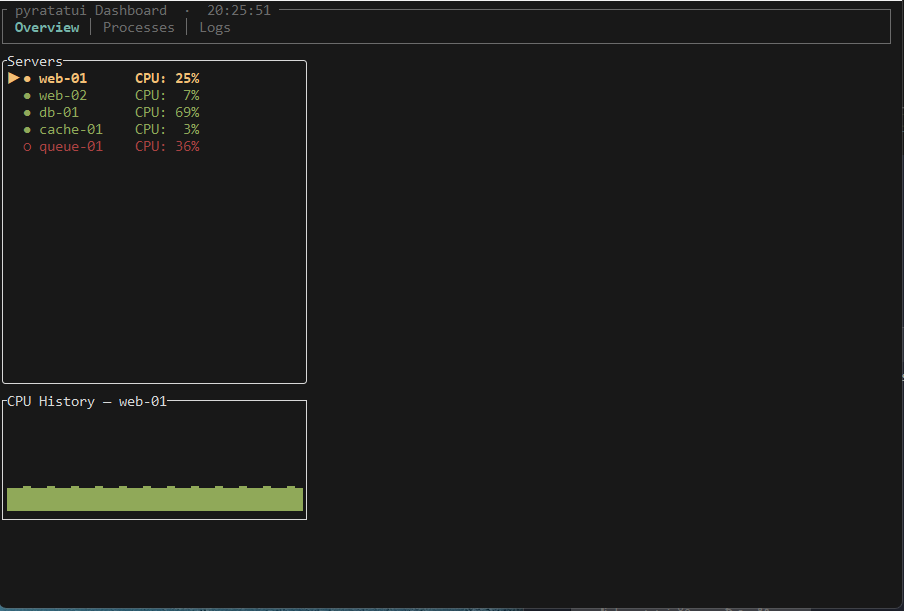 |
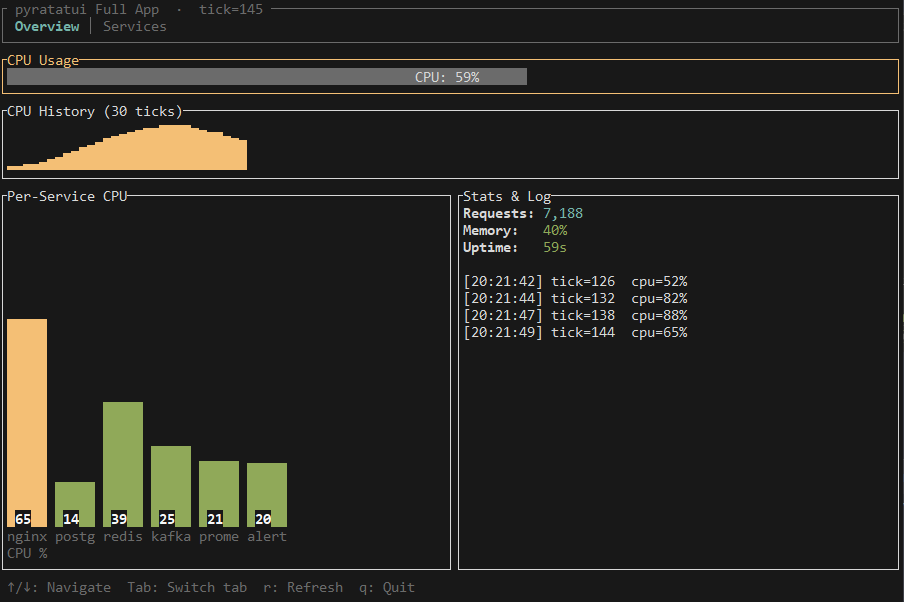 |
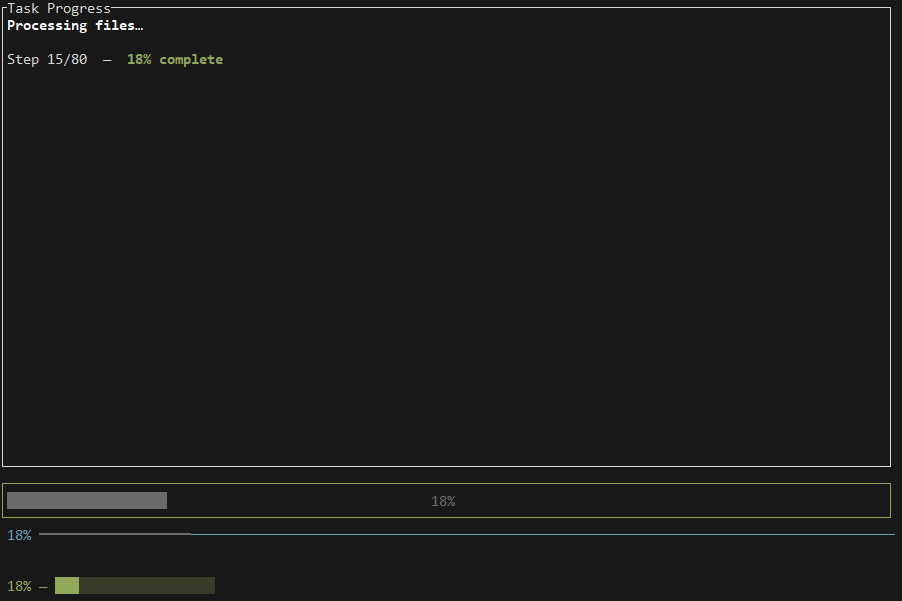 |
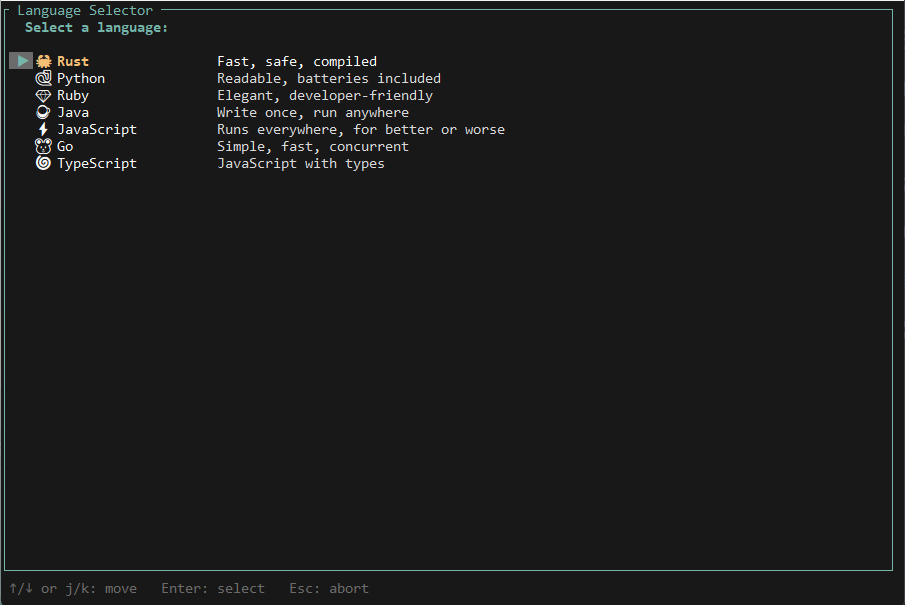 |
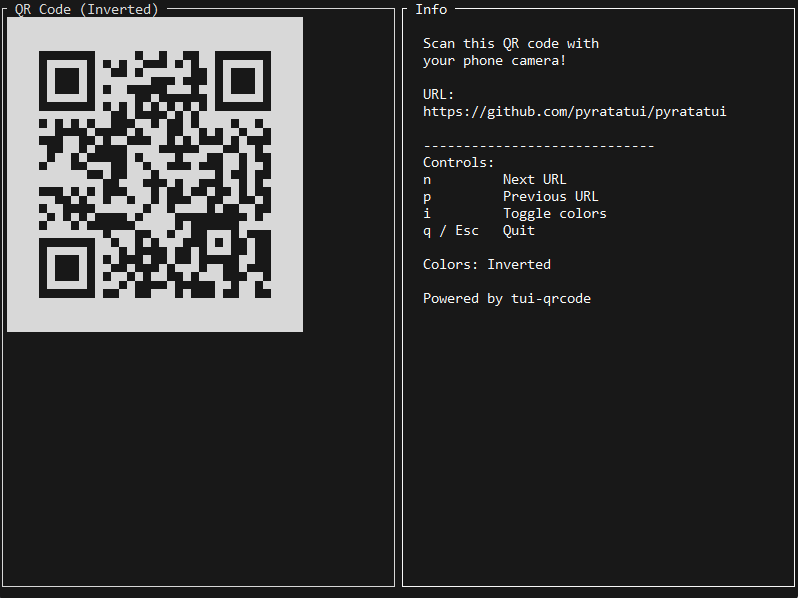 |
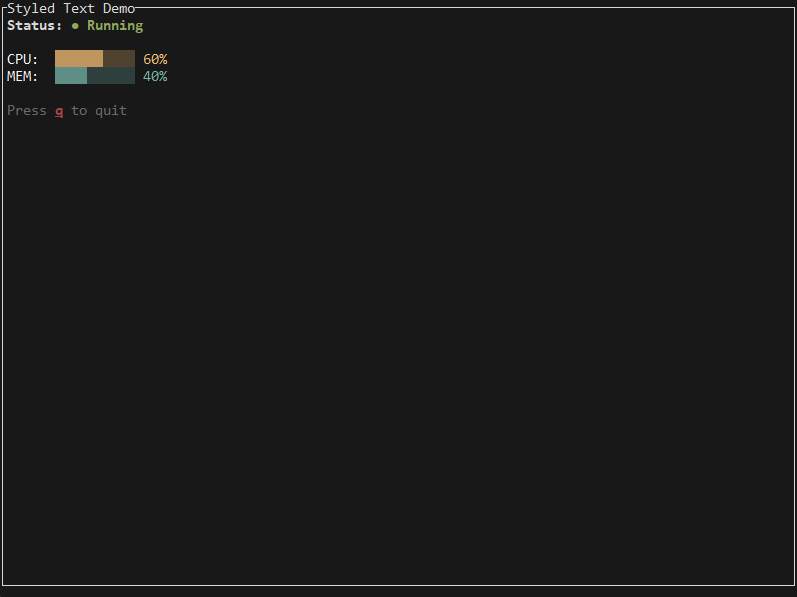 |
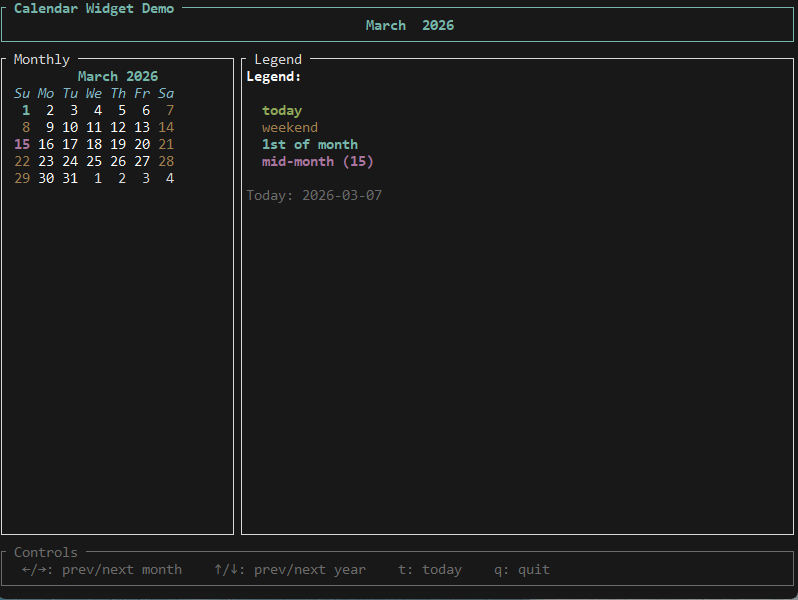 |
 |
 |
 |
 |
 |
pyratatui wraps the full ratatui 0.30 widget library — including the new Calendar widget — plus the tachyonfx animation engine and five new third-party widget integrations, all behind a clean, typed, idiomatic Python API compiled with PyO3 and Maturin.
No runtime dependencies — the wheel ships a self-contained native extension.
What's New in 0.2.1
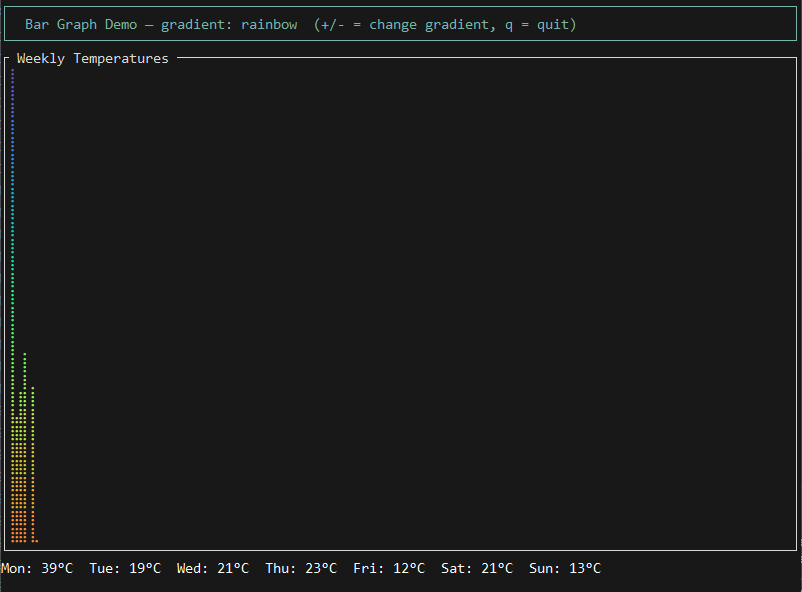
- 📊 BarGraph widget — colorful gradient bar graphs via
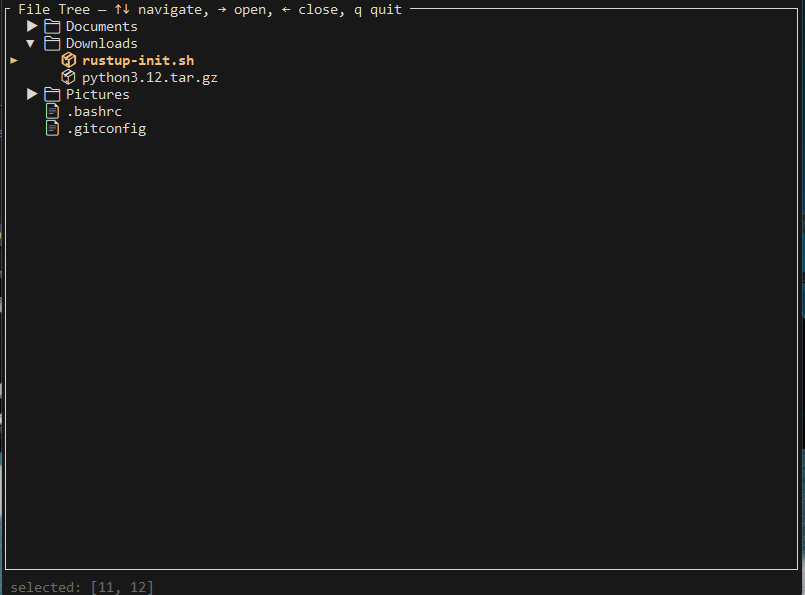
tui-bar-graph - 🌲 Tree widget — interactive hierarchical tree view via
tui-tree-widget - 📝 Markdown renderer —
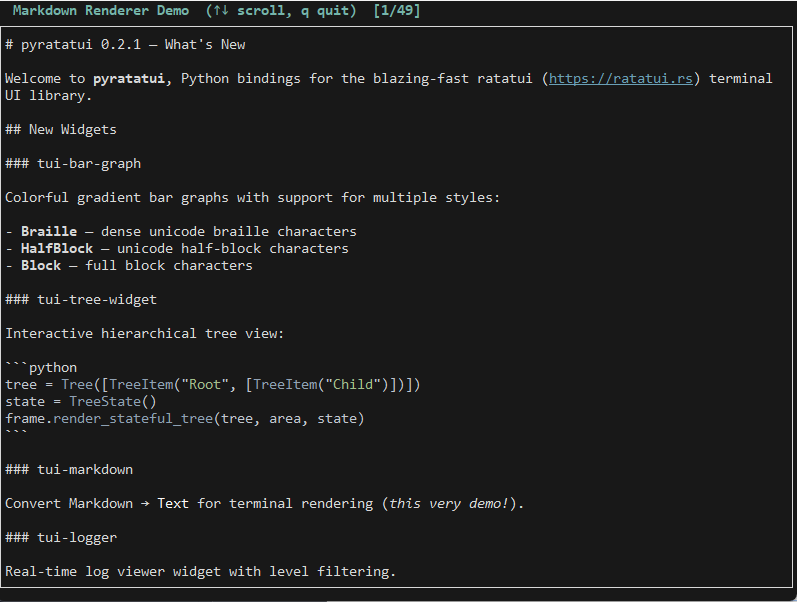
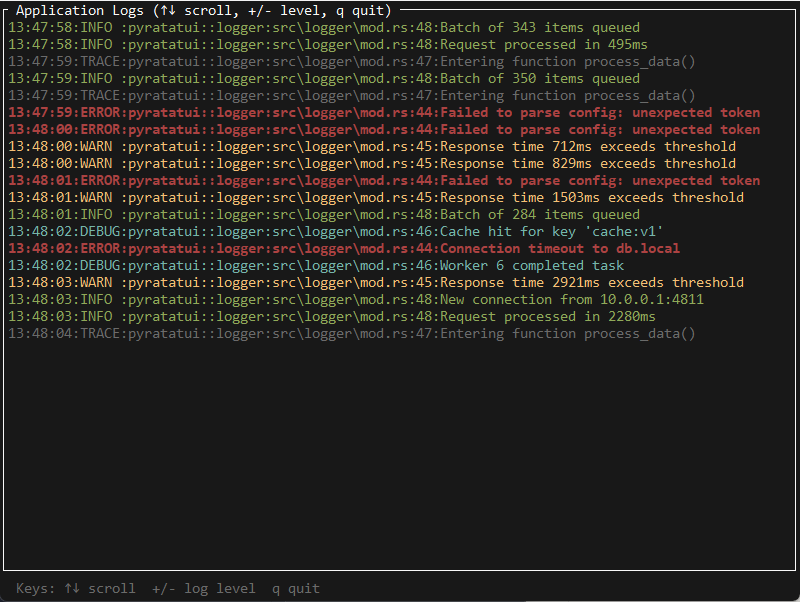
markdown_to_text()converts Markdown to styledTextviatui-markdown - 📜 Logger widget — real-time log viewer via
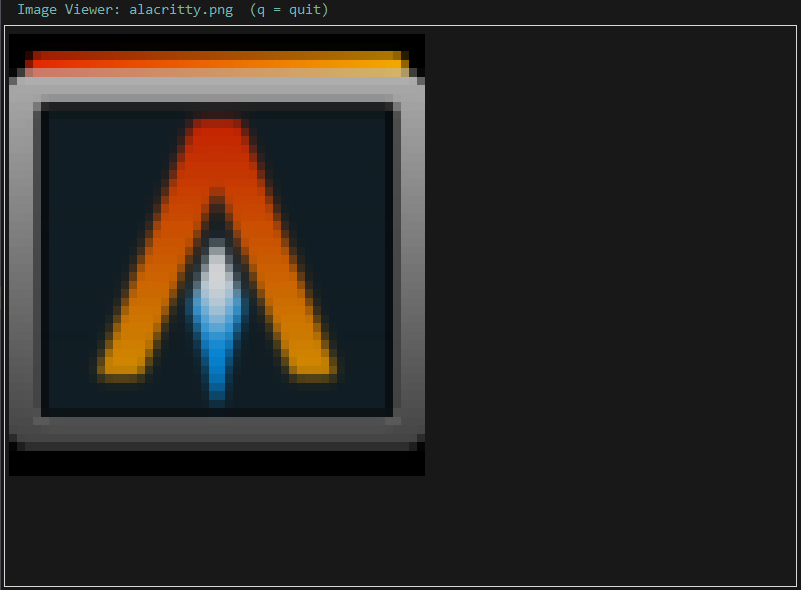
tui-logger - 🖼 Image widget — display images via
ratatui-image(sixel/kitty/halfblocks) - 📅 Calendar widget —
Monthly,CalendarDate,CalendarEventStore - 🔢 30 examples numbered
01_hello_world.py→30_image_view.py
Installation
pip install pyratatui
Pre-built wheels are available on PyPI for Linux x86_64, macOS (x86_64 + arm64), and Windows x86_64. Python 3.10–3.13 supported.
Build from source (requires Rust stable + Maturin):
pip install maturin
git clone https://github.com/pyratatui/pyratatui.git
cd pyratatui
maturin develop --release
Hello World
from pyratatui import Terminal, Paragraph, Block, Style, Color

with Terminal() as term:
    while True:
        def ui(frame):
            frame.render_widget(
                Paragraph.from_string("Hello, pyratatui! 🐀  Press q to quit.")
                    .block(Block().bordered().title("Hello World"))
                    .style(Style().fg(Color.cyan())),
                frame.area,
            )
        term.draw(ui)
        ev = term.poll_event(timeout_ms=100)
        if ev and ev.code == "q":
            break
Feature Overview
| Feature | Details |
|---|---|
| Widgets | Block, Paragraph, List, Table, Gauge, LineGauge, BarChart, Sparkline, Tabs, Scrollbar, Clear, Monthly (calendar) |
| Layout | Constraint-based splits (length, percentage, fill, min, max, ratio), flex modes, margins, spacing |
| Styling | 16 named + 256-indexed + RGB true-colour, 9 text modifiers, immutable builder |
| Text | Span → Line → Text hierarchy with per-span styling and alignment |
| Async | AsyncTerminal with async for ev in term.events(fps=30) |
| Effects | tachyonfx — fade, dissolve, coalesce, slide, sweep, sequence, parallel, ping-pong |
| Prompts | TextPrompt, PasswordPrompt with live validation |
| Popups | Popup, PopupState — floating centered dialogs, draggable |
| TextArea | TextArea — full multi-line editor (Emacs bindings, undo/redo, search) |
| ScrollView | ScrollView, ScrollViewState — scrollable content viewport |
| QR codes | QrCodeWidget, QrColors — terminal QR codes via Unicode half-blocks |
| Calendar | Monthly, CalendarDate, CalendarEventStore — monthly calendar widget |
| Web TUI | pyratatui.ratxilla.WebTerminal — render in browser via HTTP + WebSocket |
| Type stubs | Complete .pyi for IDE completion and mypy |
Layout & Widgets
from pyratatui import (
    Terminal, Layout, Constraint, Direction,
    Block, Paragraph, Gauge, List, ListItem, ListState,
    Table, Row, Cell, TableState, Style, Color,
)

with Terminal() as term:
    list_state = ListState()
    while True:
        def ui(frame):
            chunks = (
                Layout()
                .direction(Direction.Vertical)
                .constraints([Constraint.length(3), Constraint.fill(1), Constraint.length(1)])
                .split(frame.area)
            )
            frame.render_widget(
                Paragraph.from_string("My App").centered()
                    .block(Block().bordered().title(" Header ")),
                chunks[0],
            )
            frame.render_stateful_list(
                List([ListItem("Item A"), ListItem("Item B"), ListItem("Item C")]),
                chunks[1],
                list_state,
            )
            frame.render_widget(
                Paragraph.from_string("  q: quit  ↑/↓: navigate"),
                chunks[2],
            )
        term.draw(ui)
        ev = term.poll_event(timeout_ms=100)
        if ev:
            if ev.code == "q": break
            elif ev.code == "Down": list_state.select_next()
            elif ev.code == "Up":   list_state.select_previous()
Async
import asyncio
from pyratatui import AsyncTerminal, Paragraph, Block, Style, Color

async def main():
    tick = 0
    async with AsyncTerminal() as term:
        async for ev in term.events(fps=30, stop_on_quit=True):
            tick += 1
            def ui(frame, t=tick):
                frame.render_widget(
                    Paragraph.from_string(f"Tick {t} — press q to quit")
                        .block(Block().bordered())
                        .style(Style().fg(Color.green())),
                    frame.area,
                )
            term.draw(ui)

asyncio.run(main())
Calendar Widget
from pyratatui import (
    CalendarDate, CalendarEventStore, Monthly,
    Block, Style, Color, Terminal,
)

# Mark dates with styles
store = CalendarEventStore.today_highlighted(Style().fg(Color.green()).bold())
store.add(CalendarDate.from_ymd(2024, 12, 25), Style().fg(Color.red()).bold())

# Build the Monthly widget
cal = (
    Monthly(CalendarDate.today(), store)
    .block(Block().bordered().title(" December 2024 "))
    .show_month_header(Style().bold().fg(Color.cyan()))
    .show_weekdays_header(Style().italic())
    .show_surrounding(Style().dim())
    .default_style(Style().fg(Color.white()))
)

with Terminal() as term:
    term.draw(lambda frame: frame.render_widget(cal, frame.area))
    term.poll_event(timeout_ms=10_000)
Run the interactive demo:
python examples/25_calendar.py
# ←/→: prev/next month   ↑/↓: prev/next year   t: today   q: quit
Web TUI
pyratatui.ratxilla renders your TUI app in the browser — no WASM compilation needed,
pure Python HTTP + WebSocket server.
from pyratatui.ratxilla import WebTerminal
from pyratatui import Paragraph, Block, Style, Color

counter = 0

def ui(frame):
    frame.render_widget(
        Paragraph.from_string(f"Counter: {counter}")
            .block(Block().bordered().title(" Web TUI "))
            .style(Style().fg(Color.cyan())),
        frame.area,
    )

with WebTerminal(cols=100, rows=30) as term:
    print(f"Open: {term.url}")   # → http://localhost:7700/
    while True:
        term.draw(ui)
        ev = term.poll_event(timeout_ms=50)
        if ev:
            if ev.code == "Up":   counter += 1
            if ev.code == "Down": counter -= 1
            if ev.code == "q":    break
One-liner shorthand:
from pyratatui.ratxilla import serve
serve(ui)    # auto-opens browser, blocks until 'q'
Run the interactive demo:
python examples/26_web_counter.py
# Open http://localhost:7700/ in your browser
ratzilla WASM (optional)
For full browser-native rendering without ANSI, build the ratzilla WASM app:
cargo install --locked trunk
rustup target add wasm32-unknown-unknown
./scripts/build_web.sh --release
# Serves from dist/
TachyonFX Animations
from pyratatui import Terminal, Paragraph, Block, EffectManager, Motion, Interpolation

manager = EffectManager()
manager.add(
    "fade",
    "fade_from_fg #000000 300ms; then sweep_in_from_left 500ms",
)

with Terminal() as term:
    start = __import__("time").time()
    while True:
        def ui(frame):
            elapsed = int((__import__("time").time() - start) * 1000)
            frame.render_widget(
                Paragraph.from_string("Animated!").block(Block().bordered()),
                frame.area,
            )
            frame.apply_effect_manager(manager, elapsed, frame.area)
        term.draw(ui)
        ev = term.poll_event(timeout_ms=16)
        if ev and ev.code == "q":
            break
QR Code Widget
from pyratatui import QrCodeWidget, QrColors, Block, Terminal

qr = QrCodeWidget("https://ratatui.rs").colors(QrColors.Inverted)

with Terminal() as term:
    while True:
        def ui(frame, _qr=qr):
            blk = Block().bordered().title(" QR Code ")
            inner = blk.inner(frame.area)
            frame.render_widget(blk, frame.area)
            frame.render_qrcode(_qr, inner)
        term.draw(ui)
        ev = term.poll_event(timeout_ms=30_000)
        if ev and ev.code in ("q", "Esc"):
            break
TextArea Editor
from pyratatui import TextArea, CursorMove, Block, Terminal

ta = TextArea.from_lines(["Edit this text...", "Line two"])
ta.set_block(Block().bordered().title(" Editor "))

with Terminal() as term:
    while True:
        def ui(frame, _ta=ta):
            frame.render_textarea(_ta, frame.area)
        term.draw(ui)
        ev = term.poll_event(timeout_ms=100)
        if ev:
            if ev.ctrl and ev.code == "c":
                break
            ta.input_key(ev.code, ev.ctrl, ev.alt, ev.shift)
ScrollView
from pyratatui import ScrollView, ScrollViewState, Terminal

lines = [f"Line {i:>4}:  " + "█" * (i % 40) for i in range(200)]
state = ScrollViewState()

with Terminal() as term:
    while True:
        def ui(frame, _lines=lines):
            sv = ScrollView.from_lines(_lines, content_width=80)
            frame.render_stateful_scrollview(sv, frame.area, state)
        term.draw(ui)
        ev = term.poll_event(timeout_ms=100)
        if ev:
            if ev.code == "q":    break
            elif ev.code == "Down": state.scroll_down(1)
            elif ev.code == "Up":   state.scroll_up(1)
Cheat Sheet
# Style
Style().fg(Color.cyan()).bg(Color.black()).bold().italic().dim()

# Layout (always use lowercase constraint methods)
Layout().direction(Direction.Vertical).constraints([
    Constraint.length(3),
    Constraint.fill(1),
    Constraint.percentage(30),
    Constraint.min(5),
    Constraint.max(20),
]).split(frame.area)

# Block with inner area
blk   = Block().bordered().title(" Panel ")
inner = blk.inner(area)          # Rect minus borders
frame.render_widget(blk, area)
frame.render_widget(content, inner)

# Table (correct builder pattern)
Table([Row([Cell("A"), Cell("B")])]).column_widths([
    Constraint.fill(1), Constraint.length(8)
]).header(Row([Cell("Name"), Cell("Value")]))

# Calendar
Monthly(CalendarDate.today(), CalendarEventStore.today_highlighted(
    Style().fg(Color.green()).bold()
)).show_month_header(Style().bold())

# QR code
frame.render_qrcode(QrCodeWidget("https://example.com"), area)

# ScrollView
frame.render_stateful_scrollview(ScrollView.from_lines(lines, 80), area, state)

# TextArea
frame.render_textarea(ta, area)

# Web TUI
with WebTerminal(cols=120, rows=35) as term: ...
Examples
| # | File | Demonstrates |
|---|---|---|
| 01 | 01_hello_world.py |
Terminal, Paragraph, Block, Style, Color |
| 02 | 02_layout.py |
Layout, Constraint, Direction |
| 03 | 03_styled_text.py |
Span, Line, Text, Modifier |
| 04 | 04_list_navigation.py |
List, ListState, keyboard navigation |
| 05 | 05_progress_bar.py |
Gauge, LineGauge, live updates |
| 06 | 06_table_dynamic.py |
Table, TableState, dynamic rows |
| 07 | 07_async_reactive.py |
AsyncTerminal, asyncio, reactive data |
| 08 | 08_effects_fade.py |
EffectManager, fade-in/out |
| 09 | 09_effects_dsl.py |
compile_effect DSL |
| 10 | 10_full_app.py |
Multi-tab app with all widgets |
| 11 | 11_popup_basic.py |
Popup (stateless centered) |
| 12 | 12_popup_stateful.py |
PopupState (draggable) |
| 13 | 13_popup_scrollable.py |
Scrollable popup content |
| 14 | 14_textarea_basic.py |
TextArea basics (Emacs bindings) |
| 15 | 15_textarea_advanced.py |
TextArea Vim modal mode |
| 16 | 16_scrollview.py |
ScrollView, ScrollViewState |
| 17 | 17_qrcode.py |
QrCodeWidget, QrColors |
| 18 | 18_async_progress.py |
AsyncTerminal + async progress |
| 19 | 19_effects_glitch.py |
Glitch effects |
| 20 | 20_effects_matrix.py |
Matrix rain effect |
| 21 | 21_prompt_confirm.py |
PasswordPrompt |
| 22 | 22_prompt_select.py |
Select prompt |
| 23 | 23_prompt_text.py |
TextPrompt |
| 24 | 24_dashboard.py |
Full monitoring dashboard |
| 25 | 25_calendar.py |
Monthly, CalendarEventStore, navigation |
| 26 | 26_web_counter.py |
pyratatui.ratxilla, browser TUI |
Project Structure
pyratatui/
├── Cargo.toml              # Rust package (version 0.2.1)
├── pyproject.toml          # Python package metadata
├── src/                    # Rust → Python bindings (PyO3)
│   ├── lib.rs              # Extension module entry point
│   ├── terminal/           # Terminal, Frame, KeyEvent
│   ├── widgets/            # Block, Paragraph, List, Table, Monthly, …
│   ├── style/              # Color, Modifier, Style
│   ├── text/               # Span, Line, Text
│   ├── layout/             # Rect, Constraint, Direction, Layout
│   ├── effects/            # TachyonFX bindings
│   ├── popups/             # Popup, PopupState, KnownSizeWrapper
│   ├── textarea/           # TextArea, CursorMove, Scrolling
│   ├── scrollview/         # ScrollView, ScrollViewState
│   └── qrcode/             # QrCodeWidget, QrColors
├── python/pyratatui/
│   ├── __init__.py         # Python re-exports
│   ├── __init__.pyi        # Complete type stubs
│   ├── async_terminal.py   # AsyncTerminal
│   ├── helpers.py          # run_app, run_app_async
│   └── web/                # pyratatui.ratxilla module
│       ├── __init__.py     # WebTerminal, serve()
│       └── server.py       # HTTP + WebSocket server
├──                 # ratzilla WASM companion app (optional)
│   ├── Cargo.toml
│   ├── index.html
│   └── src/main.rs
├── examples/               # 26 numbered examples (01–26)
├── docs/                   # MkDocs Material documentation
├── scripts/                # Build helpers
│   ├── build.sh / build.ps1
│   └── build_web.sh        # WASM build (requires trunk)
└── tests/
    ├── python/             # pytest
    └── rust/               # cargo test
Contributing
git clone https://github.com/pyratatui/pyratatui.git
cd pyratatui
python -m venv .venv && source .venv/bin/activate
pip install maturin pytest pytest-asyncio ruff mypy
maturin develop
pytest tests/python/
cargo test
Linting / formatting:
ruff check .
ruff format .
cargo fmt
cargo clippy -- -D warnings
License
MIT — see LICENSE
Project details
Verified details
These details have been verified by PyPIProject links
GitHub Statistics
Maintainers
Release history Release notifications | RSS feed


Download files
Download the file for your platform. If you're not sure which to choose, learn more about installing packages.
Source Distribution
Built Distributions
Filter files by name, interpreter, ABI, and platform.
If you're not sure about the file name format, learn more about wheel file names.
Copy a direct link to the current filters
File details
Details for the file pyratatui-0.2.1.tar.gz.
File metadata
- Download URL: pyratatui-0.2.1.tar.gz
- Upload date:
- Size: 1.0 MB
- Tags: Source
- Uploaded using Trusted Publishing? Yes
- Uploaded via: twine/6.1.0 CPython/3.13.7
File hashes
| Algorithm | Hash digest | |
|---|---|---|
| SHA256 |
62ebc8837422f73adbf645656ef79d10053b2266c7cecbf49580d540b727fe26
|
|
| MD5 |
7dcc580d717312f8d5f50df9615d17a4
|
|
| BLAKE2b-256 |
b3b402583ecdae7c5587b89659ea93655254c7c3d11e206051e0844079ebd486
|
Provenance
The following attestation bundles were made for pyratatui-0.2.1.tar.gz:
Publisher:
ci.yml on pyratatui/pyratatui
-
Statement:
-
Statement type:
https://in-toto.io/Statement/v1 -
Predicate type:
https://docs.pypi.org/attestations/publish/v1 -
Subject name:
pyratatui-0.2.1.tar.gz -
Subject digest:
62ebc8837422f73adbf645656ef79d10053b2266c7cecbf49580d540b727fe26 - Sigstore transparency entry: 1056305252
- Sigstore integration time:
-
Permalink:
pyratatui/pyratatui@42ebe969065de17f78c5153096f7e82cff4cfb27 -
Branch / Tag:
refs/heads/main - Owner: https://github.com/pyratatui
-
Access:
public
-
Token Issuer:
https://token.actions.githubusercontent.com -
Runner Environment:
github-hosted -
Publication workflow:
ci.yml@42ebe969065de17f78c5153096f7e82cff4cfb27 -
Trigger Event:
workflow_dispatch
-
Statement type:
File details
Details for the file pyratatui-0.2.1-cp310-abi3-win_amd64.whl.
File metadata
- Download URL: pyratatui-0.2.1-cp310-abi3-win_amd64.whl
- Upload date:
- Size: 2.9 MB
- Tags: CPython 3.10+, Windows x86-64
- Uploaded using Trusted Publishing? Yes
- Uploaded via: twine/6.1.0 CPython/3.13.7
File hashes
| Algorithm | Hash digest | |
|---|---|---|
| SHA256 |
d9d0bc882316fd6a0cd98f58439535fd5f0e0a5fb2cdc170558b25f770b2abfe
|
|
| MD5 |
543a1a5d7b8e2fd24200490af6955244
|
|
| BLAKE2b-256 |
3dfbcf458211d1969c03b469fe1937e798b4f3e9a02fa728d1daecec109b4dda
|
Provenance
The following attestation bundles were made for pyratatui-0.2.1-cp310-abi3-win_amd64.whl:
Publisher:
ci.yml on pyratatui/pyratatui
-
Statement:
-
Statement type:
https://in-toto.io/Statement/v1 -
Predicate type:
https://docs.pypi.org/attestations/publish/v1 -
Subject name:
pyratatui-0.2.1-cp310-abi3-win_amd64.whl -
Subject digest:
d9d0bc882316fd6a0cd98f58439535fd5f0e0a5fb2cdc170558b25f770b2abfe - Sigstore transparency entry: 1056305756
- Sigstore integration time:
-
Permalink:
pyratatui/pyratatui@42ebe969065de17f78c5153096f7e82cff4cfb27 -
Branch / Tag:
refs/heads/main - Owner: https://github.com/pyratatui
-
Access:
public
-
Token Issuer:
https://token.actions.githubusercontent.com -
Runner Environment:
github-hosted -
Publication workflow:
ci.yml@42ebe969065de17f78c5153096f7e82cff4cfb27 -
Trigger Event:
workflow_dispatch
-
Statement type:
File details
Details for the file pyratatui-0.2.1-cp310-abi3-manylinux_2_17_x86_64.manylinux2014_x86_64.whl.
File metadata
- Download URL: pyratatui-0.2.1-cp310-abi3-manylinux_2_17_x86_64.manylinux2014_x86_64.whl
- Upload date:
- Size: 3.0 MB
- Tags: CPython 3.10+, manylinux: glibc 2.17+ x86-64
- Uploaded using Trusted Publishing? Yes
- Uploaded via: twine/6.1.0 CPython/3.13.7
File hashes
| Algorithm | Hash digest | |
|---|---|---|
| SHA256 |
35494ec641a1a7d095d7aaedcb410961f805b09fc02081bf40a5a2a938ef3f5f
|
|
| MD5 |
9351e03edcda9ebcaba808011e00380b
|
|
| BLAKE2b-256 |
5366d9f0080b1393c359269eaee913f2becd9e91f72cdde424c9ea58c055e4f4
|
Provenance
The following attestation bundles were made for pyratatui-0.2.1-cp310-abi3-manylinux_2_17_x86_64.manylinux2014_x86_64.whl:
Publisher:
ci.yml on pyratatui/pyratatui
-
Statement:
-
Statement type:
https://in-toto.io/Statement/v1 -
Predicate type:
https://docs.pypi.org/attestations/publish/v1 -
Subject name:
pyratatui-0.2.1-cp310-abi3-manylinux_2_17_x86_64.manylinux2014_x86_64.whl -
Subject digest:
35494ec641a1a7d095d7aaedcb410961f805b09fc02081bf40a5a2a938ef3f5f - Sigstore transparency entry: 1056305427
- Sigstore integration time:
-
Permalink:
pyratatui/pyratatui@42ebe969065de17f78c5153096f7e82cff4cfb27 -
Branch / Tag:
refs/heads/main - Owner: https://github.com/pyratatui
-
Access:
public
-
Token Issuer:
https://token.actions.githubusercontent.com -
Runner Environment:
github-hosted -
Publication workflow:
ci.yml@42ebe969065de17f78c5153096f7e82cff4cfb27 -
Trigger Event:
workflow_dispatch
-
Statement type:
File details
Details for the file pyratatui-0.2.1-cp310-abi3-macosx_11_0_arm64.whl.
File metadata
- Download URL: pyratatui-0.2.1-cp310-abi3-macosx_11_0_arm64.whl
- Upload date:
- Size: 2.7 MB
- Tags: CPython 3.10+, macOS 11.0+ ARM64
- Uploaded using Trusted Publishing? Yes
- Uploaded via: twine/6.1.0 CPython/3.13.7
File hashes
| Algorithm | Hash digest | |
|---|---|---|
| SHA256 |
cce1cbfe6bfb299604de65f0cae0cab6f03c8b0aa338ac235df2a6fb313dc180
|
|
| MD5 |
2d5b475eadbc302ee77365679af31aa5
|
|
| BLAKE2b-256 |
711473ef4e040a4528be6f83c890fb2f21cba553adc943df46aabdfae5d2902c
|
Provenance
The following attestation bundles were made for pyratatui-0.2.1-cp310-abi3-macosx_11_0_arm64.whl:
Publisher:
ci.yml on pyratatui/pyratatui
-
Statement:
-
Statement type:
https://in-toto.io/Statement/v1 -
Predicate type:
https://docs.pypi.org/attestations/publish/v1 -
Subject name:
pyratatui-0.2.1-cp310-abi3-macosx_11_0_arm64.whl -
Subject digest:
cce1cbfe6bfb299604de65f0cae0cab6f03c8b0aa338ac235df2a6fb313dc180 - Sigstore transparency entry: 1056305589
- Sigstore integration time:
-
Permalink:
pyratatui/pyratatui@42ebe969065de17f78c5153096f7e82cff4cfb27 -
Branch / Tag:
refs/heads/main - Owner: https://github.com/pyratatui
-
Access:
public
-
Token Issuer:
https://token.actions.githubusercontent.com -
Runner Environment:
github-hosted -
Publication workflow:
ci.yml@42ebe969065de17f78c5153096f7e82cff4cfb27 -
Trigger Event:
workflow_dispatch
-
Statement type:






