
pyrcf



A Python Robot Control Framework for quickly prototyping control algorithms for different tasks and robot embodiments (in simulation; not designed to be used on real systems).
Primarily, this library provides an implementation of a typical control loop (via a MinimalCtrlLoop (extended from SimpleManagedCtrlLoop) class),
and defines interfaces for the components in a control loop that can be used directly in these control loop implementations. It also provides utility and debugging tools that will be useful for developing controllers and planners for different robots. This package also provides implementations of basic
controllers and planners (and other components required to define a full control loop).
In the long run, this package will also provide implementations of popular motion planners and controllers from literature and using existing libraries.
[!WARNING] THIS PROJECT IS STILL IN ACTIVE DEVELOPMENT.
Continuous Integration Status




Features
- Written fully in Python 3.
- Full control loop for almost any robotic task can be created using a few easy-to-define components (robot interface, global planner, local planner, controller). Dummy implementations are provided if any of the components are not required and needs to be bypassed.
- Create a valid RobotInterface for any robot just using a URDF. This will create a valid robot interface simulated in Pybullet. Easy to define custom interfaces if required. Handles robots with continuous joints as well, and is directly compatible with Pinocchio.
- Default and basic implementations of several control loop components already available.
- Easy to adapt existing components and define new custom ones.
- Well-defined interfaces for all custom components, making each component modular and almost plug-and-play with an equivalent component.
- Debugging tools available for monitoring and logging data from different components.
- Control loop classes are available where properly defined components can be passed directly. No need to worry about interfacing different components, maintaining loop rates, etc.
- Easy to obtain kinematics and dynamics information for any robot to be used within or outside the control loop (uses Pinocchio and Pybullet for kinematics and dynamics compuations).
- Framework is easy to extend.
Installation
From pypi

pip install pyrcf
From source
- Clone repo and run from inside the directory
pip install .(recommended to use virtual env) or runpixi install(if using Pixi).
Testing Installation
After installation, you should be able to run a robot visualiser script installed globally called pyrcf-visualise-robot. Run it with the first
argument as any of the robot descriptions mentioned in the robot_descriptions.py repo; e.g. pyrcf-visualise-robot pepper_description. This should
start a visualiser in pybullet, where you should be able to move all robot joints and base pose using sliders in the pybullet GUI.
Pass a urdf path instead of a description name to visualise your own robot, add --floating-base to load it
with a free-floating base, and run pyrcf-visualise-robot --help for all options.
Quick start
The names needed to build a control loop are available directly from the top-level package:
from pyrcf import MinimalCtrlLoop, PybulletRobot, JointPDController, JointReferenceInterpolator

robot = PybulletRobot.fromAwesomeRobotDescriptions(robot_description_name="ur5_description")

control_loop = MinimalCtrlLoop.useWithDefaults(
    robot_interface=robot,
    controller=JointPDController(kp=100.0, kd=1.0),
    local_planner=JointReferenceInterpolator(),
)

# Ctrl+C shuts every component down cleanly
control_loop.run(loop_rate=200)
Everything is also importable from its defining submodule (e.g. pyrcf.components.controllers),
which is where the less commonly used components live.
Usage demos
All the demos shown below are available in the examples folder of this repo.
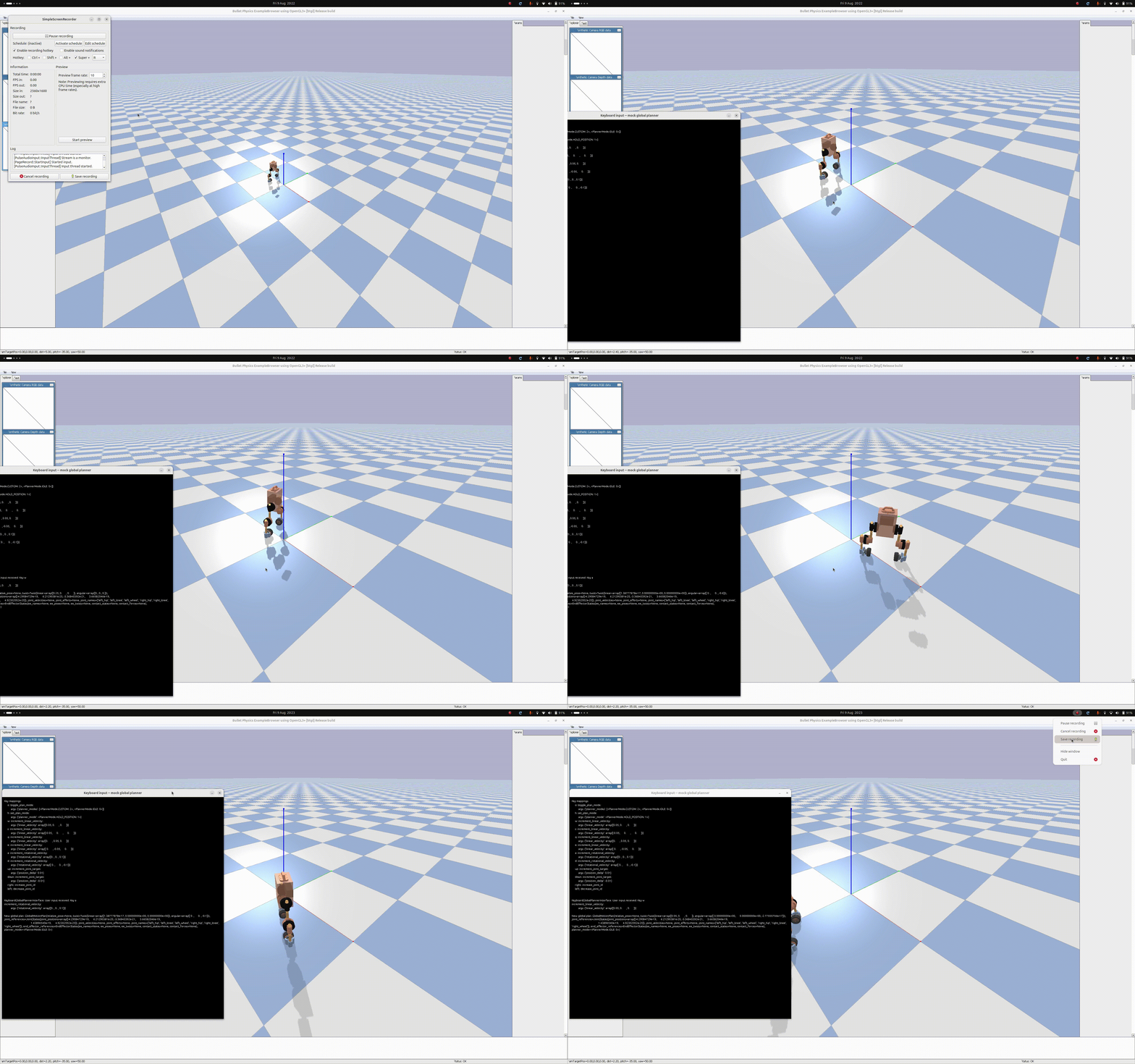
Testing and developing a balancing controller for 2-wheeled segway type robot (upkie)
Implementing joint interpolator and joint tracking controllers for different robots (with debugging visualisers)
.gif)
Supports data monitoring tools like Plotjuggler to debug and assess any component easily
.gif)
NOTE: Plotjuggler has to be installed separately if it is needed (see https://github.com/facontidavide/PlotJuggler for installation instructions).
See the examples folder for more. More examples and demos will be added soon.
PyRCF Philosophy
Tutorials and more details about concepts will be provided in the tutorials folder (work in progress).
PyRCF follows the principle of a single thread control loop where components are communicating with each other strictly using pre-defined message types, and run sequentially.
PyRCF is designed to be a prototyping tool to test different controllers and algorithms in simulation, and NOT optimised for real-time control on a real robot. Although the framework has been tested on real robot interfaces, it is not recommended to do so unless you know what you are doing.
A generic control loop
LOOP:
  # Read latest robot state
  robot_state = ROBOT_INTERFACE->read_robot_state()

  # Update robot state with estimations (when all states are not directly measurable)
  robot_state = STATE_ESTIMATOR->update_robot_state_estimates(robot_state)

  # Generate global plan (high-level task objective or target)
  global_plan = GLOBAL_PLANNER->generate_global_plan()

  # Generate local plan based on state and global plan
  local_plan = LOCAL_PLANNER->generate_local_plan(robot_state, global_plan)

  # Generate control command based on state and local plan
  cmd = CONTROLLER->compute_commands(robot_state, local_plan)

  # Send command to robot
  ROBOT_INTERFACE->write_robot_command(cmd)

  # Maintain loop frequency (naive implementation)
  SLEEP(period)

END LOOP
This package provides interfaces to define custom components (such as controller, robot interface, global planner, local planner, etc) that can be run in a control loop, as well as provides an implementation of a control loop class which can execute these components in the required order at the specified rate. Implementations of simple forms of all components are also available in this package, including simulated interfaces for many robot embodiments.
Custom controllers and planners can be implemented and quickly tested on existing robot interfaces or on custom robot interfaces (which can be easily defined).
More complex algorithms for control and planning will be provided by this package over time.
Tutorials and more details about concepts will be provided in the tutorials folder (work in progress).

1 maintainer

Metadata
1 maintainer
Release files for pyrcf 0.0.7
For a detailed explanation of source distributions (sdists) and built distributions (wheels), please see the package formats documentation.
Source distribution (sdist)
| File | Size | Uploaded | |
|---|---|---|---|
| pyrcf-0.0.7.tar.gz | 107.9 kB | Details |
Built distribution (wheel)
| File | Interpreter | ABI | Platform | Reset |
|---|---|---|---|---|
| pyrcf-0.0.7-py3-none-any.whl | Python 3 | none | any | Details |
Total release size: 248.0 kB
Release files / pyrcf-0.0.7.tar.gz
| Download URL | pyrcf-0.0.7.tar.gz |
|---|---|
| Size | 107.9 kB |
| Tags | Source |
|
SHA-256 checksum How to use checksums |
64490c7996c90e5e7033e2d800c77936ed23982c8dcf0fa7ed0eddbcd4916360
|
|
BLAKE2b-256 checksum How to use checksums |
cb7bc5a2c84e44a65f67dd7c79978e0f6d008f53b510ee5e58c73e7809cf1272
|
| Upload date | |
|
Uploaded using Trusted Publishing? What is trusted publishing? |
Yes |
| Uploaded via |
twine/7.0.0 CPython/3.13.14
|
Provenance
Provenance describes where a file came from. On PyPI, provenance is shared via attestations, which provide a verifiable record of the build or publishing details. View details, limitations and caveats.


PyPI Publish Attestation
PyPI verified that this artifact, at this checksum, originated from the publisher listed below.
Signed by GitHub Actions, verified by PyPI on Aug 5, 2026.
Transparency logRelease files / pyrcf-0.0.7-py3-none-any.whl
| Download URL | pyrcf-0.0.7-py3-none-any.whl |
|---|---|
| Size | 140.0 kB |
| Tags | Python 3 |
|
SHA-256 checksum How to use checksums |
f67445925ea34388aee10f4df0f7a16fe50a6db247f9cbadbf5b58b97d3fbf24
|
|
BLAKE2b-256 checksum How to use checksums |
465687b4498ec0b5e37d5249421aa010a999ee491f2a271420701a26dde5daec
|
| Upload date | |
|
Uploaded using Trusted Publishing? What is trusted publishing? |
Yes |
| Uploaded via |
twine/7.0.0 CPython/3.13.14
|
Provenance
Provenance describes where a file came from. On PyPI, provenance is shared via attestations, which provide a verifiable record of the build or publishing details. View details, limitations and caveats.
PyPI Publish Attestation
PyPI verified that this artifact, at this checksum, originated from the publisher listed below.
Signed by GitHub Actions, verified by PyPI on Aug 5, 2026.
Transparency log













