
pyrebel
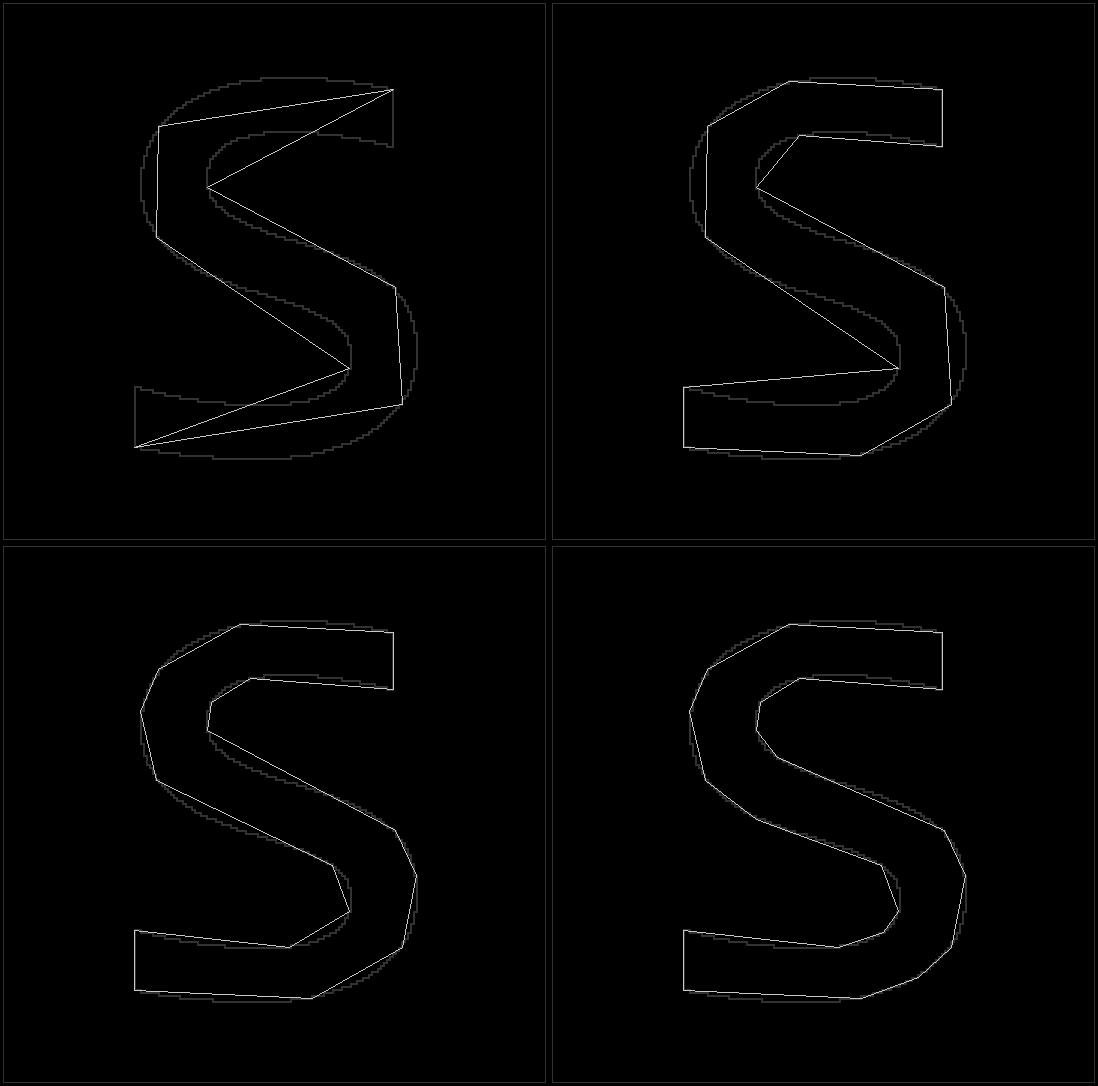
A pure python library that implements abstraction of data.
Installation
From PyPI
python3 -m pip install --upgrade pyrebel
From source
git clone https://github.com/ps-nithin/pyrebel
cd pyrebel
python3 -m pip install .
Running demo programs
Demo programs are located in 'demo/' directory.
cd demo/
1. Image abstraction demo
Usage:
python3 pyrebel_main.py --input <filename.png>
Optional arguments
--abs_threshold <value> Selects the threshold of abstraction. (Defaults to -1, which sets per blob threshold based on the size of the blob.)
For example,
python3 pyrebel_main.py --input images/abc.png --abs_threshold 10
The output is written to 'output.png'
To write layers to file use the following,
python3 pyrebel_main_layers.py --input images/abc.png
This will save the files as layer-3.png, layer-4.png etc.
2. Edge detection demo
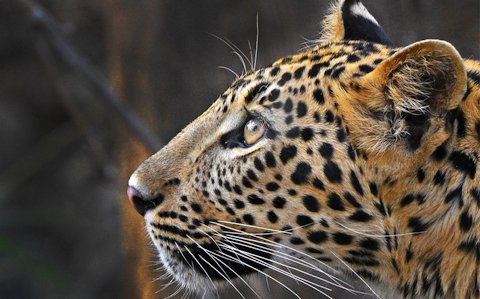
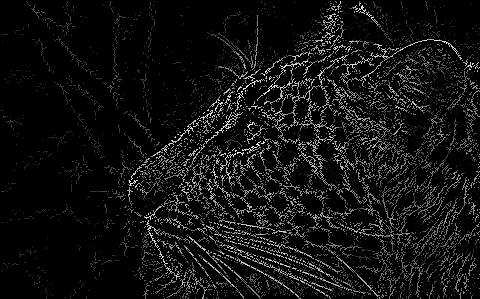
This is a demo of edge detection achieved using data abstraction.
Usage:
python3 pyrebel_main_edge.py --input <filename>
For example,
python3 pyrebel_main_edge.py --input images/wildlife.jpg
The output is written to 'output.png'.
Below is a sample input image,
Below is the output image,
See how edge detection works here
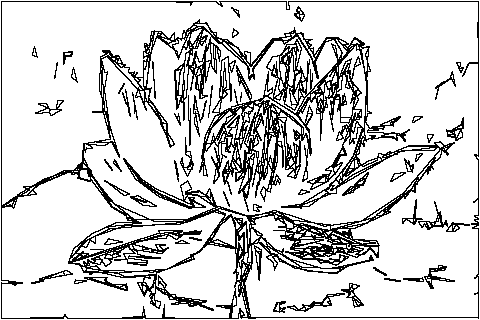
3. 2D sketch demo
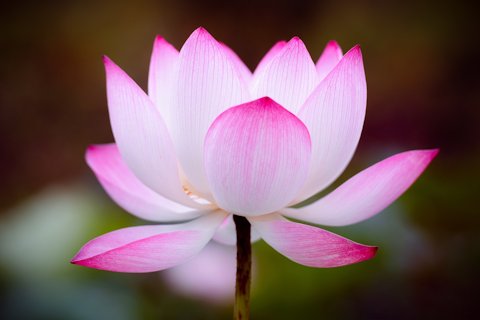
This is a demo of 2D sketch formation using data abstraction.
Usage:
python3 pyrebel_main_vision.py --input <filename>
Optional arguments for tweaking the result,
--edge_threshold <value>Selects the threshold of edge detection.(Defaults to 5)--abs_threshold <value>Selects the threshold of output abstraction. (Defaults to 10)--bound_threshold <value>Selects the threshold of boundary size. (Defaults to 100)
For example,
python3 pyrebel_main_vision.py --input images/lotus.jpg
Below is a sample input image,
Below is the output image,
4. Abstract painting
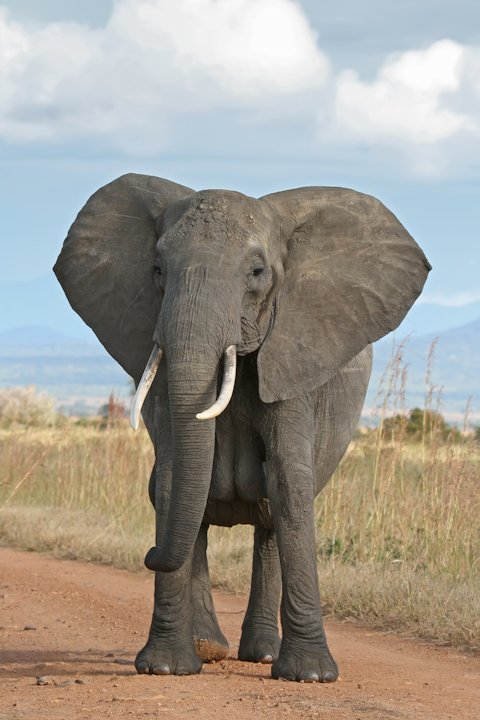
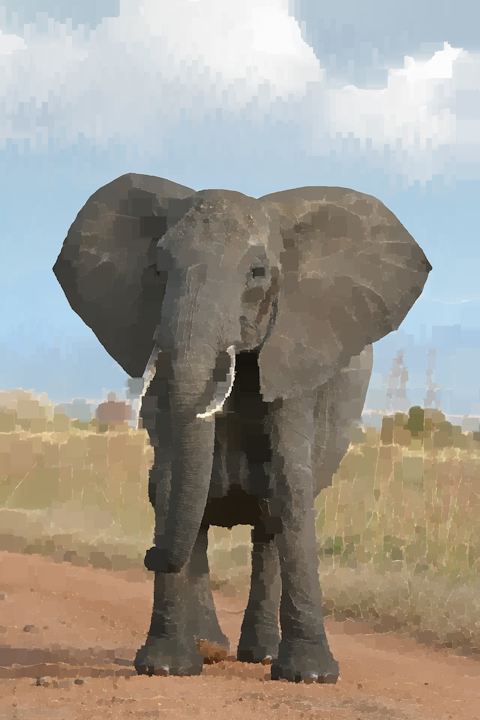
This is a demo of abstract painting using data abstraction. The output of edge detection is painted to obtain the desired output.
Usage:
python3 pyrebel_main_paint.py --input <filename>
Optional arguments for tweaking the result,
--edge_threshold <value>Selects the threshold of edge detection. (Defaults to 10).--paint_threshold <value>Selects the threshold of painting. (Defaults to 5).--block_threshold <value>Selects the threshold of block size. (Defaults to 20).--scale_factor <value>Selects the scale of the output image. (Defaults to 1.0).
For example,
Runningpython3 pyrebel_main_paint.py --input images/elephant.jpg --edge_threshold 10 --block_threshold 50 --paint_threshold 2 --scale_factor 0.5
Below is the sample input image,
Below is the output image,
5. Abstract focusing
This is a demo of abstract focusing done using data abstraction. It tries to mimic eye movements / saccades / glance.
Usage:python3 pyrebel_main_edge_join_pan.py --input images/lotus.jpg
You can use keyboard shortcuts to drive focus and movements. Arrow keys for movements, plus / minus keys for focus and t / shift+t for edge threshold.
Optional arguments,
--camera 1Selects camera as input source. (Inputcsi_pipeline/usb_pipelinetoGst.parse_launch()as required).--output_resolution <value>Selects the output resolution. (Defaults to 600).
The output is written to 'output_joined.png'.
6. Pattern recognition demo
This is a demo of pattern recognition achieved using data abstraction.
- Learning
Usage:python3 pyrebel_main_learn_multiple.py --learn /path/to/image/directory/
For example runningpython3 pyrebel_main_learn_multiple.py --learn images/train-hand/learns all the images in the directory and links the filename with the signatures. - Recognition
Usage:python3 pyrebel_main_learn_multiple.py --recognize <filename>
For example runningpython3 pyrebel_main_learn_multiple.py --recognize images/recognize.pngdisplays the symbols recognized in the file 'images/recognize.png'.
Optional arguments,
--abs_threshold <value>Selects the threshold of abstraction. (Defaults to -1, which sets per blob threshold based on the size of the blob.)
The output is written to 'output_text.png'. To reset the knowledge base just delete file 'know_base.pkl' in the current working directory.
See how the program learns and recognizes patterns here
6.1 Pattern recognition with focusing
This is a demo of pattern recognition combined with focusing.
Usage:python3 pyrebel_main_learn_multiple_edge_pan.py --camera 1
You can use keyboard shortcuts to drive focus, movements and activate learning mode. Arrow keys for movements, plus / minus keys for focus, t / shift+t for edge threshold and l key for activating learning mode. On activating learning mode you can see the learned patterns in 'inside.png'.
Optional arguments,
--input <filename>Selects file as input source.--output_resolution <value>Selects the output resolution. (Defaults to 600).
(Note: Make sure that the dimensions of the input image (camera or file) is greater than --output_resolution).
The output is written to 'output_text.png'.
7. Abstract motion
This is a demo of obtaining abstract motion data [[angle1,distance1],[angle2,distance2],...] from boundaries.
Usage:python3 pyrebel_main_motion.py --input images/shapes/rectangle.png
Docs here
Read more here
Let the data shine!
1 maintainer

Download files
Download the file for your platform. If you're not sure which to choose, learn more about installing packages.
Source Distribution
File details
Details for the file pyrebel-1.2.9.tar.gz.
File metadata
- Download URL: pyrebel-1.2.9.tar.gz
- Upload date:
- Size: 58.4 kB
- Tags: Source
- Uploaded using Trusted Publishing? No
- Uploaded via:
twine/7.0.0 CPython/3.12.3
File hashes
| Algorithm | Hash digest | |
|---|---|---|
| SHA256 |
21a48b550614985592b7e215684721253ef691fc8f80f292bef13a68e8b2b456
|
|
| MD5 |
f66c1022a9ae5adeb0f868026392e86b
|
|
| BLAKE2b-256 |
9fc95ee84e957435388a4fb30b5a8fb1ea8877a07e245352204ebf42a8f95ecf
|














