
PyShell - Python Based CLI
(initiative by @ansh.mn.soni)
👉 Introduction:
PyShell is a custom-built command-line interface (CLI) that serves as a lightweight yet powerful terminal, developed using Python. It allows users to interact with their system, manage files, process system commands, and perform various utility functions. With a focus on simplicity, speed, and usability, PyShell enhances the standard terminal experience by integrating automation, process management, and network utilities.
🔑 Key Advantages:
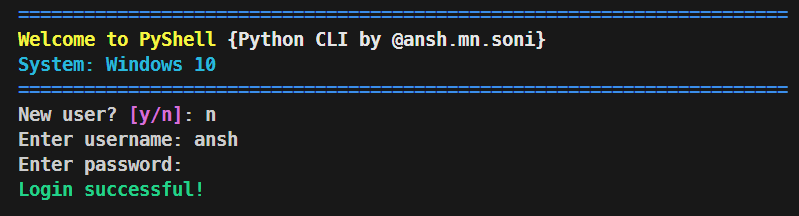
0️⃣ User Login for Security
Preview
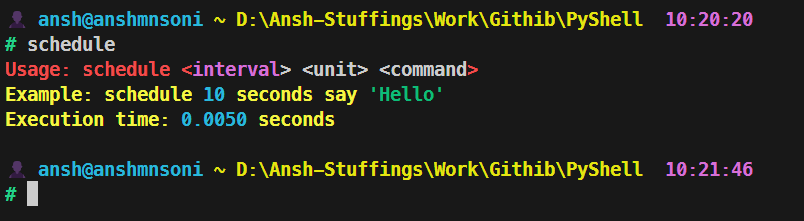
1️⃣ Task Scheduling
Preview
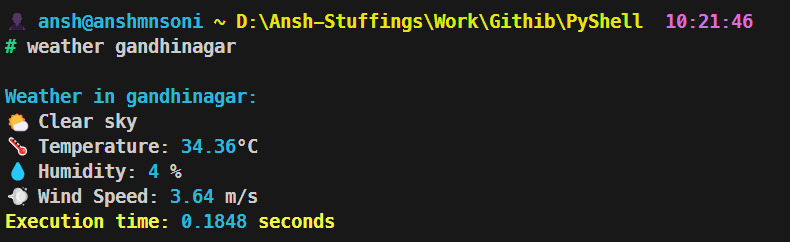
2️⃣ Weather Tracking
Preview
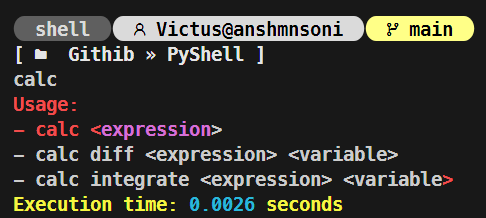
3️⃣ in-built Calculator
Preview

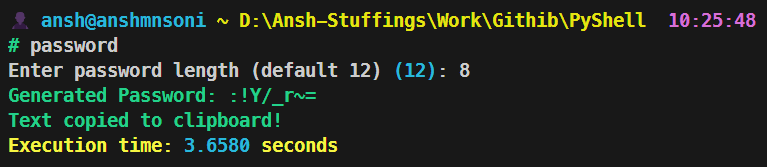
4️⃣ Automate Password Generator
Preview
5️⃣ Supports all basic linux commands
lsls -allmkdirtouchrmsysinfonetworketc...
6️⃣ Supports synchronization
list processkill processforce stoprenaming filein between the program
7️⃣ Simple and Clean Terminal
Preview
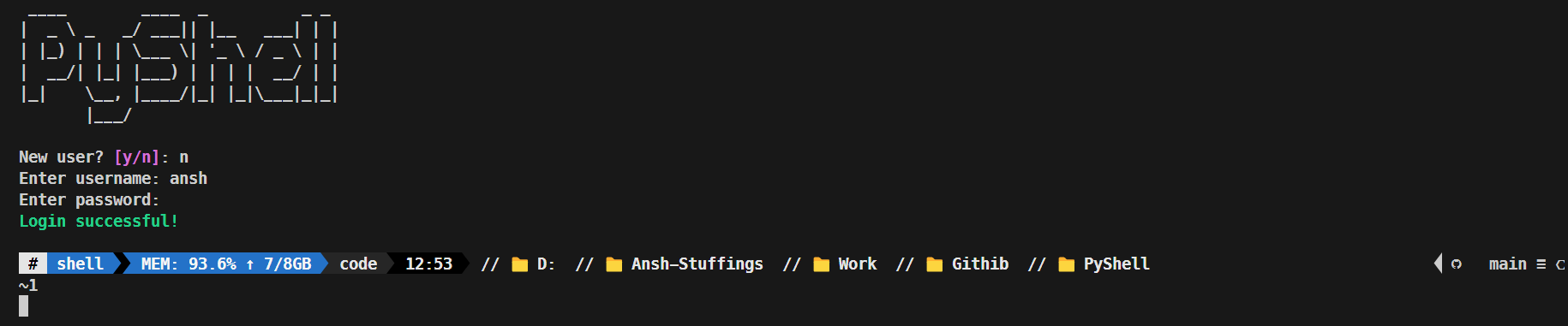
8️⃣ Play Song right through terminal
Preview
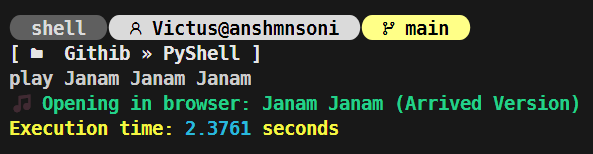
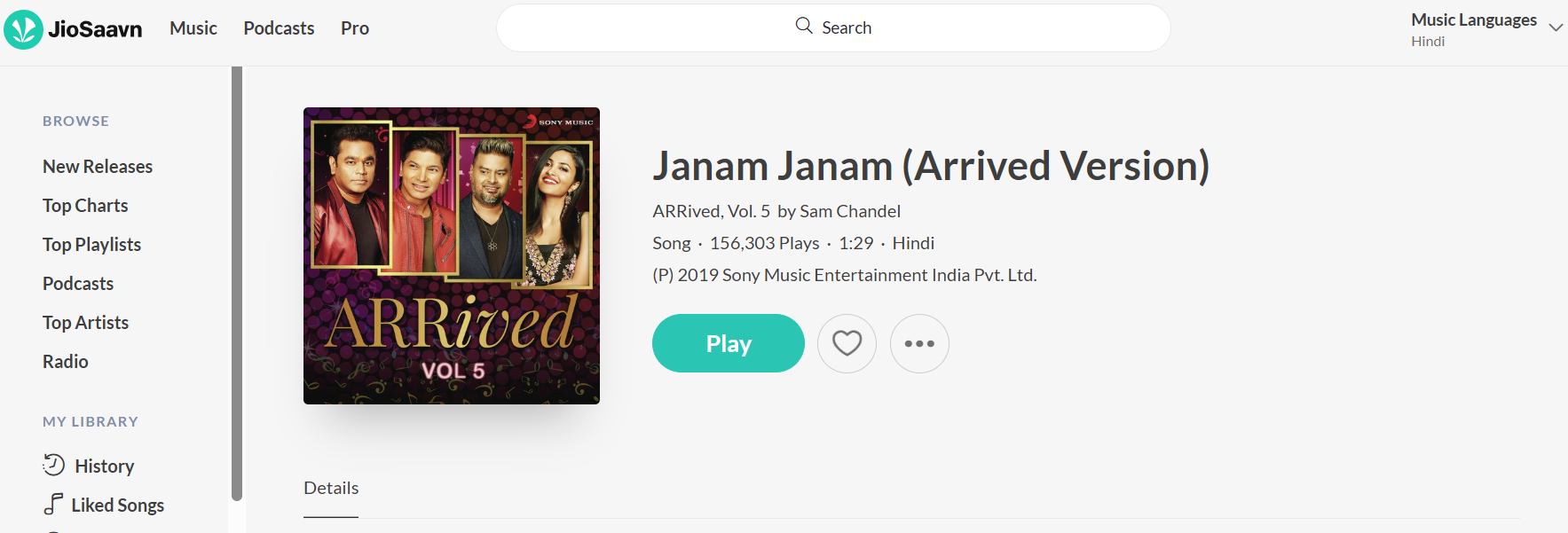
9️⃣ Change terminal Functionality
Preview






🔟 Calculus Operations in Calculator
Preview
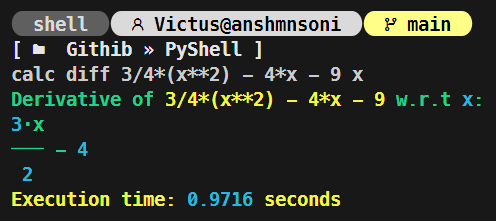
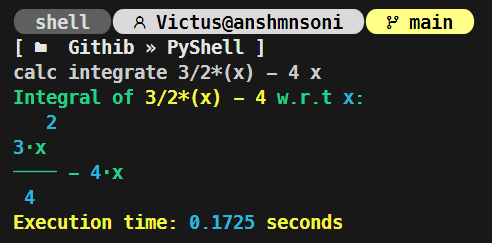
and many more...
🧑💻 How to use:
1️⃣ Clone the Repository:
git clone https://github.com/AnshMNSoni/PyShell.git
2️⃣ Install all require dependencies:
pip install -r requirements.txt
3️⃣ SignUp to Open Weather For weather API: Visit
4️⃣ Replace you API_KEY:
- Inside
get_weatherfunction - api_key = "YOUR_API_KEY"
Preview
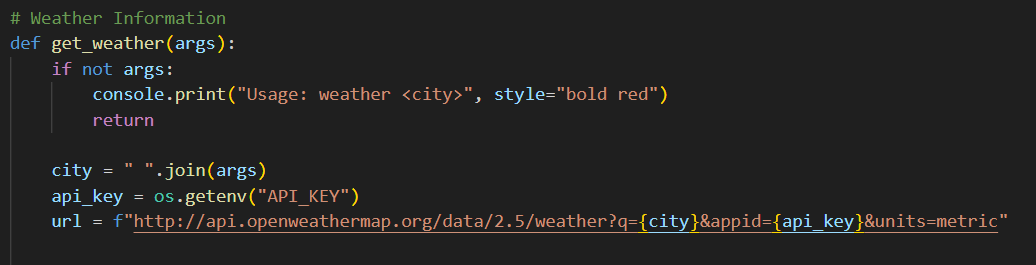
5️⃣ Lastly, Open you terminal and run:
python main.py
🔎 Future Work:
1️⃣ Upscale it to the Operating system (i.e. MyOS)
🤝 Contributing to PyShell
Thank you for considering contributing! Please follow these steps:
- Fork the repository.
- Create a new branch (
git checkout -b feature-branch). - Commit your changes (
git commit -m "Add new feature"). - Push to your fork (
git push origin feature-branch). - Submit a Pull Request and wait for review.
📢 Connect with Me
If you found this project helpful or have any suggestions, feel free to connect:



Thankyou 💫
1 maintainer

Metadata
1 maintainer
Release files for pyshellcli 1.4.3
For a detailed explanation of source distributions (sdists) and built distributions (wheels), please see the package formats documentation.
Source distribution (sdist)
| File | Size | Uploaded | |
|---|---|---|---|
| pyshellcli-1.4.3.tar.gz | 62.0 kB | Details |
Built distribution (wheel)
| File | Interpreter | ABI | Platform | Reset |
|---|---|---|---|---|
| pyshellcli-1.4.3-py3-none-any.whl | Python 3 | none | any | Details |
Total release size: 134.9 kB
Release files / pyshellcli-1.4.3.tar.gz
| Download URL | pyshellcli-1.4.3.tar.gz |
|---|---|
| Size | 62.0 kB |
| Tags | Source |
|
SHA-256 checksum How to use checksums |
c596347be8a70a71d1d4b6134df0a101150cb3581117e862a2691eb15c1bc355
|
|
BLAKE2b-256 checksum How to use checksums |
3d2e9b184f3a590bd911b0dd921026b1099c7118e3ad5c76c4e8f81f3e5fc047
|
| Upload date | |
|
Uploaded using Trusted Publishing? What is trusted publishing? |
No |
| Uploaded via |
twine/6.2.0 CPython/3.11.4
|
Release files / pyshellcli-1.4.3-py3-none-any.whl
| Download URL | pyshellcli-1.4.3-py3-none-any.whl |
|---|---|
| Size | 72.9 kB |
| Tags | Python 3 |
|
SHA-256 checksum How to use checksums |
8673b80e01230fb5c950366b617de6600569ae8b9b8f1c4aa66bc01a7d66df94
|
|
BLAKE2b-256 checksum How to use checksums |
62f237c2ab3ead7c89360e4da51d608ce8993bc336c3a8994596f2332dd874c5
|
| Upload date | |
|
Uploaded using Trusted Publishing? What is trusted publishing? |
No |
| Uploaded via |
twine/6.2.0 CPython/3.11.4
|














