
PyShell is a lightweight Python-based CLI that enhances the terminal experience with system commands, automation, advance math tools, Artifical Intelligence and network utilities.

Project description
PyShell - Python Based CLI
(initiative by @ansh.mn.soni)
👉 Introduction:
PyShell is a custom-built command-line interface (CLI) that serves as a lightweight yet powerful terminal, developed using Python. It allows users to interact with their system, manage files, process system commands, and perform various utility functions. With a focus on simplicity, speed, and usability, PyShell enhances the standard terminal experience by integrating automation, process management, and network utilities.
🔑 Key Advantages:
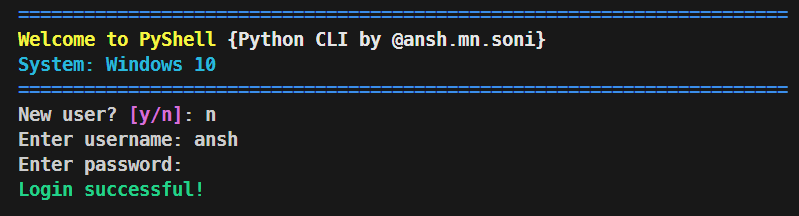
0️⃣ User Login for Security
Preview
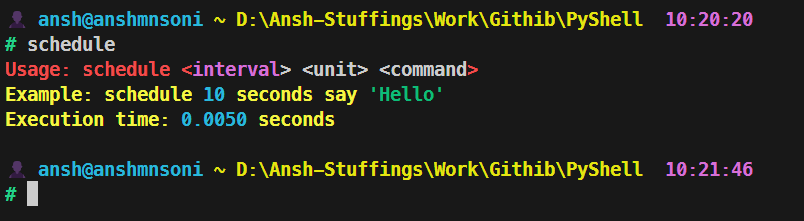
1️⃣ Task Scheduling
Preview
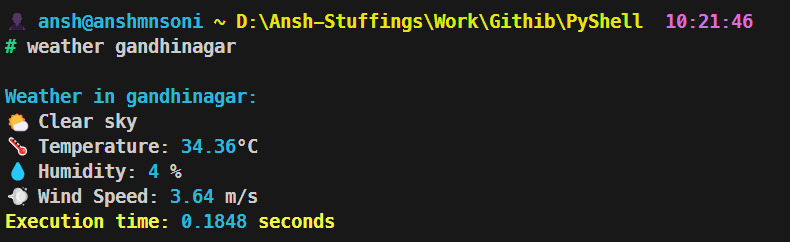
2️⃣ Weather Tracking
Preview
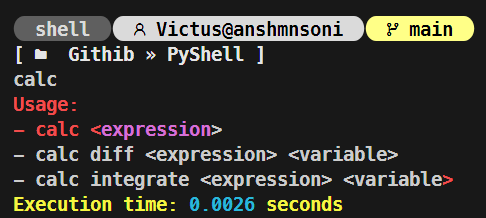
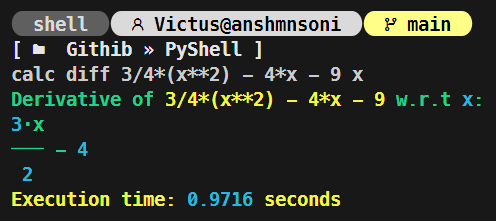
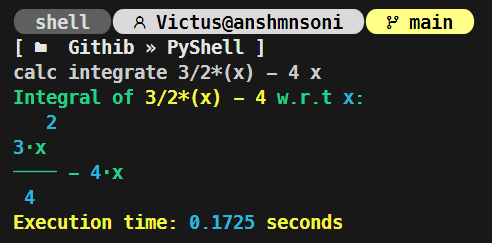
3️⃣ in-built Calculator
Preview

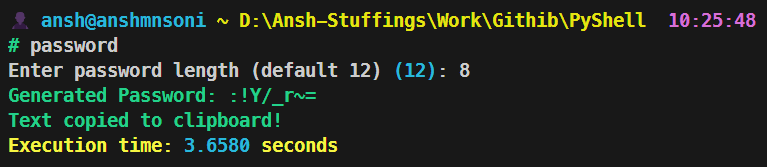
4️⃣ Automate Password Generator
Preview
5️⃣ Supports all basic linux commands
lsls -allmkdirtouchrmsysinfonetworketc...
6️⃣ Supports synchronization
list processkill processforce stoprenaming filein between the program
7️⃣ Simple and Clean Terminal
Preview
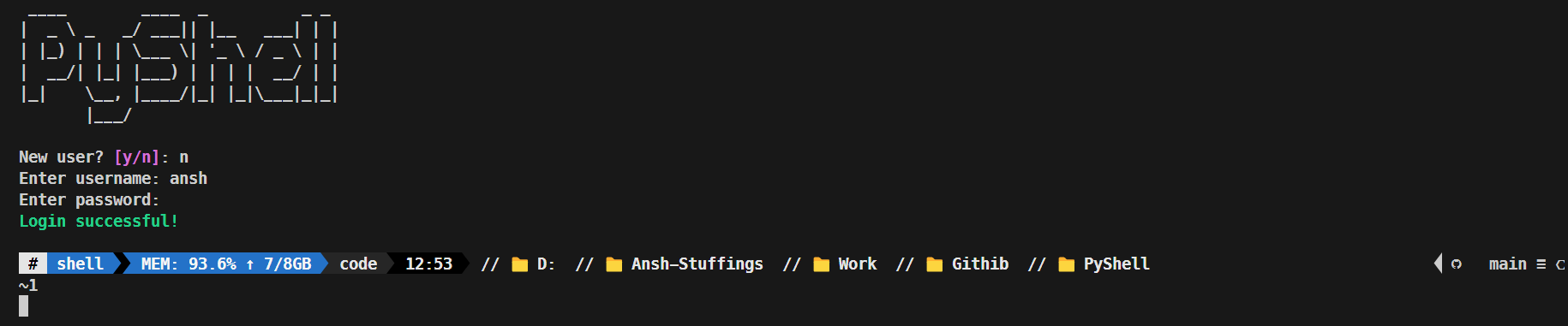
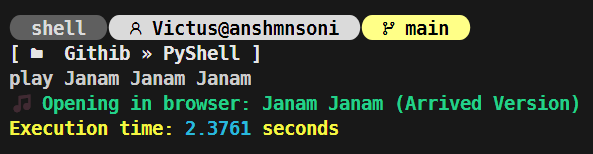
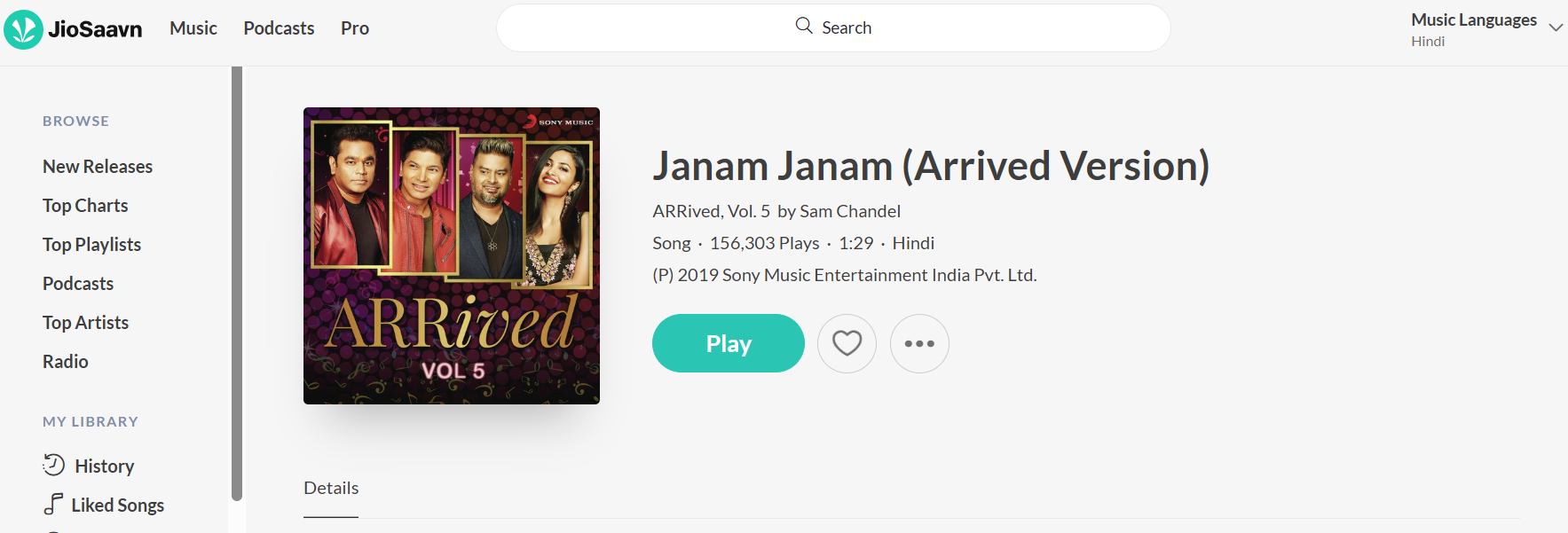
8️⃣ Play Song right through terminal
Preview
9️⃣ Change terminal Functionality
Preview






🔟 Calculus Operations in Calculator
Preview
and many more...
🧑💻 How to use:
1️⃣ Clone the Repository:
git clone https://github.com/AnshMNSoni/PyShell.git
2️⃣ Install all require dependencies:
pip install -r requirements.txt
3️⃣ SignUp to Open Weather For weather API: Visit
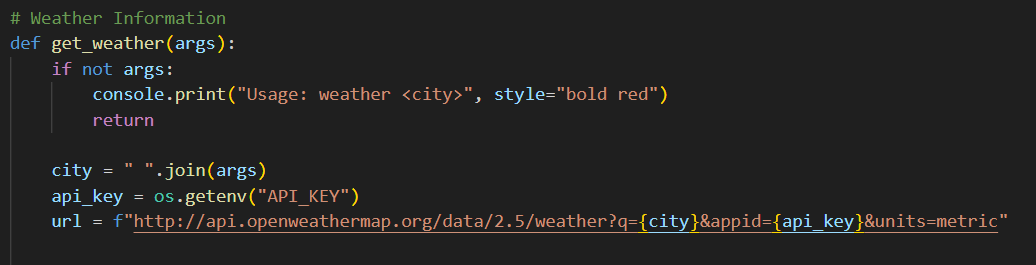
4️⃣ Replace you API_KEY:
- Inside
get_weatherfunction - api_key = "YOUR_API_KEY"
Preview
5️⃣ Lastly, Open you terminal and run:
python main.py
🔎 Future Work:
1️⃣ Upscale it to the Operating system (i.e. MyOS)
🤝 Contributing to PyShell
Thank you for considering contributing! Please follow these steps:
- Fork the repository.
- Create a new branch (
git checkout -b feature-branch). - Commit your changes (
git commit -m "Add new feature"). - Push to your fork (
git push origin feature-branch). - Submit a Pull Request and wait for review.
📢 Connect with Me
If you found this project helpful or have any suggestions, feel free to connect:



Thankyou 💫
Release history Release notifications | RSS feed


Download files
Download the file for your platform. If you're not sure which to choose, learn more about installing packages.
Source Distribution
Built Distribution
Filter files by name, interpreter, ABI, and platform.
If you're not sure about the file name format, learn more about wheel file names.
Copy a direct link to the current filters
File details
Details for the file pyshellcli-1.4.2.tar.gz.
File metadata
- Download URL: pyshellcli-1.4.2.tar.gz
- Upload date:
- Size: 62.4 kB
- Tags: Source
- Uploaded using Trusted Publishing? No
- Uploaded via: twine/6.2.0 CPython/3.11.4
File hashes
| Algorithm | Hash digest | |
|---|---|---|
| SHA256 |
3a81b7bfce16039eb70104f75213146e3ee494c7d42eb961ffab75e41c2367fb
|
|
| MD5 |
560c0b8503088ff74e39b73a973ac56e
|
|
| BLAKE2b-256 |
e6ba462006920cf76e12e4ead95bd1003dbfb32ae88792bc51167e19ba796965
|
File details
Details for the file pyshellcli-1.4.2-py3-none-any.whl.
File metadata
- Download URL: pyshellcli-1.4.2-py3-none-any.whl
- Upload date:
- Size: 73.3 kB
- Tags: Python 3
- Uploaded using Trusted Publishing? No
- Uploaded via: twine/6.2.0 CPython/3.11.4
File hashes
| Algorithm | Hash digest | |
|---|---|---|
| SHA256 |
e0612ea151fb162827407c62189582c1446004f335829c0a6c4f48015682662a
|
|
| MD5 |
fcac3b8b6ceb9cbe74f4dacf6170e89d
|
|
| BLAKE2b-256 |
606b336a8f8527377ea677456c57581f934b9e386f8c3c0ad83f0b58e9b87e60
|






