
Well Integrity Visualization Tool
pytegrity
pytegrity
This application allows users to upload LAS files, visualize well integrity, and extract finger logs to analyze data related to Well integrity issues (Corrosion, Deposition, etc).
Requirements
Before running the app, make sure to install the following libraries:
pip install streamlit lasio pandas plotly pytegrity
Features
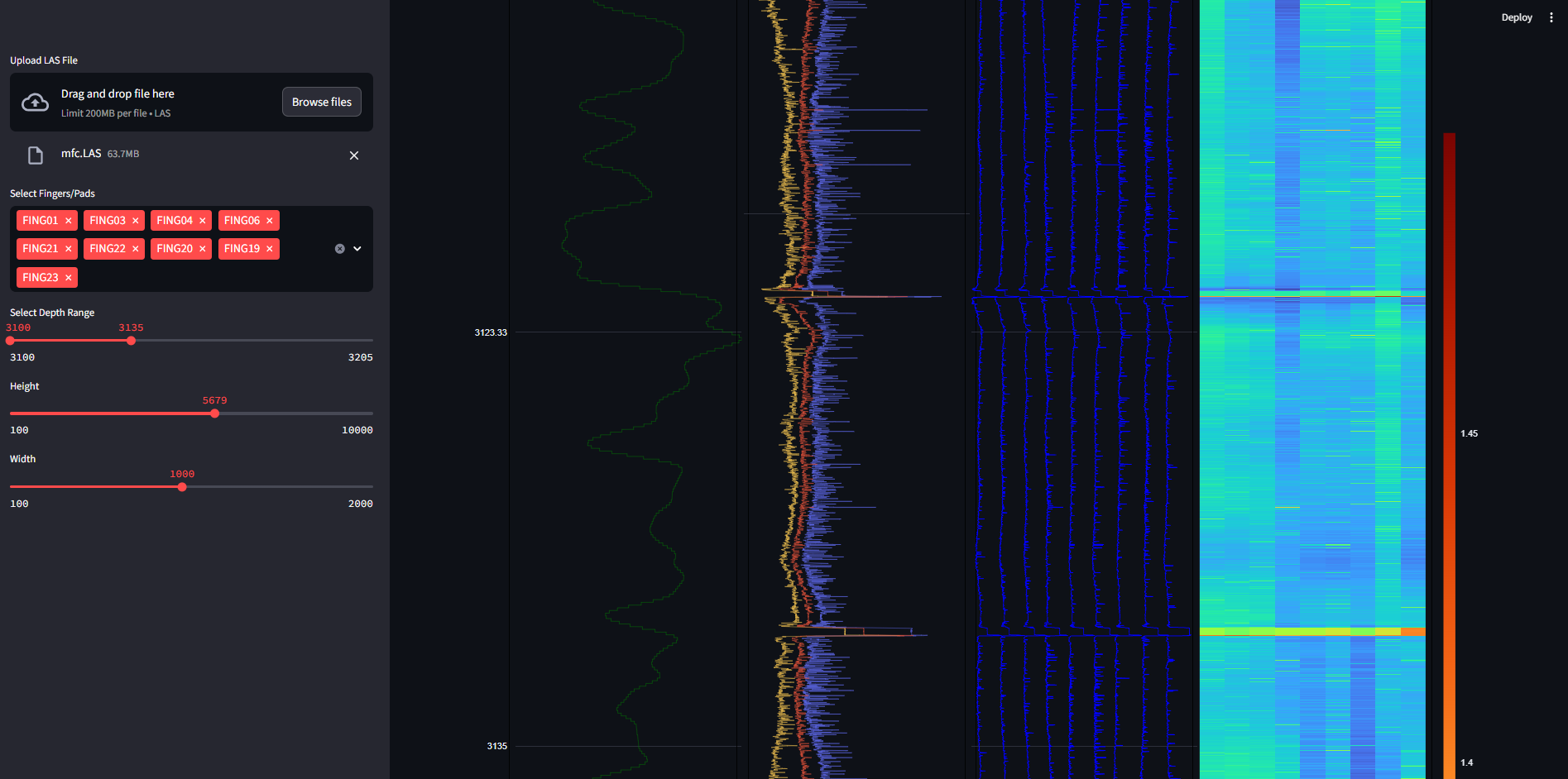
File Upload: Upload LAS files for analysis.
Finger Log Selection: Choose which finger/pad logs to visualize.
Depth Range Control: Adjust the depth range for the plot using a slider.
Plot Customization: Customize the plot's height and width.
Well Integrity Visualization: View a detailed plot representing the well integrity with selected logs and depth ranges.
Usage
Upload LAS File:
On the sidebar, click the "Upload LAS File" button to upload your LAS file.
The file is temporarily stored for processing.
Select Finger Logs:
Choose the desired finger logs to include in the visualization.
Adjust Depth Range:
Use the depth range slider to select the depth interval to visualize.
Plot Customization:
Set the height and width of the plot for better visualization.
Visualization:
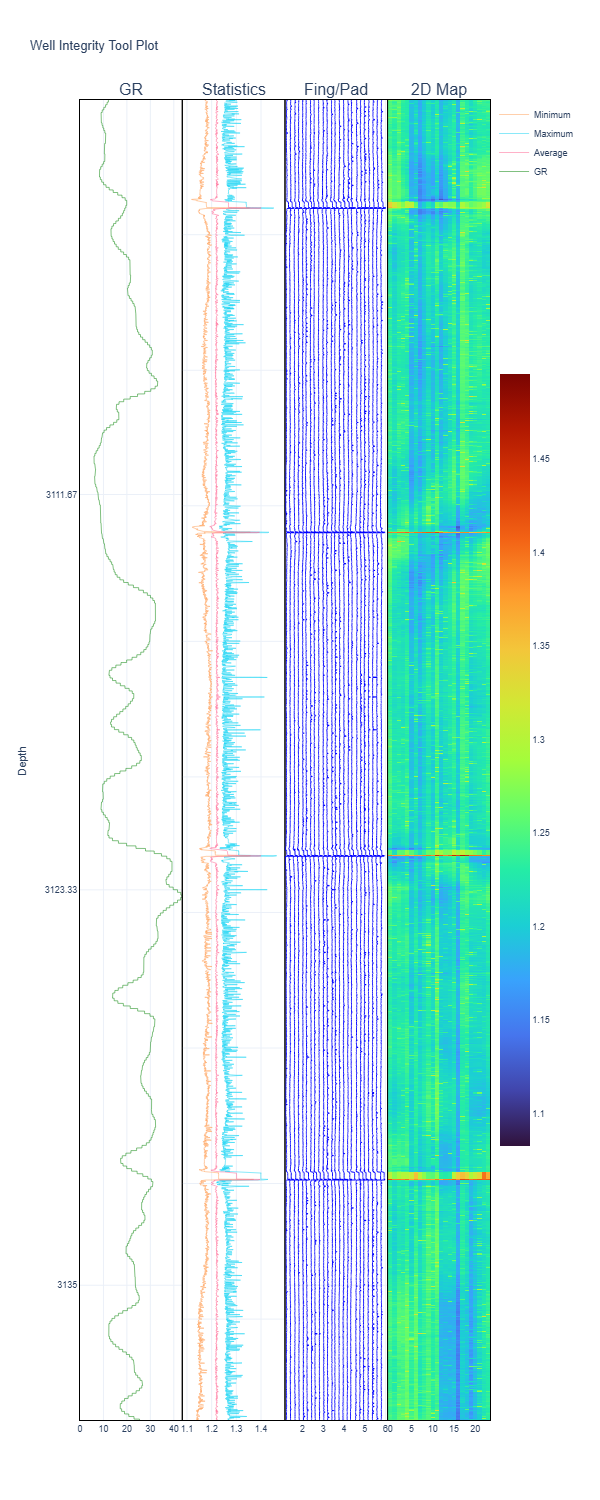
After selecting your preferences, the app will generate the well integrity plot based on the LAS file data.
Code Breakdown File Upload: The file_uploader method is used to upload LAS files, and the uploaded file is saved temporarily for further processing.
Data Loading: The LAS file is read using the lasio library and converted to a pandas DataFrame.
Finger Log Selection: Users can select columns that contain "FING" to display the desired finger logs.
Depth Range Selection: The depth range for visualization is controlled through the sidebar slider, adjusting the Y-axis range on the plot.
Visualization: The plot_well_integrity method from the pytegrity module is used to plot well integrity data. The plot is generated dynamically with customizable height and width.
1 maintainer

Metadata
1 maintainer
Release files for pytegrity 0.1.6.3
For a detailed explanation of source distributions (sdists) and built distributions (wheels), please see the package formats documentation.
Source distribution (sdist)
| File | Size | Uploaded | |
|---|---|---|---|
| pytegrity-0.1.6.3.tar.gz | 5.6 kB | Details |
Built distribution (wheel)
| File | Interpreter | ABI | Platform | Reset |
|---|---|---|---|---|
| pytegrity-0.1.6.3-py3-none-any.whl | Python 3 | none | any | Details |
Total release size: 11.4 kB
Release files / pytegrity-0.1.6.3.tar.gz
| Download URL | pytegrity-0.1.6.3.tar.gz |
|---|---|
| Size | 5.6 kB |
| Tags | Source |
|
SHA-256 checksum How to use checksums |
8fd9729b98bf08d058bcd7169d4947a947f8e01c6925f1a68b18272160c1fb97
|
|
BLAKE2b-256 checksum How to use checksums |
2d52db53f3af39a48f9c38bdb99adac88d3c708290cdb6868102b7b1552ba93b
|
| Upload date | |
|
Uploaded using Trusted Publishing? What is trusted publishing? |
No |
| Uploaded via |
twine/6.1.0 CPython/3.12.7
|
Release files / pytegrity-0.1.6.3-py3-none-any.whl
| Download URL | pytegrity-0.1.6.3-py3-none-any.whl |
|---|---|
| Size | 5.8 kB |
| Tags | Python 3 |
|
SHA-256 checksum How to use checksums |
2deb240bed1e133c4690ad4705918e4a45b6824933af28303ef92bb1a7b78a9a
|
|
BLAKE2b-256 checksum How to use checksums |
7b3ce7088e3d98b4a2db5e5548af60fdc4d2238ef8ccbb4938e25e31670764a9
|
| Upload date | |
|
Uploaded using Trusted Publishing? What is trusted publishing? |
No |
| Uploaded via |
twine/6.1.0 CPython/3.12.7
|














