
Python Language Server for the Language Server Protocol

Project description
Python Language Server



A Python 2.7 and 3.5+ implementation of the Language Server Protocol.
Installation
The base language server requires Jedi to provide Completions, Definitions, Hover, References, Signature Help, and Symbols:
pip install python-language-server
If the respective dependencies are found, the following optional providers will be enabled:
Rope for Completions and renaming
Pyflakes linter to detect various errors
McCabe linter for complexity checking
pycodestyle linter for style checking
pydocstyle linter for docstring style checking (disabled by default)
autopep8 for code formatting
YAPF for code formatting (preferred over autopep8)
Optional providers can be installed using the extras syntax. To install YAPF formatting for example:
pip install 'python-language-server[yapf]'
All optional providers can be installed using:
pip install 'python-language-server[all]'
If you get an error similar to 'install_requires' must be a string or list of strings then please upgrade setuptools before trying again.
pip install -U setuptools
3rd Party Plugins
Installing these plugins will add extra functionality to the language server:
pyls-mypy Mypy type checking for Python 3
pyls-isort Isort import sort code formatting
pyls-black for code formatting using Black
Please see the above repositories for examples on how to write plugins for the Python Language Server. Please file an issue if you require assistance writing a plugin.
Configuration
Configuration is loaded from zero or more configuration sources. Currently implemented are:
pycodestyle: discovered in ~/.config/pycodestyle, setup.cfg, tox.ini and pycodestyle.cfg.
flake8: discovered in ~/.config/flake8, setup.cfg, tox.ini and flake8.cfg
The default configuration source is pycodestyle. Change the pyls.configurationSources setting to [‘flake8’] in order to respect flake8 configuration instead.
Overall configuration is computed first from user configuration (in home directory), overridden by configuration passed in by the language client, and then overriden by configuration discovered in the workspace.
To enable pydocstyle for linting docstrings add the following setting in your LSP configuration: ` "pyls.plugins.pydocstyle.enabled": true `
See vscode-client/package.json for the full set of supported configuration options.
Language Server Features
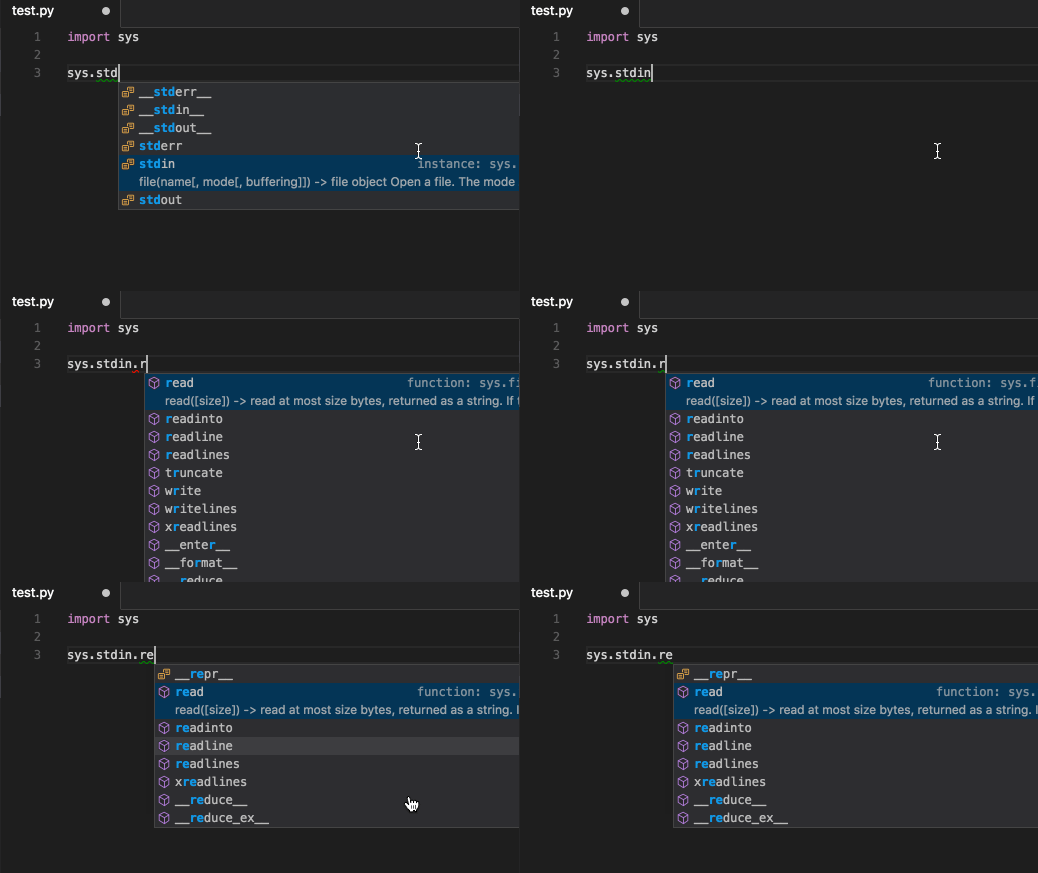
Auto Completion:
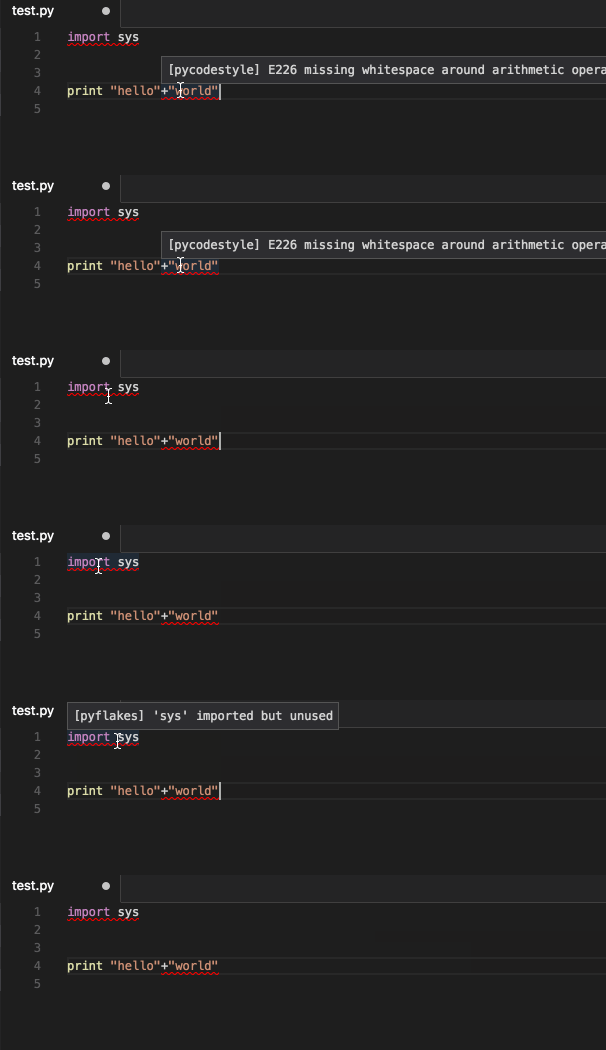
Code Linting with pycodestyle and pyflakes:
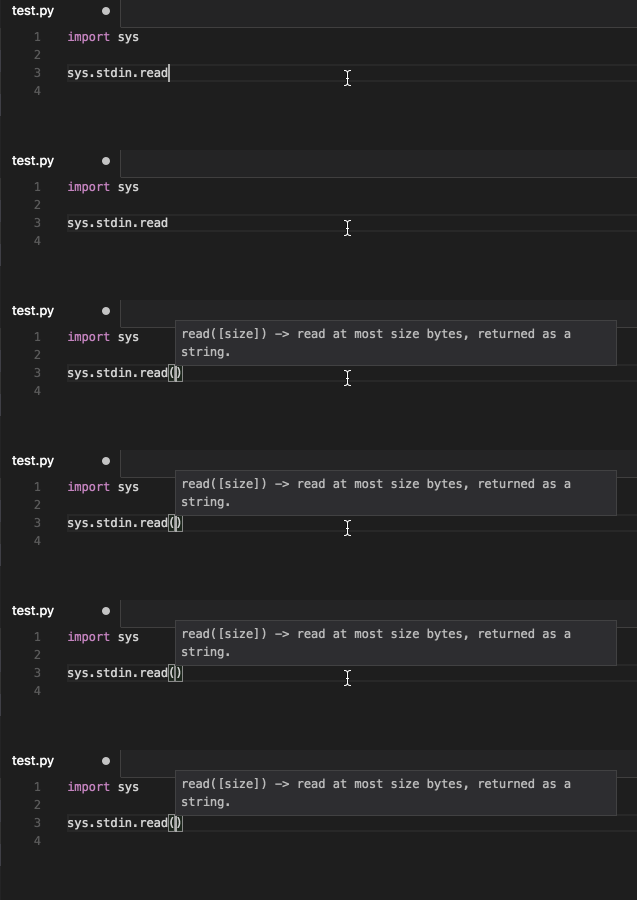
Signature Help:
Go to definition:

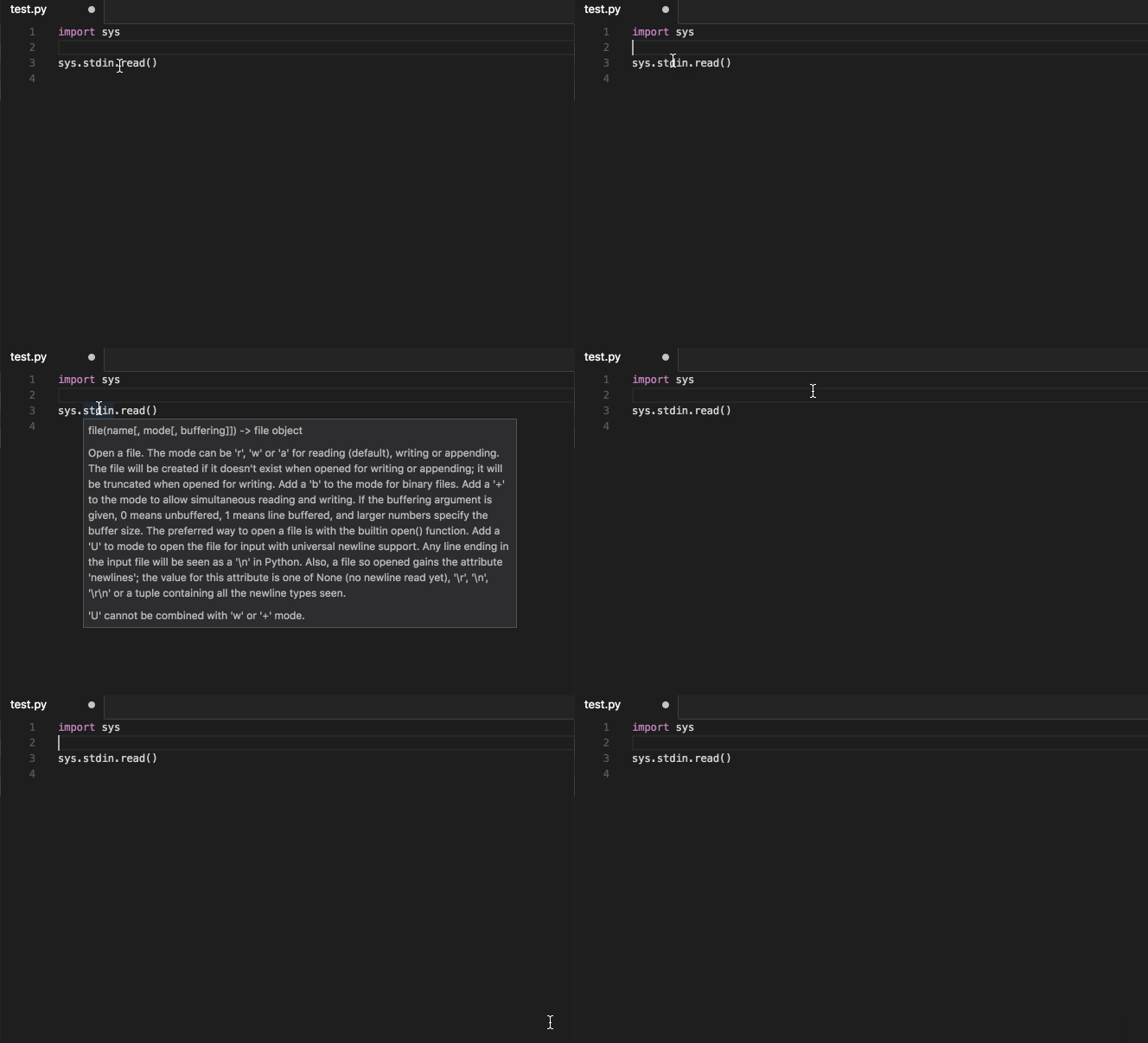
Hover:
Find References:
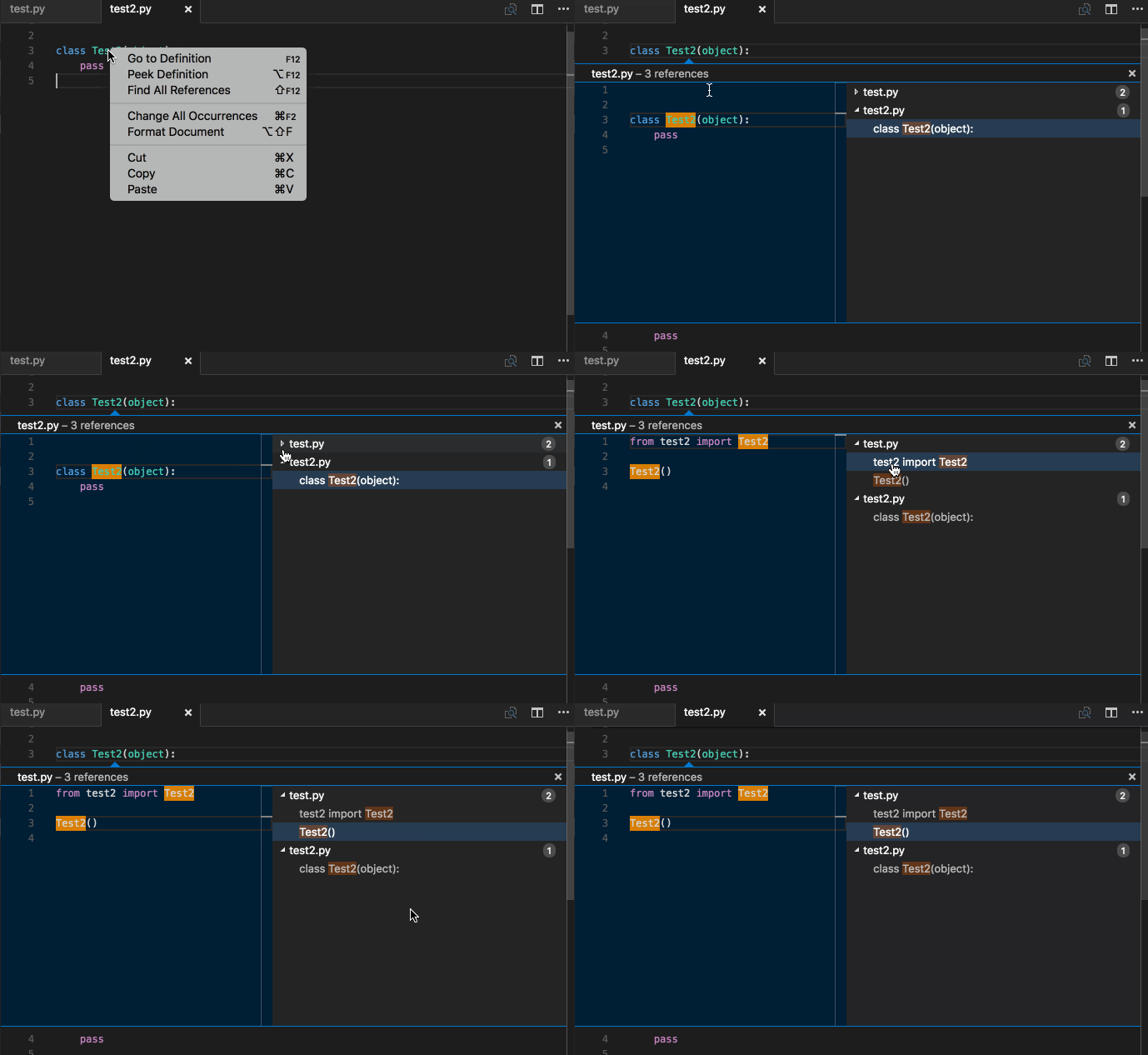
Document Symbols:
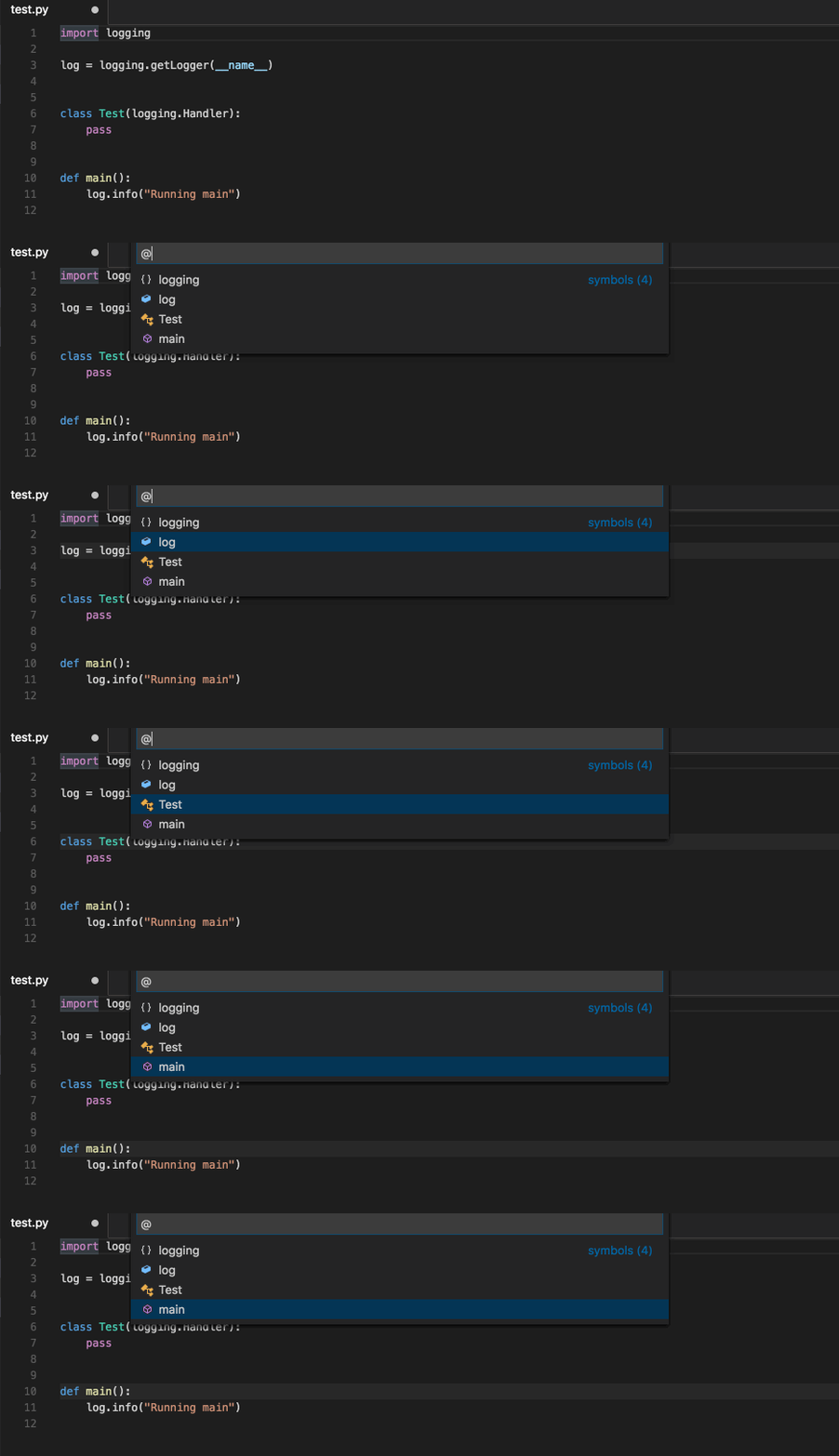
Document Formatting:
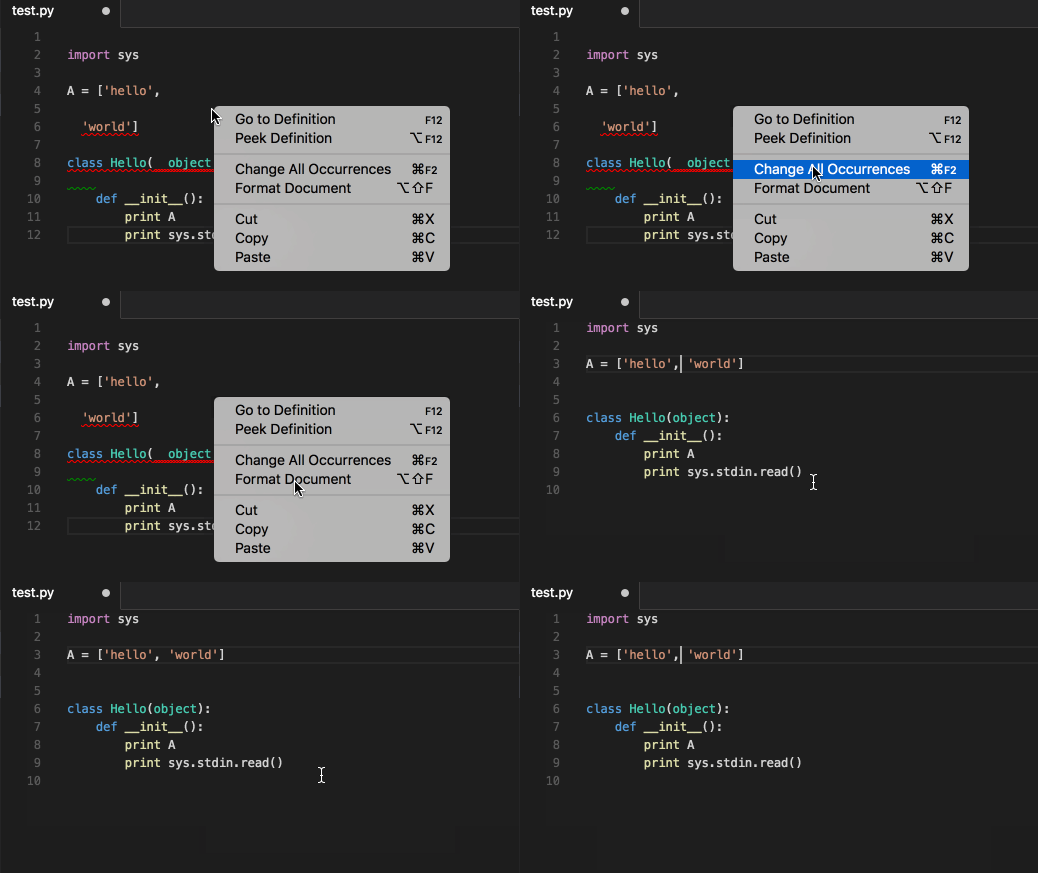
Development
To run the test suite:
pip install .[test] && pytest
Develop against VS Code
The Python language server can be developed against a local instance of Visual Studio Code.
Install VSCode
# Setup a virtual env
virtualenv env
. env/bin/activate

# Install pyls
pip install .

# Install the vscode-client extension
cd vscode-client
yarn install

# Run VSCode which is configured to use pyls
# See the bottom of vscode-client/src/extension.ts for info
yarn run vscode -- $PWD/../
Then to debug, click View -> Output and in the dropdown will be pyls. To refresh VSCode, press Cmd + r
License
This project is made available under the MIT License.
Release history Release notifications | RSS feed


Download files
Download the file for your platform. If you're not sure which to choose, learn more about installing packages.
Source Distribution
Built Distribution
Filter files by name, interpreter, ABI, and platform.
If you're not sure about the file name format, learn more about wheel file names.
Copy a direct link to the current filters
File details
Details for the file python-language-server-0.33.2.tar.gz.
File metadata
- Download URL: python-language-server-0.33.2.tar.gz
- Upload date:
- Size: 68.0 kB
- Tags: Source
- Uploaded using Trusted Publishing? No
- Uploaded via: Python-urllib/3.6
File hashes
| Algorithm | Hash digest | |
|---|---|---|
| SHA256 |
f5fe9a21bf7c0b0fc0d205a1c2f1bec776a59d0e11b0e39c49803044799669fd
|
|
| MD5 |
8fa3a13c12359e2e1c10bc218f7cb9dc
|
|
| BLAKE2b-256 |
b38686436d88491d44fa0b70c76d7c13f54252c2e95d1513e612446d19b96bc3
|
File details
Details for the file python_language_server-0.33.2-py3-none-any.whl.
File metadata
- Download URL: python_language_server-0.33.2-py3-none-any.whl
- Upload date:
- Size: 48.8 kB
- Tags: Python 3
- Uploaded using Trusted Publishing? No
- Uploaded via: Python-urllib/3.6
File hashes
| Algorithm | Hash digest | |
|---|---|---|
| SHA256 |
01d181536812dc0ccb488fbc83f871bd647dae14874541fe831f8fcc3f856396
|
|
| MD5 |
db6d3c001c49b104acf567d1b8d585d5
|
|
| BLAKE2b-256 |
e831ff932b20497a1076bb5282646e5d472c49e1ad99005cb49ec37898a4dd67
|






