
PyLDL
Label distribution learning (LDL) and label enhancement (LE) toolkit implemented in python, including:
- LDL algorithms:
- (Geng, Yin, and Zhou 2013) [TPAMI]:
CPNN$^1$. - (Geng and Hou 2015) [IJCAI]:
LDSVR. - ⭐(Geng 2016) [TKDE]:
SA_BFGS,SA_IIS,AA_KNN,AA_BP,PT_Bayes, andPT_SVM. - (Yang, Sun, and Sun 2017) [AAAI]:
BCPNNandACPNN. - (Xu and Zhou 2017) [IJCAI]:
IncomLDL$^2$. - (Shen et al. 2017) [NeurIPS]:
LDLF. - (Zhao and Zhou 2018) [AAAI]:
LALOT. - (Jia et al. 2018) [AAAI]:
LDLLC$^\dagger$. - (Chen et al. 2018) [Neurocomputing]:
StructTreeandStructRF. - (Ren et al. 2019a) [IJCAI]:
LDLSF. - (Ren et al. 2019b) [IJCAI]:
LDL_LCLR$^\dagger$. - (Wang and Geng 2019) [IJCAI]:
LDL4C$^{3\dagger}$. - (González et al. 2021a) [Inf. Sci.]:
SSG_LDL$^{4}$. - (González et al. 2021b) [Inf. Fusion]:
DF_LDL. - (Wang and Geng 2021a) [IJCAI]:
LDL_HR$^{3^\dagger}$. - (Wang and Geng 2021b) [ICML]:
LDLM$^{3^\dagger}$. - (Jia et al. 2021) [TKDE]:
LDL_SCL. - (Liu et al. 2021) [KBS]:
BD_LDL. - (Żychowski and Mańdziuk 2021) [Appl. Soft Comput.]:
Duo_LDL. - (Li et al. 2022) [CVPR]:
unimodal_loss$^1$ andconcentrated_loss$^1$. - (Jia et al. 2023a) [TKDE]:
LDL_LRR$^\dagger$. - (Jia et al. 2023b) [TNNLS]:
LDL_DPA$^\dagger$. - (Wen et al. 2023) [ICCV]:
cad$^1$,qfd2$^1$, andcjs$^1$. - (Li and Chen 2024) [IJCAI]:
WInLDL$^2$. - (Kou et al. 2024) [IJCAI]:
TLRLDL$^\dagger$ andTKLRLDL$^\dagger$. - (Lin et al. 2024) [TBD]:
LDL_HVLC$^\dagger$. - (Wu, Li, and Jia 2025) [TBD]:
LDL_DA$^5$. - (Wang et al. 2025) [Pattern Recognit.]:
RKNN_LDL$^\dagger$. - (Tan et al. 2025) [KBS]:
RG4LDL. - (Wu, Li, and Jia 2025) [ICML]:
S_LRR,S_SCL,S_KLD,S_CJSandS_QFD2. - (Li et al. 2025) [ICML]:
Delta_LDL. - ... and many more LDL algorithms are included! Discover them in the
pyldl.algorithmsmodule! 🚀
- (Geng, Yin, and Zhou 2013) [TPAMI]:
- LE algorithms:
- (Xu, Liu, and Geng 2019) [TKDE]:
FCM,KM,LP,ML, andGLLE. - (Xu et al. 2020) [ICML]:
LEVI. - (Zheng, Zhu, and Tang 2023) [CVPR]:
LIBLE. - (Wang et al. 2023) [IJCAI]:
ConLE.
- (Xu, Liu, and Geng 2019) [TKDE]:
- LDL metrics:
chebyshev,clark,canberra,kl_divergence,cosine,intersection, etc. - Structured LDL datasets: Human_Gene, Movie, Natural_Scene, s-BU_3DFE, s-JAFFE, Yeast, etc.
- LDL applications:
- Facial emotion recognition (supported datasets: JAFFE and BU-3DFE).
- (Shirani et al. 2019) [ACL]: Emphasis selection (supported datasets: SemEval2020; pre-trained GloVe embeddings can be downloaded here).
- (Wu et al. 2019) [ICCV]: Lesion counting (supported datasets: ACNE04).
- (Chen et al. 2020) [CVPR]: Facial emotion recognition with auxiliary label space graphs (supported datasets: CK+; OpenFace can be downloaded here, and the required models can be downloaded here).
$^1$ Technically, these methods are only suitable for totally ordered labels.
$^2$ These are algorithms for incomplete LDL, so you should use
pyldl.utils.random_missingto generate the missing label distribution matrix and the corresponding mask matrix in the experiments. Here is a demo on using the incomplete LDL algorithms.$^3$ These are LDL classifiers, so you should use
predict_probato get label distributions andpredictto get predicted labels.$^4$ These are oversampling algorithms for LDL, therefore you should use
fit_transformto generate synthetic samples.$^5$ To use domain adaptation methods for LDL, you need to provide the source domain data via parameters
sXandsyof thefitmethod. Here is a demo on domain adaptation for LDL.
$^\dagger$ These methods involve imposing constraints on model parameters, like regularization. Therefore, it is recommended to carefully tune the hyperparameters and apply feature preprocessing techniques like
StandardScalerorMinMaxScalerbefore conducting experiments to achieve the expected performance.
❗ News
- 0.1.0: PyLDL now supports both TensorFlow and PyTorch backends through Keras 3. You can switch between the two backends by setting the
KERAS_BACKENDenvironment variable:
import os
os.environ["KERAS_BACKEND"] = "torch"
Installation
PyLDL is now available on PyPI. Use the following command to install.
pip install python-ldl
To install the newest version, you can clone this repo and run the setup.py file.
python setup.py install
Usage
Here is an example of using PyLDL.
from pyldl.utils import load_dataset
from pyldl.algorithms import SA_BFGS
from pyldl.metrics import score

from sklearn.model_selection import train_test_split

dataset_name = 'SJAFFE'
X, D = load_dataset(dataset_name)
X_train, X_test, D_train, D_test = train_test_split(X, D)

model = SA_BFGS()
model.fit(X_train, D_train)

D_pred = model.predict(X_test)
print(score(D_test, D_pred))
For those who would like to use the original implementation:
- Install MATLAB.
- Install MATLAB engine for python.
- Download LDL Package here.
- Get the package directory of PyLDL (...\Lib\site-packages\pyldl).
- Place the LDLPackage_v1.2 folder into the matlab_algorithms folder.
Now, you can load the original implementation of the method, e.g.:
from pyldl.matlab_algorithms import SA_IIS
You can visualize the performance of any model on the artificial dataset (Geng 2016) with the pyldl.utils.plot_artificial function, e.g.:
from pyldl.algorithms import LDSVR, SA_BFGS, SA_IIS, AA_KNN, PT_Bayes, GLLE, LIBLE
from pyldl.utils import plot_artificial

methods = ['LDSVR', 'SA_BFGS', 'SA_IIS', 'AA_KNN', 'PT_Bayes', 'GLLE', 'LIBLE']

plot_artificial(model=None, figname='GT')
for i in methods:
    plot_artificial(model=eval(f'{i}()'), figname=i)
The output images are as follows.
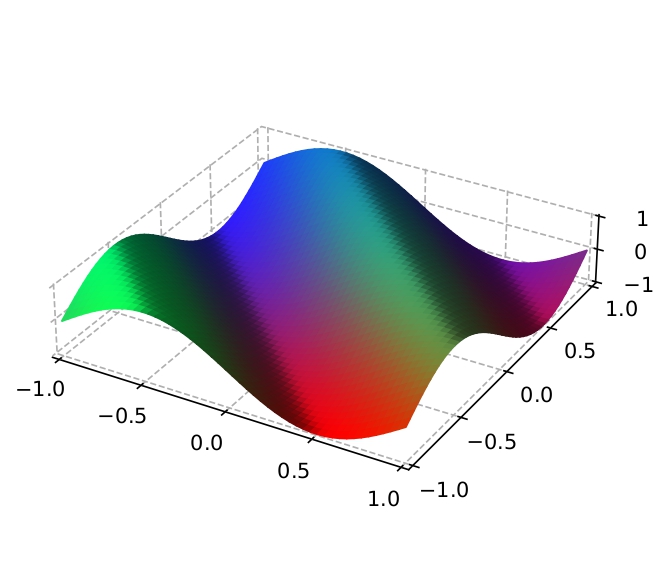 |
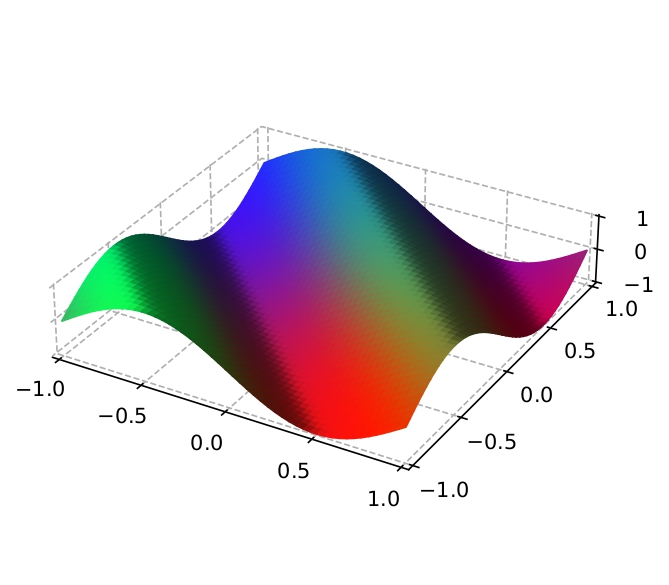 |
|---|---|
| (Ground Truth) | LDSVR |
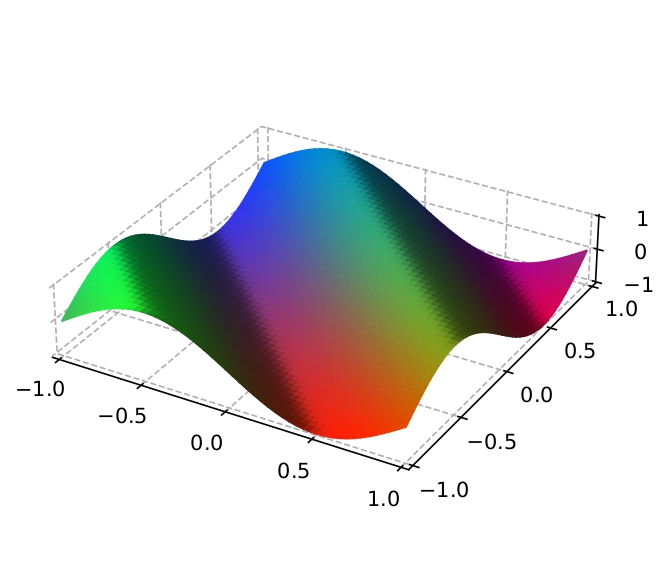 |
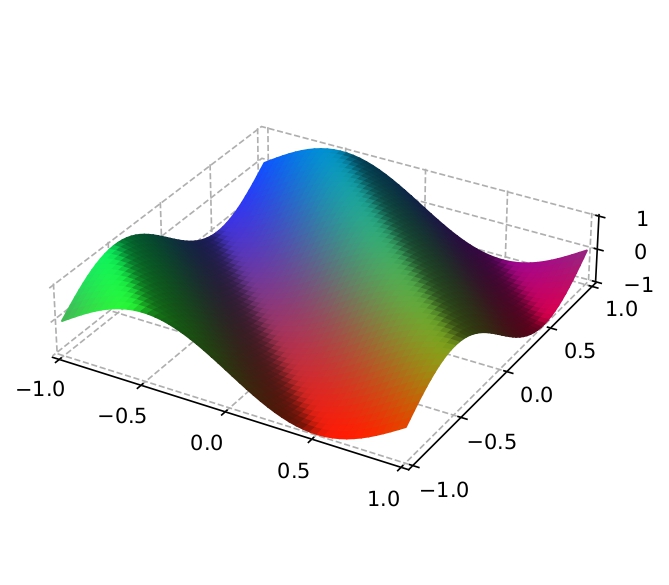 |
|---|---|
SA_BFGS |
SA_IIS |
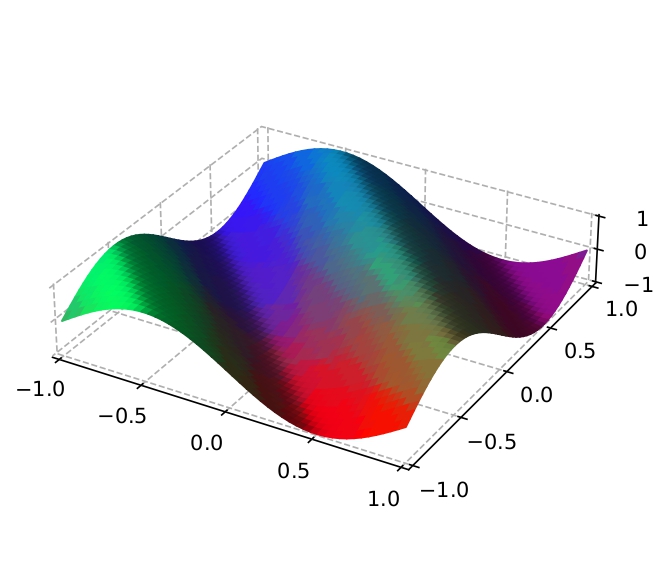 |
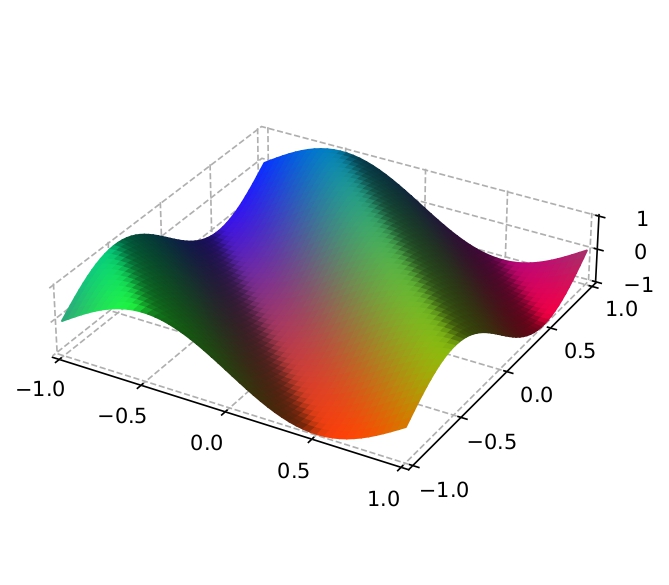 |
|---|---|
AA_KNN |
PT_Bayes |
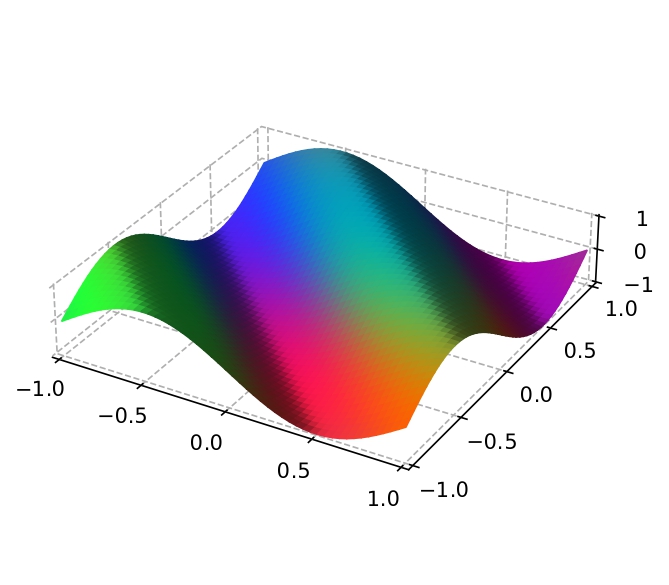 |
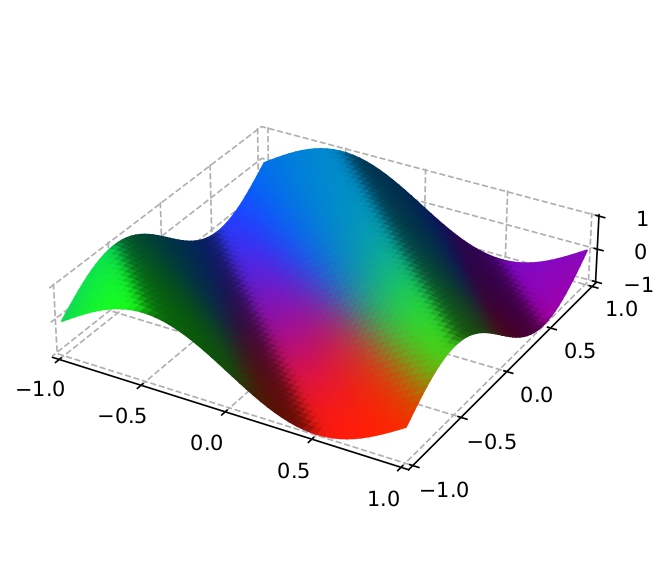 |
|---|---|
GLLE |
LIBLE |
Refer to the docs for more detailed information. Enjoy! :)
Experiments
For each algorithm, a ten-fold cross validation is performed, repeated 10 times with s-JAFFE dataset and the average metrics are recorded. Therefore, the results do not fully describe the performance of the model.
Results of ours are as follows.
| Algorithm | Cheby.(↓) | Clark(↓) | Can.(↓) | K-L(↓) | Cos.(↑) | Int.(↑) |
|---|---|---|---|---|---|---|
| SA-BFGS | .092 ± .010 | .361 ± .029 | .735 ± .060 | .051 ± .009 | .954 ± .009 | .878 ± .011 |
| SA-IIS | .100 ± .009 | .361 ± .023 | .746 ± .050 | .051 ± .008 | .952 ± .007 | .873 ± .009 |
| AA-kNN | .098 ± .011 | .349 ± .029 | .716 ± .062 | .053 ± .010 | .950 ± .009 | .877 ± .011 |
| AA-BP | .120 ± .012 | .426 ± .025 | .889 ± .057 | .073 ± .010 | .931 ± .010 | .848 ± .011 |
| PT-Bayes | .116 ± .011 | .425 ± .031 | .874 ± .064 | .073 ± .012 | .932 ± .011 | .850 ± .012 |
| PT-SVM | .117 ± .012 | .422 ± .027 | .875 ± .057 | .072 ± .011 | .932 ± .011 | .850 ± .011 |
Results of the original MATLAB implementation (Geng 2016) are as follows.
| Algorithm | Cheby.(↓) | Clark(↓) | Can.(↓) | K-L(↓) | Cos.(↑) | Int.(↑) |
|---|---|---|---|---|---|---|
| SA-BFGS | .107 ± .015 | .399 ± .044 | .820 ± .103 | .064 ± .016 | .940 ± .015 | .860 ± .019 |
| SA-IIS | .117 ± .015 | .419 ± .034 | .875 ± .086 | .070 ± .012 | .934 ± .012 | .851 ± .016 |
| AA-kNN | .114 ± .017 | .410 ± .050 | .843 ± .113 | .071 ± .023 | .934 ± .018 | .855 ± .021 |
| AA-BP | .130 ± .017 | .510 ± .054 | 1.05 ± .124 | .113 ± .030 | .908 ± .019 | .824 ± .022 |
| PT-Bayes | .121 ± .016 | .430 ± .035 | .904 ± .086 | .074 ± .014 | .930 ± .016 | .846 ± .016 |
| PT-SVM | .127 ± .017 | .457 ± .039 | .935 ± .074 | .086 ± .016 | .920 ± .014 | .839 ± .015 |
Requirements
Cython
matplotlib
numba
numpy
qpsolvers
quadprog
scikit-fuzzy
scikit-learn
scipy
If you use TensorFlow backend, you also need to install:
tensorflow
tensorflow-probability
If you use PyTorch backend, you also need to install:
torch
1 maintainer

Download files
Download the file for your platform. If you're not sure which to choose, learn more about installing packages.
Source Distribution
Built Distribution
Filter files by name, interpreter, ABI, and platform.
If you're not sure about the file name format, learn more about wheel file names.
Copy a direct link to the current filters
File details
Details for the file python_ldl-0.1.0.tar.gz.
File metadata
- Download URL: python_ldl-0.1.0.tar.gz
- Upload date:
- Size: 338.6 kB
- Tags: Source
- Uploaded using Trusted Publishing? No
- Uploaded via:
twine/6.2.0 CPython/3.9.25
File hashes
| Algorithm | Hash digest | |
|---|---|---|
| SHA256 |
15856600122230ae6eeaaf5bea8c9a9447e32eb14dc46925a7effbf759d257c9
|
|
| MD5 |
4a5907660e3381b5b3f42eb0c6639e6d
|
|
| BLAKE2b-256 |
74bed64b4e9cb5f9c135b2d1f30bc2c7d148d7c164bf745dc8b8170caf4d8b78
|
File details
Details for the file python_ldl-0.1.0-py3-none-any.whl.
File metadata
- Download URL: python_ldl-0.1.0-py3-none-any.whl
- Upload date:
- Size: 360.7 kB
- Tags: Python 3
- Uploaded using Trusted Publishing? No
- Uploaded via:
twine/6.2.0 CPython/3.9.25
File hashes
| Algorithm | Hash digest | |
|---|---|---|
| SHA256 |
f1ee72a322eecf994067acae6ecddeb5efb772280a6b7aaea28863badabe2f3b
|
|
| MD5 |
7dde2de3eba3e4038868e19db7d39988
|
|
| BLAKE2b-256 |
2c20c4e2b256c9d2533f522a4d9977f3193868ad12c4aad7d0d9bdf17ca69d73
|














