
Pythonaibrain-Client
TIGER AI secure encrypted socket client powered by pythonaibrain
A Python-based terminal chat client that uses XOR encryption for secure communication.
Features
- Secure messaging with XOR cipher encryption
- Loads sensitive config (encryption key, host, port) from
.env - Multi-threaded send/receive for real-time chat
- Cross-platform terminal clear support (
cls/clear) - Easy to install and run as a CLI command
client-server
Project Structure
pythonaibrain-client/
├── pyaibrain/
│   └── client/
│       ├── **init**.py      # Main client code
│       └── .env             # Configuration file for keys & settings
├── pyproject.toml           # Project metadata & dependencies
├── README.md                # This file
└── LICENSE                  # License file
Getting Started
Prerequisites
- Python 3.8 or higher
pipinstalled
Installation
pip install pythonaibrain-client
Connecting to the Server
To use this client, you need to connect to a running server.
- Please install the pythonaibrain version 1.1.9 package which contains the AI server implementation.
- Start the server using the commands or instructions provided with pythonaibrain.
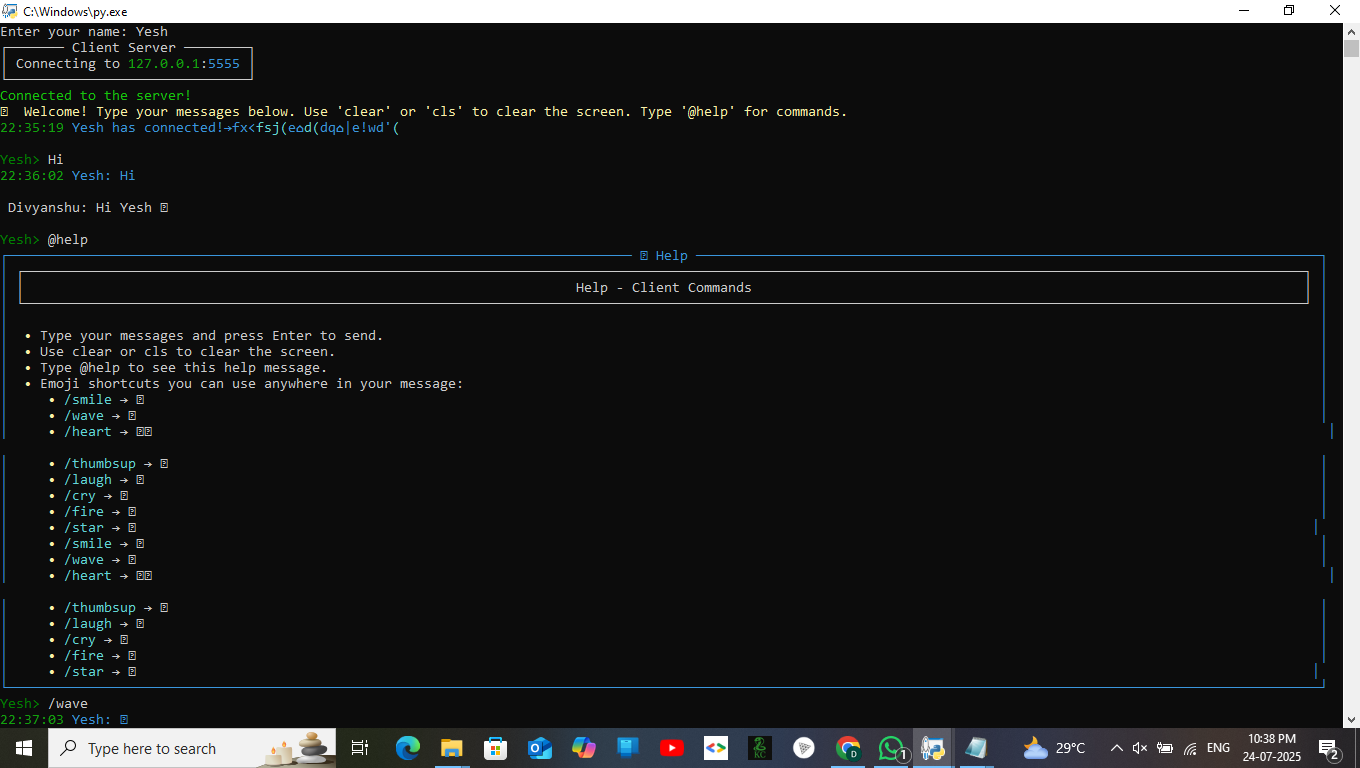
- Once the server is running, run this client (
client-server) to connect and chat securely. - Also you can run (
pyaibrain-server) for normal chatting(Not a AI one).
Usage
Run the client from terminal:
client-server
You will be prompted to enter your name, then the client will connect to the server and start the chat interface.
Also,
from pyaibrain.client import ClientServer

cServer = ClientServer()
cServer.serve()
Commands
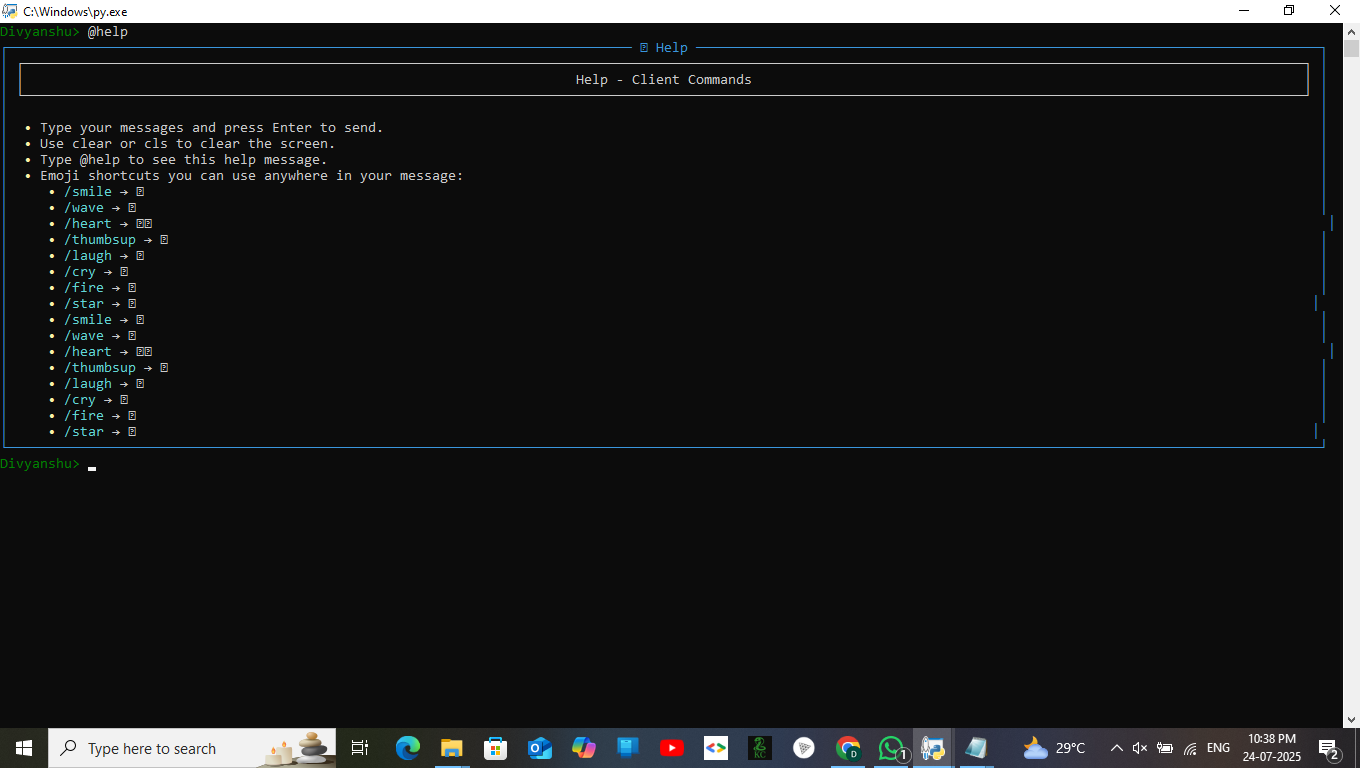
clearorclsto clear the terminal screen during chat
Also, run the pyaibrain-server from terminal:
pyaibrain-server
Encryption Details
Messages are encrypted/decrypted with a simple XOR cipher using the key from .env.
Note: XOR is for demonstration and not secure for production use.
Author
Divyanshu Sinha Email: divyanshu.sinha136@gmail.com
License
This project is licensed under the MIT License — see the LICENSE file for details.
✨ Preview
1 maintainer

Metadata
1 maintainer
Release files for pythonaibrain-client 1.0.4
For a detailed explanation of source distributions (sdists) and built distributions (wheels), please see the package formats documentation.
Source distribution (sdist)
| File | Size | Uploaded | |
|---|---|---|---|
| pythonaibrain_client-1.0.4.tar.gz | 17.9 kB | Details |
Built distribution (wheel)
| File | Interpreter | ABI | Platform | Reset |
|---|---|---|---|---|
| pythonaibrain_client-1.0.4-py3-none-any.whl | Python 3 | none | any | Details |
Total release size: 36.4 kB
Release files / pythonaibrain_client-1.0.4.tar.gz
| Download URL | pythonaibrain_client-1.0.4.tar.gz |
|---|---|
| Size | 17.9 kB |
| Tags | Source |
|
SHA-256 checksum How to use checksums |
1be543f2b332b9a427f9dd5e378472e7583f339d89e9d1686dda894e30d102e3
|
|
BLAKE2b-256 checksum How to use checksums |
72030cf7f66a104a7a0beacbb614fa5d3c084c697ae4cb64686f81a00a9008bc
|
| Upload date | |
|
Uploaded using Trusted Publishing? What is trusted publishing? |
No |
| Uploaded via |
twine/6.1.0 CPython/3.12.8
|
Release files / pythonaibrain_client-1.0.4-py3-none-any.whl
| Download URL | pythonaibrain_client-1.0.4-py3-none-any.whl |
|---|---|
| Size | 18.5 kB |
| Tags | Python 3 |
|
SHA-256 checksum How to use checksums |
8816f160d70a3a66923f4164cfbd2f93c96e7c3175984bb47b236eff92f189e3
|
|
BLAKE2b-256 checksum How to use checksums |
c3769d186dd588f89db81fcf4bd2c7643fee055dca535ce277860dac579f883d
|
| Upload date | |
|
Uploaded using Trusted Publishing? What is trusted publishing? |
No |
| Uploaded via |
twine/6.1.0 CPython/3.12.8
|














