
TIGER AI secure encrypted socket client powered by pythonaibrain

Project description
Pythonaibrain-Client
TIGER AI secure encrypted socket client powered by pythonaibrain
A Python-based terminal chat client that uses XOR encryption for secure communication.
Features
- Secure messaging with XOR cipher encryption
- Loads sensitive config (encryption key, host, port) from
.env - Multi-threaded send/receive for real-time chat
- Cross-platform terminal clear support (
cls/clear) - Easy to install and run as a CLI command
client-server
Project Structure
pythonaibrain-client/
├── pyaibrain/
│   └── client/
│       ├── **init**.py      # Main client code
│       └── .env             # Configuration file for keys & settings
├── pyproject.toml           # Project metadata & dependencies
├── README.md                # This file
└── LICENSE                  # License file
Getting Started
Prerequisites
- Python 3.8 or higher
pipinstalled
Installation
pip install pythonaibrain-client
Connecting to the Server
To use this client, you need to connect to a running server.
- Please install the pythonaibrain version 1.1.9 package which contains the AI server implementation.
- Start the server using the commands or instructions provided with pythonaibrain.
- Once the server is running, run this client (
client-server) to connect and chat securely. - Also you can run (
pyaibrain-server) for normal chatting(Not a AI one).
Usage
Run the client from terminal:
client-server
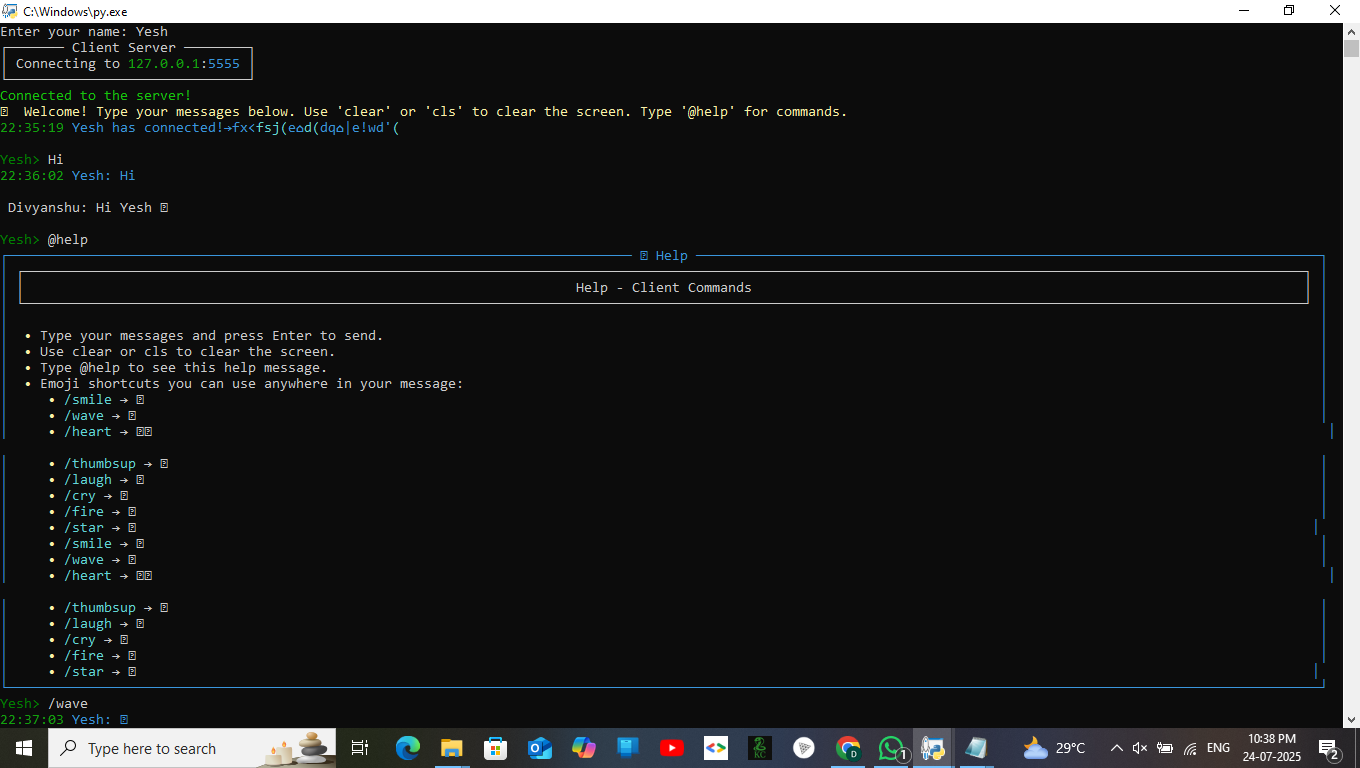
You will be prompted to enter your name, then the client will connect to the server and start the chat interface.
Also,
from pyaibrain.client import ClientServer

cServer = ClientServer()
cServer.serve()
Commands
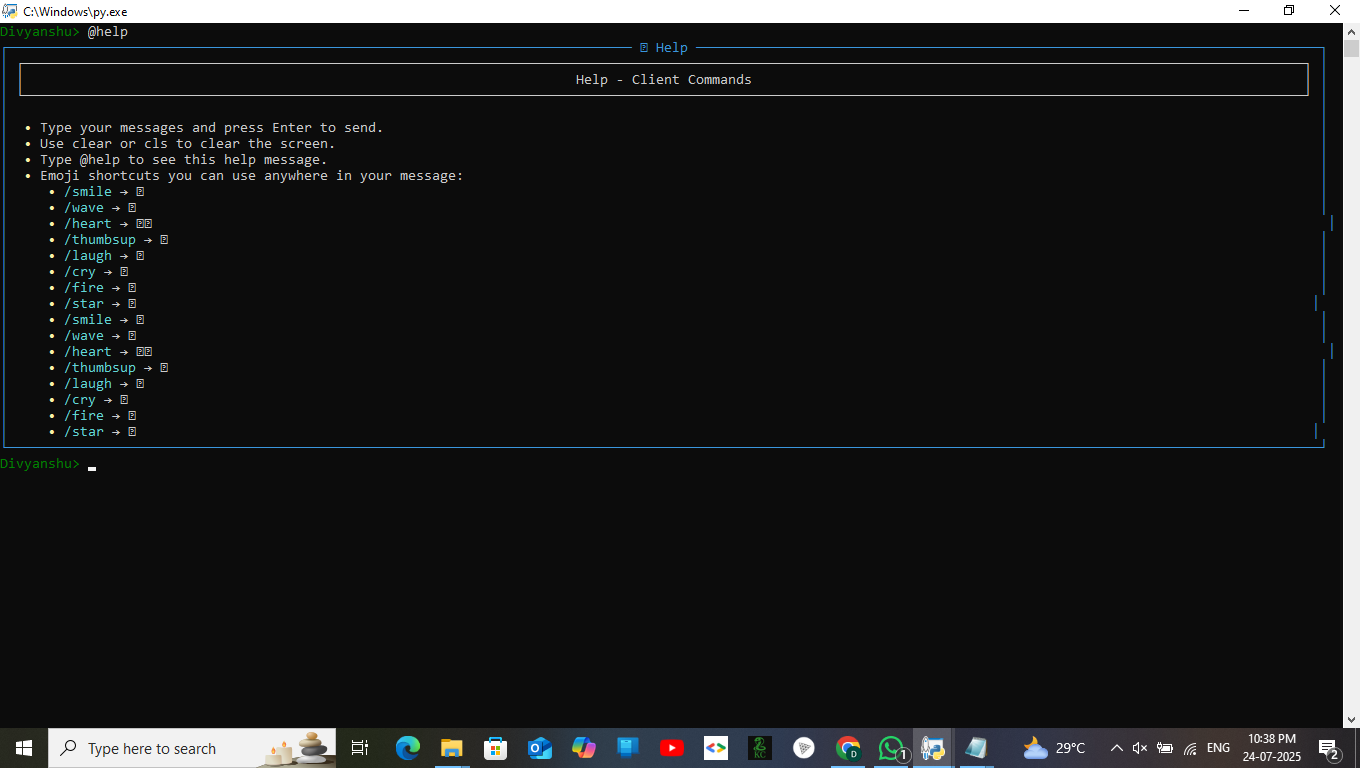
clearorclsto clear the terminal screen during chat
Also, run the pyaibrain-server from terminal:
pyaibrain-server
Encryption Details
Messages are encrypted/decrypted with a simple XOR cipher using the key from .env.
Note: XOR is for demonstration and not secure for production use.
Author
Divyanshu Sinha Email: divyanshu.sinha136@gmail.com
License
This project is licensed under the MIT License — see the LICENSE file for details.
✨ Preview


Download files
Download the file for your platform. If you're not sure which to choose, learn more about installing packages.
Source Distribution
Built Distribution
Filter files by name, interpreter, ABI, and platform.
If you're not sure about the file name format, learn more about wheel file names.
Copy a direct link to the current filters
File details
Details for the file pythonaibrain_client-1.0.1.tar.gz.
File metadata
- Download URL: pythonaibrain_client-1.0.1.tar.gz
- Upload date:
- Size: 14.4 kB
- Tags: Source
- Uploaded using Trusted Publishing? No
- Uploaded via: twine/6.1.0 CPython/3.12.8
File hashes
| Algorithm | Hash digest | |
|---|---|---|
| SHA256 |
b0b4b42ab2c88912ef88391bc2b301cfc80002e4b7e5b224f2a46e641eebcc0f
|
|
| MD5 |
28364b629636b7bf148e104c1c982903
|
|
| BLAKE2b-256 |
bb9b6fbe30ddeb8af0a73a77bc289e93dc2c8a908683d6051c9c30a4d7cb52fd
|
File details
Details for the file pythonaibrain_client-1.0.1-py3-none-any.whl.
File metadata
- Download URL: pythonaibrain_client-1.0.1-py3-none-any.whl
- Upload date:
- Size: 15.4 kB
- Tags: Python 3
- Uploaded using Trusted Publishing? No
- Uploaded via: twine/6.1.0 CPython/3.12.8
File hashes
| Algorithm | Hash digest | |
|---|---|---|
| SHA256 |
6f2424ca7d23397907eae4d78a8edc107776f60f34d00069da85537dd11e0777
|
|
| MD5 |
897dbe5017d90241e07bde41f39a0378
|
|
| BLAKE2b-256 |
93fd8ca5fa676743b0e63316593241b61823b803f08a7659bf782ea254be2c72
|






