

PyVista Gridder






Structured and unstructured mesh generation using PyVista for the Finite-Element (FEM), Finite-Difference (FDM), and Finite-Volume Methods (FVM).
Features
- Pre-Meshed Geometric Primitives: Create basic geometric objects with pre-configured meshes, using structured grids whenever possible.
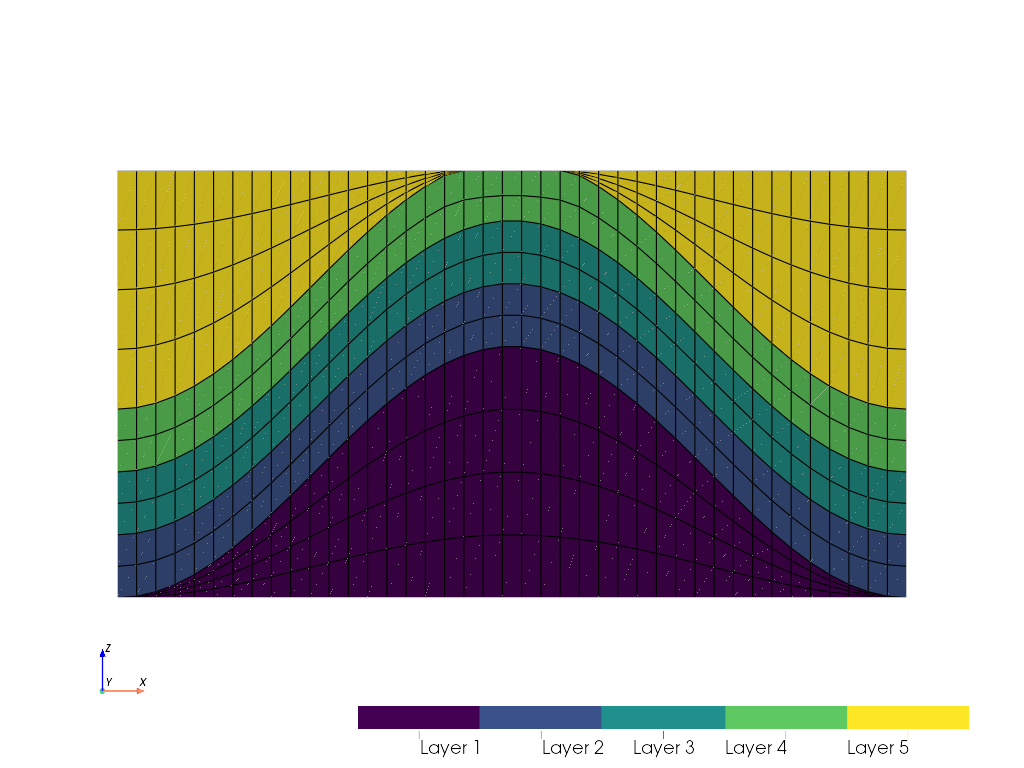
- Line/Polyline Extrusion: Extrude lines or polylines into 2D structured quadrilateral grids.
- Surface Extrusion: Extrude surface meshes into 3D volumetric meshes while preserving cell types.
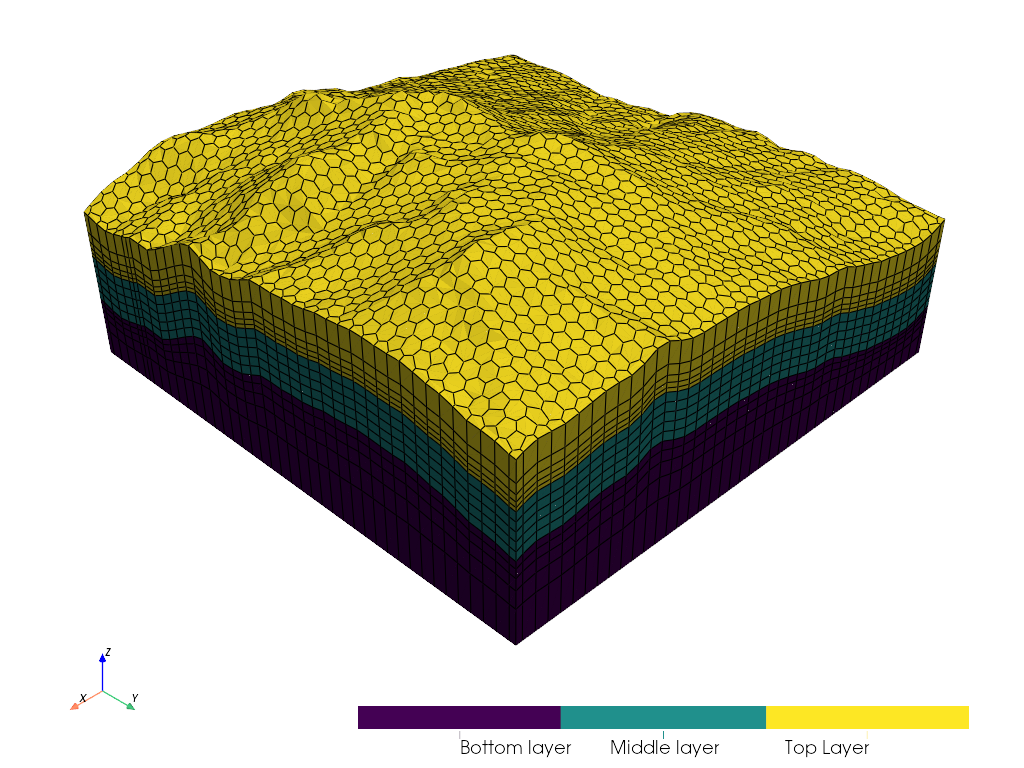
- 1.5D/2.5D Mesh Creation: Stack polylines or surfaces to build layered meshes, ideal for geological modeling and similar applications.
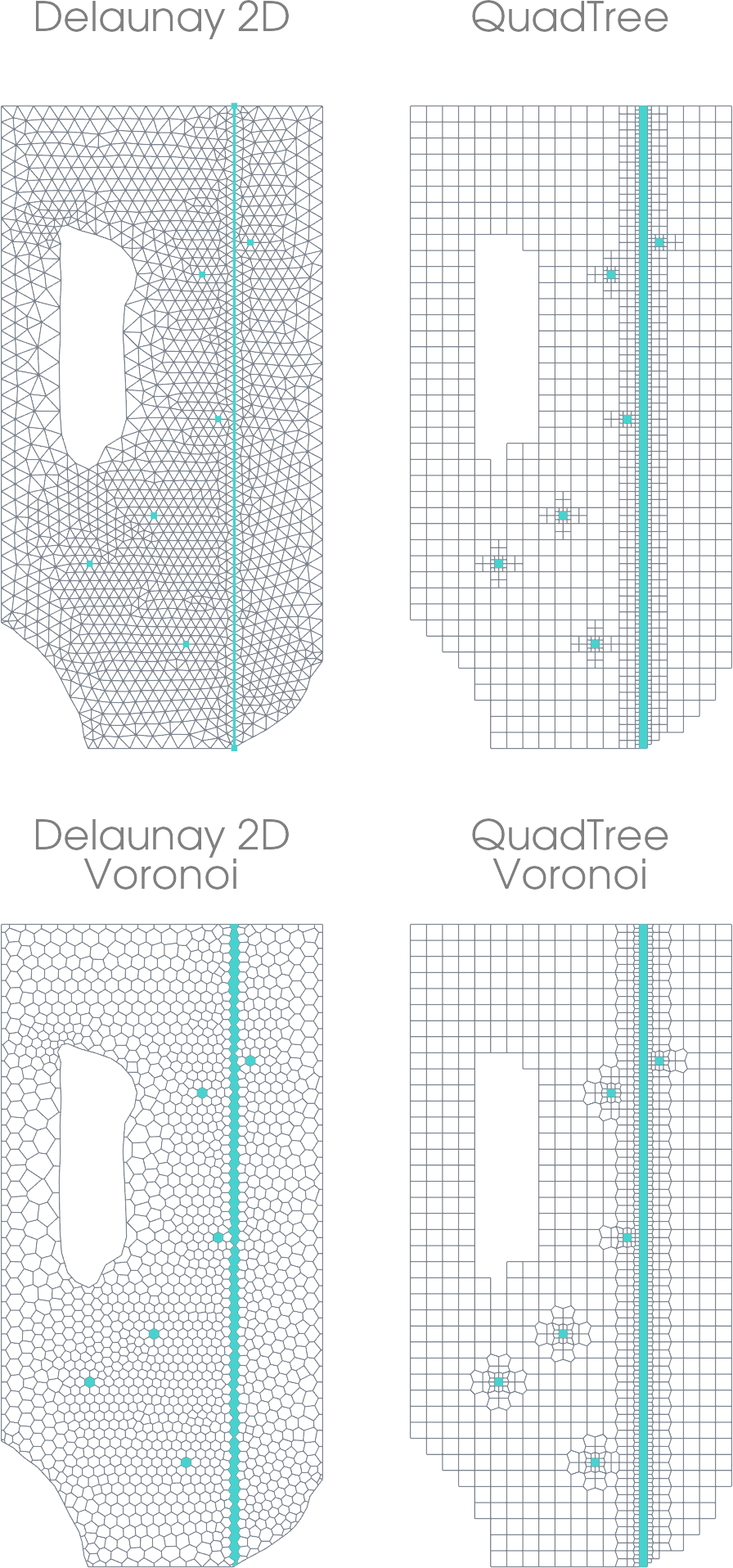
- 2D QuadTree Mesh Generation: Generate adaptive QuadTree meshes with fast 2:1 balancing, point/polyline refinement, and optional conformal/orthogonal polygonal export.
- 2D Delaunay Mesh Generation: Create constrained triangular or quad-recombined meshes via Gmsh, supporting embedded features, physical group tagging, and an API consistent with the QuadTree interface.
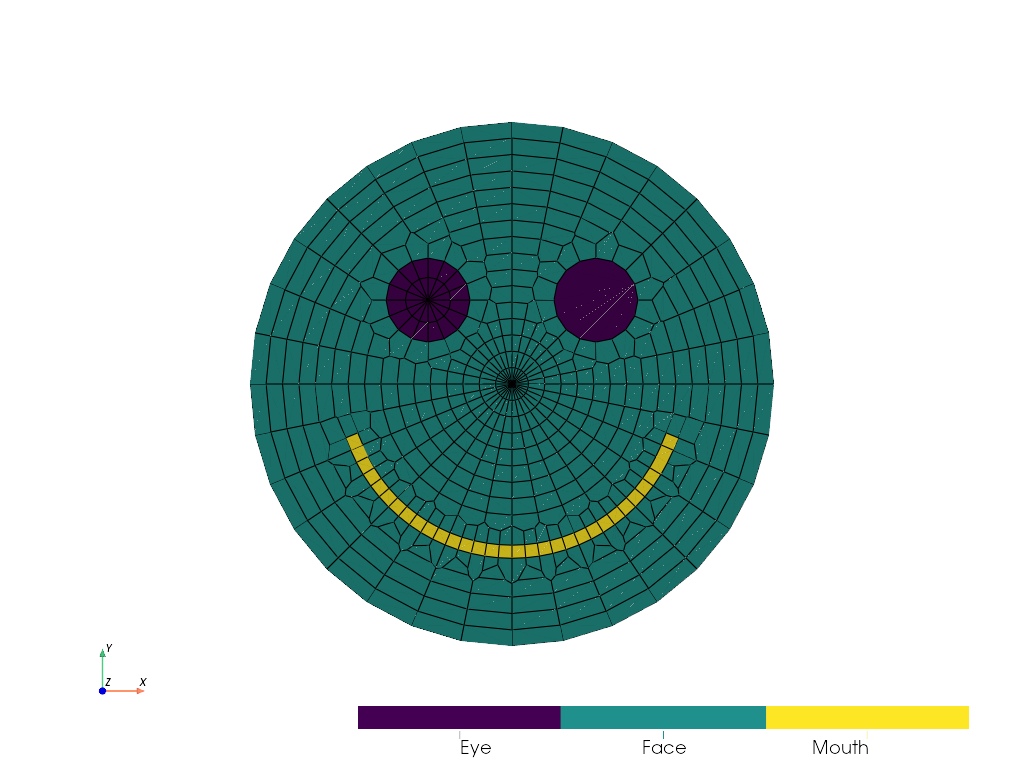
- 2D Voronoi Mesh Generation: Create 2D Voronoi meshes from a background mesh, with support for adding constraint points to define custom shapes.
- Mesh Merging: Combine multiple PyVista meshes into a single dataset and assign cell groups, leaving conformity checks to the user.
- Additional Grid Utility Functions: Includes tools to manipulate structured and unstructured grids.
Installation
The recommended way to install pyvista-gridder and all its dependencies is through the Python Package Index:
pip install pyvista-gridder
Otherwise, clone and extract the package, then run from the package location:
pip install .
To test the integrity of the installed package, check out this repository and run:
pytest
Examples
2D Structured Grid
import numpy as np
import pyvista as pv
import pvgridder as pvg

mesh = (
    pvg.MeshStack2D(pv.Line([-3.14, 0.0, 0.0], [3.14, 0.0, 0.0], resolution=41))
    .add(0.0)
    .add(lambda x, y, z: np.cos(x) + 1.0, 4, group="Layer 1")
    .add(0.5, 2, group="Layer 2")
    .add(0.5, 2, group="Layer 3")
    .add(0.5, 2, group="Layer 4")
    .add(lambda x, y, z: np.full_like(x, 3.4), 4, group="Layer 5")
    .generate_mesh()
)
mesh.plot(show_edges=True, scalars=pvg.get_cell_group(mesh))
2D Voronoi Mesh
import numpy as np
import pyvista as pv
import pvgridder as pvg

smile_radius = 0.64
smile_points = [
    (smile_radius * np.cos(theta), smile_radius * np.sin(theta), 0.0)
    for theta in np.deg2rad(np.linspace(200.0, 340.0, 32))
]
mesh = (
    pvg.VoronoiMesh2D(pvg.Annulus(0.0, 1.0, 16, 32), default_group="Face")
    .add_circle(0.16, plain=False, resolution=16, center=(-0.32, 0.32, 0.0), group="Eye")
    .add_circle(0.16, plain=True, resolution=16, center=(0.32, 0.32, 0.0), group="Eye")
    .add_polyline(smile_points, width=0.05, group="Mouth")
    .generate_mesh()
)
mesh.plot(show_edges=True, scalars=pvg.get_cell_group(mesh))
Freyberg Model
import pvgridder as pvg

outcrop = pvg.examples.freyberg.load_outcrop()  # shapely.Polygon
river = pvg.examples.freyberg.load_river()  # shapely.LineString
wells = pvg.examples.freyberg.load_wells()  # 2D array
tri = (
    pvg.DelaunayMesh2D(outcrop, cellsize=1000.0)
    .add_polyline(river, cellsize=150.0, growth=1.2, group="River")
    .add_points(wells, cellsize=150.0, constraint=6, group="Well")
    .generate_mesh()
)
quad = (
    pvg.QuadTree(pvg.Rectangle(5000.0, 10000.0, 20, 40), max_depth=2)
    .add_boundary_polygon(outcrop)
    .add_polyline(river, group="River")
    .add_points(wells, group="Well")
    .generate_mesh(balance=True, conformal=True)
)
tri_voro = pvg.VoronoiMesh2D(tri, preference="point").generate_mesh()
quad_voro = pvg.VoronoiMesh2D(quad, preference="cell").generate_mesh()
2.5D Geological Model
import pyvista as pv
import pvgridder as pvg

terrain = pv.examples.download_crater_topo().extract_subset(
    (500, 900, 400, 800, 0, 0), (10, 10, 1)
)
terrain_delaunay = pvg.Polygon(terrain, celltype="triangle")
terrain = terrain.cast_to_structured_grid().warp_by_scalar("scalar1of1")

mesh = (
    pvg.MeshStack3D(
        pvg.VoronoiMesh2D(terrain_delaunay, preference="point").generate_mesh()
    )
    .add(0.0)
    .add(terrain.translate((0.0, 0.0, -1000.0)), 5, method="log_r", group="Bottom layer")
    .add(500.0, 5, group="Middle layer")
    .add(terrain, 5, method="log", group="Top Layer")
    .generate_mesh()
)
mesh.plot(show_edges=True, scalars=pvg.get_cell_group(mesh))
Acknowledgements
This project is supported by Nagra (National Cooperative for the Disposal of Radioactive Waste), Switzerland.
1 maintainer

Metadata
1 maintainer
Release files for pyvista-gridder 0.7.2
For a detailed explanation of source distributions (sdists) and built distributions (wheels), please see the package formats documentation.
Source distribution (sdist)
| File | Size | Uploaded | Provenance | Actions |
|---|---|---|---|---|
| pyvista_gridder-0.7.2.tar.gz | 87.1 kB | Without provenance | Details for pyvista_gridder-0.7.2.tar.gz |
Built distribution (wheel)
| File | Interpreter | ABI | Platform | Actions Reset |
|---|---|---|---|---|
| pyvista_gridder-0.7.2-py3-none-any.whl | Python 3 | none | any | Details for pyvista_gridder-0.7.2-py3-none-any.whl |
Total release size: 161.0 kB
Release files / pyvista_gridder-0.7.2.tar.gz
| Download URL | pyvista_gridder-0.7.2.tar.gz |
|---|---|
| Size | 87.1 kB |
| Tags | Source |
|
SHA-256 checksum How to use checksums |
377fbac414efe4652d170f88cfca23c06ffed664c68f1ed76867d827685801b5
|
|
BLAKE2b-256 checksum How to use checksums |
03d8e70a4be29cc9ed4799e4ef86c7bc2834b54b0f22f4dca0b46979d157391b
|
| Upload date | |
|
Uploaded using Trusted Publishing? What is trusted publishing? |
No |
| Uploaded via |
twine/6.1.0 CPython/3.12.9
|
Release files / pyvista_gridder-0.7.2-py3-none-any.whl
| Download URL | pyvista_gridder-0.7.2-py3-none-any.whl |
|---|---|
| Size | 73.9 kB |
| Tags | Python 3 |
|
SHA-256 checksum How to use checksums |
cc568a72aefea4377983871ce352eda2067310765da50701cc12f18bada0f26a
|
|
BLAKE2b-256 checksum How to use checksums |
1a33c8c8788dd19d51a5b4403178f9d93e88a1652ad9a7faf75b3ce2489e54a5
|
| Upload date | |
|
Uploaded using Trusted Publishing? What is trusted publishing? |
No |
| Uploaded via |
twine/6.1.0 CPython/3.12.9
|
Security for pyvista-gridder 0.7.2
Provenance
Provenance describes where a file came from. On PyPI, provenance is shared via attestations, which provide a verifiable record of the build or publishing details. View details, limitations and caveats.
No provenance found
None of the files in this release were uploaded with provenance metadata.
A note on package security
PyPI is a repository for distributing packages, not a service for auditing them. While third-party security researchers and our staff do their best to detect and remove malicious packages, PyPI cannot guarantee the quality, security or suitability of any given package.
To learn more about protecting yourself from malicious actors, visit our package security documentation.














