
A retro game engine for Python

Project description






[ English | 中文 | Deutsch | Español | Français | Italiano | 日本語 | 한국어 | Português | Русский | Türkçe | Українська ]
Pyxel (/ˈpɪksəl/) is a retro game engine for Python.
With simple specifications inspired by retro gaming consoles, such as displaying only 16 colors and supporting 4 sound channels, you can easily enjoy making pixel-art-style games.
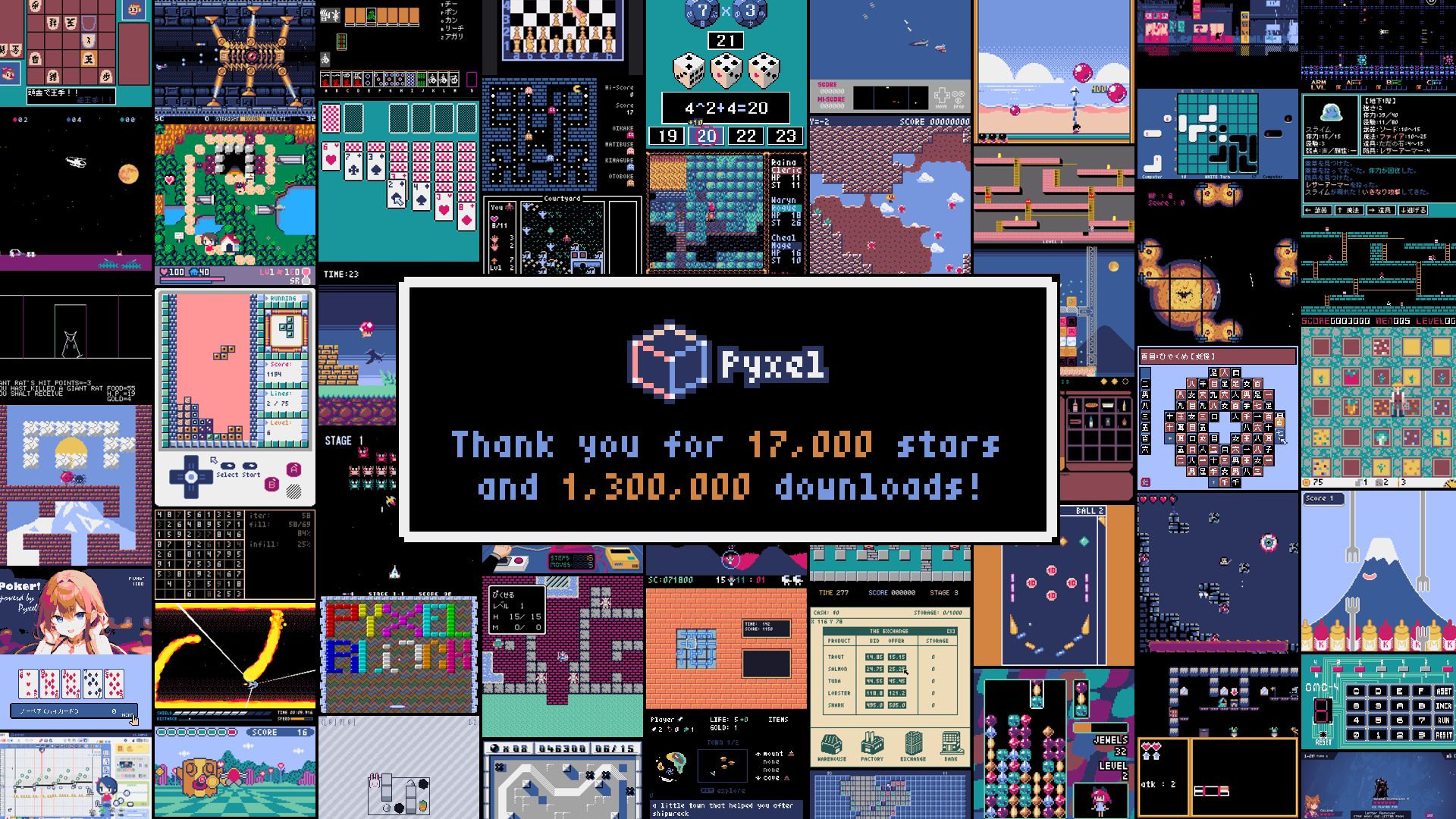
The development of Pyxel is driven by user feedback. Please give Pyxel a star on GitHub!
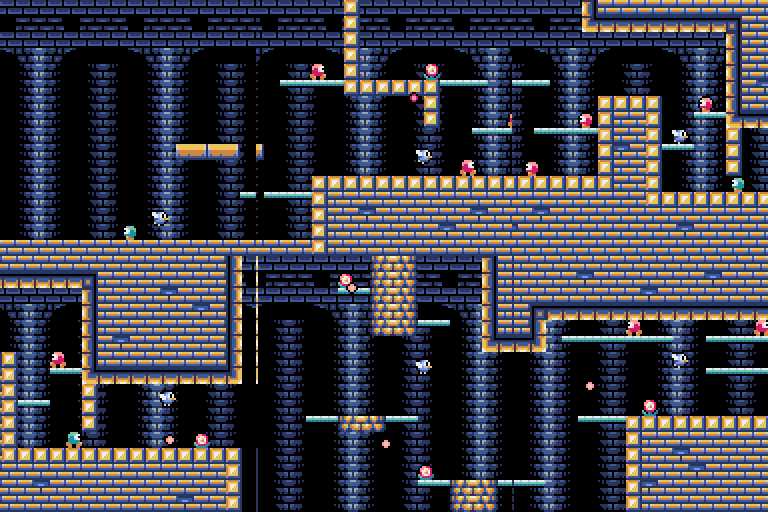
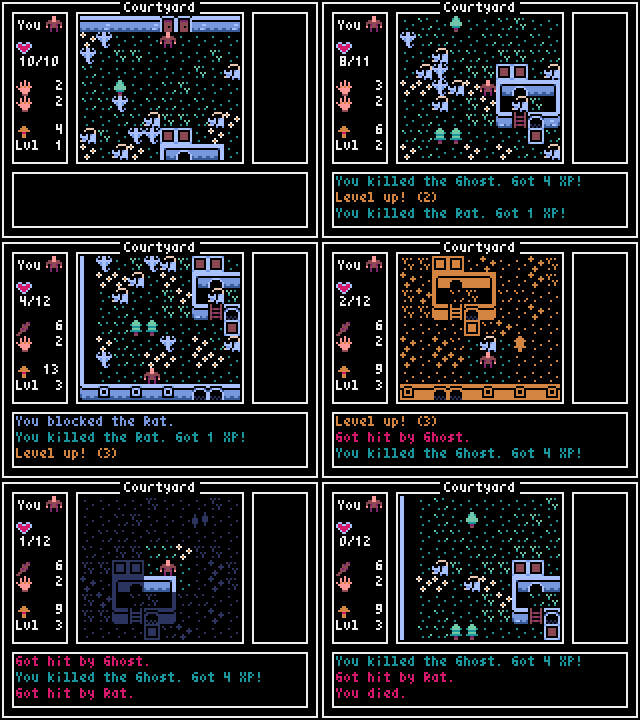

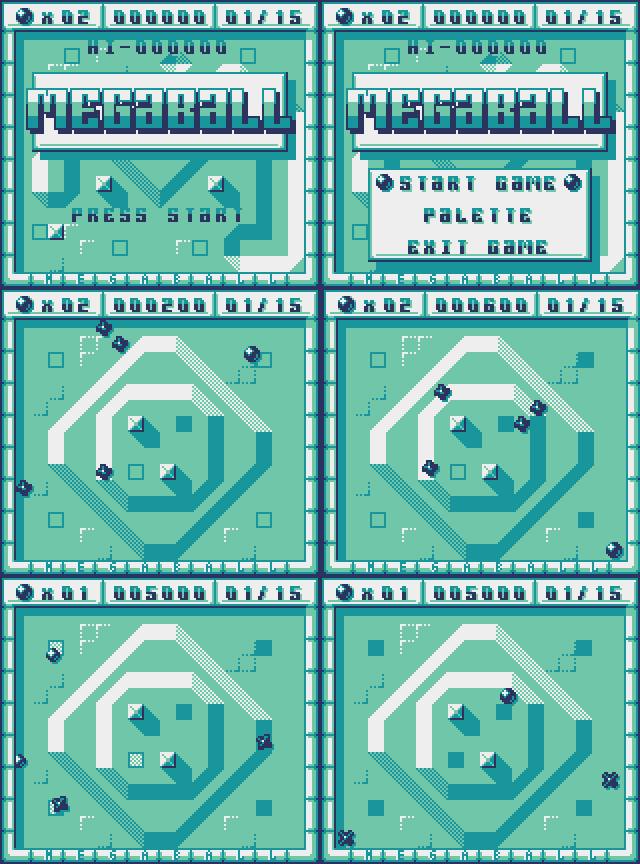
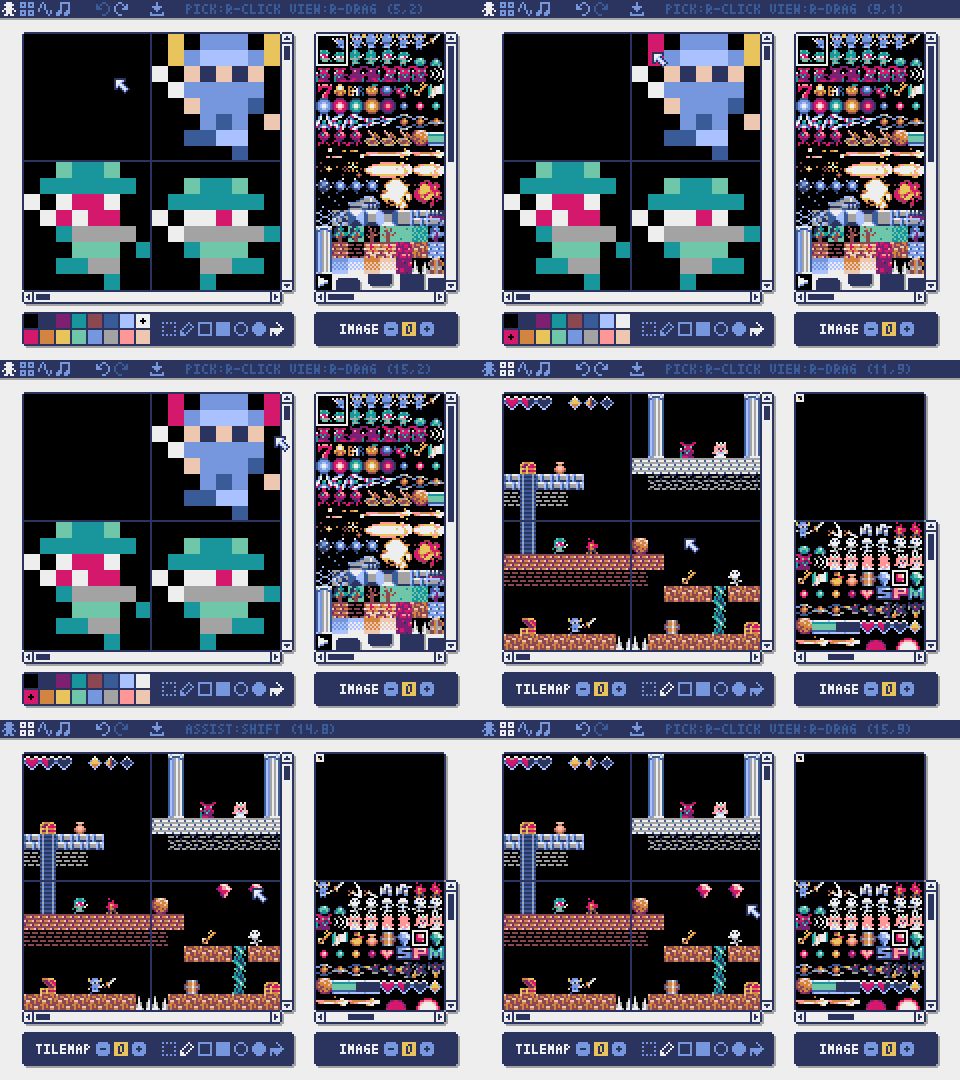
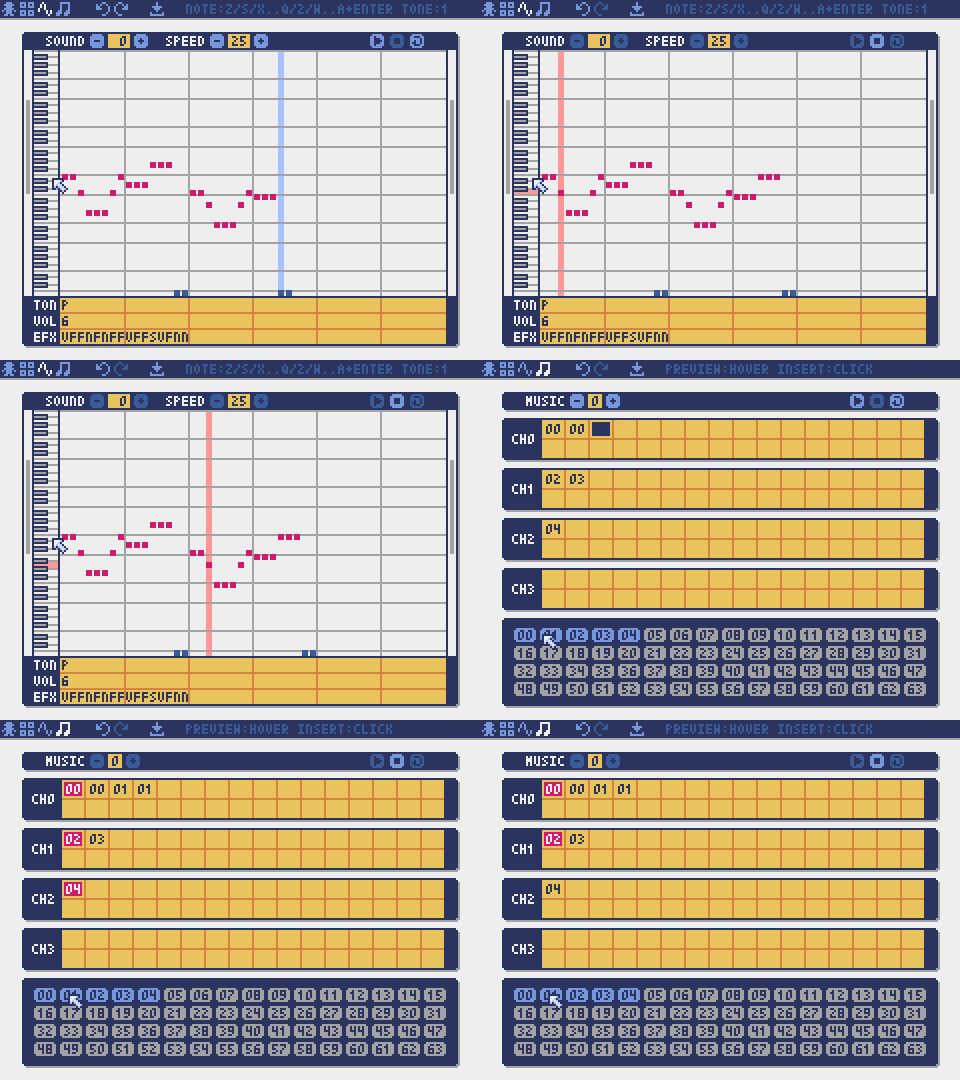
Pyxel's specifications and APIs are inspired by PICO-8 and TIC-80.
Pyxel is open source under the MIT License and free to use. Let's start making retro games with Pyxel!
Specifications
- Runs on Windows, Mac, Linux, and Web
- Programming in Python
- Customizable screen size
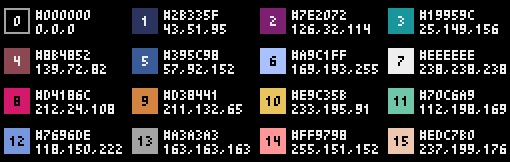
- 16-color palette
- 3 256x256 image banks
- 8 256x256 tilemaps
- 4 channels with 64 definable sounds
- 8 music tracks composed of sounds
- Keyboard, mouse, and gamepad inputs
- Image and sound editing tools
- User-extensible colors, sound channels, and banks
Color Palette

How to Install
Windows / Mac / Linux
After installing Python 3 (version 3.8 or higher), run the following command:
pip install -U pyxel
Note: On Windows, make sure to check Add python.exe to PATH when installing Python to enable the pyxel command.
Web
The web version of Pyxel can be used without installation on PCs, smartphones, tablets, and other devices with a compatible browser.
The web-based development environment Pyxel Code Maker is ready to use simply by opening it in your browser.
For other usage, such as embedding Pyxel apps on your own site, please refer to this page.
VS Code
By adding the Pyxel extension to Visual Studio Code (VS Code), you can develop and run Pyxel apps without installing Python or Pyxel.
To add the Pyxel extension, search for "Pyxel" in the VS Code Extensions view and click the install button.
Basic Usage
Pyxel Command
Installing Pyxel adds the pyxel command. Specify a command name after pyxel to perform various operations.
Run it without arguments to see the list of available commands:
pyxel
Pyxel, a retro game engine for Python
usage:
    pyxel run PYTHON_SCRIPT_FILE(.py)
    pyxel watch WATCH_DIR PYTHON_SCRIPT_FILE(.py)
    pyxel play PYXEL_APP_FILE(.pyxapp)
    pyxel edit [PYXEL_RESOURCE_FILE(.pyxres)]
    pyxel package APP_DIR STARTUP_SCRIPT_FILE(.py)
    pyxel app2exe PYXEL_APP_FILE(.pyxapp)
    pyxel app2html PYXEL_APP_FILE(.pyxapp)
    pyxel copy_examples
Try Examples
The following command copies Pyxel examples to the current directory:
pyxel copy_examples
You can run examples locally with the following commands:
# Run example in examples directory
cd pyxel_examples
pyxel run 01_hello_pyxel.py

# Run app in examples/apps directory
cd apps
pyxel play 30sec_of_daylight.pyxapp
Examples can also be viewed and run in the browser from Pyxel Showcase.
Creating Applications
Create a Program
In your Python script, import Pyxel, set the window size with init, and start the application with run.
import pyxel

pyxel.init(160, 120)

def update():
    if pyxel.btnp(pyxel.KEY_Q):
        pyxel.quit()

def draw():
    pyxel.cls(0)
    pyxel.rect(10, 10, 20, 20, 11)

pyxel.run(update, draw)
The arguments of the run function are the update function, which processes frame updates, and the draw function, which handles screen drawing.
In an actual application, it is recommended to wrap Pyxel code in a class, as shown below:
import pyxel

class App:
    def __init__(self):
        pyxel.init(160, 120)
        self.x = 0
        pyxel.run(self.update, self.draw)

    def update(self):
        self.x = (self.x + 1) % pyxel.width

    def draw(self):
        pyxel.cls(0)
        pyxel.rect(self.x, 0, 8, 8, 9)

App()
For creating simple graphics without animation, you can use the show function to simplify your code.
import pyxel

pyxel.init(120, 120)
pyxel.cls(1)
pyxel.circb(60, 60, 40, 7)
pyxel.show()
Run a Program
A created script can be executed using the python command:
python PYTHON_SCRIPT_FILE
It can also be run with the pyxel run command:
pyxel run PYTHON_SCRIPT_FILE
Additionally, the pyxel watch command monitors changes in a specified directory and automatically re-runs the program when changes are detected:
pyxel watch WATCH_DIR PYTHON_SCRIPT_FILE
Stop directory monitoring by pressing Ctrl(Command)+C.
Special Key Controls
The following special key actions are available while a Pyxel application is running:
Esc
Quit the applicationAlt(Option)+RorA+B+X+Y+BACKon gamepad
Reset the applicationAlt(Option)+1
Save the screenshot to the desktopAlt(Option)+2
Reset the recording start time of the screen capture videoAlt(Option)+3
Save a screen capture video to the desktop (up to 10 seconds)Alt(Option)+8orA+B+X+Y+DLon gamepad
Toggle screen scaling between maximum and integerAlt(Option)+9orA+B+X+Y+DRon gamepad
Switch between screen modes (Crisp/Smooth/Retro)Alt(Option)+0orA+B+X+Y+DUon gamepad
Toggle the performance monitor (FPS/updatetime/drawtime)Alt(Option)+EnterorA+B+X+Y+DDon gamepad
Toggle fullscreenShift+Alt(Option)+1/2/3
Save image bank 0, 1, or 2 to the desktopShift+Alt(Option)+0
Save the current color palette to the desktop
Creating Resources
Pyxel Editor
Pyxel Editor creates images and sounds used in a Pyxel application.
You can start Pyxel Editor with the following command:
pyxel edit PYXEL_RESOURCE_FILE
If the specified Pyxel resource file (.pyxres) exists, it will be loaded. If it does not exist, a new file with the specified name will be created. If the resource file is omitted, a new file named my_resource.pyxres will be created.
After starting Pyxel Editor, you can switch to another resource file by dragging and dropping it onto the editor.
The created resource file can be loaded using the load function.
Pyxel Editor has the following editing modes.
Image Editor
The mode for editing images in each image bank.
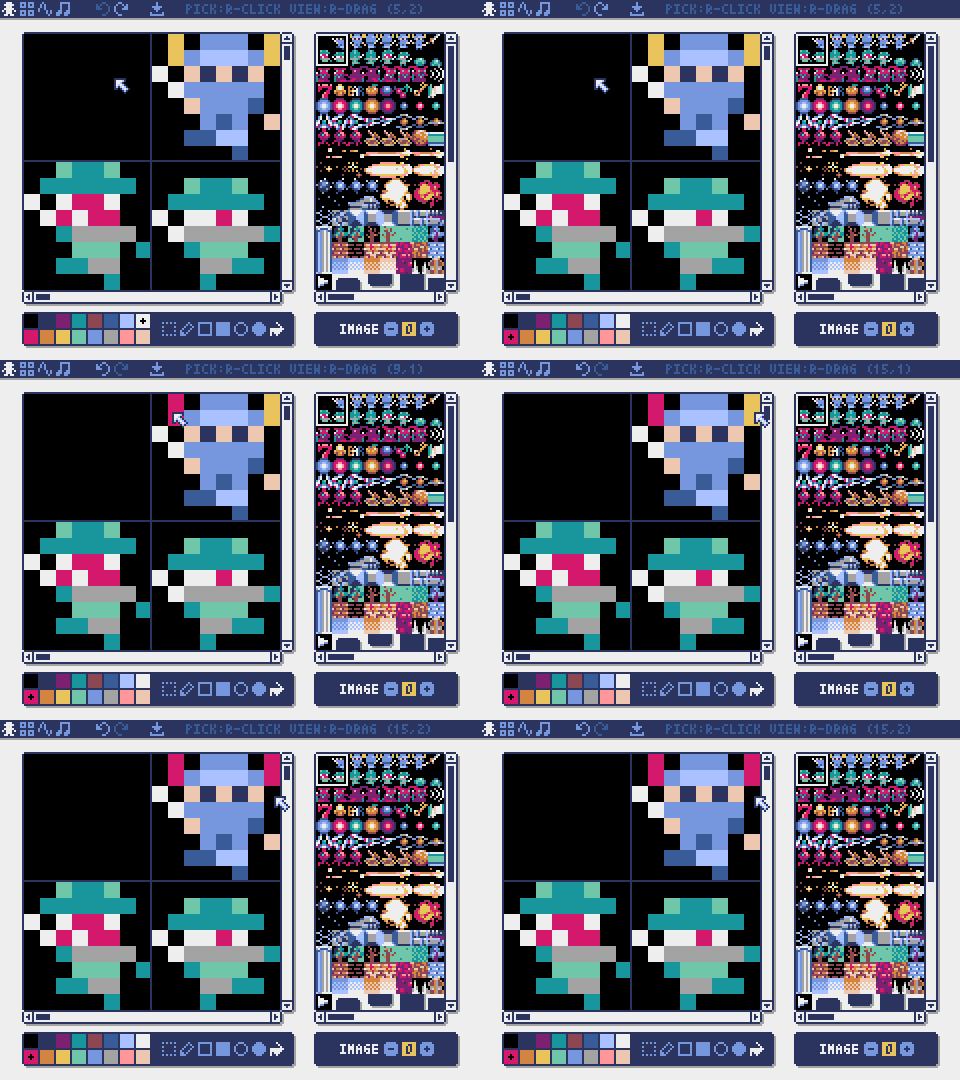
You can drag and drop an image file (PNG/GIF/JPEG) into the image editor to load the image into the currently selected image bank.
Tilemap Editor
The mode for editing tilemaps that arrange images from the image banks in a tile pattern.
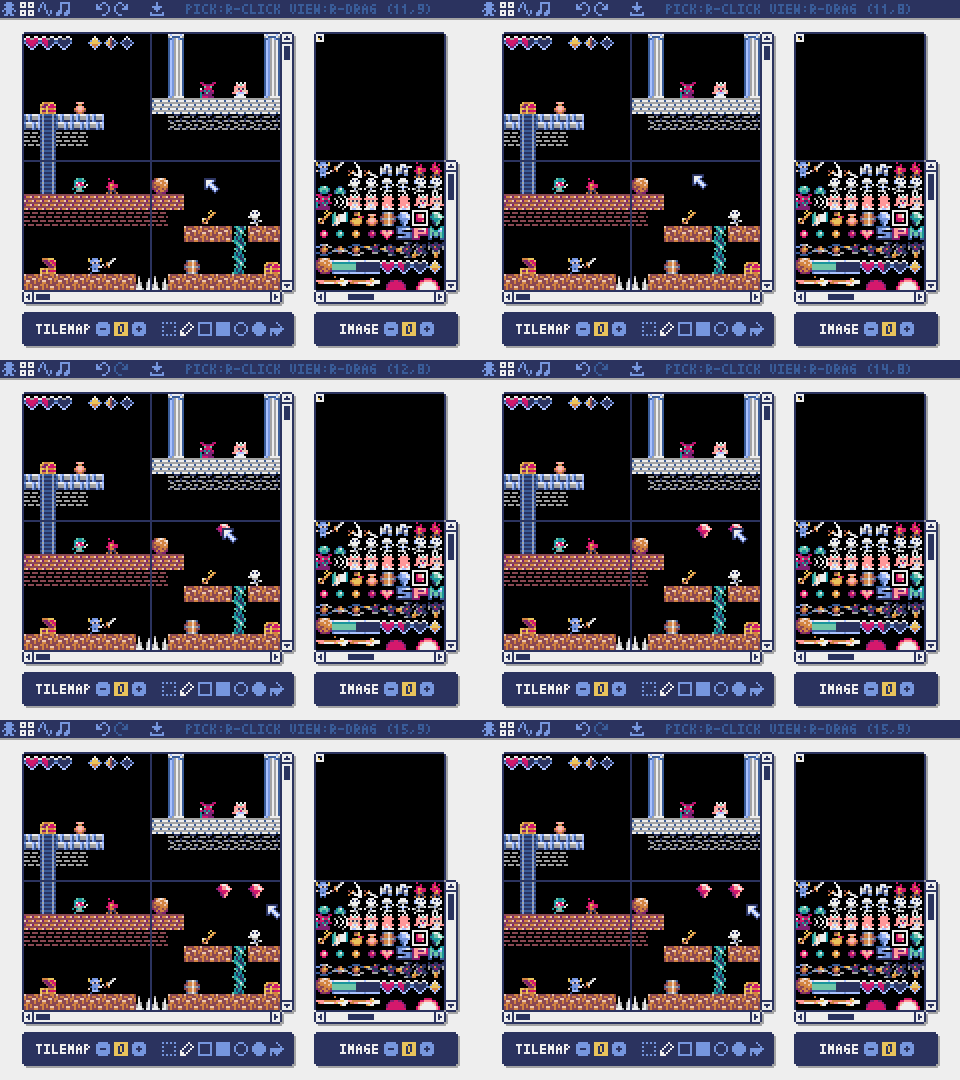
Drag and drop a TMX file (Tiled Map File) onto the tilemap editor to load its layer 0 into the currently selected tilemap.
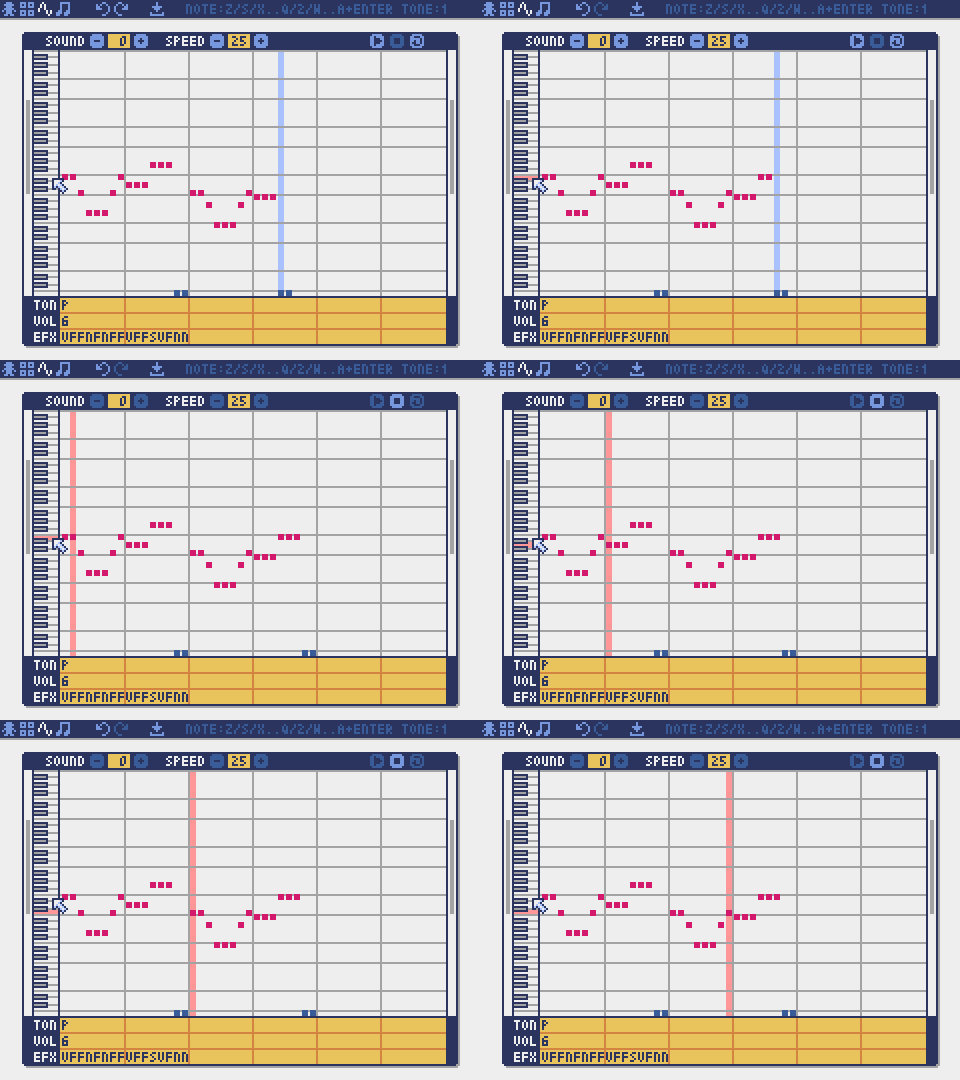
Sound Editor
The mode for editing sounds used for melodies and sound effects.
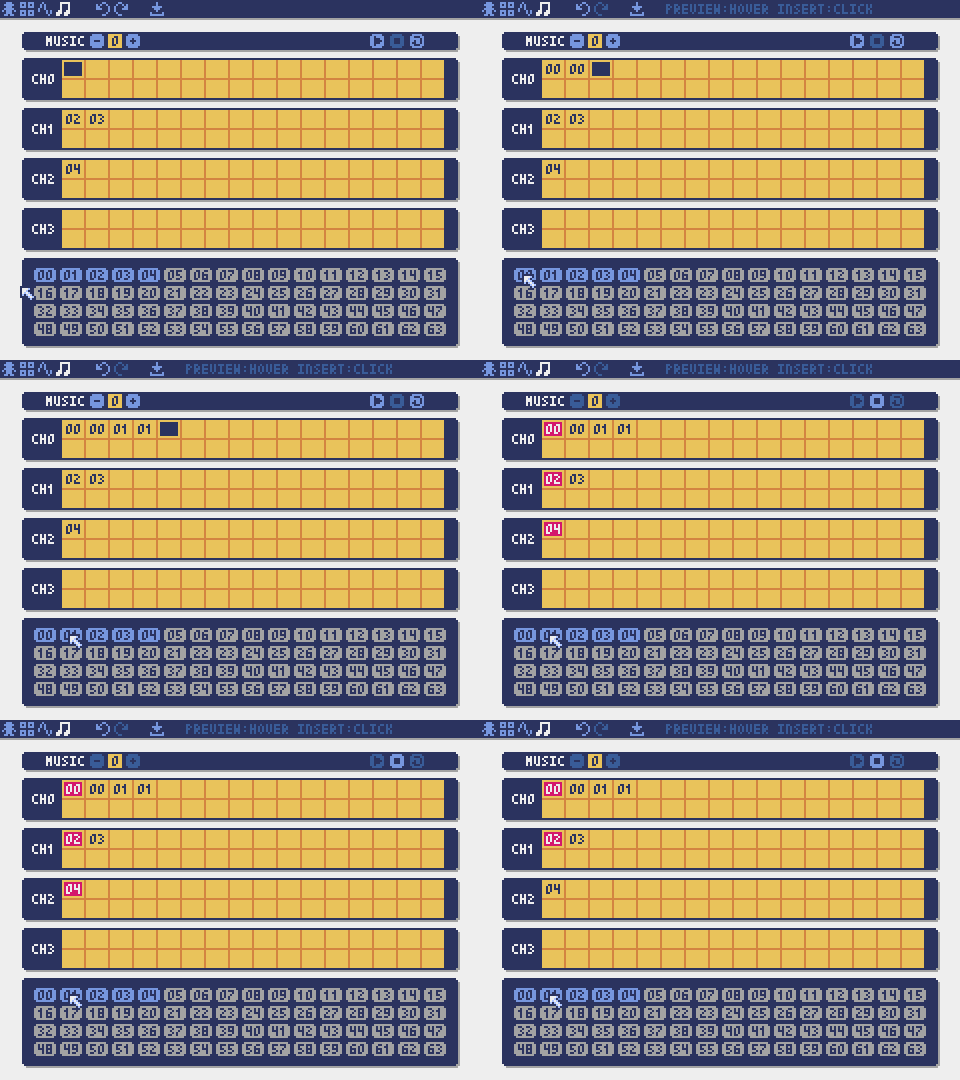
Music Editor
The mode for editing music tracks in which the sounds are arranged in order of playback.
Other Creation Methods
Pyxel images and tilemaps can also be created using the following methods:
- Create images or tilemaps from lists of strings with the
Image.setorTilemap.setfunctions - Load palette-ready image files (PNG/GIF/JPEG) with the
Image.loadfunction
Pyxel sounds and music can also be created using the following method:
- Create them from strings with the
Sound.setorMusic.setfunctions
Refer to the API reference for the usage of these functions.
Distributing Applications
Pyxel supports a cross-platform distribution format called a Pyxel application file.
Create a Pyxel application file (.pyxapp) with the pyxel package command:
pyxel package APP_DIR STARTUP_SCRIPT_FILE
If you need to include resources or additional modules, place them in the application directory.
Metadata can be displayed at runtime by specifying it in the following format within the startup script. Fields other than title and author are optional.
# title: Pyxel Platformer
# author: Takashi Kitao
# desc: A Pyxel platformer example
# site: https://github.com/kitao/pyxel
# license: MIT
# version: 1.0
The created application file can be run using the pyxel play command:
pyxel play PYXEL_APP_FILE
A Pyxel application file can also be converted to an executable or an HTML file using the pyxel app2exe or pyxel app2html commands.
API Reference
A complete list of Pyxel APIs is available at Pyxel API Reference.
Pyxel also includes an "Advanced API" that requires specialized knowledge. You can view it by checking the "Advanced" checkbox on the reference page.
If you're confident in your skills, try using the Advanced API to create truly amazing works!
How to Contribute
Submitting Issues
Use the Issue Tracker to submit bug reports and feature or enhancement requests. Before submitting a new issue, make sure there are no similar open issues.
Functional Testing
Anyone who manually tests the code and reports bugs or suggestions for enhancements in the Issue Tracker is very welcome!
Submitting Pull Requests
Patches and fixes are accepted in the form of pull requests (PRs). Make sure that the issue the pull request addresses is open in the Issue Tracker.
Submitting a pull request implies that you agree to license your contribution under the MIT License.
Tools & Examples
- Showcase
- API Reference
- Web Launcher
- Code Maker
- MML Studio
- VS Code Extension
- MCP Server
- Claude Code Skill
Other Information
License
Pyxel is licensed under the MIT License. It can be reused in proprietary software, provided that all copies of the software or its substantial portions include a copy of the MIT License terms and a copyright notice.
Recruiting Sponsors
Pyxel is looking for sponsors on GitHub Sponsors. Please consider sponsoring Pyxel to support its continued maintenance and feature development. As a benefit, sponsors can consult directly with the Pyxel developer. For more details, please visit this page.
Release history Release notifications | RSS feed


Download files
Download the file for your platform. If you're not sure which to choose, learn more about installing packages.
Source Distributions
Built Distributions
Filter files by name, interpreter, ABI, and platform.
If you're not sure about the file name format, learn more about wheel file names.
Copy a direct link to the current filters
File details
Details for the file pyxel-2.8.1-cp38-abi3-win_amd64.whl.
File metadata
- Download URL: pyxel-2.8.1-cp38-abi3-win_amd64.whl
- Upload date:
- Size: 6.9 MB
- Tags: CPython 3.8+, Windows x86-64
- Uploaded using Trusted Publishing? No
- Uploaded via: twine/6.2.0 CPython/3.14.3
File hashes
| Algorithm | Hash digest | |
|---|---|---|
| SHA256 |
d15c0d3d2724f621fca8d476f55d7f96caa8e5b0207198a94c4c0aedf57a2e4d
|
|
| MD5 |
c0e0beebfab7107d7c4a16b0aa1029ef
|
|
| BLAKE2b-256 |
742893dd36cb5f774eda1ba2b877b55898208ee91bcdf6465fae54ece354ea15
|
File details
Details for the file pyxel-2.8.1-cp38-abi3-win32.whl.
File metadata
- Download URL: pyxel-2.8.1-cp38-abi3-win32.whl
- Upload date:
- Size: 6.6 MB
- Tags: CPython 3.8+, Windows x86
- Uploaded using Trusted Publishing? No
- Uploaded via: twine/6.2.0 CPython/3.14.3
File hashes
| Algorithm | Hash digest | |
|---|---|---|
| SHA256 |
33b4a36884ee48c4b37adcedafc7119465b16cdaf85e91a71983ae0ae5cbf71b
|
|
| MD5 |
59e9230bcecbb90fa37dee34722a233d
|
|
| BLAKE2b-256 |
afeb088907304ec1e7dd1652cff960c013c3c09db0c140cdb1f6c49a17f3e6b9
|
File details
Details for the file pyxel-2.8.1-cp38-abi3-manylinux_2_28_x86_64.whl.
File metadata
- Download URL: pyxel-2.8.1-cp38-abi3-manylinux_2_28_x86_64.whl
- Upload date:
- Size: 7.9 MB
- Tags: CPython 3.8+, manylinux: glibc 2.28+ x86-64
- Uploaded using Trusted Publishing? No
- Uploaded via: twine/6.2.0 CPython/3.14.3
File hashes
| Algorithm | Hash digest | |
|---|---|---|
| SHA256 |
b5ff075ab4a780140d356c8a51bae4c876bb52ac60c23f081109b7c873e17ef9
|
|
| MD5 |
38dc712730717c9302738be5fcf1d675
|
|
| BLAKE2b-256 |
f7add783dc4ebf8e40ca2c0a444c47496db7442a7d6ca95c5467f7a981eff4f1
|
File details
Details for the file pyxel-2.8.1-cp38-abi3-manylinux_2_28_armv7l.whl.
File metadata
- Download URL: pyxel-2.8.1-cp38-abi3-manylinux_2_28_armv7l.whl
- Upload date:
- Size: 7.5 MB
- Tags: CPython 3.8+, manylinux: glibc 2.28+ ARMv7l
- Uploaded using Trusted Publishing? No
- Uploaded via: twine/6.2.0 CPython/3.14.3
File hashes
| Algorithm | Hash digest | |
|---|---|---|
| SHA256 |
565c59191d327644b25b905f5d8bb1fbd390e567e8631f006726c7102237191c
|
|
| MD5 |
1d224520ce934f83ee94fb2521d32803
|
|
| BLAKE2b-256 |
21934245e667444a5a9dae7326e76ec8302955f9f04adf6f5028dde7f51cd9fa
|
File details
Details for the file pyxel-2.8.1-cp38-abi3-manylinux_2_28_aarch64.whl.
File metadata
- Download URL: pyxel-2.8.1-cp38-abi3-manylinux_2_28_aarch64.whl
- Upload date:
- Size: 7.5 MB
- Tags: CPython 3.8+, manylinux: glibc 2.28+ ARM64
- Uploaded using Trusted Publishing? No
- Uploaded via: twine/6.2.0 CPython/3.14.3
File hashes
| Algorithm | Hash digest | |
|---|---|---|
| SHA256 |
689d0be4afd42601dea45884e6e54694a89489f57e362d1b707fb8a08c1288cb
|
|
| MD5 |
6060a4175527035ed1a8a15eda3fde6e
|
|
| BLAKE2b-256 |
5b322ed7ade675a802ce86b988acf5344e908253ffffff0d4dfc19c1fd3544b0
|
File details
Details for the file pyxel-2.8.1-cp38-abi3-macosx_11_0_arm64.whl.
File metadata
- Download URL: pyxel-2.8.1-cp38-abi3-macosx_11_0_arm64.whl
- Upload date:
- Size: 6.8 MB
- Tags: CPython 3.8+, macOS 11.0+ ARM64
- Uploaded using Trusted Publishing? No
- Uploaded via: twine/6.2.0 CPython/3.14.3
File hashes
| Algorithm | Hash digest | |
|---|---|---|
| SHA256 |
ce60db6f7949b06ff88329d51ad0aa63307344788ed87ceabeb0d0be9dce81bc
|
|
| MD5 |
525c6699e91cbf85214b9b4878c8709f
|
|
| BLAKE2b-256 |
f300a9349a0b262d07f347ba50eaaa4f9059b9c840992c876673da3b1f92c569
|
File details
Details for the file pyxel-2.8.1-cp38-abi3-macosx_10_12_x86_64.whl.
File metadata
- Download URL: pyxel-2.8.1-cp38-abi3-macosx_10_12_x86_64.whl
- Upload date:
- Size: 7.1 MB
- Tags: CPython 3.8+, macOS 10.12+ x86-64
- Uploaded using Trusted Publishing? No
- Uploaded via: twine/6.2.0 CPython/3.14.3
File hashes
| Algorithm | Hash digest | |
|---|---|---|
| SHA256 |
9f4da816a0a0269f7f016890fcb75ffe4b97c745b8fe53aace710c73b6d542ea
|
|
| MD5 |
ac2119cab785b12c4d377cd5200ae566
|
|
| BLAKE2b-256 |
752671aadfa6db1228319638ded483673ede015992570a282aa2e85fe5de1b23
|






