
QGitc



A cross-platform Git GUI tool designed to simplify commit history exploration, blame tracking, committing changes, and resolving conflicts. Leverage AI for generating commit messages and performing code reviews.
Screenshots
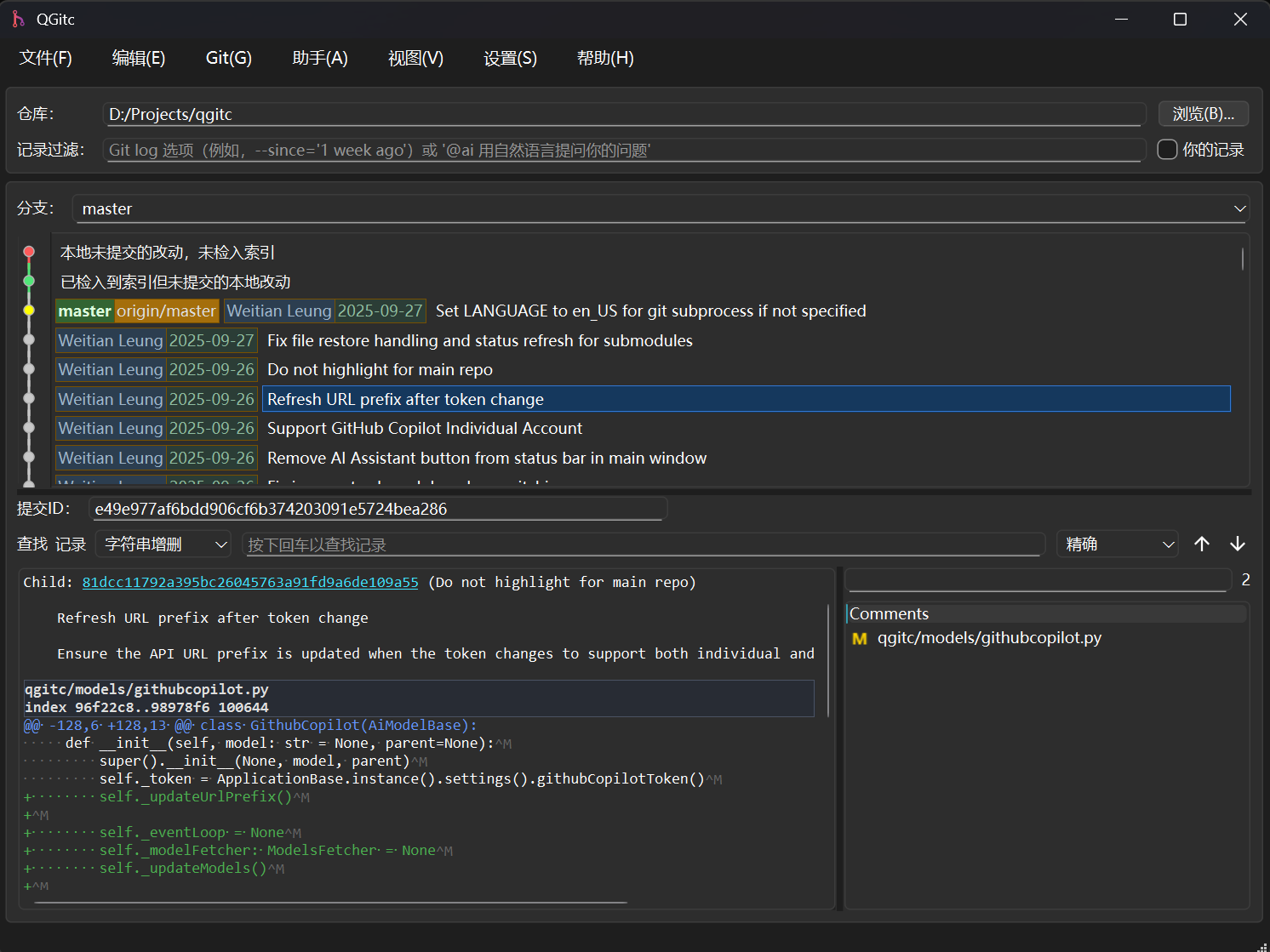
Main Window
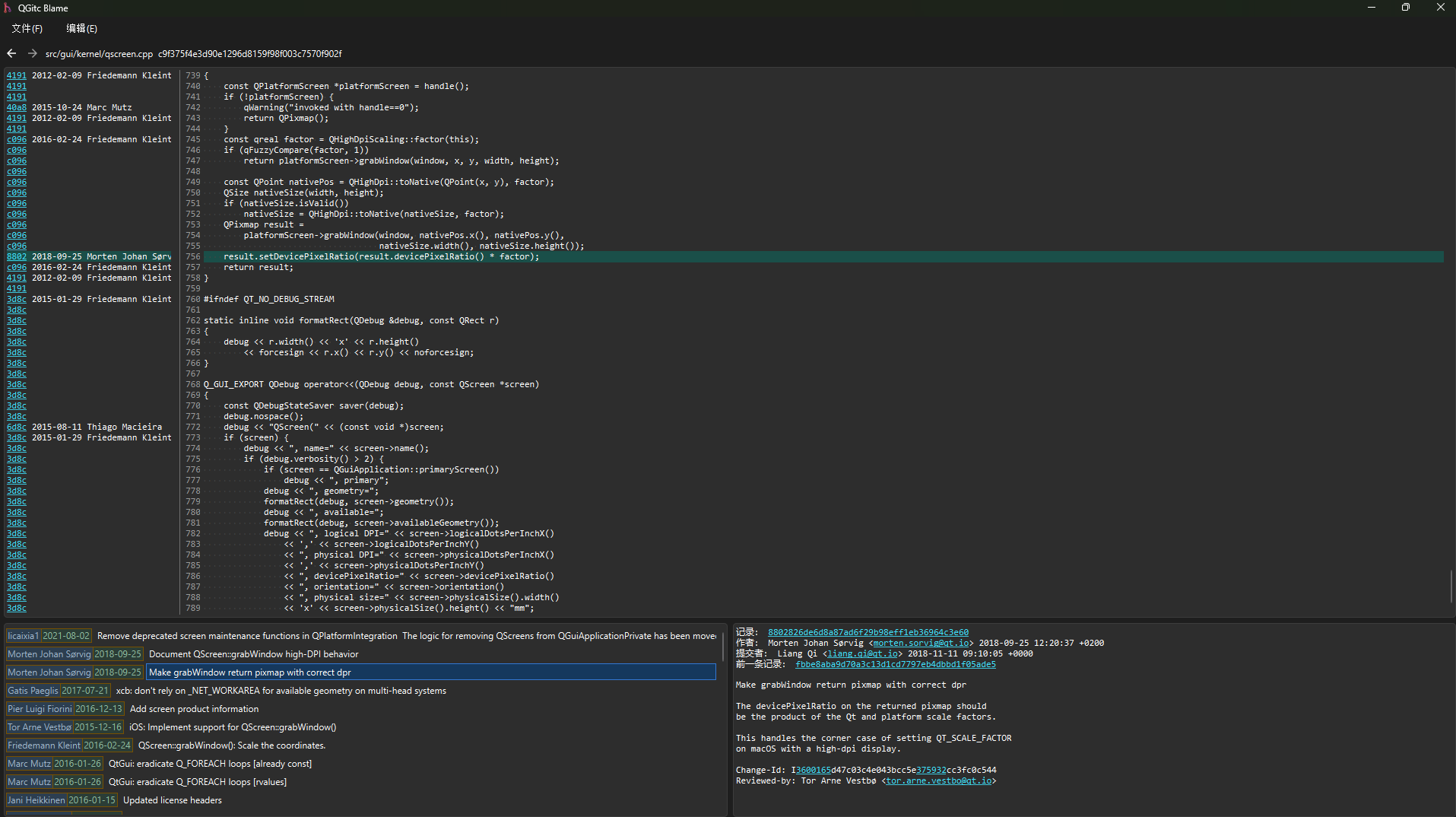
Blame Window
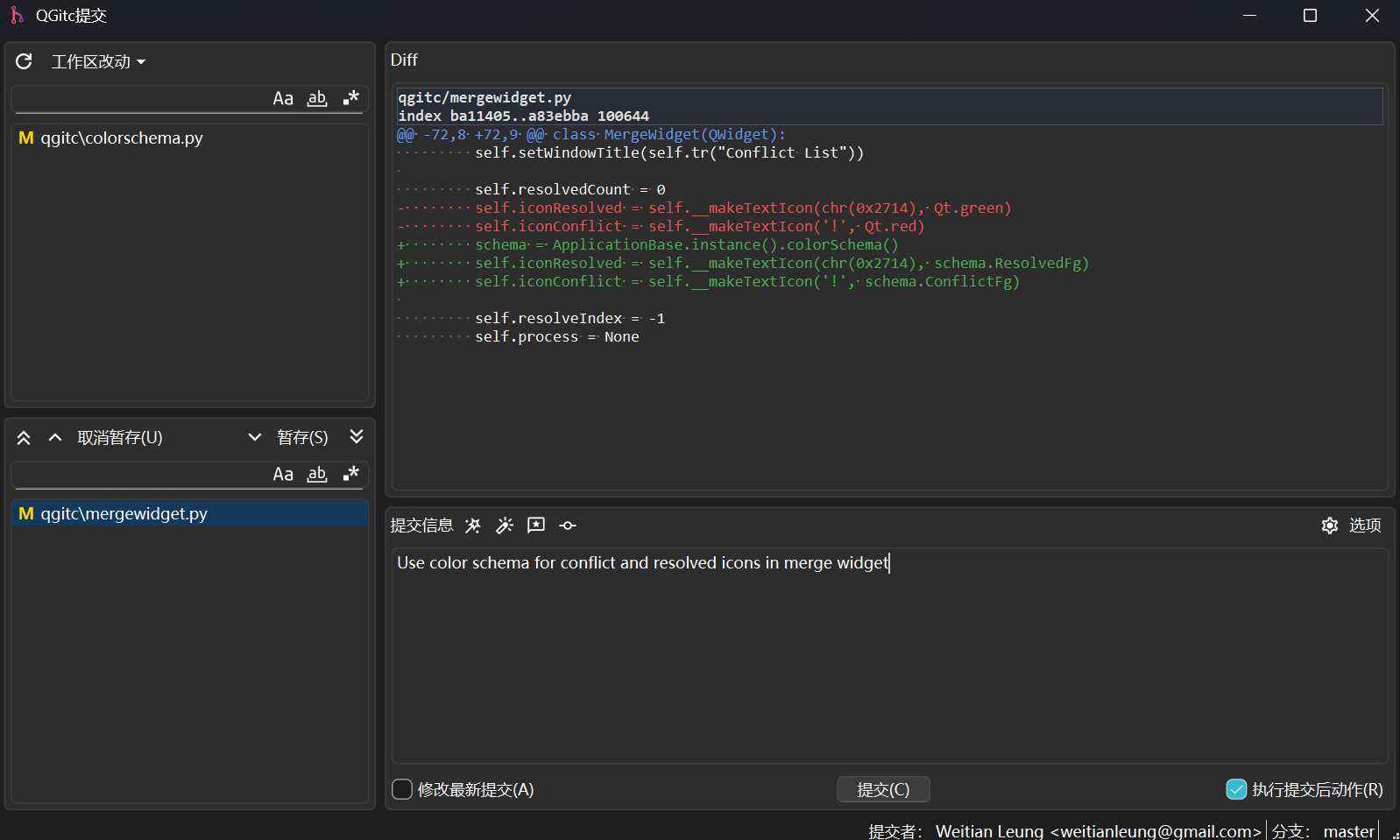
Commit Window
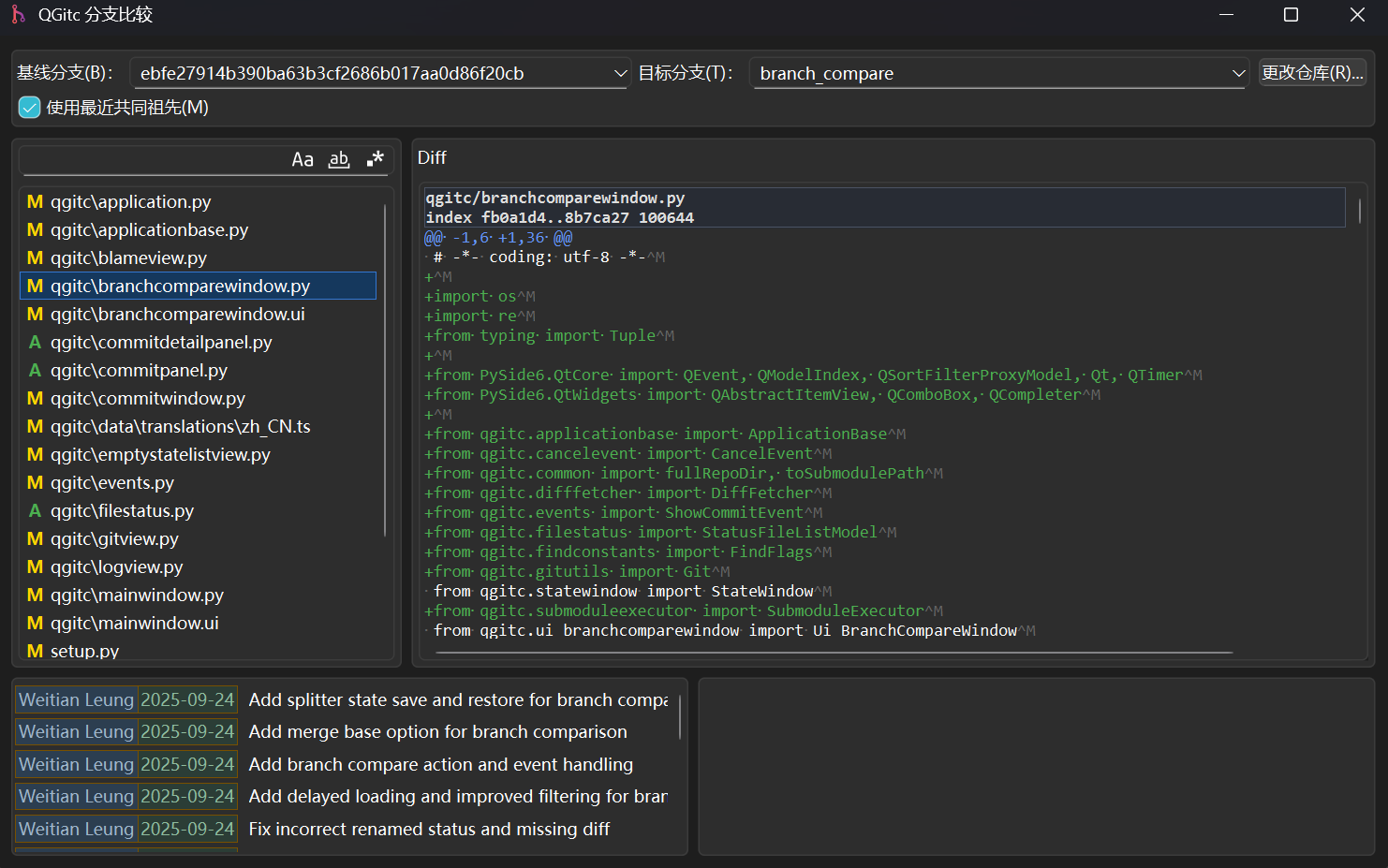
Branch Compare Window
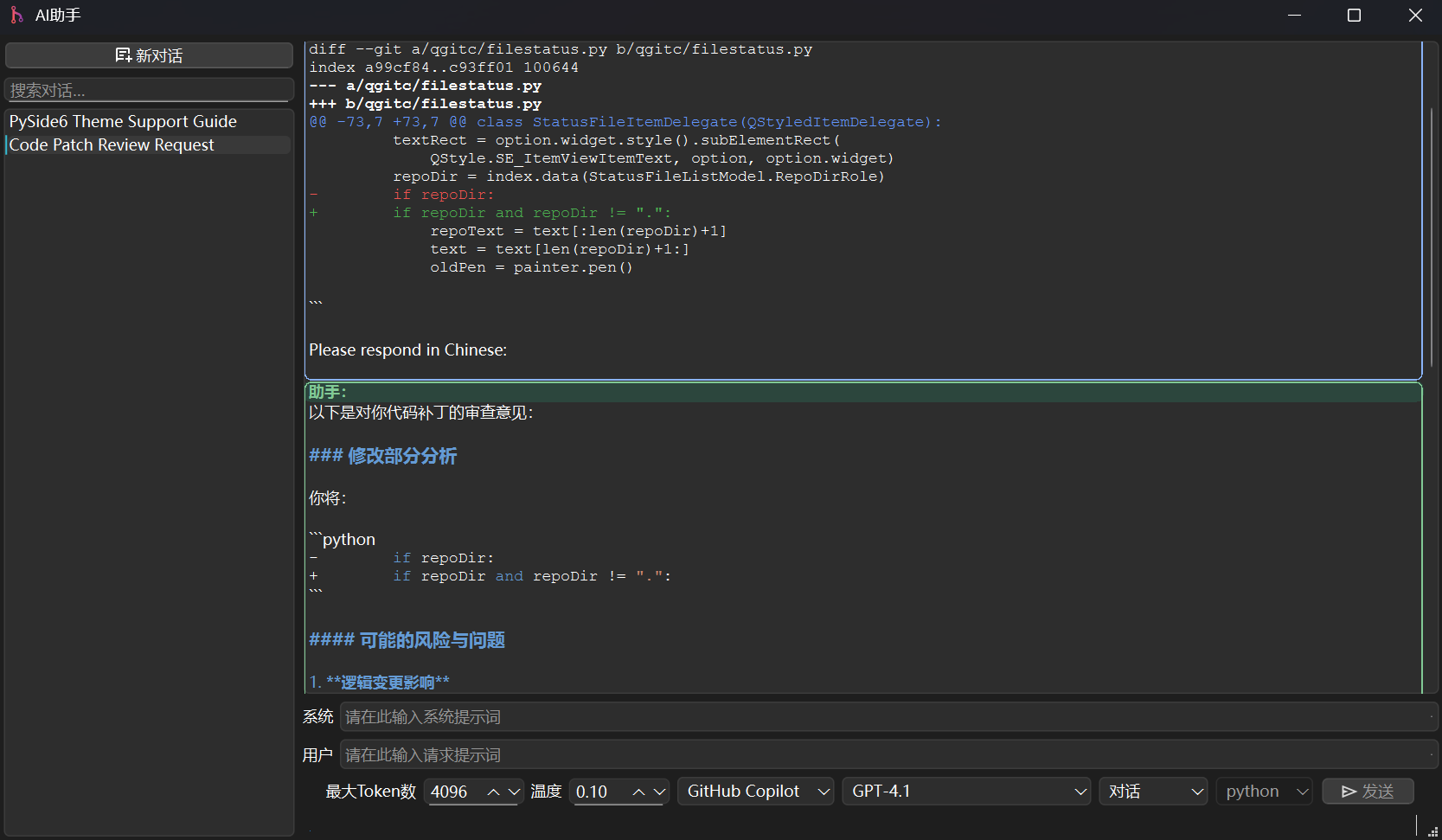
AI Assistant
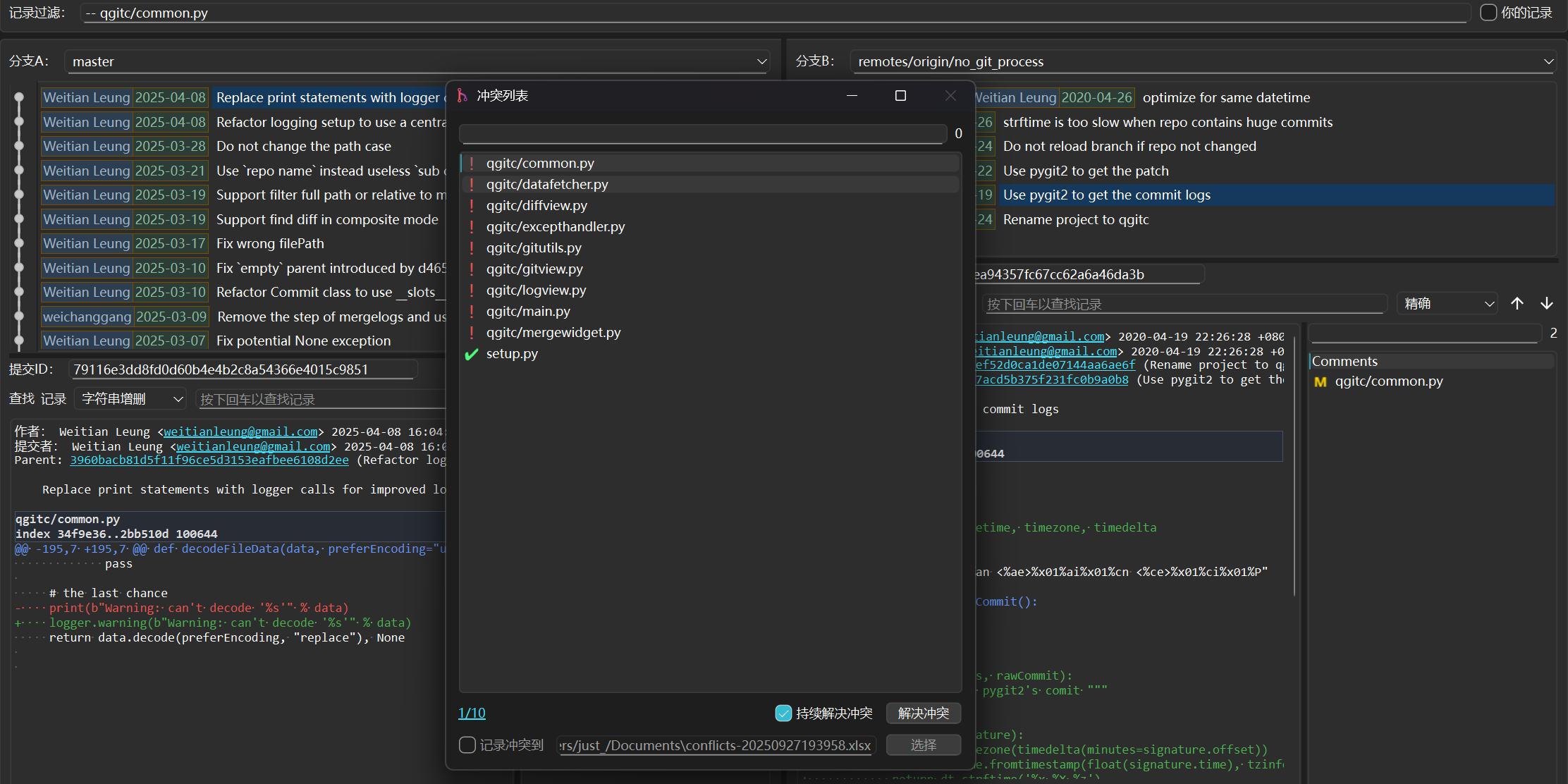
Merge Tool
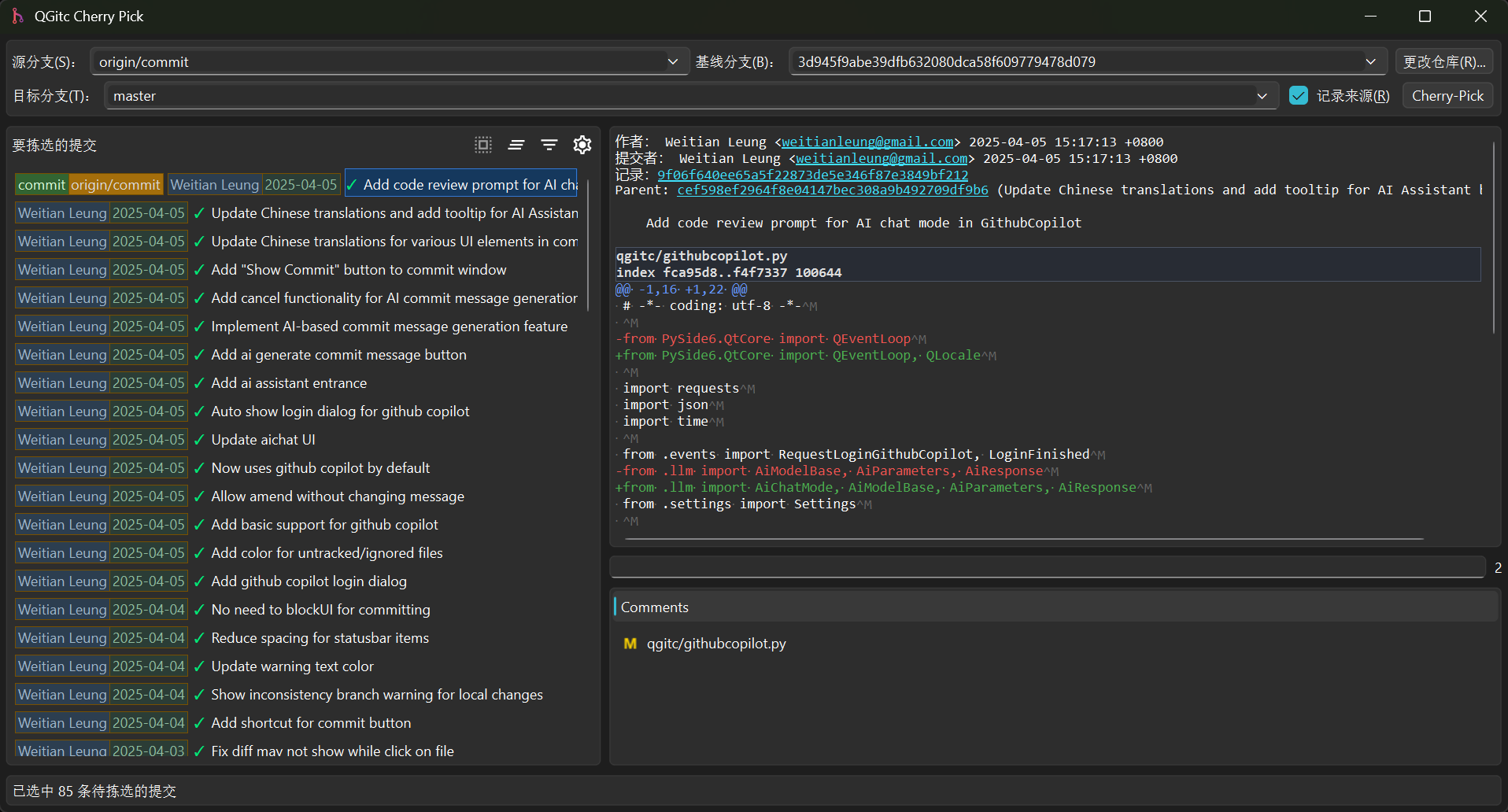
Cherry-Pick
Features
- Two branches view for easy comparing a conflict commit base on the file.
- Visualize white spaces and carriage return for easy diff compare.
- Syntax highlight for diff contents.
- Filter logs by file path or commit pattern.
- Copy commit summary as HTML format for pasting.
- Custom pattern for creating links.
- Collect conflict files for merging.
- Launch specify merge tool for specify file suffix.
- Builtin image diff tool for easy finding the difference.
- Auto finding which commit cause conflicts.
- File blame support
- AI integrated, can ask or use AI to apply changes
- Composite mode: browse all repo logs in one view
- AI-based commit: generate commit message based on changes
- AI-based code review and apply fixes
- Branch compare, to show full changes for two branches
- Cherry-Pick, support drag & drop and pick full branch
- Auto-resolve conflicts by AI
Requirements
pip install -r requirements.txt- git (command line)
- pywin32
- Optional for Windows if you want record the conflict log easily
- pywpsrpc
- Optional for Linux if you want record the conflict log easily
- openpyxl
- Optional if no pywin32/ pywpsrpc is available
Build & Run
-
Using source directly
- Run python setup.py build to build the project
- Run qgitc.py under project root directory.
-
Build from source
- Run pip install . under project root directory to install qgitc, and then run qgitc command.
-
Install from pypi
- pip install qgitc
Shell Integration
qgitc shell register
# to unregister, run:
qgitc shell unregister

# to use the source directly:
python qgitc.py shell register

# for Linux user
# if your file manager isn't the default one comes with desktop
# say your desktop is Ubuntu, but use thunar as default one
# use --file-manager to specify reigster for
qgitc shell register --file-manager=thunar
Icons
Most of the SVG icons come from Google Fonts.
Some were resized with Inkscape to match the size for QGitc.
1 maintainer

Metadata
1 maintainer
Release files for qgitc 7.4.0
For a detailed explanation of source distributions (sdists) and built distributions (wheels), please see the package formats documentation.
Built distribution (wheel)
| File | Interpreter | ABI | Platform | Reset |
|---|---|---|---|---|
| qgitc-7.4.0-py3-none-any.whl | Python 3 | none | any | Details |
Release files / qgitc-7.4.0-py3-none-any.whl
| Download URL | qgitc-7.4.0-py3-none-any.whl |
|---|---|
| Size | 547.3 kB |
| Tags | Python 3 |
|
SHA-256 checksum How to use checksums |
8471f27e3447968758b19e5ed5c341793c9bbdb64e88519e9034c661fd62a0d6
|
|
BLAKE2b-256 checksum How to use checksums |
6cb7ccd13efd4ccde58d9e6528e9a81564658cdef1a7f3f0bbfe2d74bc5baee7
|
| Upload date | |
|
Uploaded using Trusted Publishing? What is trusted publishing? |
Yes |
| Uploaded via |
twine/7.0.0 CPython/3.13.14
|
Provenance
Provenance describes where a file came from. On PyPI, provenance is shared via attestations, which provide a verifiable record of the build or publishing details. View details, limitations and caveats.


PyPI Publish Attestation
PyPI verified that this artifact, at this checksum, originated from the publisher listed below.
Signed by GitHub Actions, verified by PyPI on Sep 14, 2026.
Transparency log













