
qobuz-cli

A fast, concurrent command-line music downloader for Qobuz.
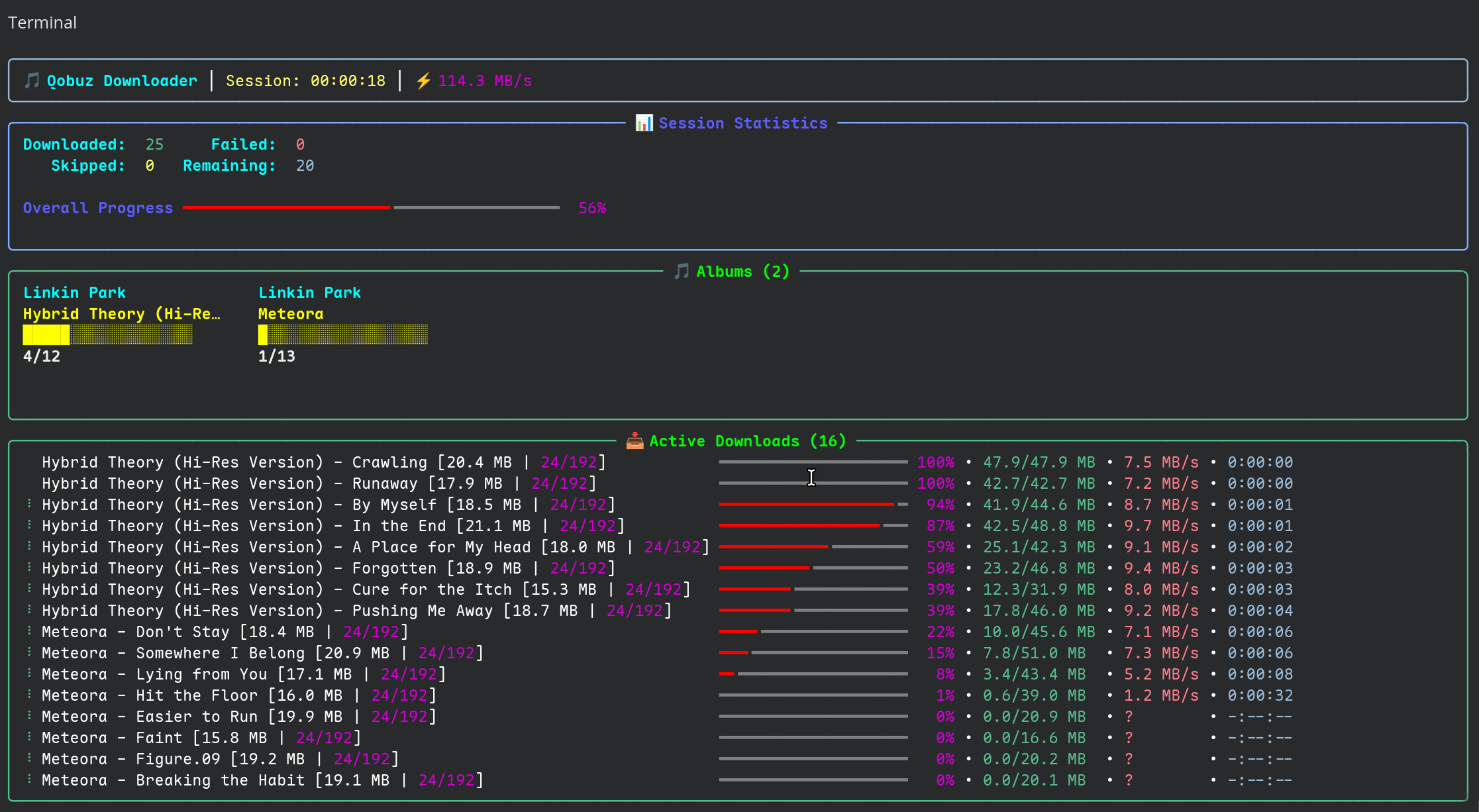
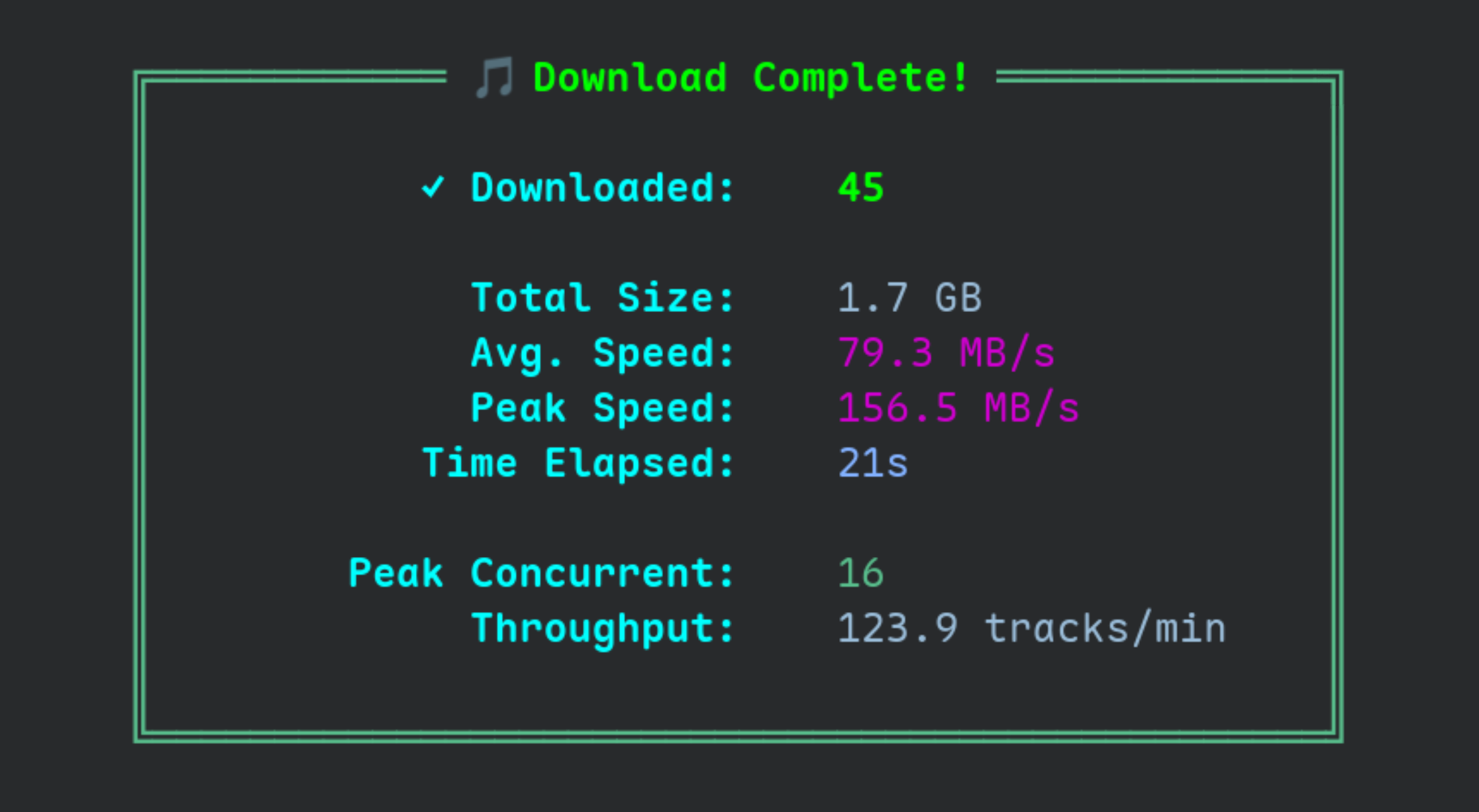
qobuz-cli (alias qcli) downloads music from your Qobuz account or library from the command line. It uses asyncio to download several tracks at once and shows progress with a Rich-based interface.
Features
- Token-based login using your Qobuz auth token.
- Concurrent downloads with a configurable number of workers.
- Progress bars and session summaries powered by Rich.
- Support for albums, tracks, artists, playlists, and label discographies.
- Digital booklet (PDF) download when an album provides one.
- Synced lyrics from LRCLIB, embedded in tags or written as
.lrcfiles. - Optional ReplayGain tags (track gain and peak) from Qobuz.
- A local archive that records downloaded tracks so they are not fetched again.
- Path templating for full control over folder and file names, including conditional logic.
- A
--dry-runmode, plus reading URL lists from files or standard input.
Installation
qobuz-cli is on PyPI:
pip install qobuz-cli
or
uv pip install qobuz-cli
Getting Started
1. Initialize your configuration
You need to authenticate once before downloading. Qobuz has blocked direct email and password logins for third-party applications, so qobuz-cli authenticates with the auth token from your browser session.
How to get your auth token
- Open the Qobuz Web Player in your browser and log in.
- Press
F12to open the developer tools. - Go to the Application tab (Chrome or Edge) or the Storage tab (Firefox).
- In the left sidebar, expand Local Storage and select
https://play.qobuz.com. - Find the
localuserkey. - Expand its JSON value and copy the
tokenstring.
Then run:
qcli init <YOUR_AUTH_TOKEN>
This fetches the required API secrets from the Qobuz web player and writes a config.ini file to your system configuration directory.
Advanced: provide the app ID and secret manually
If the automatic secret fetch fails, for example after Qobuz changes their web player, you can supply the app credentials yourself. Both flags are required together:
qcli init <YOUR_AUTH_TOKEN> --app-id <APP_ID> --app-secret <APP_SECRET>
2. Start downloading
Pass any Qobuz URL to the download command:
qcli download https://play.qobuz.com/album/0093624949091
3. Explore the commands
qcli --help
qcli download --help
Usage and Examples
Basic downloads
# Download a single album
qcli download https://play.qobuz.com/album/abc123def456

# Download a single track
qcli download https://play.qobuz.com/track/123456789

# Download two albums with 16 workers at the highest quality,
# embedding art and using the original cover size
qcli download -w 16 -q 4 --embed-art --og-cover \
  https://play.qobuz.com/album/0093624949091 \
  https://play.qobuz.com/album/0093624949107
Bulk downloads
# Download an artist's discography, filtered to remove duplicate albums
qcli download --smart https://play.qobuz.com/artist/456789

# Download a public playlist
qcli download https://play.qobuz.com/playlist/987654321

# Download every release from a record label
qcli download https://play.qobuz.com/label/112233

# Download a discography and record it in the archive
qcli download --archive https://play.qobuz.com/artist/456789
Advanced downloading
# Download only full albums from a discography (skip singles and EPs)
qcli download --smart --albums-only https://play.qobuz.com/artist/456789

# Download a list of URLs from a text file, one URL per line
qcli download urls.txt

# Download URLs piped from another command
echo "https://play.qobuz.com/album/abc123def456" | qcli download --stdin

# Download only the album booklet PDF, skipping audio
qcli download --booklet-only https://play.qobuz.com/album/abc123def456
Customizing your downloads
# Choose a quality (1: MP3 320, 2: CD 16/44.1, 3: Hi-Res 24/96, 4: Hi-Res+ 24/192)
qcli download -q 3 https://play.qobuz.com/album/abc123def456

# Set the output folder and file name structure
qcli download -o "{albumartist}/{album} ({year})/{tracknumber}. {tracktitle}.{ext}" \
  https://play.qobuz.com/album/abc123def456

# List every path placeholder and the conditional syntax
qcli --output-help
Lyrics and ReplayGain
# Fetch synced lyrics from LRCLIB and embed them in tags
qcli download --lyrics https://play.qobuz.com/album/abc123def456

# Write lyrics as both embedded tags and a separate .lrc file
qcli download --lyrics --lyrics-mode both https://play.qobuz.com/album/abc123def456

# Write Qobuz ReplayGain tags to the downloaded files
qcli download --replaygain https://play.qobuz.com/album/abc123def456
File and artwork options
# Embed cover art in each file and skip the separate cover.jpg
qcli download --embed-art --no-cover https://play.qobuz.com/album/abc123def456

# Download cover art at its original resolution instead of 600x600
qcli download --og-cover https://play.qobuz.com/album/abc123def456
Simulate a download
Use --dry-run to see what the app would do without writing files. This is useful for testing output templates or checking what --smart or --albums-only will filter.
qcli download --dry-run https://play.qobuz.com/artist/456789
Commands Reference
qcli init <TOKEN>: Set up the configuration with your Qobuz auth token.--force: Overwrite an existing configuration file without asking.--app-id/--app-secret: Provide the API credentials manually instead of fetching them (both required together).
qcli download [URLS...]: Download music from Qobuz URLs or from files containing URLs.-q, --quality: Set the audio quality (1 to 4).-w, --workers: Number of simultaneous downloads (default 8).-o, --output: Set the output path template.-s, --smart: Filter discographies to remove duplicate albums.--albums-only: Download only full albums from discographies.--embed-art/--no-cover/--og-cover: Control cover art handling.--lyricsand--lyrics-mode: Fetch synced lyrics (embed, lrc, or both).--replaygain: Write ReplayGain tags.--booklet-only: Download only the album booklet PDF.--no-fallback: Skip a track if the requested quality is unavailable instead of downgrading.--no-m3u: Do not create a.m3ufile when downloading a playlist.--archive / --no-archive: Enable or disable the download archive.--dry-run: Simulate the download without writing files.--stdin: Read URLs from standard input.
qcli validate: Check that the current configuration is valid and can be loaded.qcli stats: Show archive statistics, such as total tracks and top artists.qcli vacuum: Optimize the archive database file.qcli clear-archive: Delete all records from the download archive.--force: Skip the confirmation prompt.
qcli diagnose: Run checks for common configuration and connectivity issues.
Output Path Templating
Use the -o or --output option with placeholders to control file paths.
Example template:
{albumartist}/{album} ({year})/%{?is_multidisc,Disc {media_number}/|}{tracknumber}. {tracktitle}.{ext}
Result for a multi-disc album:
The Beatles/The Beatles (White Album) (1968)/Disc 1/01. Back in the U.S.S.R..flac
Result for a single-disc album:
Pink Floyd/The Dark Side of the Moon (1973)/01. Speak to Me.flac
For the full list of placeholders and the conditional syntax, run:
qcli --output-help
Acknowledgements
This project was built with reference to the following repositories, which were helpful for understanding the Qobuz API:
License
This project is licensed under the GPL-3.0-or-later. See the LICENSE file for details.
1 maintainer

Download files
Download the file for your platform. If you're not sure which to choose, learn more about installing packages.
Source Distribution
Built Distribution
Filter files by name, interpreter, ABI, and platform.
If you're not sure about the file name format, learn more about wheel file names.
Copy a direct link to the current filters
File details
Details for the file qobuz_cli-0.0.5.tar.gz.
File metadata
- Download URL: qobuz_cli-0.0.5.tar.gz
- Upload date:
- Size: 144.8 kB
- Tags: Source
- Uploaded using Trusted Publishing? No
- Uploaded via:
twine/6.2.0 CPython/3.11.15
File hashes
| Algorithm | Hash digest | |
|---|---|---|
| SHA256 |
3cbc984d525514e04695b57802057fc290fa1422cf00f2893bd612be25e72883
|
|
| MD5 |
256f89adc80082bd449c80dd3b2d242a
|
|
| BLAKE2b-256 |
3a660d8917777a7a193fced6a0e14a3eb445c47d09b6b1bf234ea8835e43ec64
|
File details
Details for the file qobuz_cli-0.0.5-py3-none-any.whl.
File metadata
- Download URL: qobuz_cli-0.0.5-py3-none-any.whl
- Upload date:
- Size: 70.1 kB
- Tags: Python 3
- Uploaded using Trusted Publishing? No
- Uploaded via:
twine/6.2.0 CPython/3.11.15
File hashes
| Algorithm | Hash digest | |
|---|---|---|
| SHA256 |
81cb65705d21b9c1a08f7b5ae39fe7fbc9192326320fafcd2271da2ef1584e8f
|
|
| MD5 |
11145ba17ba7ed94884990c317c64c49
|
|
| BLAKE2b-256 |
c8d595539cba28161c62c835833e9610513e0b8086785457a2661e54765da04c
|














