
Blazing fast Qobuz CLI downloader with modern UI

Project description
qobuz-cli



A blazing fast, modern, and concurrent music downloader from Qobuz, designed for the command line.
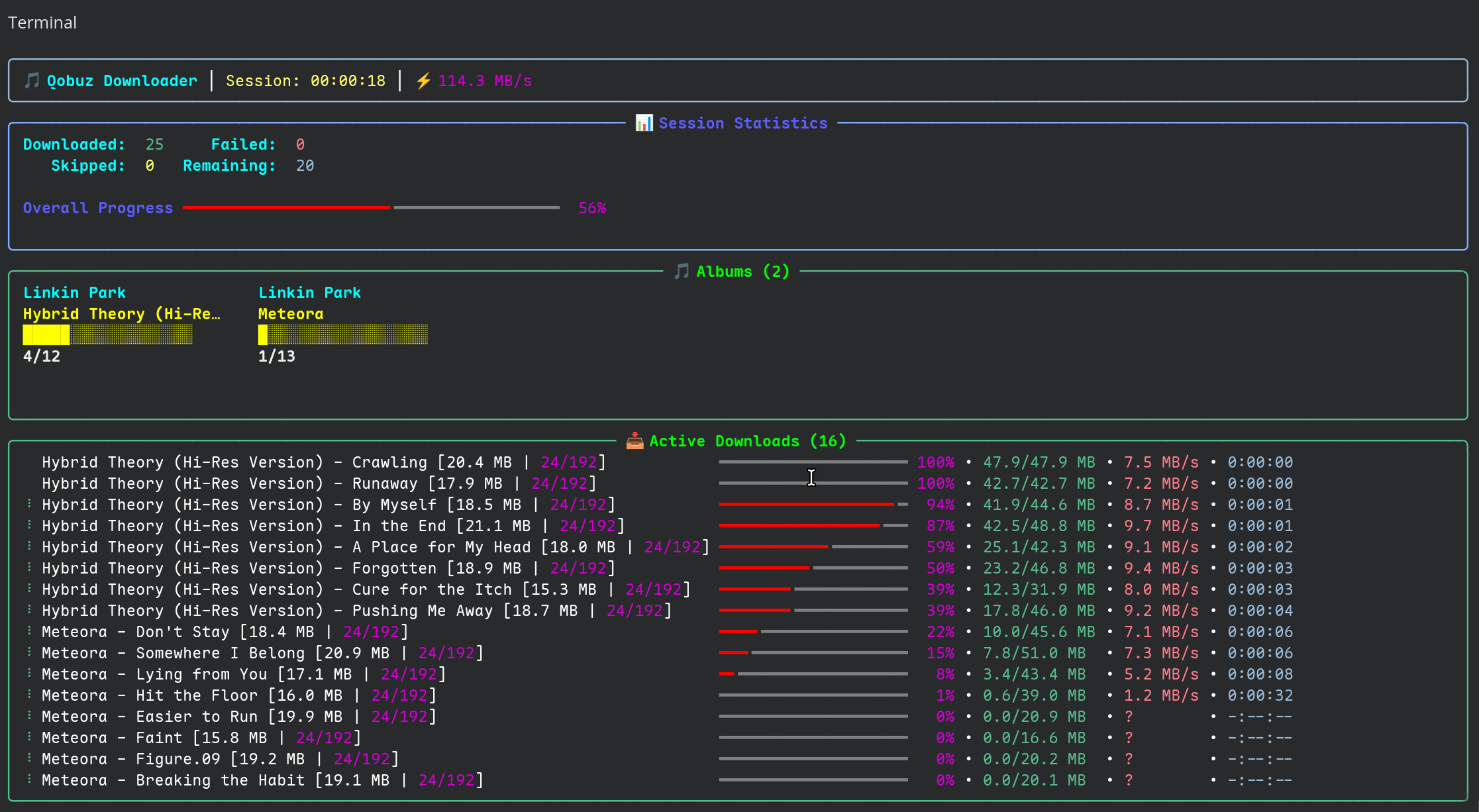
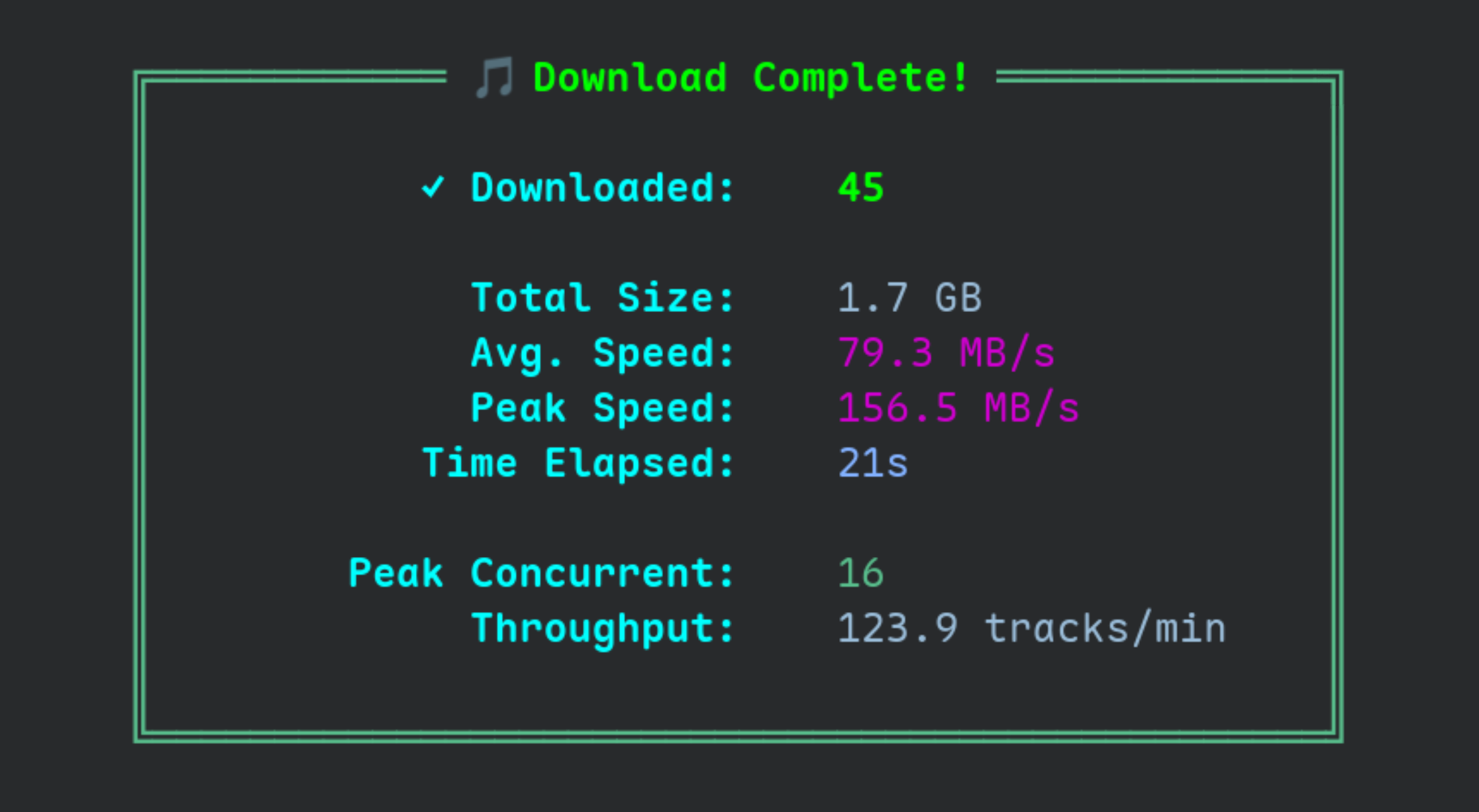
qobuz-cli (or its alias qcli) provides a powerful and elegant way to download your purchased music or streaming library from Qobuz. It leverages modern Python features like asyncio for high-speed concurrent downloads and presents progress with a pretty, user-friendly interface.
Key Features
- Multiple ways to log in: Supports both
tokenandEmail Passwordto login. - High-Speed Concurrent Downloads: Utilizes
asyncioto download multiple tracks simultaneously, maximizing your bandwidth. - Rich, Modern UI: Beautiful and informative progress bars and summaries powered by the Rich library.
- Download Everything: Supports albums, tracks, artists, playlists, and even entire label discographies.
- Persistent Download Archive: Automatically keeps track of downloaded tracks in a local database to prevent re-downloading them in future sessions.
- Powerful Path Templating: Fully customize your output directory and filename structure with an easy-to-use templating system, including conditional logic.
- Safe and Flexible: Supports
--dry-runto simulate a download and reads URL lists from files or standard input (stdin).
Installation
qobuz-cli is available on PyPI and can be installed easily with pip.
pip install qobuz-cli
or
uv pip install qobuz-qcli
Getting Started
1. Initialize Your Configuration
Before you can download, you need to authenticate with your Qobuz account. You only need to do this once. You can use either a token or your email and password.
Option A: Authenticate with Email & Password (Recommended)
qcli init your-email@domain.com "your-password"
Option B: Authenticate with a Token You can find a token by inspecting the network requests in your web browser's developer tools while logged into the Qobuz web player.
qcli init <YOUR_AUTH_TOKEN>
This will create a config.ini file in your system's configuration directory.
2. Start Downloading
Once configured, you can start downloading by providing any Qobuz URL.
# Download a full album
qcli download https://play.qobuz.com/album/0093624949091
3. Explore Commands
Get a full list of commands and options at any time.
qcli --help
qcli download --help
Usage and Examples
Basic Downloads
# Download a single album
qcli download https://play.qobuz.com/album/abc123def456

# Download a single track
qcli download https://play.qobuz.com/track/123456789

# Download two albums using 16 workers (-w 16), using highest quality available (-q 4) with embedded art and original cover size
qcli download -w 16 -q 4 --embed-art --og-cover https://play.qobuz.com/album/0093624949091 https://play.qobuz.com/album/0093624949107
Bulk Downloads
# Download an artist's complete discography, intelligently filtered
qcli download --smart https://play.qobuz.com/artist/456789

# Download a public playlist
qcli download https://play.qobuz.com/playlist/987654321

# Download all releases from a record label
qcli download https://play.qobuz.com/label/112233

# Download an artist's complete discography and keep track of the downloads in the database
qcli download --archive https://play.qobuz.com/artist/456789
Advanced Downloading
# Download only full albums from a discography (skips singles/EPs)
qcli download --smart --albums-only <URL_PLACEHOLDER_ARTIST>

# Download a list of URLs from a text file (one URL per line)
qcli download urls.txt

# Download URLs piped from another command using stdin
echo "<URL_PLACEHOLDER_ALBUM>" | qcli download --stdin
Customizing Your Downloads
# Download in a different quality (1=MP3 320KBPS, 2=CD 44.1KHz/16bit, 3=Hi-Res up to 96KHz/24bit, 4=Hi-Res+ up to 192KHz/24bit)
qcli download -q 3 <URL_PLACEHOLDER_ALBUM>

# Customize the output directory and filename structure
qcli download -o "{albumartist}/{album} ({year})/{tracknumber}. {tracktitle}.{ext}" <URL_PLACEHOLDER_ALBUM>

# See all available path placeholders and logic
qcli --output-help
File and Artwork Options
# Embed cover art directly into each audio file's metadata and don't download separate cover.jpg file
qcli download --embed-art --no-cover  <URL_PLACEHOLDER_ALBUM>

# Download the cover art in its original resolution (not 600x600)
qcli download --og-cover <URL_PLACEHOLDER_ALBUM>
Simulate a Download
Use --dry-run to see what the application would do without writing any files. This is great for testing your output templates or checking what --smart or --albums-onl will filter.
qcli download --dry-run <URL_PLACEHOLDER_ARTIST>
Commands Reference
qcli init: Initialize configuration with your Qobuz credentials.--force: Overwrite an existing configuration file without asking.
qcli download [URLS...]: Download music from Qobuz URLs.-s, --smart: Filter discographies to remove duplicate albums.-q, --quality: Set audio quality (1-4).-o, --output: Define the output path template.--albums-only: Download only full albums from discographies.--archive / --no-archive: Enable/disable the download history archive.--dry-run: Simulate the download process.--stdin: Read URLs from standard input.
qcli validate: Check that the current configuration is valid and can be loaded.qcli stats: Show statistics from the download archive, like total tracks and top artists.qcli vacuum: Optimize the download archive database file.qcli clear-archive: Permanently delete all records from the download archive.--force: Bypass the confirmation prompt.
qcli diagnose: Run a series of checks for common configuration and connectivity issues.
Output Path Templating
You have full control over your file paths. Use the -o or --output option with placeholders.
Example Template:
{albumartist}/{album} ({year})/%{?is_multidisc,Disc {media_number}/|}{tracknumber}. {tracktitle}.{ext}
Result for a multi-disc album:
The Beatles/The Beatles (White Album) (1968)/Disc 1/01. Back in the U.S.S.R..flac
Result for a single-disc album:
Pink Floyd/The Dark Side of the Moon (1973)/01. Speak to Me.flac
For a complete list of all available placeholders and a guide to conditional logic, run:
qcli --output-help
Acknowledgements
This project was built with inspiration from and respect for the work done on the following repositories. They served as excellent references for understanding the Qobuz API.
License
This project is licensed under the GPL-3.0-or-later. See the LICENSE file for details.
Release history Release notifications | RSS feed

Download files
Download the file for your platform. If you're not sure which to choose, learn more about installing packages.
Source Distribution
Built Distribution
Filter files by name, interpreter, ABI, and platform.
If you're not sure about the file name format, learn more about wheel file names.
Copy a direct link to the current filters
File details
Details for the file qobuz_cli-0.0.1.tar.gz.
File metadata
- Download URL: qobuz_cli-0.0.1.tar.gz
- Upload date:
- Size: 159.6 kB
- Tags: Source
- Uploaded using Trusted Publishing? No
- Uploaded via: twine/6.2.0 CPython/3.13.7
File hashes
| Algorithm | Hash digest | |
|---|---|---|
| SHA256 |
59ccb2ab592591ee5efeecc8692317430cee4f1bc05d70b8df747eea585787e2
|
|
| MD5 |
46b4390533d1d174abf3fbd03cf0e1af
|
|
| BLAKE2b-256 |
7ede0fa146ef67cc070fffc7a77b435f81d81276b7c9e6904d54153a9924ee00
|
File details
Details for the file qobuz_cli-0.0.1-py3-none-any.whl.
File metadata
- Download URL: qobuz_cli-0.0.1-py3-none-any.whl
- Upload date:
- Size: 68.0 kB
- Tags: Python 3
- Uploaded using Trusted Publishing? No
- Uploaded via: twine/6.2.0 CPython/3.13.7
File hashes
| Algorithm | Hash digest | |
|---|---|---|
| SHA256 |
26c6c6cbdf320111ee30f3e6c6592b8694df34794c45967e48a808a53502cc30
|
|
| MD5 |
2df5677894e45fb08f7bdba74b09853b
|
|
| BLAKE2b-256 |
f2b444363d7d79a2c1089f8e808f16c71fceb2f5c615a2feefedb696a68f71b3
|






