
A Napari plugin for puncta analysis and quantification in 2D microscopy images.
Verified details
These details have been verified by PyPIProject links
GitHub Statistics
Maintainers

Project description
QuantPunc



QuantPunc is a Napari plugin for puncta analysis and quantification in 2D microscopy images. A brief overview of QuantPunc's workflow can be found below.
A comprehensive guide to QuantPunc can be found at https://tehahn.github.io/quantpunc/.
QuantPunc is currently in beta. Please report any problems to the issues page.
Features
- Automated puncta labeling and counting
- Watershed segmentation
- Colocalization analysis
- Exportable counts and stats
Installation
You can install quantpunc via Napari's plugin manager:
- Click on "Plugins" in the toolbar.
- Click on "Install/Uninstall Plugins..." in the context menu.
- Type "quantpunc" in the searchbar.
- Click install.
You can also install quantpunc via pip:
pip install quantpunc
Puncta Quantification and Workflow
Here’s an ideal, high-level workflow for puncta segmentation and quantification. This is the recommended way of using QuantPunc. However, QuantPunc’s widgets are modularly designed so that they can be used as standalone tools. If this is your first time working with these tools, you can access the more in-depth guide mentioned above here.
1. Preprocessing (optional but recommended)
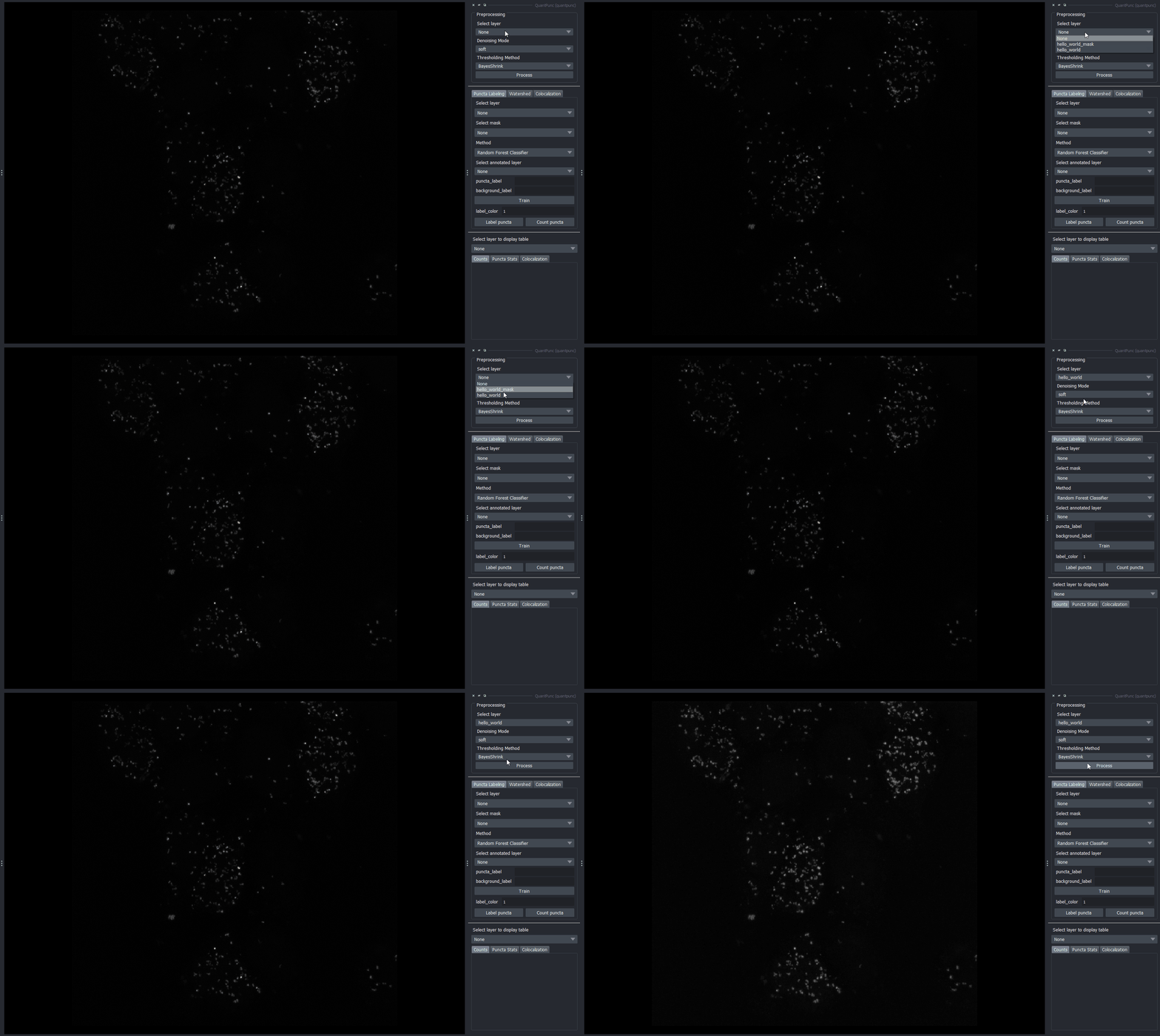
QuantPunc uses wavelet denoising and adaptive histogram equalization to enhance edge information and contrast in your image. If you feel that your image has sufficient contrast and minimal noise, feel free to skip this step.
2. Automated labeling
There are two automated labeling methods. One of them uses skimage’s blob detection algorithms and the other uses a random forest classifier with features inspired by ilastik. You also have the option to only segment puncta within ROIs. You can provide your own ROIs or create them using a labels layer in Napari.
Random forest classifier (RFC)
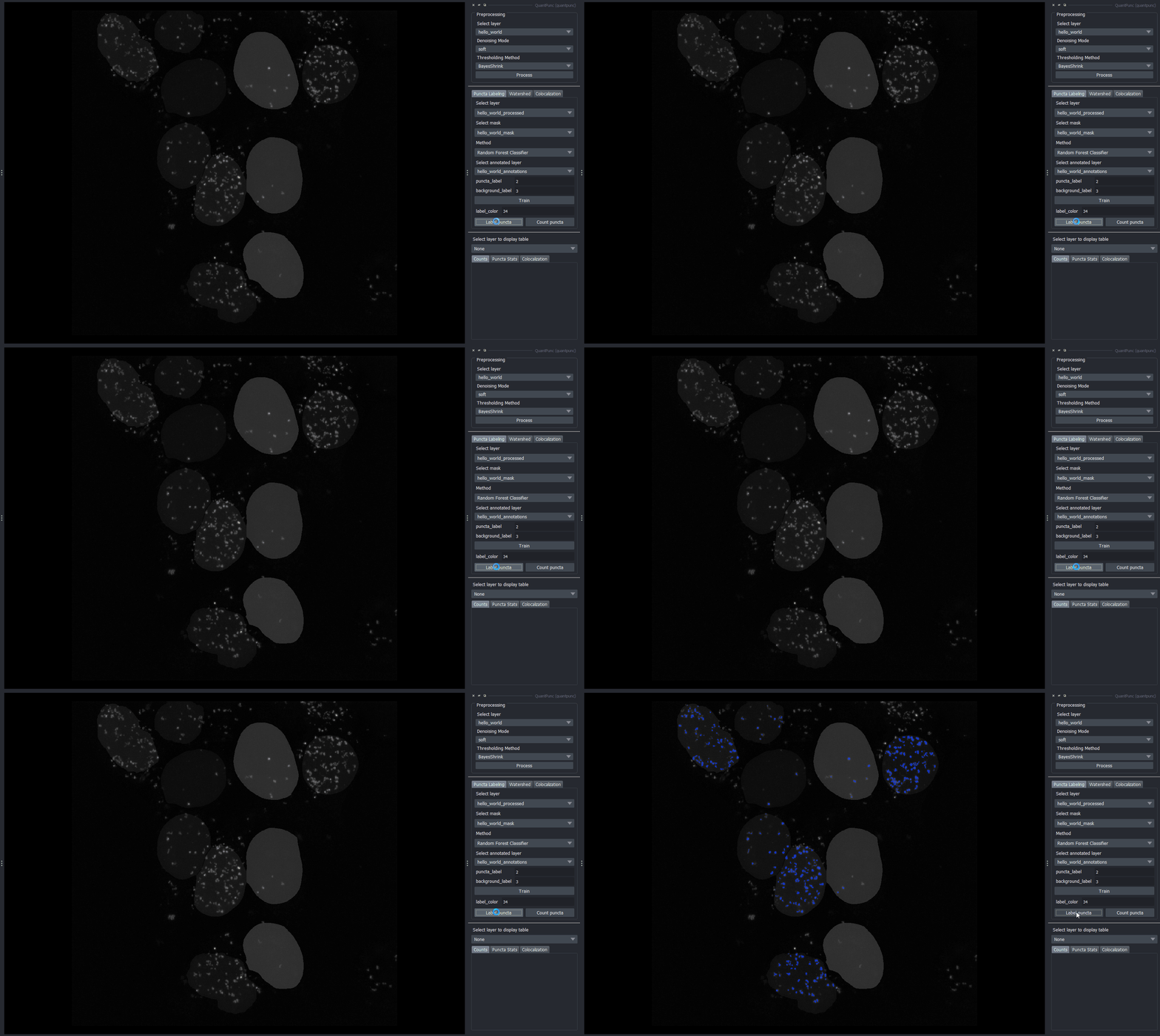
You can use Napari to create annotations or provide your own. After annotating your puncta and specifying your integer labels, you can then train the RFC. Click on Label puncta to segment your puncta.
Skimage blob detection
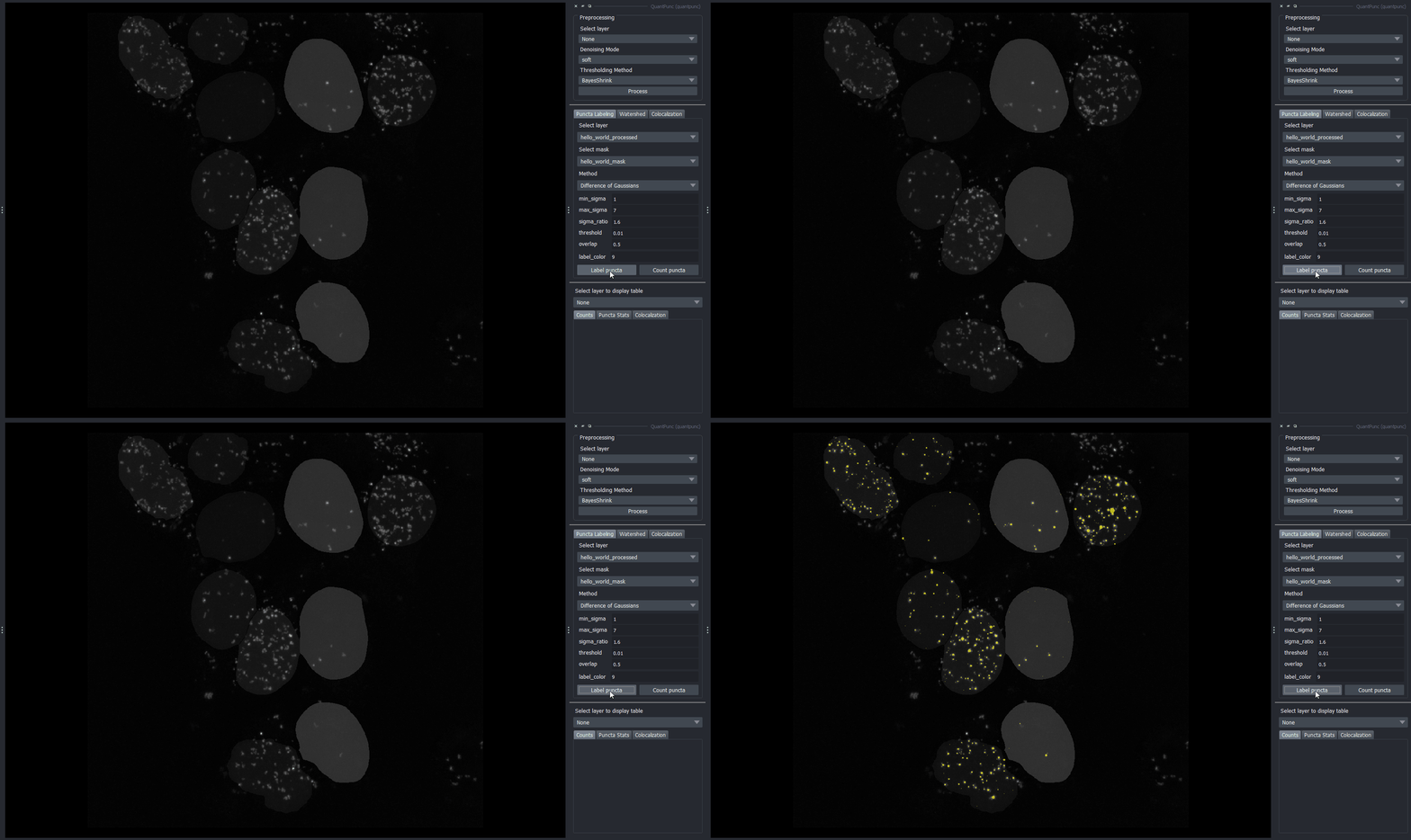
Select your favorite blob detection algorithm from the Method dropdown menu. After parameterizing it, click on Label puncta.
3. Manual labeling
You can remove any puncta labels you don’t want from automated segmentation by using Napari’s layer control toolbar. You also have the option to do a full manual segmentation using a labels layer and quantify your annotations after.
4. Watershed segmentation (optional)
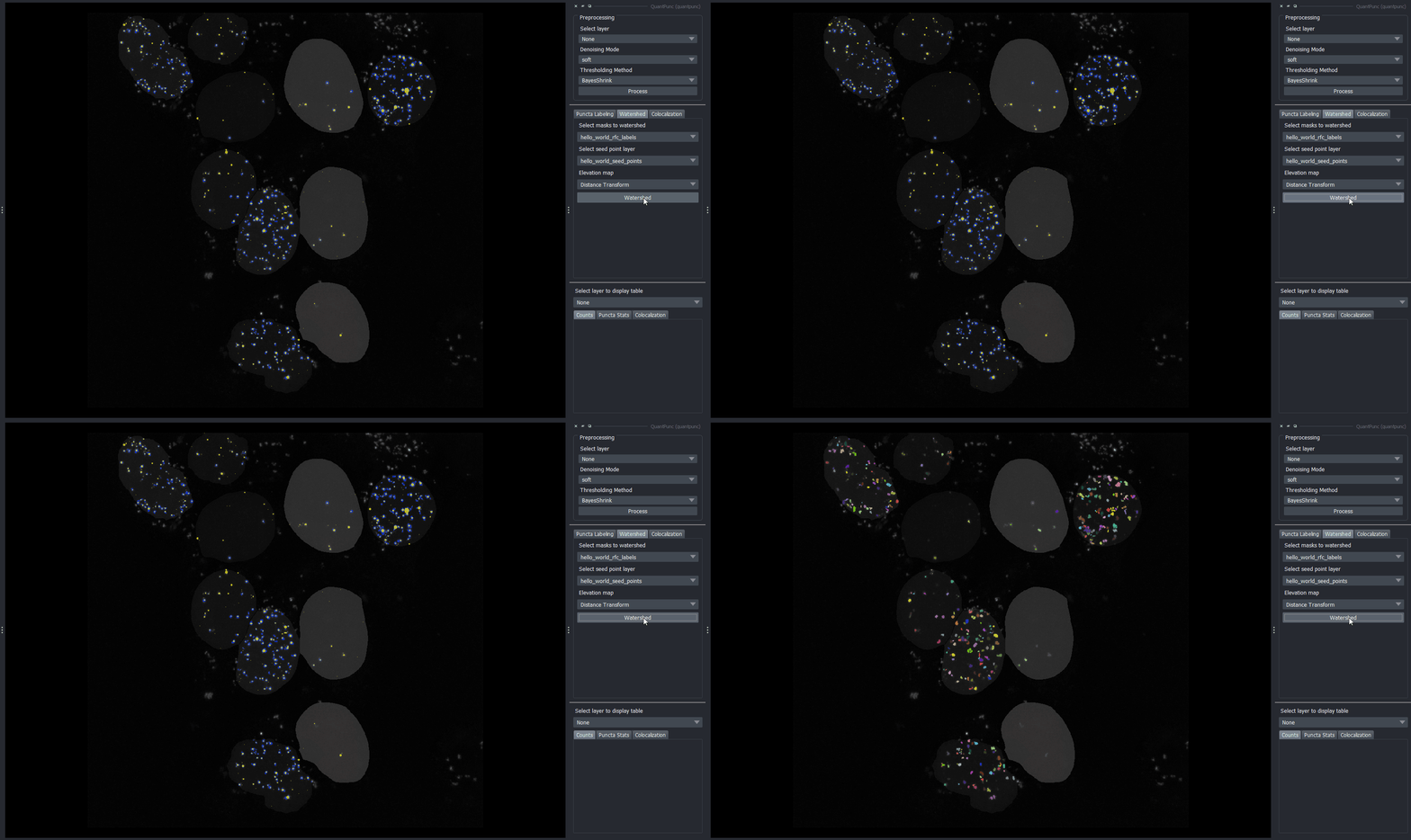
If your puncta exhibits lots of clumping, you can use the watershed tool to perform instance segmentation on your puncta labels layer. You can choose either to use a distance transform or Sobel filter to generate the elevation map.
Seed point generation
You can either provide your own seed points or generate them using skimage’s blob counting algorithms with a low min and max sigma.
5. Puncta counting
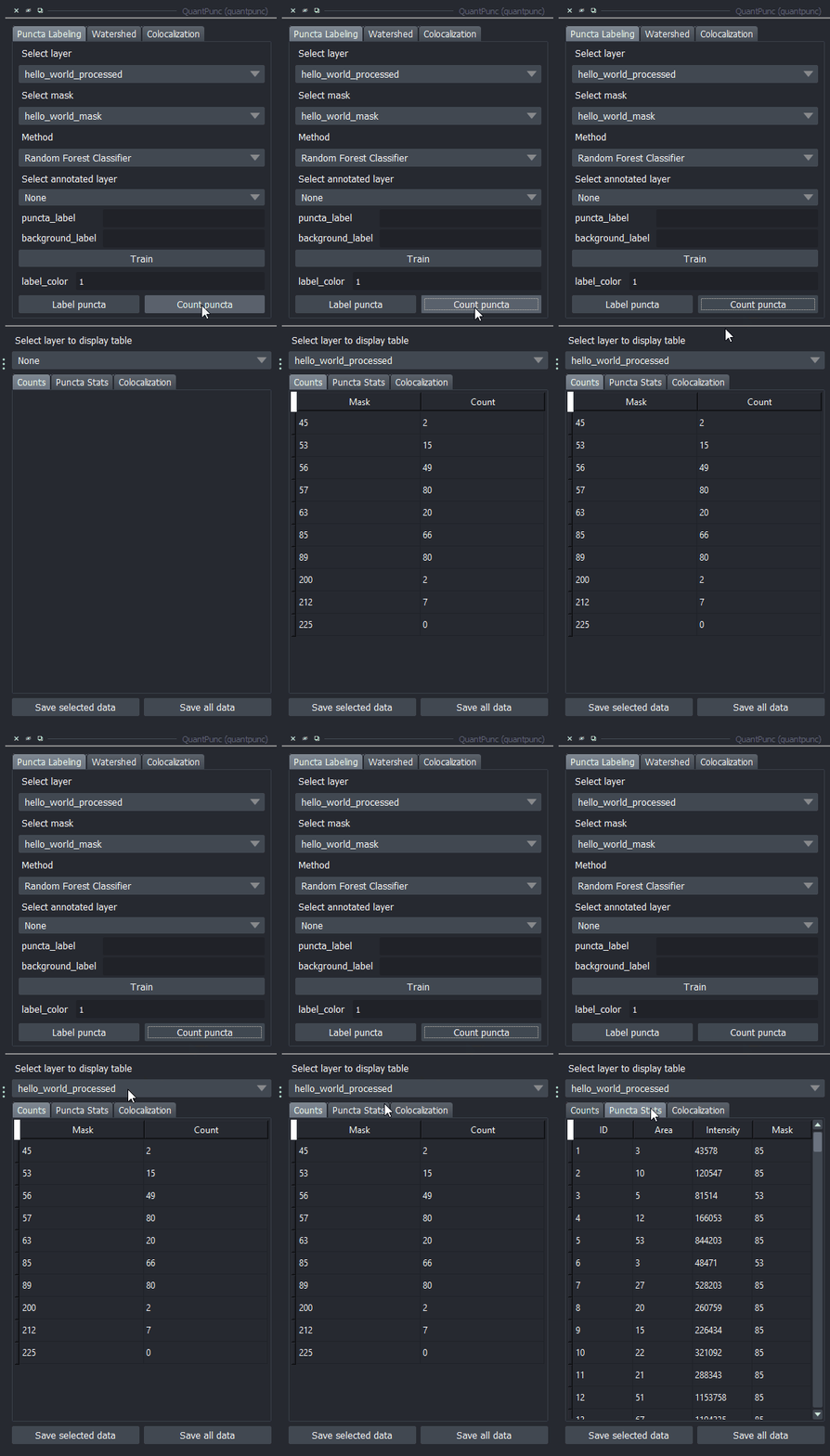
After you have a segmentation you’re happy with, select the image you want to quantify and click Count puncta. Make sure that your puncta labels layer is named after the image you’re quantifying with “_puncta” as its suffix, e.g., “your_img_puncta”.
6. Colocalization analysis (optional)
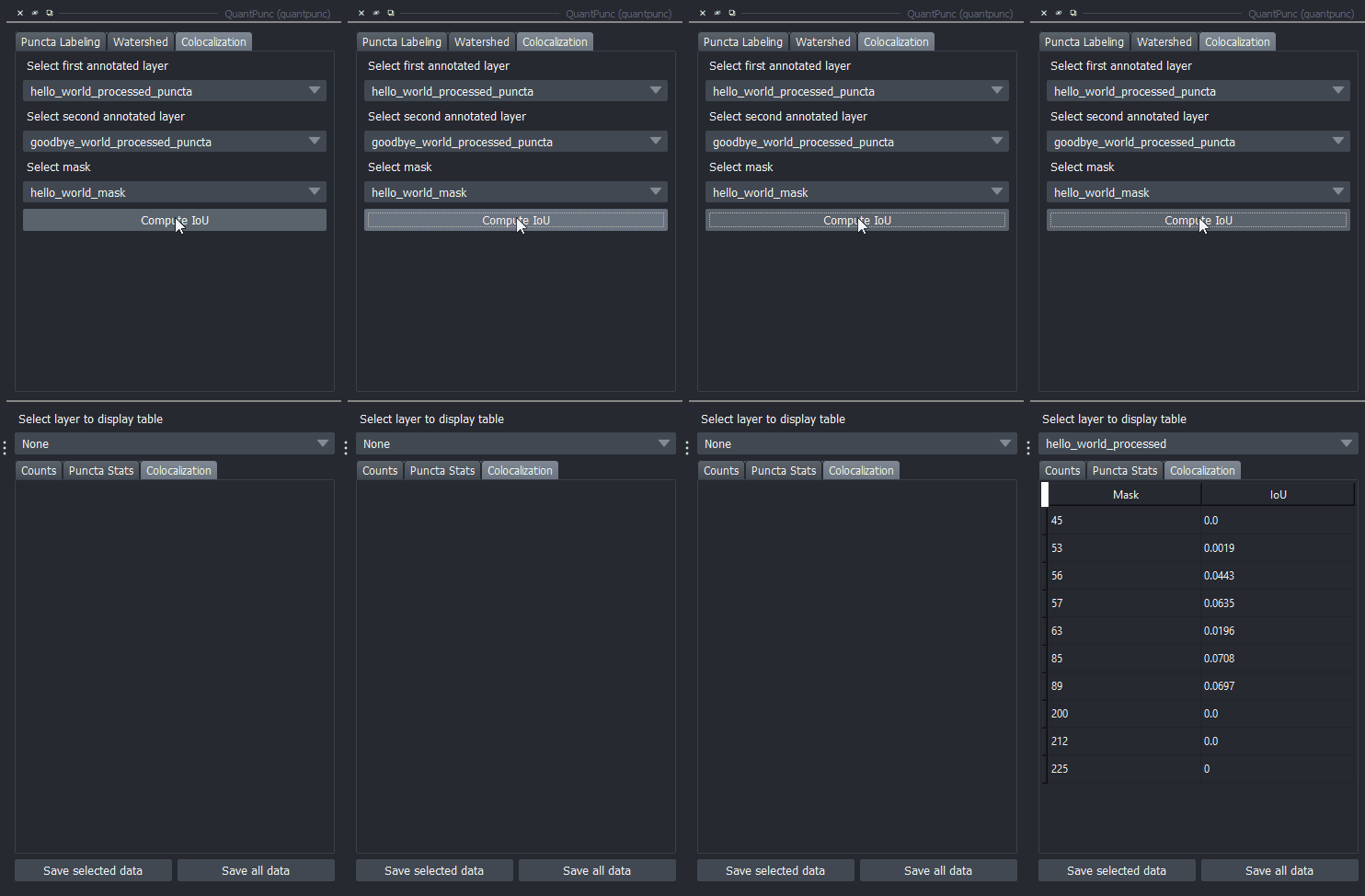
Colocalization is measured using the intersection over union (IoU), aka the Jaccard Index. Select two puncta labels layers and click on Compute IoU.
7. Displaying stats and saving
Click on any of the tabs in the table widget to view different summaries of the puncta you’ve quantified. To export the tables as a csv for the layer you’ve selected, click on Save selected data. If you want to save the data for all the images you’ve quantified click on Save all data.
Contributing
Contributions are very, very welcome. QuantPunc allows you to implement your own automated puncta labeler. Look in the Github repo at abstract_puncta_labeler to see what methods need to be implemented and default_puncta_labelers for examples. If you're interested in making it available to everyone else or have any other improvements, feel free to send a pull request!
License
Distributed under the terms of the BSD-3 license, QuantPunc is free and open source software
Issues
QuantPunc is still in beta, so bugs are to be expected. Please report any problems to the issues page.
Project details
Verified details
These details have been verified by PyPIProject links
GitHub Statistics
Maintainers
Release history Release notifications | RSS feed


Download files
Download the file for your platform. If you're not sure which to choose, learn more about installing packages.
Source Distribution
Built Distribution
Filter files by name, interpreter, ABI, and platform.
If you're not sure about the file name format, learn more about wheel file names.
Copy a direct link to the current filters
File details
Details for the file quantpunc-0.0.1.post1.tar.gz.
File metadata
- Download URL: quantpunc-0.0.1.post1.tar.gz
- Upload date:
- Size: 21.7 kB
- Tags: Source
- Uploaded using Trusted Publishing? Yes
- Uploaded via: twine/6.1.0 CPython/3.12.9
File hashes
| Algorithm | Hash digest | |
|---|---|---|
| SHA256 |
3f225316ce895101268a94cd0469c7aaa6d0e280bc7c6d4c1574da296814da75
|
|
| MD5 |
a797bff39dae4b243a4a5069579eb3f7
|
|
| BLAKE2b-256 |
82f036a3e8cf5e5dd33bf483b5da990cb1dfa38da82f56ca436f28f69fe728b8
|
Provenance
The following attestation bundles were made for quantpunc-0.0.1.post1.tar.gz:
Publisher:
test_and_deploy.yml on tehahn/quantpunc
-
Statement:
-
Statement type:
https://in-toto.io/Statement/v1 -
Predicate type:
https://docs.pypi.org/attestations/publish/v1 -
Subject name:
quantpunc-0.0.1.post1.tar.gz -
Subject digest:
3f225316ce895101268a94cd0469c7aaa6d0e280bc7c6d4c1574da296814da75 - Sigstore transparency entry: 336375447
- Sigstore integration time:
-
Permalink:
tehahn/quantpunc@980767ebc75ed27079554317be8f2ae865243b76 -
Branch / Tag:
refs/tags/v0.0.1.post1 - Owner: https://github.com/tehahn
-
Access:
public
-
Token Issuer:
https://token.actions.githubusercontent.com -
Runner Environment:
github-hosted -
Publication workflow:
test_and_deploy.yml@980767ebc75ed27079554317be8f2ae865243b76 -
Trigger Event:
push
-
Statement type:
File details
Details for the file quantpunc-0.0.1.post1-py3-none-any.whl.
File metadata
- Download URL: quantpunc-0.0.1.post1-py3-none-any.whl
- Upload date:
- Size: 24.2 kB
- Tags: Python 3
- Uploaded using Trusted Publishing? Yes
- Uploaded via: twine/6.1.0 CPython/3.12.9
File hashes
| Algorithm | Hash digest | |
|---|---|---|
| SHA256 |
8232ec208d2b7ae52851e4e094947379450329880df331e709cf067feb44e89f
|
|
| MD5 |
d037cfc39405548625934e7efc421764
|
|
| BLAKE2b-256 |
d68f649af93fa31c83525d00e2b411b6c6a91acc8298994c19f94caa14891f66
|
Provenance
The following attestation bundles were made for quantpunc-0.0.1.post1-py3-none-any.whl:
Publisher:
test_and_deploy.yml on tehahn/quantpunc
-
Statement:
-
Statement type:
https://in-toto.io/Statement/v1 -
Predicate type:
https://docs.pypi.org/attestations/publish/v1 -
Subject name:
quantpunc-0.0.1.post1-py3-none-any.whl -
Subject digest:
8232ec208d2b7ae52851e4e094947379450329880df331e709cf067feb44e89f - Sigstore transparency entry: 336375455
- Sigstore integration time:
-
Permalink:
tehahn/quantpunc@980767ebc75ed27079554317be8f2ae865243b76 -
Branch / Tag:
refs/tags/v0.0.1.post1 - Owner: https://github.com/tehahn
-
Access:
public
-
Token Issuer:
https://token.actions.githubusercontent.com -
Runner Environment:
github-hosted -
Publication workflow:
test_and_deploy.yml@980767ebc75ed27079554317be8f2ae865243b76 -
Trigger Event:
push
-
Statement type:






