



Real-time monitoring and correction dashboard for LabQuiz (and HTML exam export).
quiz_dash is a Streamlit-based instructor dashboard that connects to a LabQuiz backend (Google Sheets) and provides live tracking, integrity verification, and automated correction.
It is designed for lab sessions, continuous assessment, and secure evaluation.
Why quiz_dash?
When using LabQuiz in connected mode, all student interactions are logged.
Based on the Google Sheet URL specification, the associated read password, and the YAML file containing the answers, quiz_dash allows instructors to:
- track over time, with an adjustable refresh rate, the submissions made by each participant, with the labels of the relevant quizzes,
- check integrity, i.e., verify that the parameters (number of attempts allowed, mode, etc.) have not been modified, verify the hash of the sources, the object in memory, and its dependencies,
- view, over time, the progress of each participant (filterable) and of the entire group,
- correct and retrieve the results table,
- with the possibility of adjusting the weight matrix (for multiple-choice questions) and the scoring scale per question,
- export structured results,
- export individual or whole class graduated scripts.
Installation
From PyPI
pip install quiz-dash
From source
pip install git+https://github.com/jfbercher/labquiz.git#subdirectory=quiz_dash
Launch
An entry-point is provided that allows to simply use
quiz_dash
at the command line.
Or use the hosted version:
👉 https://jfb-quizdash.streamlit.app/
Main Features
📈 Live Monitoring
- Track submissions over time
- View student-by-student activity
- Monitor class progress
- Adjustable refresh rate
🔐 Integrity Verification
Detect:
- Mode changes (exam/test/learning)
- Modified retry limits
- Source hash changes
- Machine sharing
- Kernel restarts
Designed to support controlled exam conditions.
⚖ Flexible Correction
- Automatic correction
- Adjustable weight matrix
- Per-question grading scale
- Recalculation on demand
- Threshold control (negative scores allowed or not)
📥 Export
- Download corrected results as CSV
- Recompute scores with updated parameters
- Export individual PDF or HTML reports
Some screenshots of actual monitoring:
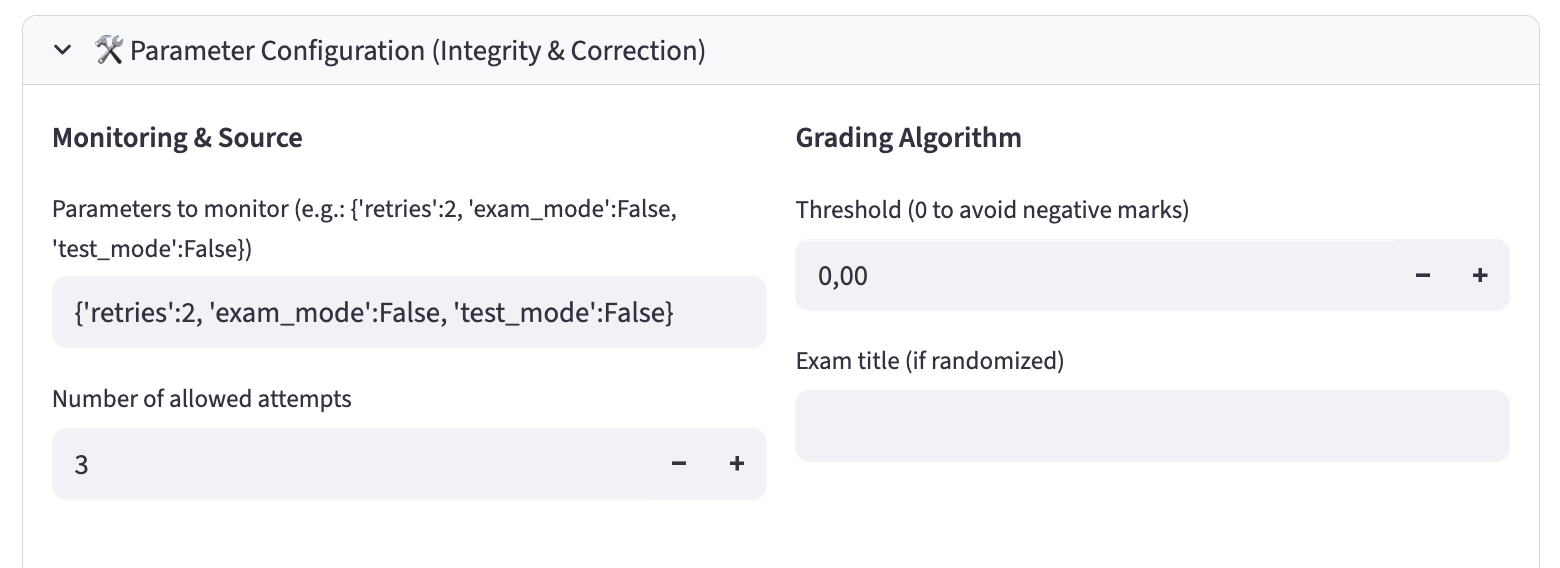
quiz_dash -- Dash parameters
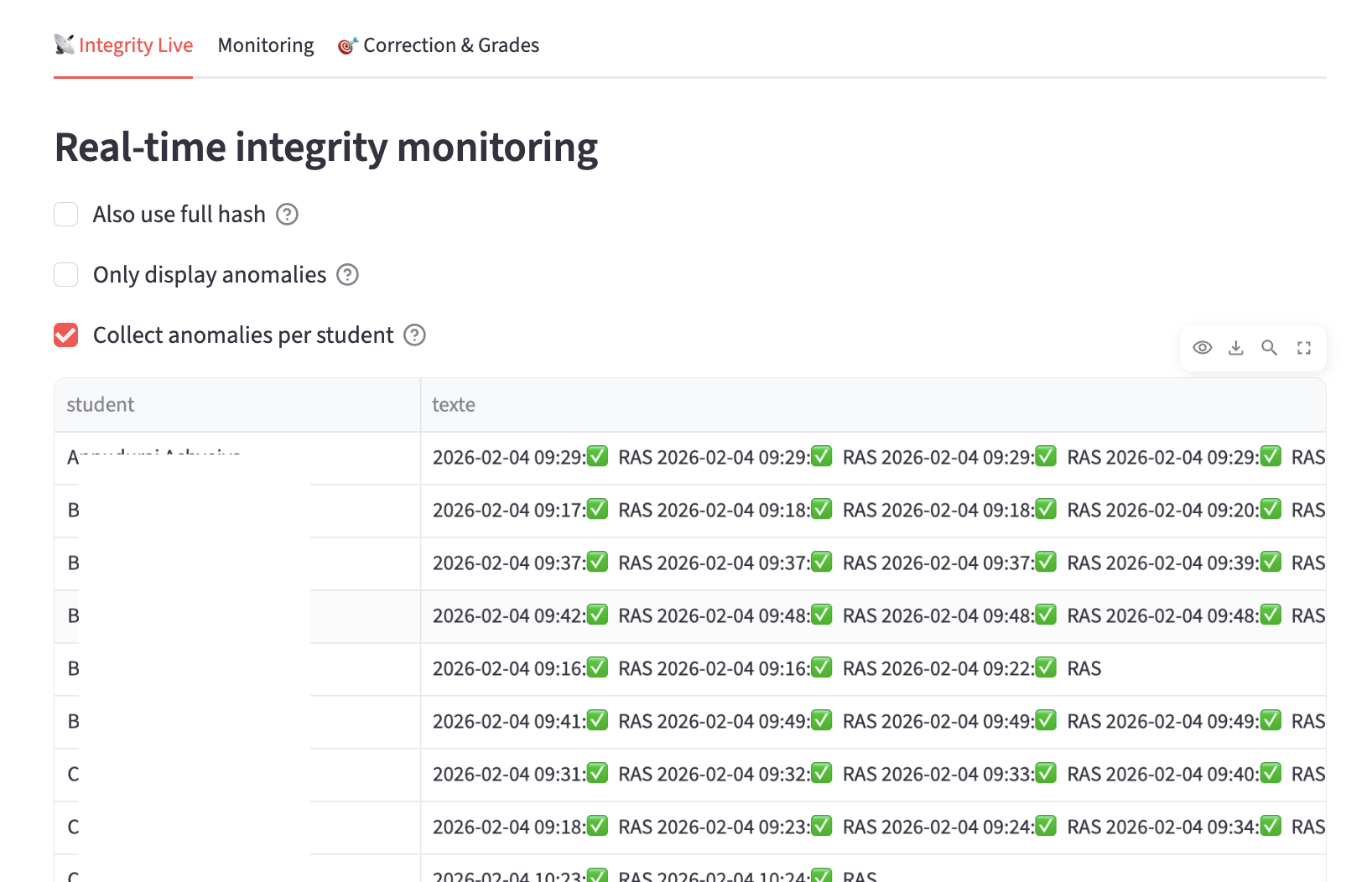
quiz_dash -- Integrity monitoring
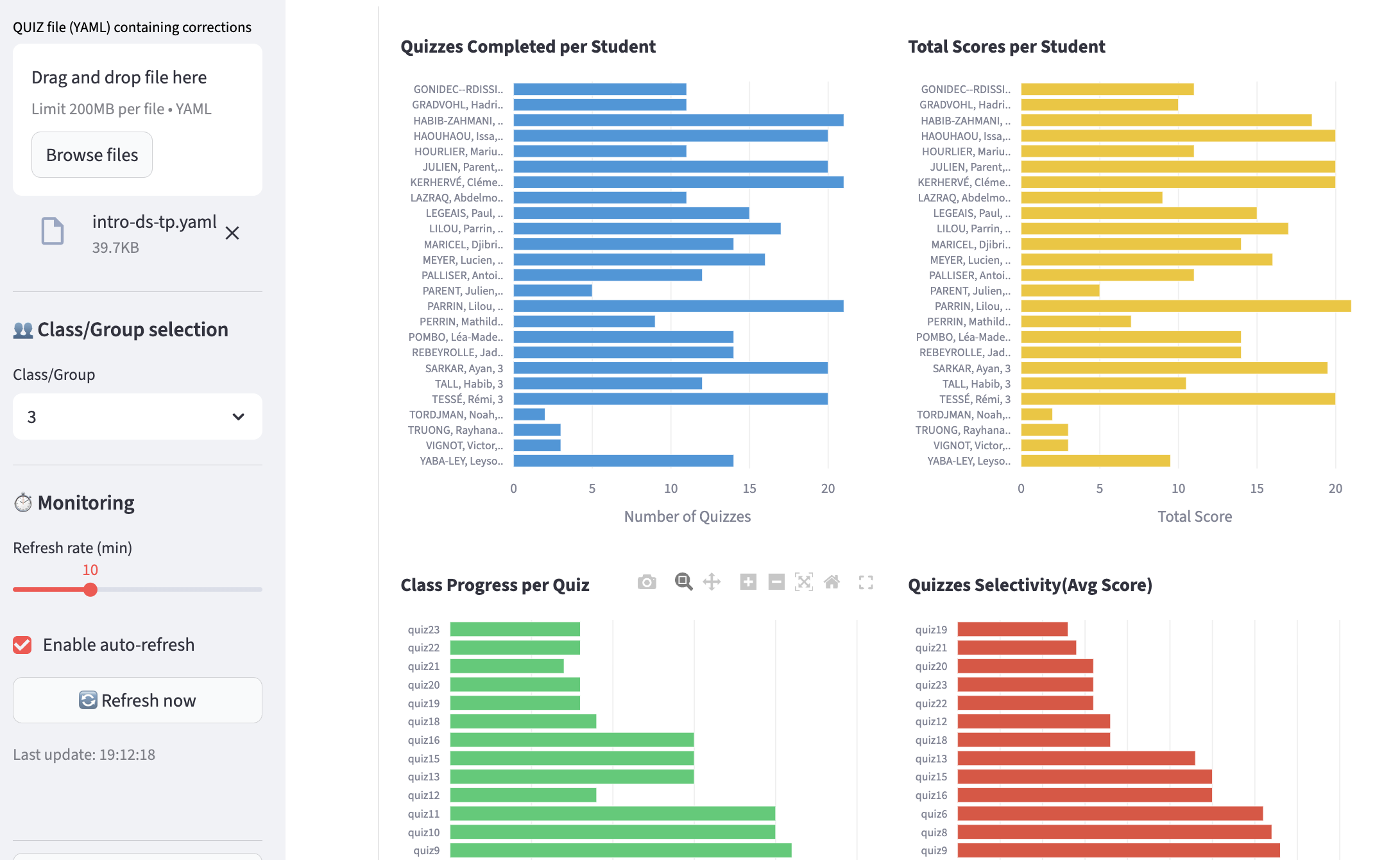
quiz_dash -- Monitoring of quizzes taken by students and the group. Automatic refresh possible and adjustable (student names have been hidden)
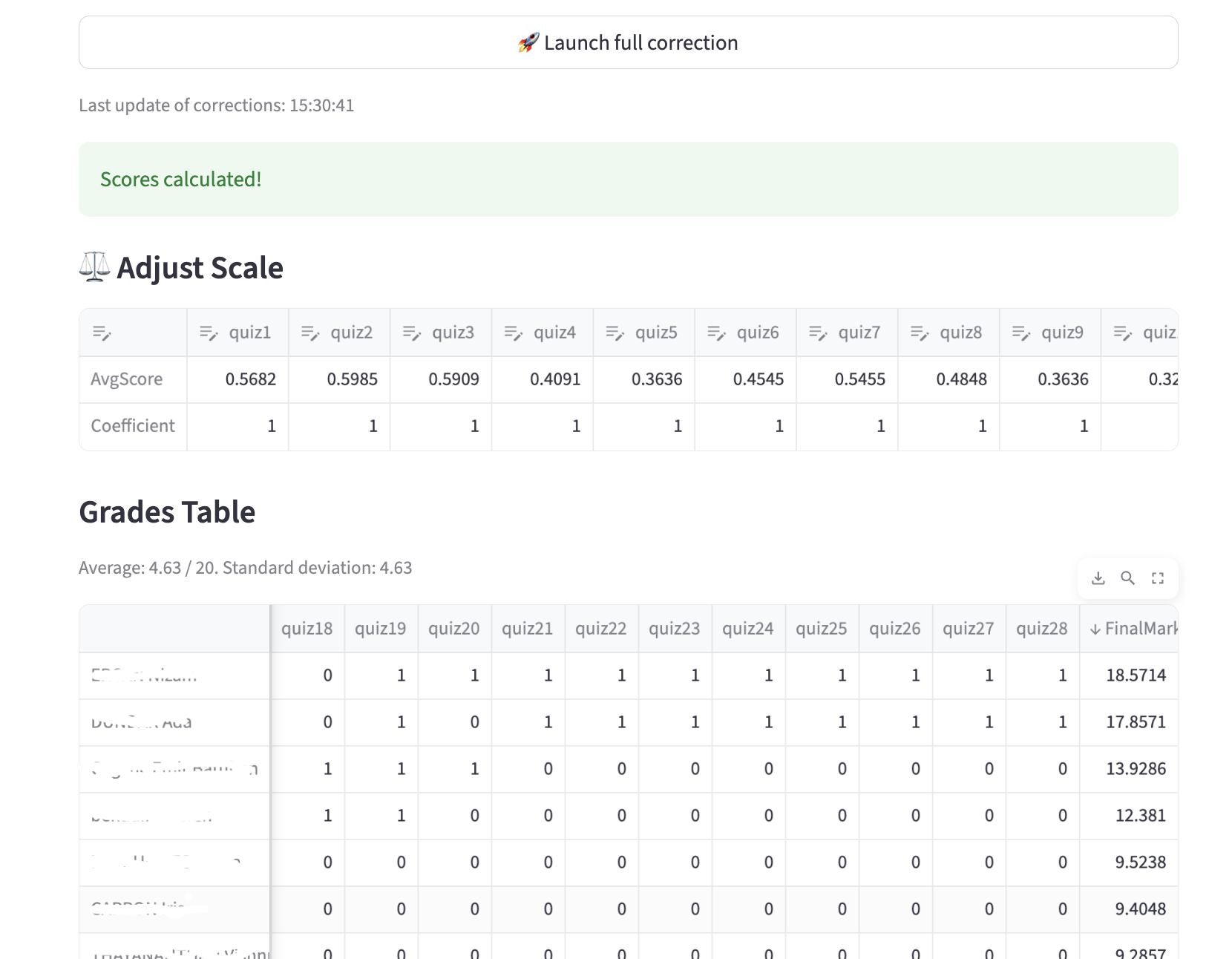
quiz_dash -- Automated correction, with the option to adjust the scoring system (automatic recalculation); (student names have been hidden). Of course, the results table can be downloaded.
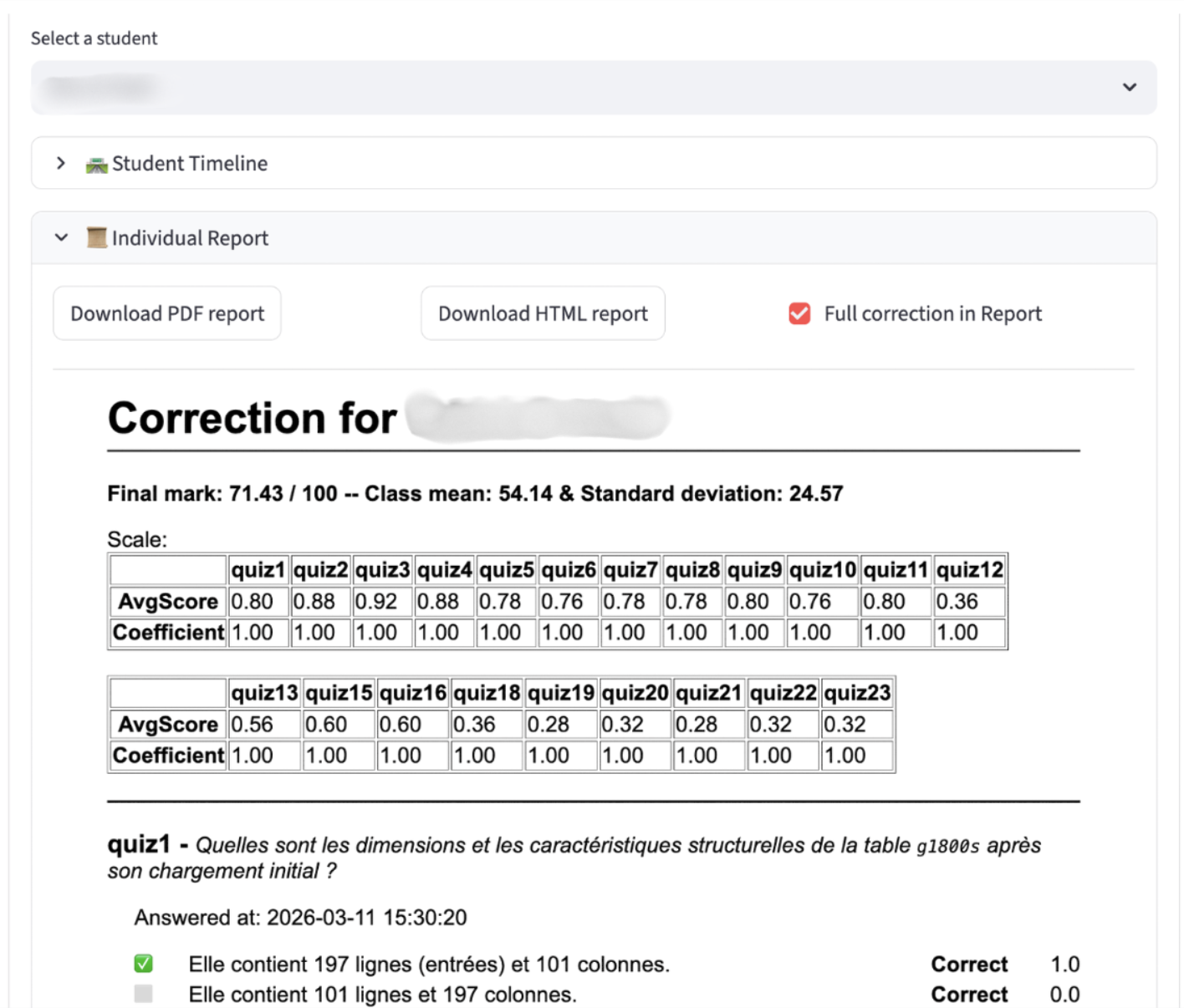
quiz_dash -- quiz_dash -- Individual correction can be generated for a student.
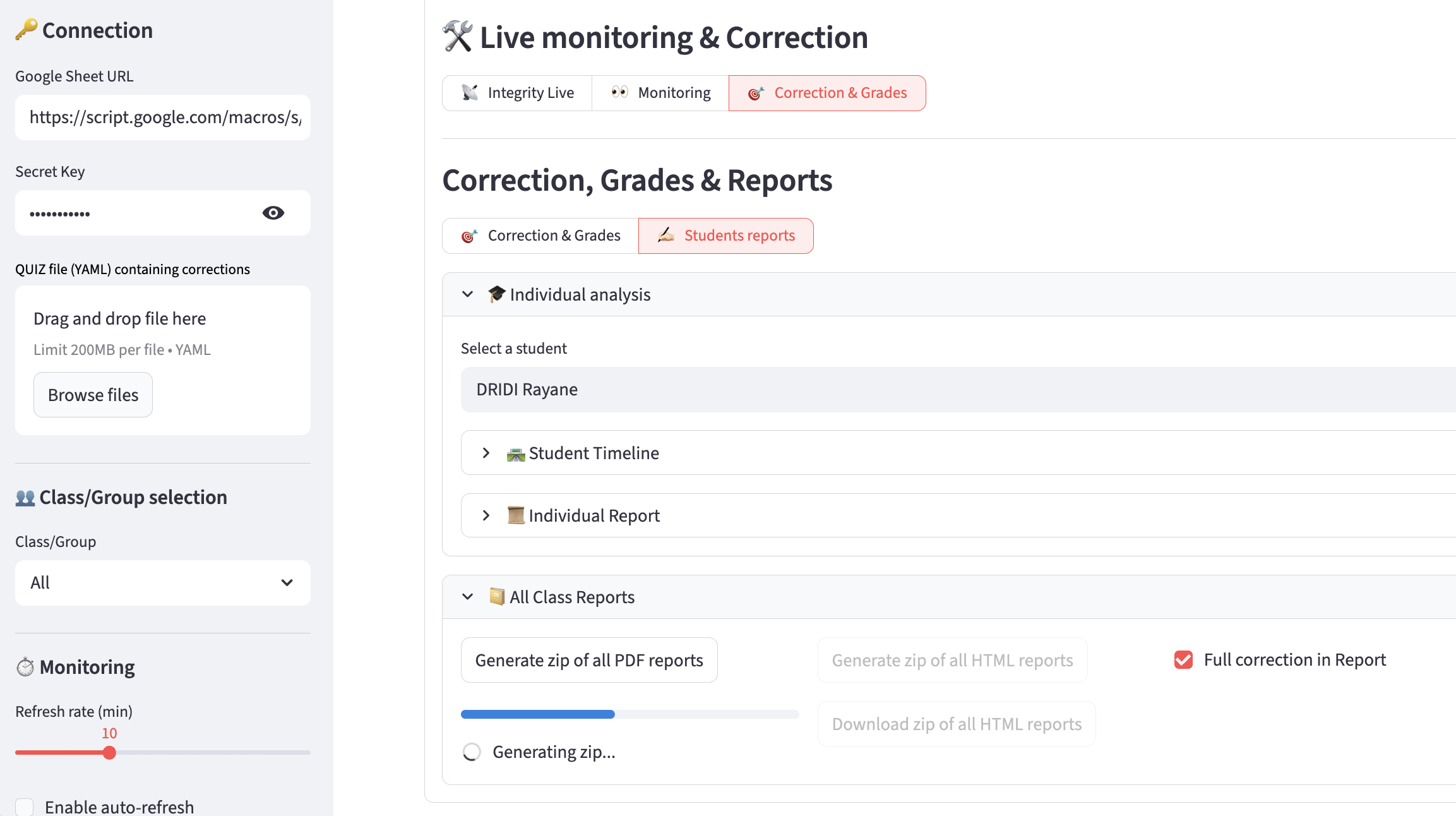
quiz_dash -- Individual reports can be downloaded so that you can distribute them to the students.
Typical Workflow
- Students run quizzes in Jupyter notebooks (LabQuiz)
- Results are logged to Google Sheets
- Instructor opens
quiz_dash - Monitor activity in real time
- Run correction
- Export final grades
Integration
quiz_dash works with:
labquiz— quiz enginequiz_editor— question preparation tool
Intended Use Cases
- Lab session monitoring
- Continuous assessment
- Exam supervision
- Integrity auditing
- Post-session grade recalculation
📜 License
GNU GPL-3.0 license
1 maintainer

Metadata
1 maintainer
Release files for quiz-dash 1.1.3
For a detailed explanation of source distributions (sdists) and built distributions (wheels), please see the package formats documentation.
Source distribution (sdist)
| File | Size | Uploaded | |
|---|---|---|---|
| quiz_dash-1.1.3.tar.gz | 66.4 kB | Details |
Built distribution (wheel)
| File | Interpreter | ABI | Platform | Reset |
|---|---|---|---|---|
| quiz_dash-1.1.3-py3-none-any.whl | Python 3 | none | any | Details |
Total release size: 139.6 kB
Release files / quiz_dash-1.1.3.tar.gz
| Download URL | quiz_dash-1.1.3.tar.gz |
|---|---|
| Size | 66.4 kB |
| Tags | Source |
|
SHA-256 checksum How to use checksums |
7463d3a38dbcb8b6375213b32d3d29b8c9efe633aa0a661d17312c891543f0a6
|
|
BLAKE2b-256 checksum How to use checksums |
1dedcb223a7bd9310c5f5a6566564b1274a2eb9c09fa6e3826b596b60abccc71
|
| Upload date | |
|
Uploaded using Trusted Publishing? What is trusted publishing? |
No |
| Uploaded via |
twine/6.2.0 CPython/3.9.23
|
Release files / quiz_dash-1.1.3-py3-none-any.whl
| Download URL | quiz_dash-1.1.3-py3-none-any.whl |
|---|---|
| Size | 73.3 kB |
| Tags | Python 3 |
|
SHA-256 checksum How to use checksums |
b87ef70c46c032aa3045a7df3cdab94766e8aac70f544f06fb1adad95466ebbb
|
|
BLAKE2b-256 checksum How to use checksums |
8ab5b66c9941de6a187e39aeaed1665f68f538a5994d1bded491f94806f6064b
|
| Upload date | |
|
Uploaded using Trusted Publishing? What is trusted publishing? |
No |
| Uploaded via |
twine/6.2.0 CPython/3.9.23
|














