
LabQuiz streamlit-based dashboard that provides live tracking, integrity verification, and automated correction.

Project description



Real-time monitoring and correction dashboard for LabQuiz (and HTML exam export).
quiz_dash is a Streamlit-based instructor dashboard that connects to a LabQuiz backend (Google Sheets) and provides live tracking, integrity verification, and automated correction.
It is designed for lab sessions, continuous assessment, and secure evaluation.
Why quiz_dash?
When using LabQuiz in connected mode, all student interactions are logged.
Based on the Google Sheet URL specification, the associated read password, and the YAML file containing the answers, quiz_dash allows instructors to:
- track over time, with an adjustable refresh rate, the submissions made by each participant, with the labels of the relevant quizzes,
- check integrity, i.e., verify that the parameters (number of attempts allowed, mode, etc.) have not been modified, verify the hash of the sources, the object in memory, and its dependencies,
- view, over time, the progress of each participant (filterable) and of the entire group,
- correct and retrieve the results table,
- with the possibility of adjusting the weight matrix (for multiple-choice questions) and the scoring scale per question,
- export structured results,
- export individual or whole class graduated scripts.
Installation
From PyPI
pip install quiz-dash
From source
pip install git+https://github.com/jfbercher/labquiz.git#subdirectory=quiz_dash
Launch
An entry-point is provided that allows to simply use
quiz_dash
at the command line.
Or use the hosted version:
👉 https://jfb-quizdash.streamlit.app/
Main Features
📈 Live Monitoring
- Track submissions over time
- View student-by-student activity
- Monitor class progress
- Adjustable refresh rate
🔐 Integrity Verification
Detect:
- Mode changes (exam/test/learning)
- Modified retry limits
- Source hash changes
- Machine sharing
- Kernel restarts
Designed to support controlled exam conditions.
⚖ Flexible Correction
- Automatic correction
- Adjustable weight matrix
- Per-question grading scale
- Recalculation on demand
- Threshold control (negative scores allowed or not)
📥 Export
- Download corrected results as CSV
- Recompute scores with updated parameters
- Export individual PDF or HTML reports
Some screenshots of actual monitoring:
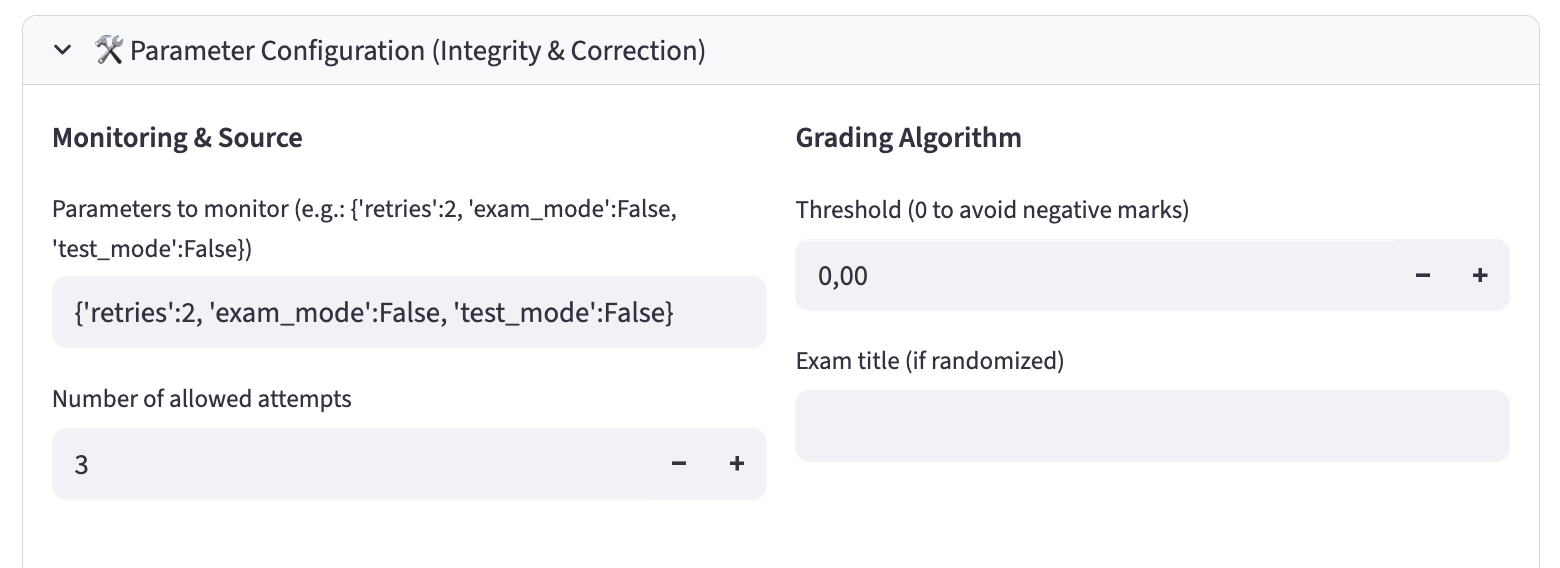
quiz_dash -- Dash parameters
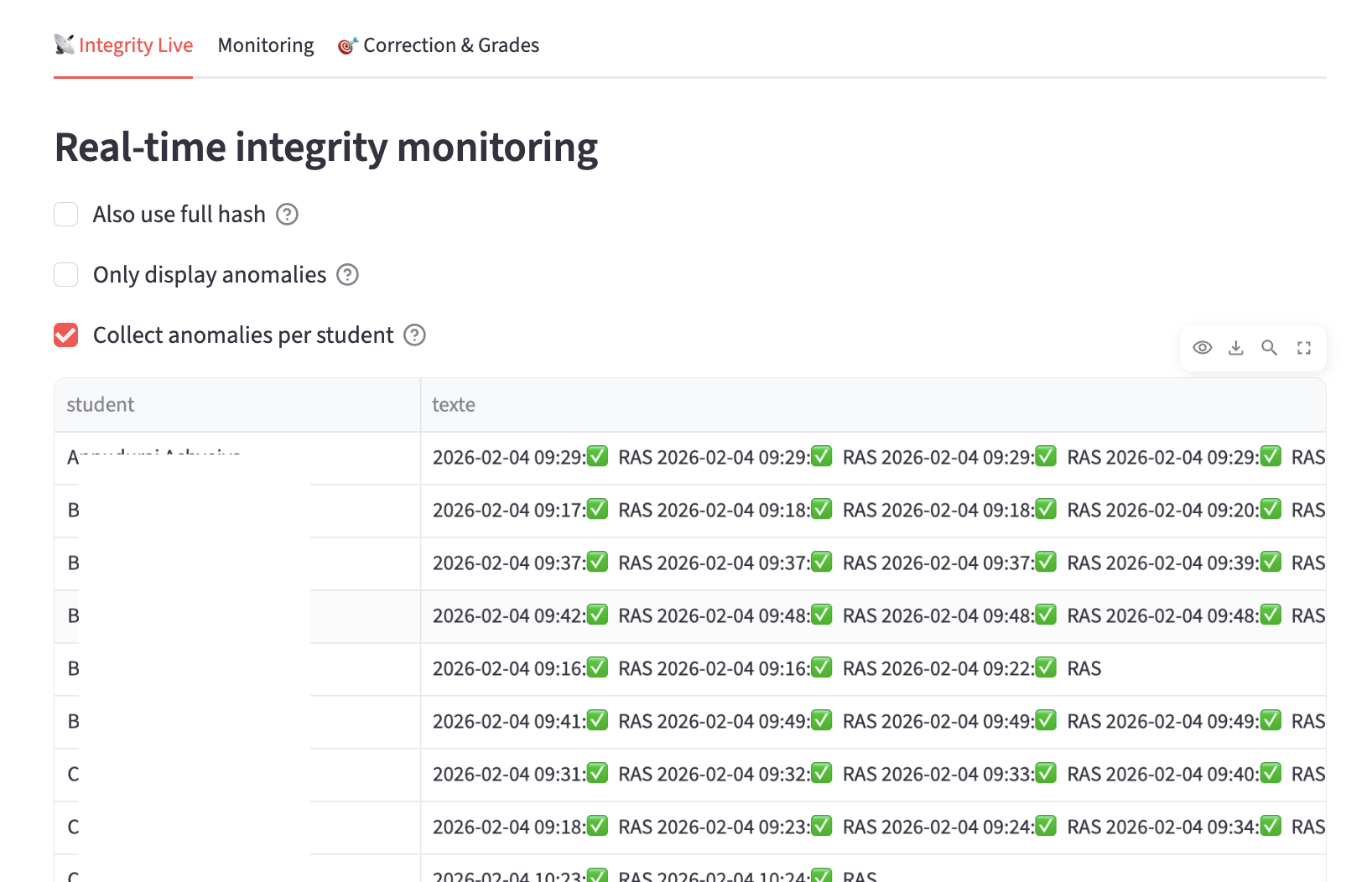
quiz_dash -- Integrity monitoring
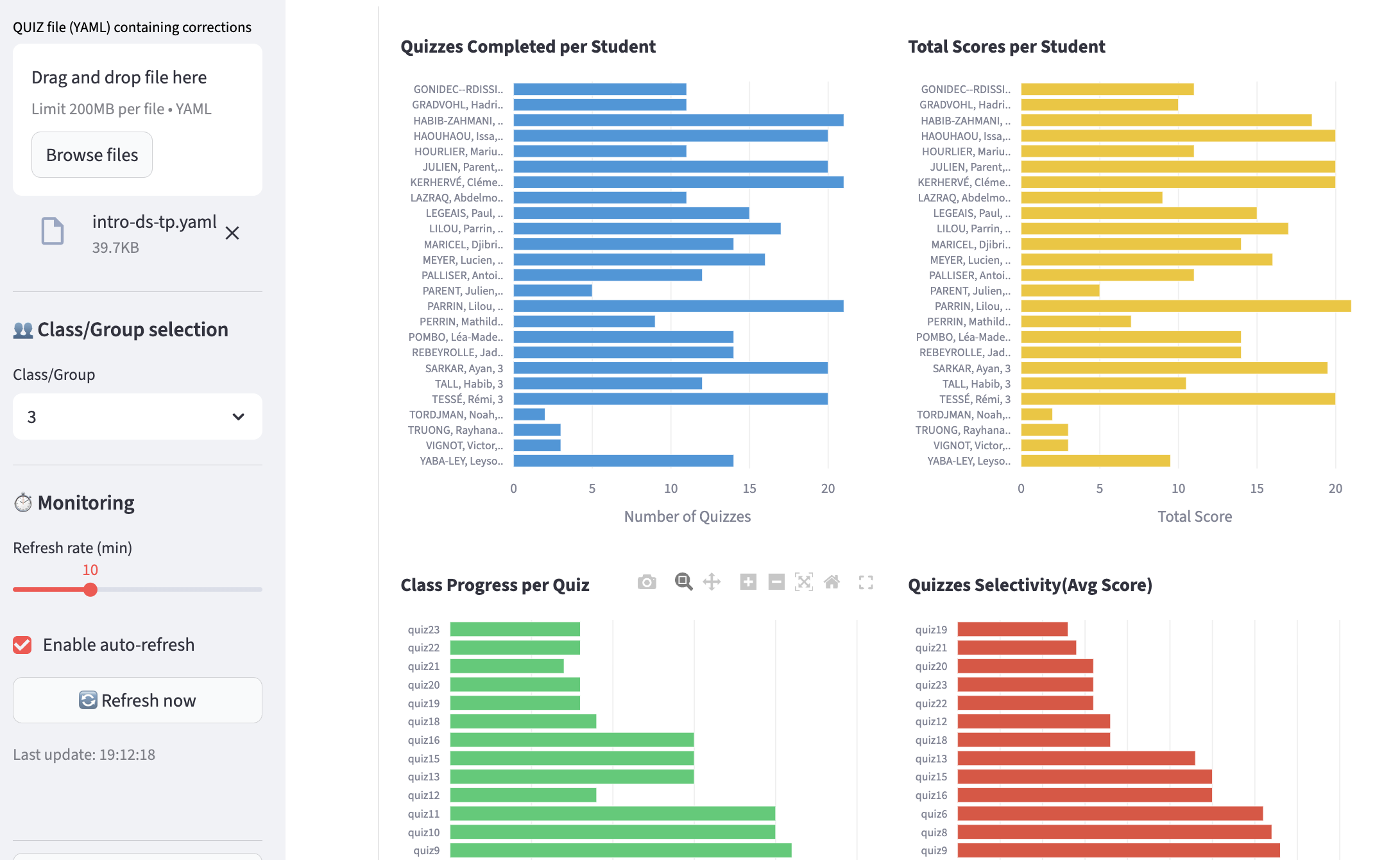
quiz_dash -- Monitoring of quizzes taken by students and the group. Automatic refresh possible and adjustable (student names have been hidden)
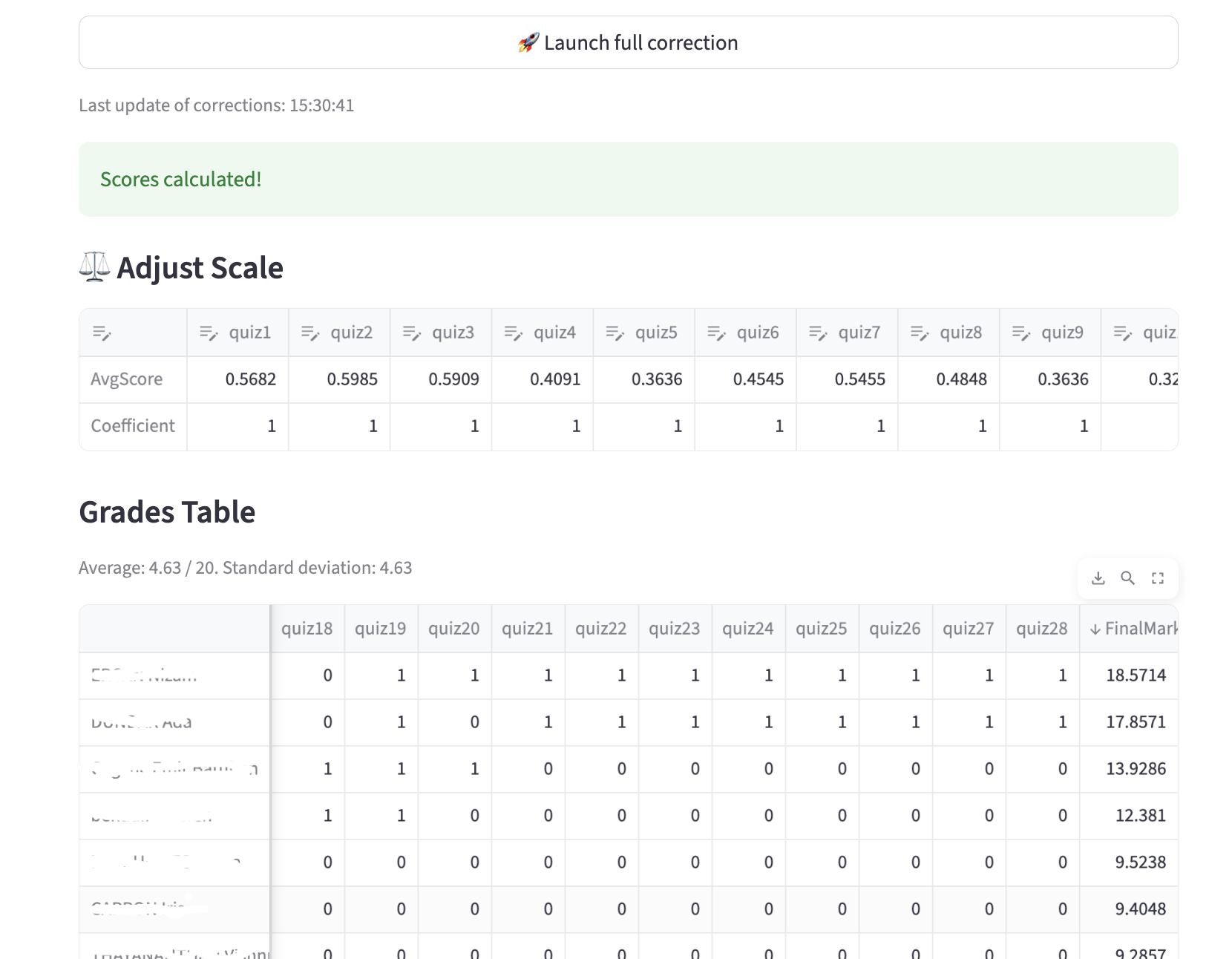
quiz_dash -- Automated correction, with the option to adjust the scoring system (automatic recalculation); (student names have been hidden). Of course, the results table can be downloaded.
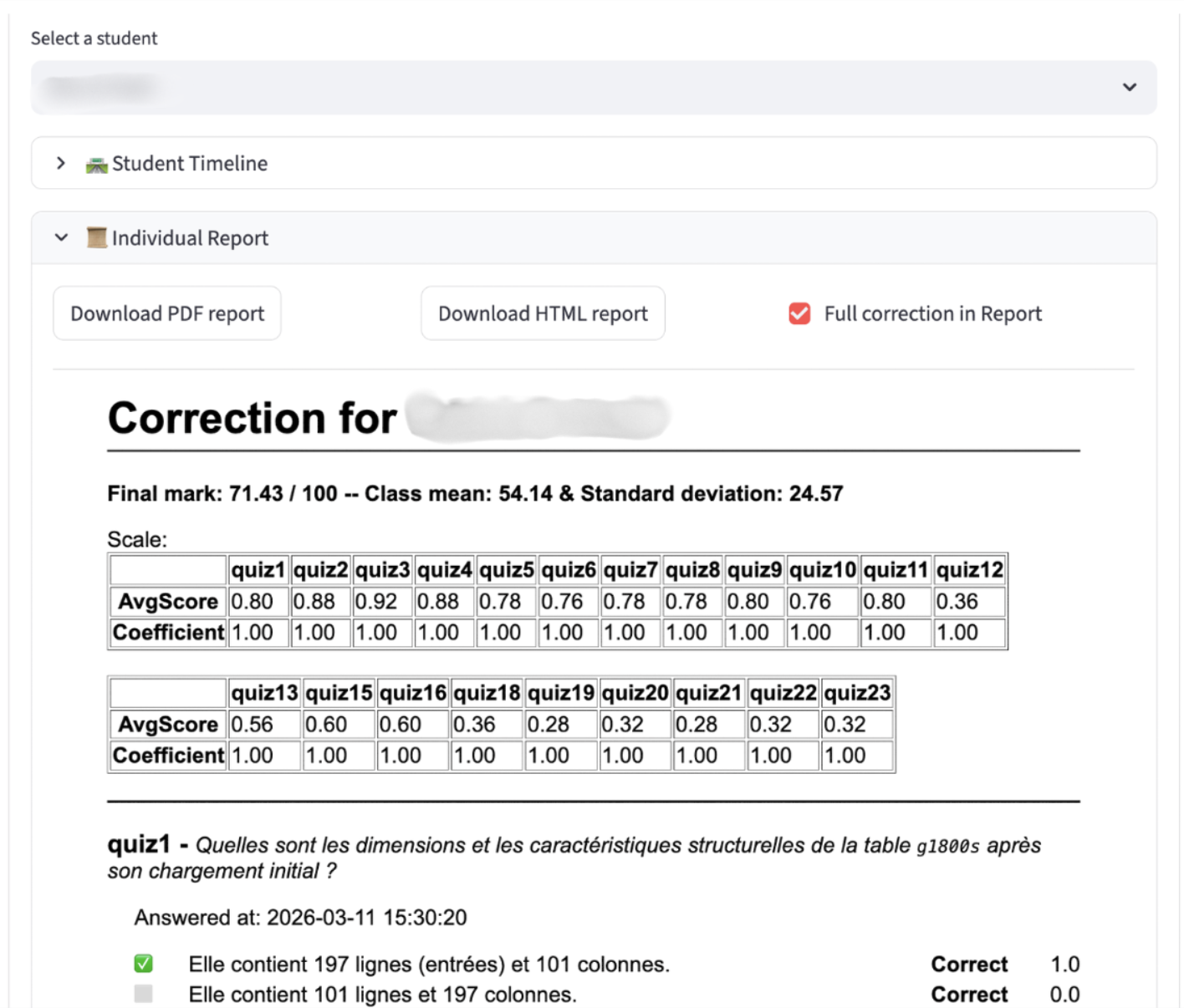
quiz_dash -- quiz_dash -- Individual correction can be generated for a student.
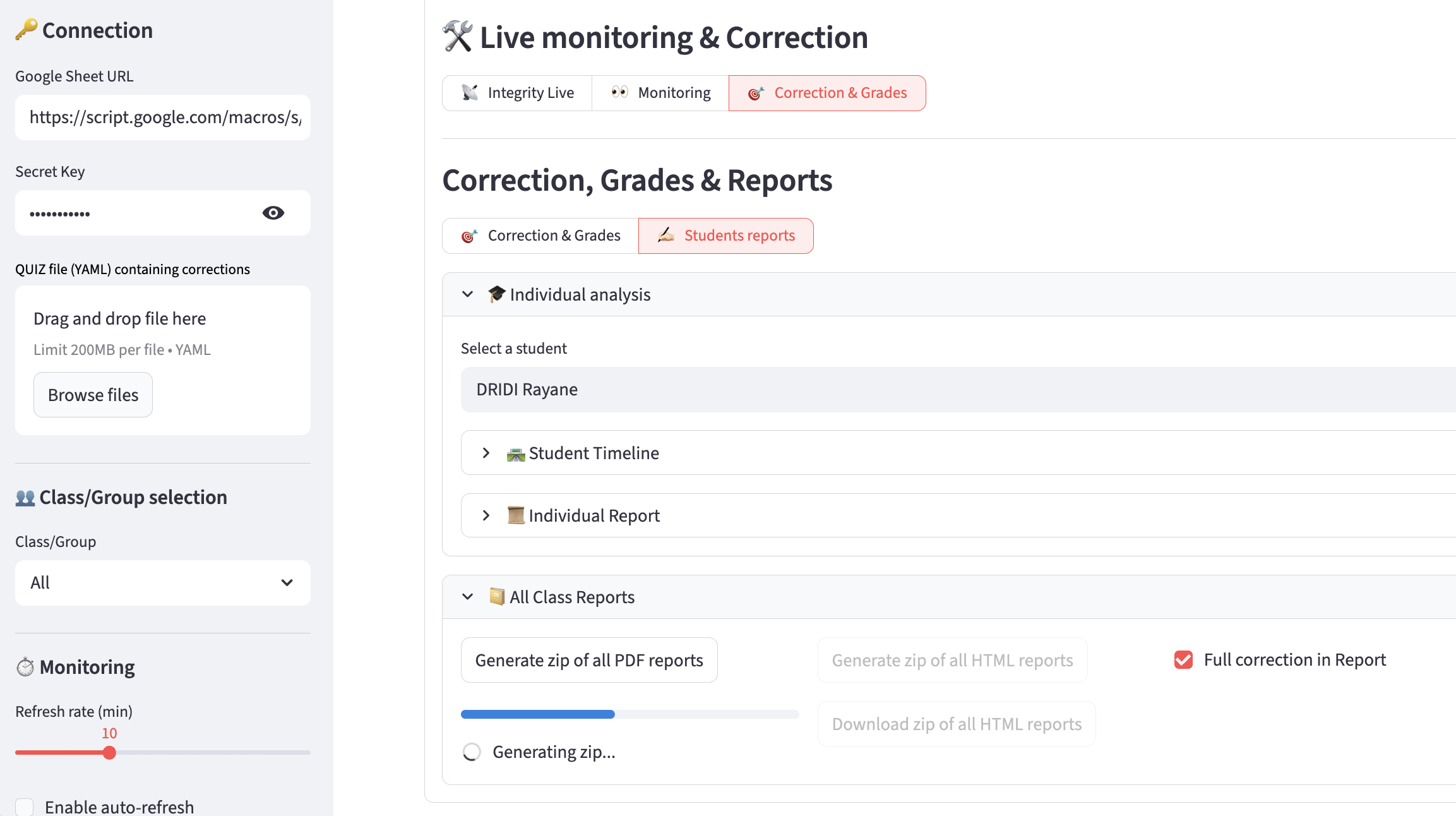
quiz_dash -- Individual reports can be downloaded so that you can distribute them to the students.
Typical Workflow
- Students run quizzes in Jupyter notebooks (LabQuiz)
- Results are logged to Google Sheets
- Instructor opens
quiz_dash - Monitor activity in real time
- Run correction
- Export final grades
Integration
quiz_dash works with:
labquiz— quiz enginequiz_editor— question preparation tool
Intended Use Cases
- Lab session monitoring
- Continuous assessment
- Exam supervision
- Integrity auditing
- Post-session grade recalculation
📜 License
GNU GPL-3.0 license
Release history Release notifications | RSS feed


Download files
Download the file for your platform. If you're not sure which to choose, learn more about installing packages.
Source Distribution
Built Distribution
Filter files by name, interpreter, ABI, and platform.
If you're not sure about the file name format, learn more about wheel file names.
Copy a direct link to the current filters
File details
Details for the file quiz_dash-0.9.7.tar.gz.
File metadata
- Download URL: quiz_dash-0.9.7.tar.gz
- Upload date:
- Size: 48.1 kB
- Tags: Source
- Uploaded using Trusted Publishing? No
- Uploaded via: twine/6.2.0 CPython/3.9.23
File hashes
| Algorithm | Hash digest | |
|---|---|---|
| SHA256 |
a8c370fae8628f99b45661d798003ac57736ee7bccefa2493f9a0a072f210b8e
|
|
| MD5 |
5577928e0f0bf45b66589daa7341b978
|
|
| BLAKE2b-256 |
938f52348c52ed6a7c023466e80be4f93871db47e3c76973fa6e11e8bc7636e8
|
File details
Details for the file quiz_dash-0.9.7-py3-none-any.whl.
File metadata
- Download URL: quiz_dash-0.9.7-py3-none-any.whl
- Upload date:
- Size: 51.7 kB
- Tags: Python 3
- Uploaded using Trusted Publishing? No
- Uploaded via: twine/6.2.0 CPython/3.9.23
File hashes
| Algorithm | Hash digest | |
|---|---|---|
| SHA256 |
3a79e8eac9a12548effe217a1594a41db6d6c0edf64155e8873df17775d3b43f
|
|
| MD5 |
f2461d38de26a23bf152a4efcb5de1d0
|
|
| BLAKE2b-256 |
39c540ebc2f04abd12694fa096075c1545e68ce98c08d08f0176a15cc0a643ba
|






