



Visual editor for creating, managing, and exporting LabQuiz question banks.
quiz_editor is a Streamlit-based application designed to help instructors build structured quiz databases for use with LabQuiz — without manually editing YAML files. quiz_editor can also be useful outside of LabQuiz as a general quiz-editor with export capabilities.
It supports question authoring, template variable simulation, encryption, tagging, and export to multiple formats.
Why quiz_editor?
While LabQuiz uses YAML files for defining quizzes, editing them manually can become tedious for large question banks.
quiz_editor provides:
- A visual interface for question creation
- Support for multiple question types
- Built-in encryption & encoding
- Export to multiple formats (subset of questions, HTML, AMC-$\LaTeX$)
- Tagging, Categories and filtering system
- Template variable simulators
Installation
From PyPI
pip install quiz-editor
From source
pip install git+https://github.com/jfbercher/labquiz.git#subdirectory=quiz_editor
Launch
An entry-point is provided that allows to simply use
quiz_editor
Or use the hosted version:
👉 https://jfb-quizeditor.streamlit.app/
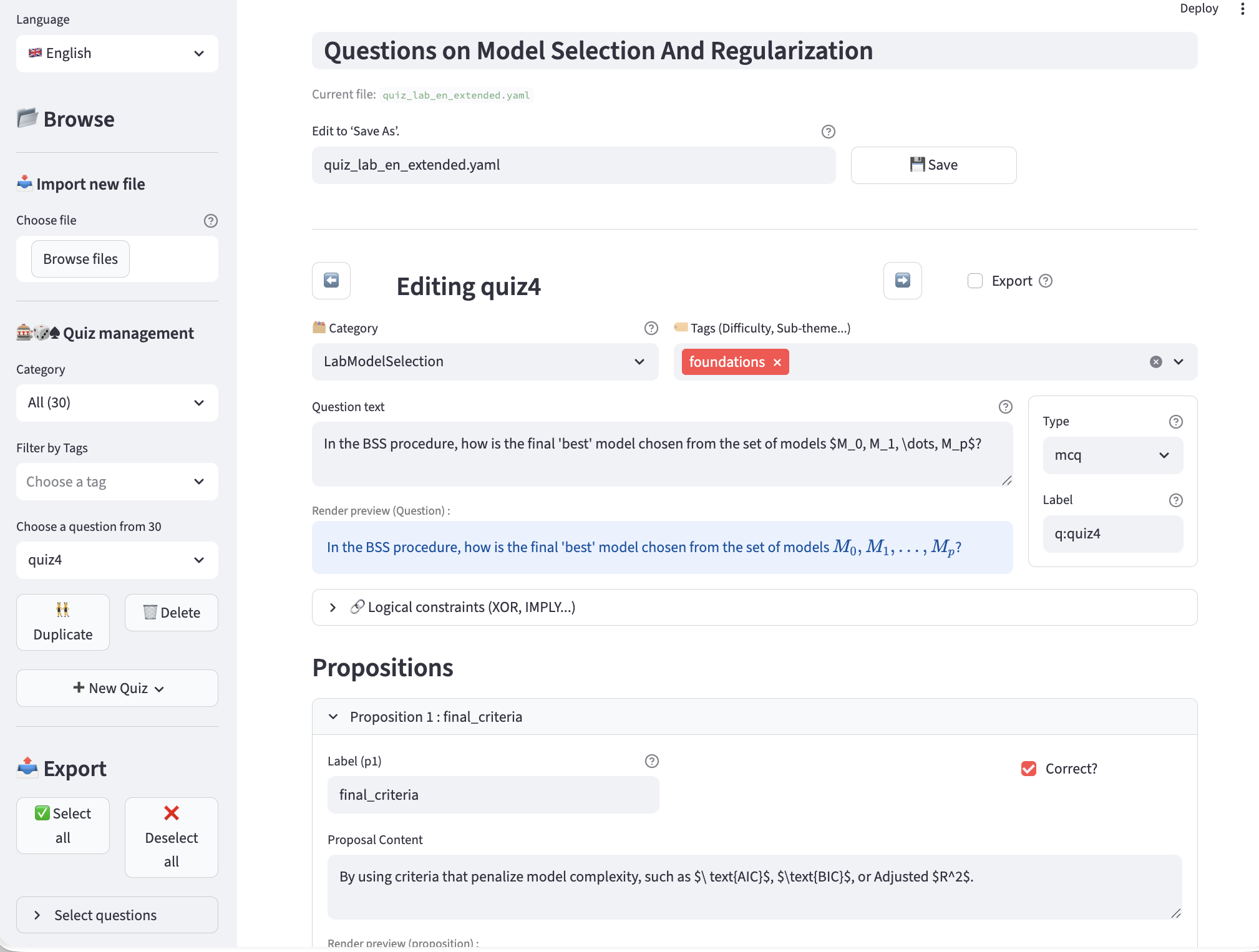
quiz_editor -- editing a question, with category, tags, choice of question type (multiple choice, numeric, etc.)
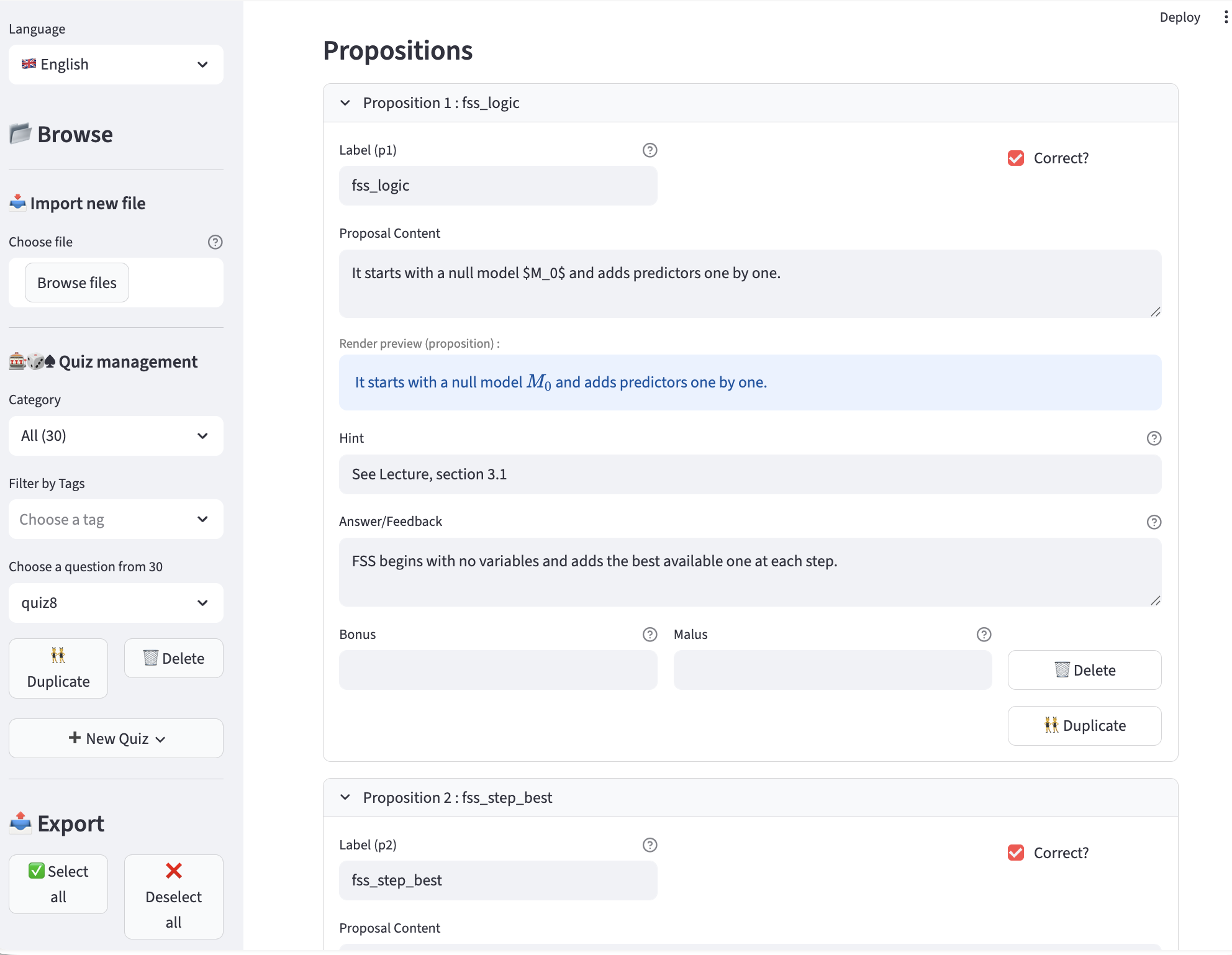
quiz_editor -- editing a proposition -- correct or incorrect, hint (tip), answer (displayed during correction), bonus, penalty, etc.
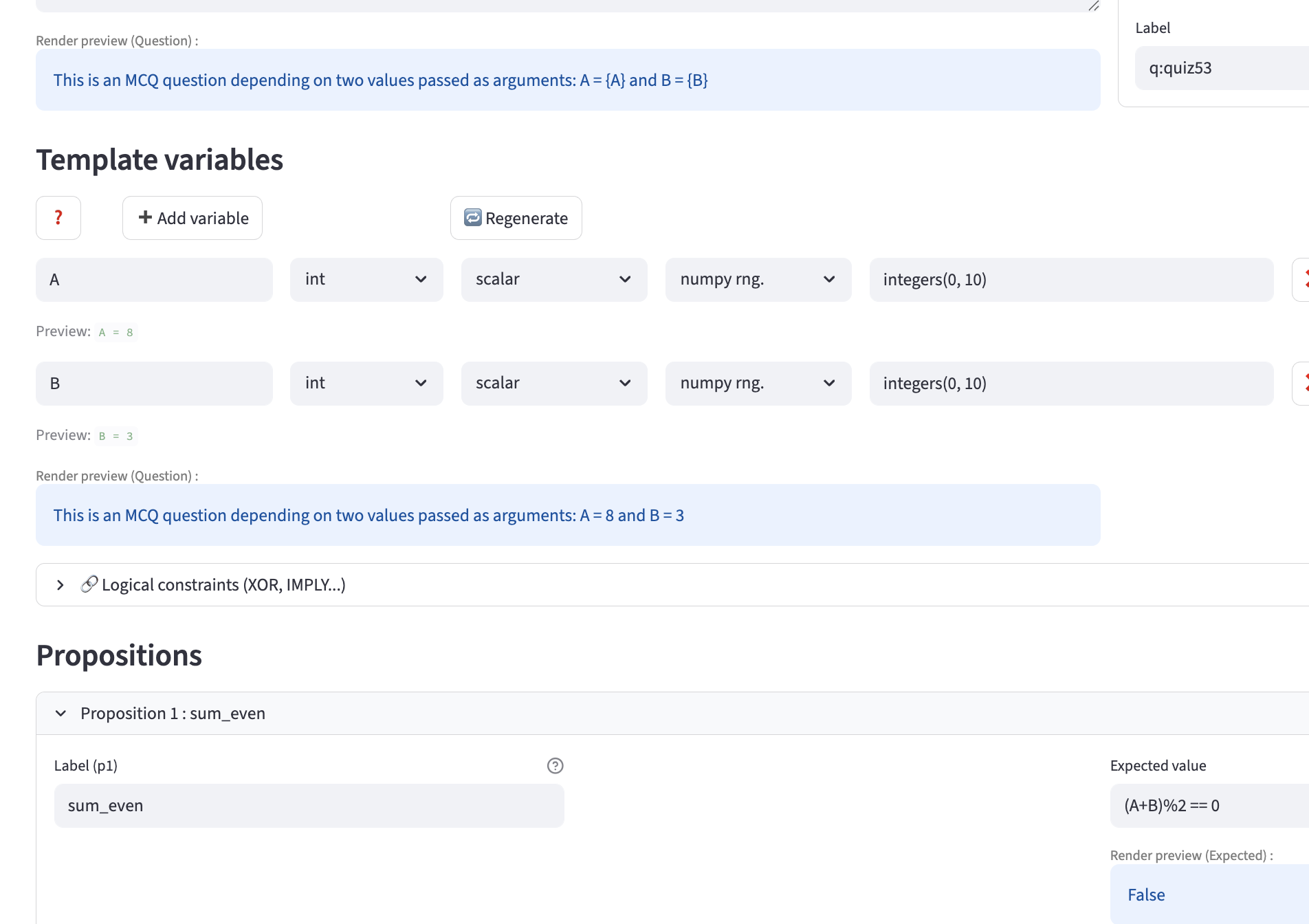
quiz_editor -- example of template usage with potentially external variables, including an editor preview based on automatically generated variables.
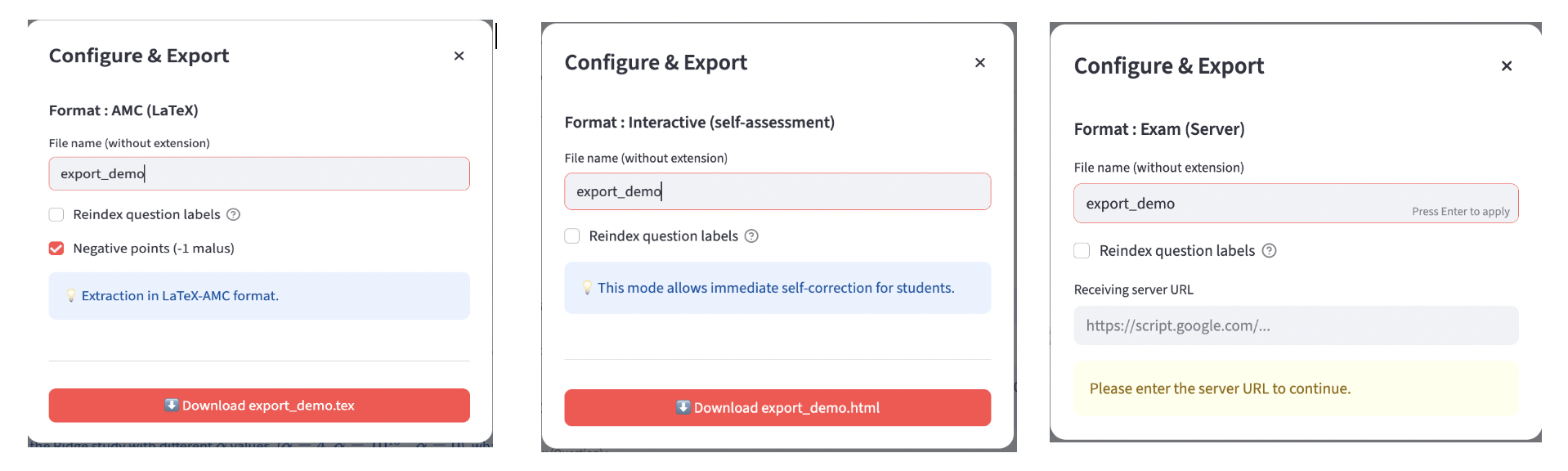
quiz_editor -- Export examples (AMC-$\LaTeX$, interactive HTML, HTML-exam)
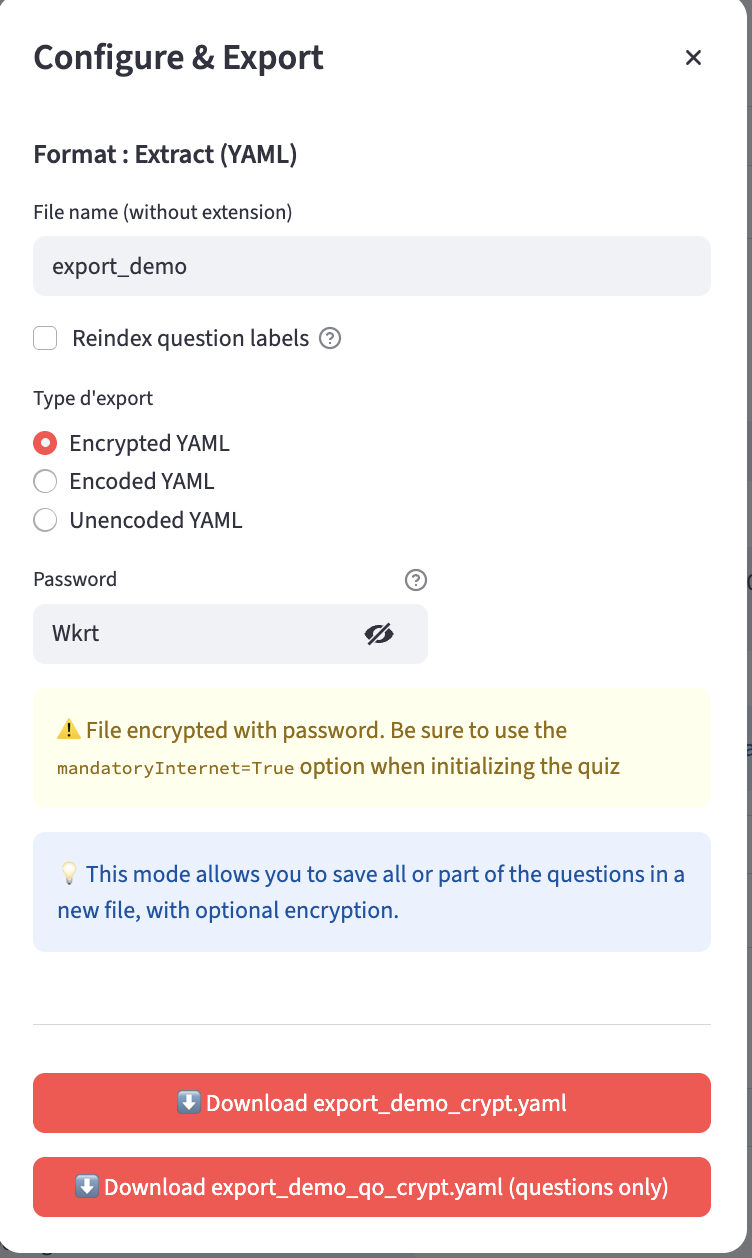
quiz_editor -- YAML Export with normal/encoded/encrypted options and question-only file
Supported Question Types
mcq— Multiple choicenumeric— Numerical with tolerancemcq-template— Parameterized MCQnumeric-template— Parameterized numeric
Template Variable Simulation
For template questions, quiz_editor allows you to define variable generators (“simulators”) directly in the interface.
Each variable can specify:
type(int, float, etc.)structure(scalar, vector, …)engine(e.g., NumPy RNG)call(generation function, e.g.integers(0,10,size=1))
This enables:
- Dynamic generation of values
- Testing template behavior before export
- Automatic inclusion of variable definitions in the YAML file
- Consistent export to LabQuiz, HTML, or AMC formats
These simulators make template questions robust and reusable across sessions.
Features
Question Management
- Create / edit / delete questions
- Add categories and tags
- Define logical constraints (XOR, IMPLY, SAME, IMPLYFALSE)
- Configure bonuses and penalties
- Define tolerances for numerical answers
- Template variables simulation: define variable generators directly in the interface, which enable dynamic generation of values in LabQuiz and in HTML, or AMC exports.
Export Options
quiz_editor can export to:
- ✅ YAML (LabQuiz format)
- 🔐 Encrypted version
- 🔎 Base64-encoded version
- 🌍 Interactive HTML (training mode)
- 📝 HTML exam version (Google Sheet connected)
- 📄 AMC–LaTeX format (for paper exams)
This allows reuse of the same question bank across:
- Notebook-based quizzes
- Web-based self-assessment
- Secure online exams
- Paper multiple-choice exams
Integration with LabQuiz
Typical workflow:
- Create questions in
quiz_editor - Export encrypted YAML
- Use file in:
from labquiz import QuizLab
quiz = QuizLab(URL, "questions.yaml")
Part of the LabQuiz ``Ecosystem''
labquiz— Notebook quiz enginequiz_editor— Question bank editorquiz_dash— Monitoring & correction dashboard
📜 License
GNU GPL-3.0 license
1 maintainer

Metadata
1 maintainer
Release files for quiz-editor 1.2.6
For a detailed explanation of source distributions (sdists) and built distributions (wheels), please see the package formats documentation.
Source distribution (sdist)
| File | Size | Uploaded | |
|---|---|---|---|
| quiz_editor-1.2.6.tar.gz | 165.3 kB | Details |
Built distribution (wheel)
| File | Interpreter | ABI | Platform | Reset |
|---|---|---|---|---|
| quiz_editor-1.2.6-py3-none-any.whl | Python 3 | none | any | Details |
Total release size: 358.5 kB
Release files / quiz_editor-1.2.6.tar.gz
| Download URL | quiz_editor-1.2.6.tar.gz |
|---|---|
| Size | 165.3 kB |
| Tags | Source |
|
SHA-256 checksum How to use checksums |
53e7b8b240641fd03db863635c46b8493e22366ac2c41bd915b4b249f1938e15
|
|
BLAKE2b-256 checksum How to use checksums |
41c37fdb740707b9571f1b17ca3382c897a37ece3cbae2bbf718d232a0666037
|
| Upload date | |
|
Uploaded using Trusted Publishing? What is trusted publishing? |
No |
| Uploaded via |
twine/6.2.0 CPython/3.9.23
|
Release files / quiz_editor-1.2.6-py3-none-any.whl
| Download URL | quiz_editor-1.2.6-py3-none-any.whl |
|---|---|
| Size | 193.2 kB |
| Tags | Python 3 |
|
SHA-256 checksum How to use checksums |
6106c22e5db9401462baefd833dc1bfb307c74e23d2b0ba2b77d7bc23c95c9fd
|
|
BLAKE2b-256 checksum How to use checksums |
5ae0b7e9e160af36928a9931ac845607eaba61f069014a207788d9b879c69de1
|
| Upload date | |
|
Uploaded using Trusted Publishing? What is trusted publishing? |
No |
| Uploaded via |
twine/6.2.0 CPython/3.9.23
|














