
RAD-TUI-IDE 🖥️
Rapid Application Development - Terminal User Interface IDE
A Visual Basic 1.0 for MS-DOS inspired visual IDE that runs on Linux. Design forms, place controls, write code, and run your applications - all in the terminal!



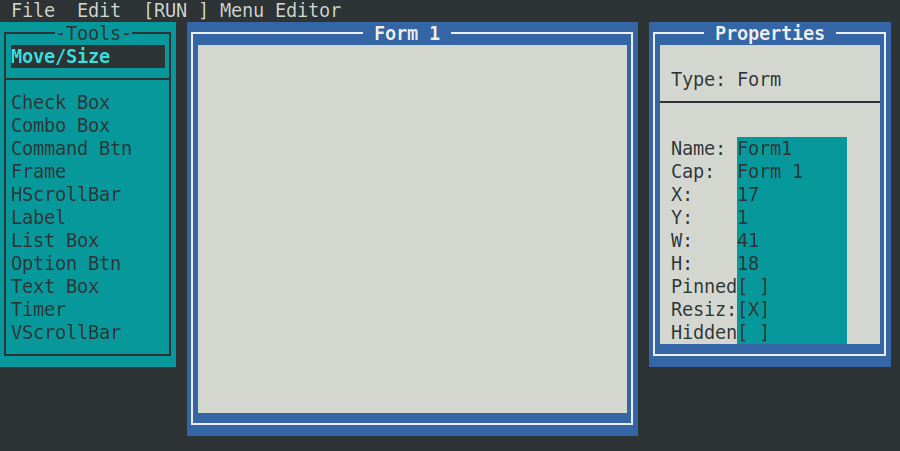
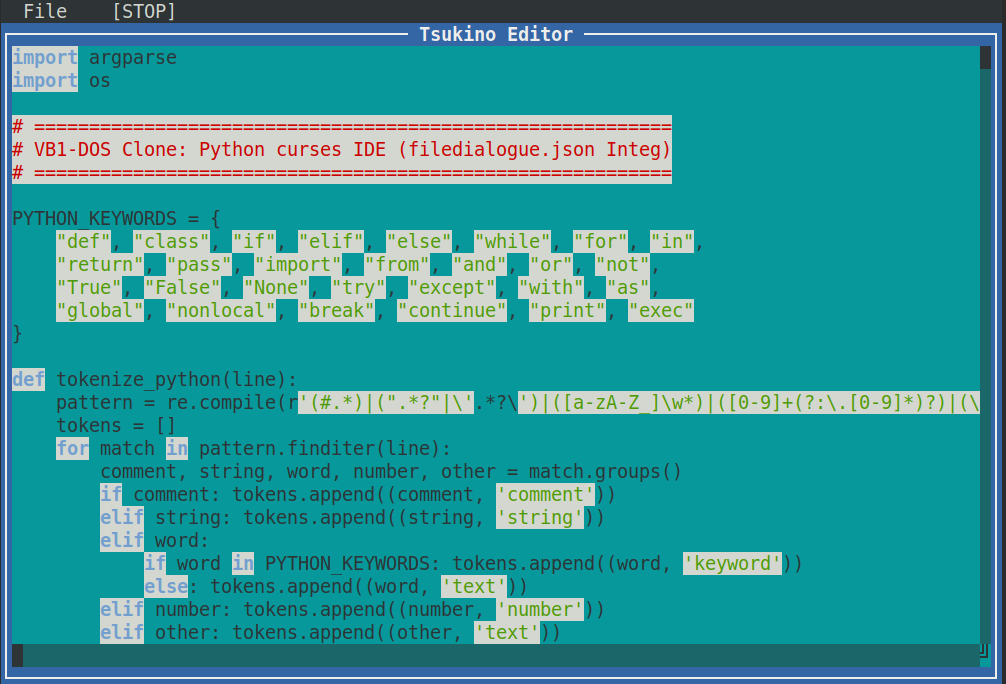
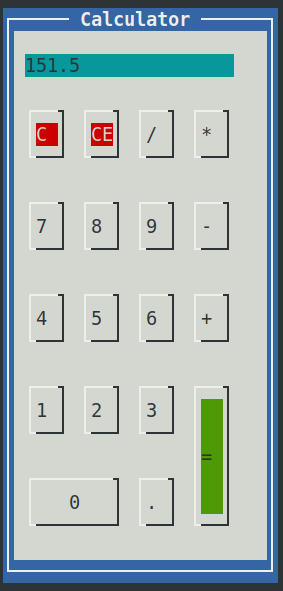
Example projects:
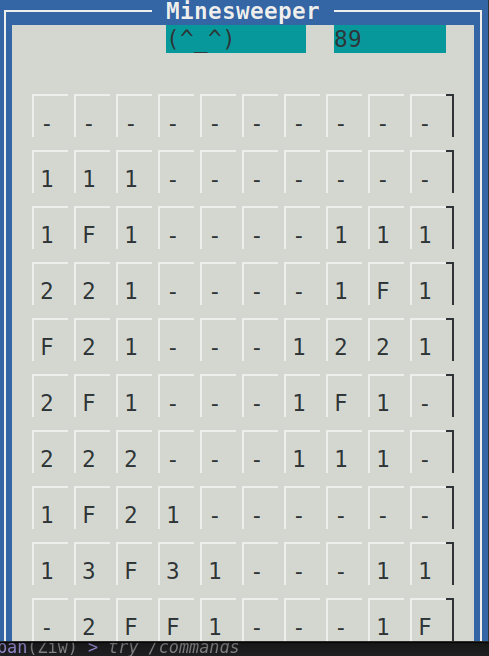
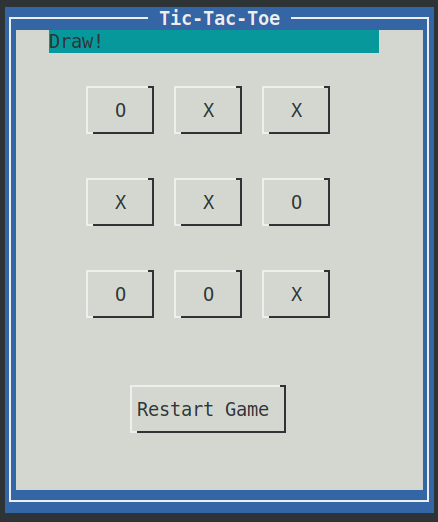
Installation & Usage Guide
Linux (Debian / Ubuntu / Linux Mint)
1. Install Python and venv
Ensure your system repositories are up to date and install Python 3 along with the venv module:
sudo apt update
sudo apt install python3 python3-venv python3-pip
2. Setup and Run Create a virtual environment in your home directory, activate it, and launch the application:
cd ~
python3 -m venv rad-tui-ide
source rad-tui-ide/bin/activate
pip install rad-tui-ide
rad-tui-ide
(Note: For Arch, Fedora, or other distributions, use your respective package manager like pacman or dnf to install Python 3.)
macOS
1. Install Homebrew Run the following command in your terminal to install Homebrew (if you haven't already):
/bin/bash -c "$(curl -fsSL https://raw.githubusercontent.com/Homebrew/install/HEAD/install.sh)"
2. Install Python Update Homebrew and install Python 3:
brew update
brew install python3
3. Setup and Run Create a virtual environment, install the package, and run the IDE:
cd ~
python3 -m venv rad-tui-ide
source rad-tui-ide/bin/activate
pip install rad-tui-ide
rad-tui-ide
Windows
1. Install Python Download and install Python 3 from the official Python website or via the Microsoft Store. Make sure to check the box that says "Add Python to PATH" during installation.
2. Setup and Run Open PowerShell or Command Prompt and run the following commands:
cd $env:USERPROFILE
python -m venv rad-tui-ide

# Activate the virtual environment
# On PowerShell:
Set-ExecutionPolicy RemoteSigned -Scope CurrentUser
.\rad-tui-ide\Scripts\Activate.ps1
# Or on Command Prompt:
# .\rad-tui-ide\Scripts\activate.bat

# Install and run
pip install rad-tui-ide
pip install windows-curses
rad-tui-ide
parameters パラメーター parámetros
-run scriptname.json
-dark-mode starts the ide in dark-mode
-jp 日本語にする
-es Cambiar a español
🎯 Concept
RAD-TUI-IDE recreates the magic of early 90s visual programming environments like VB1 for MS-DOS, but for modern Linux terminals. It provides:
- Visual Form Designer - Drag and drop controls onto forms
- Property Editor - Edit control properties in real-time
- Code Editor - Write Python code with syntax highlighting in Tsukino editor
- Runtime Mode - Test your applications instantly
- Project Management - Save and load projects as JSON files
🚀 Features
Visual Design Environment
- 🖱️ Mouse-driven interface - Point, click, drag, and resize
- 🪟 Draggable windows - Move forms and toolboxes freely
- 🎨 11 control types including buttons, labels, text boxes, and more
- 📐 Visual resizing - Grab handles to resize controls
- ✏️ Property editing - Edit names, captions, positions, and dimensions
Code Development
- 🐍 Python code-behind - Write event handlers in Python
- 🌈 Syntax highlighting - Keywords, strings, numbers, and comments
- ▶️ Runtime execution - Run your forms with live code execution
- 🐛 Runtime error display - See errors in a message box
Project Management
- 💾 Save/Load projects - JSON-based project files
- 📁 File menu - Standard save/load/exit operations
- 🔄 Design/Runtime toggle - Switch between design-time and run-time modes
🎮 How to Run
pip install rad-tui-ide
rad-tui-ide
rad-tui-ide -dark-mode
rad-tui-ide -run scriptname.json
🕹️ User Guide
Getting Started
- Run the application - you'll see:
- A Toolbox on the left with available controls
- A Form window in the center (your design surface)
- A Properties window on the right
Designing a Form
| Action | How To |
|---|---|
| Add a control | Click a tool in the toolbox, then click on the form |
| Move a control | Select "Move/Size" tool, then drag the control |
| Resize a control | Select control, then drag the ■ handle |
| Edit properties | Click a property value in the Properties window |
| Write code | Double-click a button to open the code editor |
Available Controls
| Tool | Description |
|---|---|
| Check Box | Boolean checkbox control |
| Combo Box | Dropdown selection control |
| Command Btn | Clickable button (most common) |
| Frame | Grouping container |
| HScrollBar | Horizontal scrollbar |
| Label | Static text display |
| List Box | Scrollable list |
| Option Btn | Radio button |
| Text Box | Text input field |
| Timer | Background timer |
| VScrollBar | Vertical scrollbar |
Writing Code
Double-click a Command Button to open the code editor. The code editor supports:
def on_click_btnOK():
    msgbox("Hello, World!")
    txtName.caption = "Updated text"
Special functions:
msgbox(text)- Display a message box- Access other controls by their
name_id:txtName.caption,btnOK.caption
🛠️ Technical Details
Python Implementation
- Uses
curseslibrary for terminal UI - Supports mouse events (requires terminal with mouse support)
- Python syntax highlighting
📝 Requirements
Python Version
- Python 3.6+
- Linux terminal with:
- Mouse support (xterm, gnome-terminal, konsole, etc.)
- UTF-8 character support
- 80x25 minimum terminal size
📜 License
This project is licensed under the GNU General Public License v3.0 (GPL v3).
See LICENSE for full details.
🙏 Acknowledgments
Inspired by:
- Microsoft Visual Basic 1.0 for MS-DOS (1992)
- The simplicity of early visual programming environments
- The enduring appeal of terminal-based applications
1 maintainer

Metadata
1 maintainer
Release files for rad-tui-ide 0.1.23
For a detailed explanation of source distributions (sdists) and built distributions (wheels), please see the package formats documentation.
Source distribution (sdist)
| File | Size | Uploaded | Provenance | Actions |
|---|---|---|---|---|
| rad_tui_ide-0.1.23.tar.gz | 268.5 kB | Without provenance | Details for rad_tui_ide-0.1.23.tar.gz |
Built distribution (wheel)
| File | Interpreter | ABI | Platform | Actions Reset |
|---|---|---|---|---|
| rad_tui_ide-0.1.23-py3-none-any.whl | Python 3 | none | any | Details for rad_tui_ide-0.1.23-py3-none-any.whl |
Total release size: 503.0 kB
Release files / rad_tui_ide-0.1.23.tar.gz
| Download URL | rad_tui_ide-0.1.23.tar.gz |
|---|---|
| Size | 268.5 kB |
| Tags | Source |
|
SHA-256 checksum How to use checksums |
99162d086be266e3de1fde961f22364dabb15578b402a0310f9530b2a6250d22
|
|
BLAKE2b-256 checksum How to use checksums |
8f88b8776cfbe9ef13e4a0b6cd387d067a1f7fbd7245d8108aac0ac138e43adf
|
| Upload date | |
|
Uploaded using Trusted Publishing? What is trusted publishing? |
No |
| Uploaded via |
twine/6.2.0 CPython/3.12.3
|
Release files / rad_tui_ide-0.1.23-py3-none-any.whl
| Download URL | rad_tui_ide-0.1.23-py3-none-any.whl |
|---|---|
| Size | 234.5 kB |
| Tags | Python 3 |
|
SHA-256 checksum How to use checksums |
04438fa3ea42c3d55b8fa5608c57eb89eea98fe0d41a1ef720dac7d65aa2ac14
|
|
BLAKE2b-256 checksum How to use checksums |
14c71bdd37f904c08659a2a824ec94303a258136b3546a63c3126a8d55379a0a
|
| Upload date | |
|
Uploaded using Trusted Publishing? What is trusted publishing? |
No |
| Uploaded via |
twine/6.2.0 CPython/3.12.3
|
Security for rad-tui-ide 0.1.23
Provenance
Provenance describes where a file came from. On PyPI, provenance is shared via attestations, which provide a verifiable record of the build or publishing details. View details, limitations and caveats.
No provenance found
None of the files in this release were uploaded with provenance metadata.
A note on package security
PyPI is a repository for distributing packages, not a service for auditing them. While third-party security researchers and our staff do their best to detect and remove malicious packages, PyPI cannot guarantee the quality, security or suitability of any given package.
To learn more about protecting yourself from malicious actors, visit our package security documentation.














