
Develop your robotic tasks with hierarchical state machines using an intuitive graphical user interface


Project description

Documentation: Hosted on Read the Docs
Homepage: DLR-RM.github.io/RAFCON/
License: EPL
Cheatsheet: Download Cheatsheet
Usage with ROS2: RAFCON with ROS2 Tutorial
Develop your robotic tasks using an intuitive graphical user interface
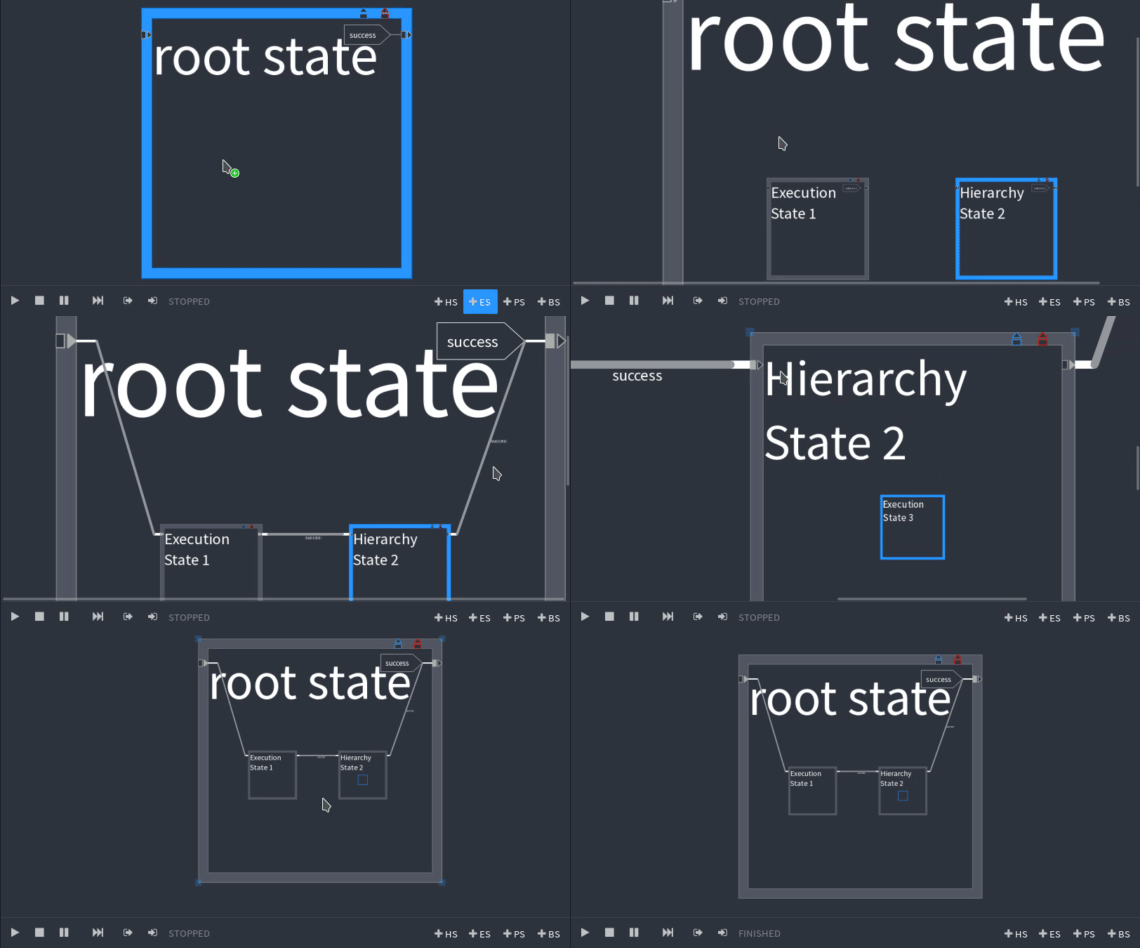
RAFCON uses hierarchical state machines, featuring concurrent state execution, to represent robot programs. It ships with a graphical user interface supporting the creation of state machines and contains IDE like debugging mechanisms. Alternatively, state machines can programmatically be generated using RAFCON’s API.
Universal application
RAFCON is written in Python, can be extended with plugins and is hard- and middleware independent.
Visual programming
The sophisticated graphical editor can be used for the creation, execution and debugging of state machines.
Collaborative working
Share and reuse your state machines in form of libraries, stored as JSON strings in text files.
Installation preparations
Before installing RAFCON, Python >=3.9, pip and setuptools are required on your system. Most of the other dependencies are automatically resolved by pip/setuptools, but not all of them. Those need be be installed manually, too:
General requirements
Python >=3.9
pip (recent version required)
pdm (recent version required)
Installation requirements
Tested under Ubuntu 24.04
sudo apt update
sudo apt install python3-dev python3-pip python3-setuptools
sudo apt install libcairo2-dev pkg-config libgirepository1.0-dev
sudo apt install gir1.2-gtk-3.0 gir1.2-gtksource-3.0
Installing RAFCON
Tested under Ubuntu 24.04
It is recommended to install RAFCON inside a virtual environment. Once created, make sure setuptools is installed:
pip install "setuptools<81"Then, simply install RAFCON with:
pip install rafcon --userThe --user flag is optional. If not set, RAFCON is installed globally (in this case you normaly need to have root privileges).
If you run into any problems installing and starting RAFCON, please let us know in the issues!
Of course you can also directly use the RAFCON sources from GitHub.
cd /install/directory
git clone https://github.com/DLR-RM/RAFCON.git rafcon
Start RAFCON
No matter which installation option you choose, RAFCON can be started from any location using (make sure /usr/local/bin or ~/.local/bin is in your PATH environment variable):
rafconOn a multi-python setup start rafcon using:
python<your-version> -m rafconUninstallation
If you want to uninstall RAFCON, all you need to do is call
pip uninstall rafconRelease history Release notifications | RSS feed


Download files
Download the file for your platform. If you're not sure which to choose, learn more about installing packages.
Source Distribution
Built Distribution
Filter files by name, interpreter, ABI, and platform.
If you're not sure about the file name format, learn more about wheel file names.
Copy a direct link to the current filters
File details
Details for the file rafcon-2.5.0.tar.gz.
File metadata
- Download URL: rafcon-2.5.0.tar.gz
- Upload date:
- Size: 2.4 MB
- Tags: Source
- Uploaded using Trusted Publishing? No
- Uploaded via: twine/6.2.0 CPython/3.12.3
File hashes
| Algorithm | Hash digest | |
|---|---|---|
| SHA256 |
13d6bbf7ce3e74f3295bb1cd5f2c6538601f991b20a2314aac7aff04c2be293c
|
|
| MD5 |
aeee81657aebb55e2546cae1df52ae88
|
|
| BLAKE2b-256 |
929cf9de2ef13fed922adc452ae41394f8a72057df9219d6720d63a6f8ef9034
|
File details
Details for the file rafcon-2.5.0-py3-none-any.whl.
File metadata
- Download URL: rafcon-2.5.0-py3-none-any.whl
- Upload date:
- Size: 2.9 MB
- Tags: Python 3
- Uploaded using Trusted Publishing? No
- Uploaded via: twine/6.2.0 CPython/3.12.3
File hashes
| Algorithm | Hash digest | |
|---|---|---|
| SHA256 |
b640ffa8b5537590fd1dc863a11d45ebf0029802c5bb2fadd24ec85cc2dcb662
|
|
| MD5 |
f2a9abf6c002535595d223a58c10bdd3
|
|
| BLAKE2b-256 |
3a6fef7ec8ef2188e64643d204d849b1362cbd37b6300f283ce8030a8336b0b6
|






