
Python client for PetKit API

Project description
Petkit API Client



















Enjoying this library?


ℹ️ Overview
PetKit Client is a Python library for interacting with the PetKit API. It allows you to manage your PetKit devices, retrieve account data, and control devices through the API.
🚀 Features
- Login and session management
- Fetch account and device data
- Control PetKit devices (Feeder, Litter Box, Water Fountain, Purifiers)
- Fetch images & videos produced by devices
Pictures are available with or without Care+ subscription, Videos are only available with Care+ subscription
⬇️ Installation
Install the library using pip:
pip install rankjie-pypetkitapi
💡 Usage Example:
Here is a simple example of how to use the library to interact with the PetKit API
This example is not an exhaustive list of all the features available in the library.
import asyncio
import logging
import aiohttp
from pypetkitapi.client import PetKitClient
from pypetkitapi.command import DeviceCommand, FeederCommand, LBCommand, DeviceAction, LitterCommand

logging.basicConfig(level=logging.DEBUG)

async def main():
    async with aiohttp.ClientSession() as session:
        client = PetKitClient(
            username="username",  # Your PetKit account username or id
            password="password",  # Your PetKit account password
            region="FR",  # Your region or country code (e.g. FR, US,CN etc.)
            timezone="Europe/Paris",  # Your timezone(e.g. "Asia/Shanghai")
            session=session,
        )

        await client.get_devices_data()

        # Lists all devices and pet from account

        for key, value in client.petkit_entities.items():
            print(f"{key}: {type(value).__name__} - {value.name}")

        # Select a device
        device_id = key
        # Read devices or pet information
        print(client.petkit_entities[device_id])

        # Send command to the devices
        ### Example 1 : Turn on the indicator light
        ### Device_ID, Command, Payload
        await client.send_api_request(device_id, DeviceCommand.UPDATE_SETTING, {"lightMode": 1})

        ### Example 2 : Feed the pet
        ### Device_ID, Command, Payload
        # simple hopper :
        await client.send_api_request(device_id, FeederCommand.MANUAL_FEED, {"amount": 1})
        # dual hopper :
        await client.send_api_request(device_id, FeederCommand.MANUAL_FEED, {"amount1": 2})
        # or
        await client.send_api_request(device_id, FeederCommand.MANUAL_FEED, {"amount2": 2})

        ### Example 3 : Start the cleaning process
        ### Device_ID, Command, Payload
        await client.send_api_request(device_id, LitterCommand.CONTROL_DEVICE, {DeviceAction.START: LBCommand.CLEANING})


if __name__ == "__main__":
    asyncio.run(main())
💡 More example usage
Check at the usage in the Home Assistant integration : here
☑️ Supported Devices
| Category | Name | Device |
|---|---|---|
| 🍗 Feeders | ✅ Fresh Element | 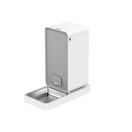 |
| ✅ Fresh Element Mini Pro |  |
|
| ✅ Fresh Element Infinity | 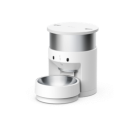 |
|
| ✅ Fresh Element Solo |  |
|
| ✅ Fresh Element Gemini | 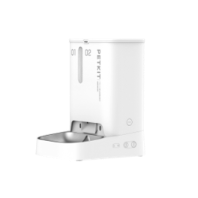 |
|
| ✅ YumShare Solo |  |
|
| ✅ YumShare Dual-hopper | 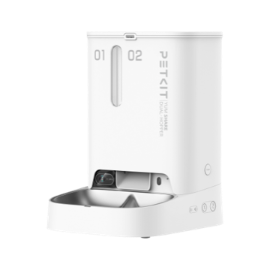 |
|
| 🚽 Litters | ✅ PuraX | 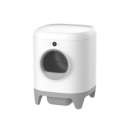 |
| ✅ PuraMax |  |
|
| ✅ PuraMax 2 |  |
|
| ✅ Purobot Max Pro |  |
|
| ✅ Purobot Ultra |  |
|
| ⛲ Fountains | ✅ Eversweet Solo 2 | 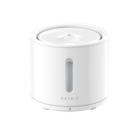 |
| ✅ Eversweet 3 Pro |  |
|
| ✅ Eversweet 3 Pro UVC | 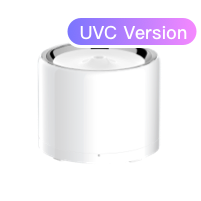 |
|
| ✅ Eversweet 5 Mini |  |
|
| ✅ Eversweet Max | 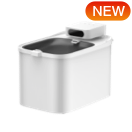 |
|
| 🧴 Purifiers | ✅ Air Magicube |  |
| ✅ Air Smart Spray |  |
🛟 Help and Support
Developers? Want to help? Join us on our Discord channel dedicated to developers and contributors.

👨💻 Contributing
Contributions are welcome!
Please open an issue or submit a pull request.
License
This project is licensed under the MIT License. See the LICENSE file for details.
Release history Release notifications | RSS feed


Download files
Download the file for your platform. If you're not sure which to choose, learn more about installing packages.
Source Distribution
Built Distribution
Filter files by name, interpreter, ABI, and platform.
If you're not sure about the file name format, learn more about wheel file names.
Copy a direct link to the current filters
File details
Details for the file rankjie_pypetkitapi-1.3.0.dev6.tar.gz.
File metadata
- Download URL: rankjie_pypetkitapi-1.3.0.dev6.tar.gz
- Upload date:
- Size: 43.7 kB
- Tags: Source
- Uploaded using Trusted Publishing? No
- Uploaded via: twine/6.1.0 CPython/3.13.0
File hashes
| Algorithm | Hash digest | |
|---|---|---|
| SHA256 |
7dc3e1534ea5cdc90dbb20b54510a4558de13d78164cc70f4b63d5694131fbe1
|
|
| MD5 |
c40b435a4aecb75c5ee359d70fae3d57
|
|
| BLAKE2b-256 |
94ece8a96f2b8798a3dffec0ac911732b5d3d97d2e2ff9d7edc4666a4eb65f87
|
File details
Details for the file rankjie_pypetkitapi-1.3.0.dev6-py3-none-any.whl.
File metadata
- Download URL: rankjie_pypetkitapi-1.3.0.dev6-py3-none-any.whl
- Upload date:
- Size: 45.1 kB
- Tags: Python 3
- Uploaded using Trusted Publishing? No
- Uploaded via: twine/6.1.0 CPython/3.13.0
File hashes
| Algorithm | Hash digest | |
|---|---|---|
| SHA256 |
ca62810c62127a9673a42ab55c73fa35737c605da866e9eeb8b45dab4c1c72f4
|
|
| MD5 |
adc56fecc603ef51a79cff14510c270e
|
|
| BLAKE2b-256 |
f935b67d093a629f41130e990bc61b2099e4bc6ed609a2a6247581b4c3e0bfb7
|






